

If you want the most reliable way to run DeepSeek locally in 2026, use Ollama and start with DeepSeek R1 14B Distilled. It runs smoothly on systems with 24GB VRAM or 32GB unified memory and delivers the best balance between speed and output quality. Smaller systems should stick to 7B models, while high-end setups can scale to 32B—only if the model fits fully in memory.
Why Run DeepSeek Locally?

There’s a moment most people hit sooner or later. You’re in the middle of something useful, the model is finally giving good output, and then everything stops with a “server is busy” message. It breaks momentum instantly.
Running DeepSeek locally removes that dependency entirely. There are no queues, no rate limits, and no external systems deciding when you can or can’t work. The response speed becomes consistent, and the experience feels immediate in a way cloud tools rarely match under load.
Privacy is the second reason—and in 2026, it’s not a minor one. If you’re working with internal documents, proprietary code, or sensitive research, sending that data through third-party APIs is increasingly difficult to justify. Local inference keeps everything on your machine, aligning with modern expectations around data isolation and control.
Hardware Reality Check — What Actually Matters
Most problems don’t come from installation—they come from mismatched expectations. A model that technically runs but takes seconds per token isn’t useful.
Here’s what current hardware realistically supports:
| Tier | Model Size | Hardware Required | Experience |
|---|---|---|---|
| Budget | 7B | 12GB VRAM (RTX 3060) or 16GB unified memory | Works, slower on longer outputs |
| Mid-range | 14B–32B | 24GB VRAM or 32GB unified memory | Ideal balance |
| High-end | 671B | Multi-GPU / 128GB+ RAM | Research environments only |
If the model spills into swap memory, performance drops sharply. You might still get output, but it becomes slow enough to defeat the purpose of running locally.
Mac vs Windows — Why Architecture Matters
A noticeable shift in 2026 is how well Apple Silicon handles local inference. The difference isn’t just raw performance—it’s how memory is structured.
On most Windows systems, GPU memory and system RAM are separate. Data has to move between them, which creates overhead. Apple Silicon uses unified memory, meaning the CPU and GPU share the same pool. That reduces bottlenecks and keeps performance stable under load.
In practice, a 32–48GB Mac can run mid-sized models more smoothly than many discrete GPU setups with similar specs. It also does so at much lower power consumption, which becomes relevant during longer sessions.
The Setup — Fastest Reliable Method
The simplest way to run DeepSeek locally is through Ollama. It handles model downloads, quantization, and optimization automatically, which removes most of the setup complexity.
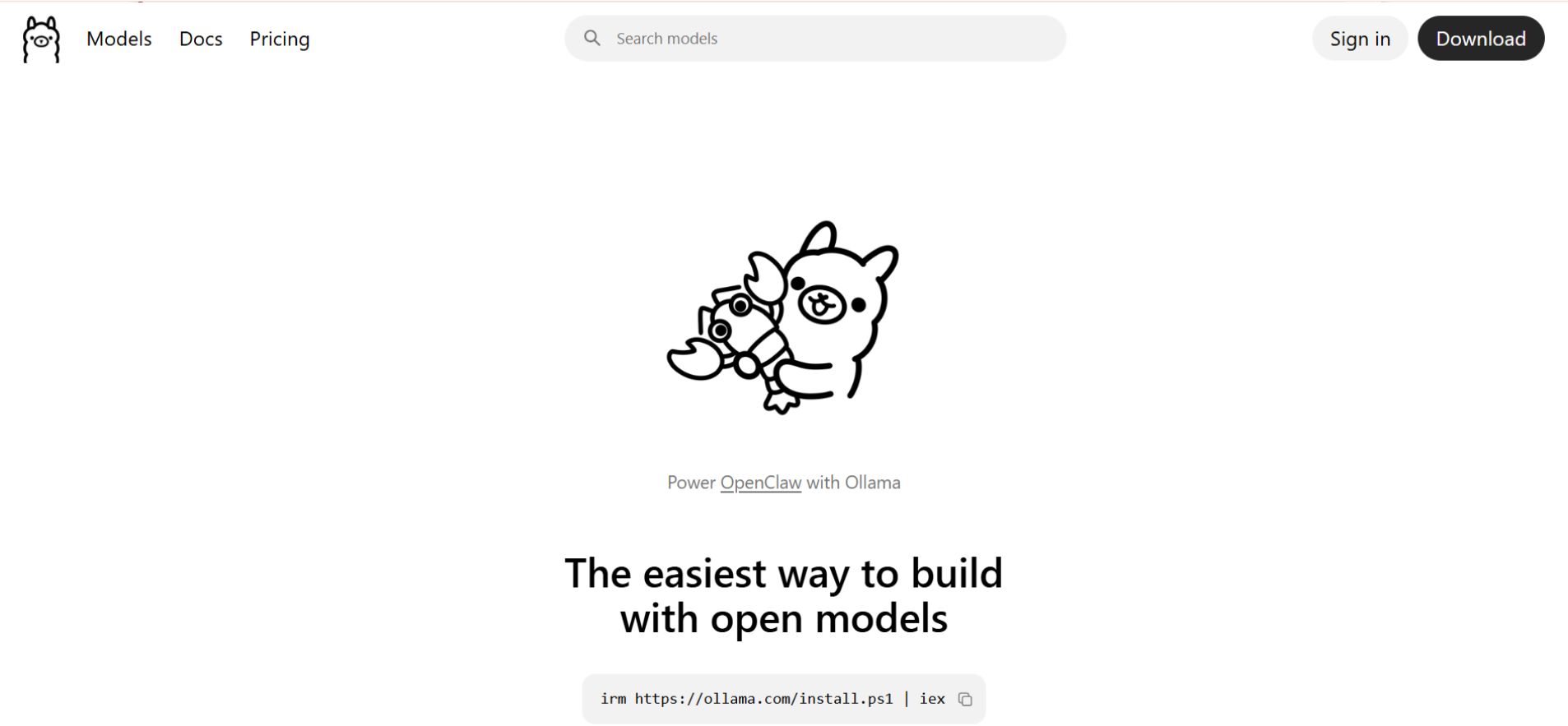
On Mac and Windows, once installed, you can run:
ollama run deepseek-r1:7b
ollama run deepseek-r1:14b
ollama run deepseek-r1:32b
If the system slows down immediately or the output becomes inconsistent, it usually means you’ve exceeded available memory. Dropping to a smaller model almost always improves real-world performance.
Running DeepSeek as a Local API

Once Ollama is running, it exposes a local API endpoint:
http://localhost:11434/v1
This is where local setups become genuinely useful. The endpoint is compatible with OpenAI-style APIs, so tools that support custom endpoints can connect directly without major changes.
This approach is similar to how some users integrate local models into platforms like Janitor-style AI systems or companion apps.
It allows you to replace paid API usage with a local backend, run automation workflows, or integrate AI features into applications without external dependencies.
Turning DeepSeek into a Local Copilot
One of the most practical uses is running a local coding assistant.
A typical setup uses:
- Visual Studio Code
- Continue.dev
Once configured with the local API endpoint, this setup functions similarly to cloud-based copilots—but without latency or usage costs. The difference becomes obvious during longer coding sessions where responsiveness matters.
Optimizing Context with MLA
A major shift in 2026 models is the use of Multi-head Latent Attention (MLA), which changes how context is handled internally.
Older transformer models stored large key-value caches for every token, which made long context windows extremely memory-intensive. MLA compresses this information into a latent representation, reducing memory pressure during extended sessions.
The result is more stable performance at higher context lengths, especially in the 32K–128K range. Long conversations and document analysis benefit the most.
DeepSeek V4 Lite and Engram Architecture
DeepSeek V4 Lite introduced a shift toward Engram architecture, focusing on better long-context recall and more consistent reasoning.
Instead of behaving like a standard transformer, it maintains stronger continuity across extended interactions. Responses feel more stable over time, especially in complex reasoning tasks.
A practical way to run it locally is:
If stability issues appear, reducing the context window is usually more effective than changing anything else.
2026 Field Report — What Actually Breaks
In testing, a 32B model failed to load on a high-end GPU despite having sufficient VRAM on paper.
The error:
The cause wasn’t the model—it was a browser session consuming VRAM in the background.
Closing it fixed everything instantly. Local inference doesn’t always fail directly. It fails because something else is already using your resources.
DeepSeek Local Setup Troubleshooting: Common Memory and Output Issues

If a model fails to load, start by freeing memory. Browsers are often the biggest hidden consumer. Closing them completely can resolve the issue immediately.
If memory is still tight, switching to a quantized model like this :q4_K_M reduces usage significantly while maintaining good output quality.
When outputs become unstable or feel off, lowering the temperature to around 0.6 usually improves consistency.
Context size also plays a role. Increasing it helps with longer sessions, but adds memory pressure. A range of 32K–64K works well for most systems.
Quantization Cheat Sheet
| Quantization | Memory Use | Quality | Best Use |
|---|---|---|---|
| IQ2_M / Q2 | Very low | Noticeable drop | Low-end systems |
| Q4_K_M | Balanced | Minimal loss | Recommended default |
| Q5 / Q6 | Higher | Slightly better | If memory allows |
A stable setup always outperforms an overloaded one.
VRAM vs Token Speed (Real-World)
| Setup | Model | Tokens/sec | Notes |
|---|---|---|---|
| RTX 3060 (12GB) | 7B Q4 | 10–18 | Stable |
| RTX 4090 (24GB) | 14B Q4 | 40–70 | Ideal |
| RTX 4090 (24GB) | 32B Q4 | 20–35 | Smooth |
| M3 Max (48GB) | 32B Q4 | 25–50 | Efficient |
Cost vs Usage — When Local Wins
| Usage Level | Monthly Tokens | Best Option |
|---|---|---|
| Light | <500K | Cloud APIs |
| Moderate | 500K–2M | Depends |
| Heavy | 2M+ | Local setup |
If you’ve been using cloud tools heavily, the cost difference becomes noticeable over time—similar to what users experience when comparing premium chatbot subscriptions with self-hosted setups.
Energy and Efficiency
| Setup | Power Usage |
|---|---|
| RTX 4090 | ~450W |
| Dual GPU | ~800W |
| Mac M3 Max | ~80W |
Efficiency matters more as usage increases. Systems that maintain performance with lower power draw are easier to run long-term.
FAQs
Q1. What is the easiest way to run DeepSeek locally in 2026?
The fastest and most reliable method to run DeepSeek locally in 2026 is using Ollama. Start with DeepSeek R1 14B Distilled for most mid-range systems. Ollama handles model download, quantization, and optimization, letting you run the model without a complex setup. Smaller systems should use 7B models, while high-end setups can run 32B models if memory allows.
Q2. Which hardware is best for running DeepSeek locally?
Hardware choice depends on your model size:
- Budget: 7B model → 12GB VRAM (RTX 3060) or 16GB unified memory.
- Mid-range: 14B–32B → 24GB VRAM or 32GB unified memory for balanced performance.
- High-end: 32B+ → Multi-GPU setups or 128GB+ RAM for research environments.
Apple Silicon Macs with unified memory often outperform similar Windows setups in efficiency and stability.
Q3. Can I use DeepSeek locally as an API or coding assistant?
Yes. Once Ollama is running, DeepSeek exposes a local API at http://localhost:11434/v1, compatible with OpenAI-style endpoints. This allows integration with tools like VS Code, Continue.dev, or Janitor AI, effectively turning DeepSeek into a local copilot with low latency and no cloud dependency.
Q4. How do I optimize DeepSeek for long context sessions?
DeepSeek 2026 models use Multi-head Latent Attention (MLA) and Engram architecture to manage long context efficiently. For optimal performance:
- Keep context windows between 32K–64K tokens for most systems.
- Reduce context if memory is tight.
- Use quantized models like Q4_K_M to save memory without losing quality.
These optimizations improve stability in long conversations, coding sessions, and document analysis.
Q5. Why should I run DeepSeek locally instead of using cloud APIs?
Running DeepSeek locally ensures:
- No server queues or rate limits, giving consistent speed.
- Data privacy, keeping sensitive documents, code, or research fully on your device.
- Cost efficiency for heavy usage (2M+ tokens per month).
- Power efficiency, especially on Apple Silicon or optimized GPU setups.
Local setups are faster, more predictable, and fully under your control compared to cloud-based models.
Final Thoughts
Running DeepSeek locally in 2026 is no longer experimental. It’s a practical workflow for anyone who needs consistent performance, privacy, and control.
The setup itself is straightforward. The real advantage comes from choosing the right model for your system and keeping it within your hardware limits.
Once everything is dialed in, the experience is fast, predictable, and entirely under your control.
Related: Janitor AI 2026: Free vs API, Setup Guide + Hidden Fixes
| Disclaimer: This guide is based on real-world testing and publicly available information as of 2026. Performance can vary depending on your hardware, system configuration, and model updates. We recommend verifying compatibility before downloading large models or making hardware upgrades to ensure a smooth and reliable experience. |
