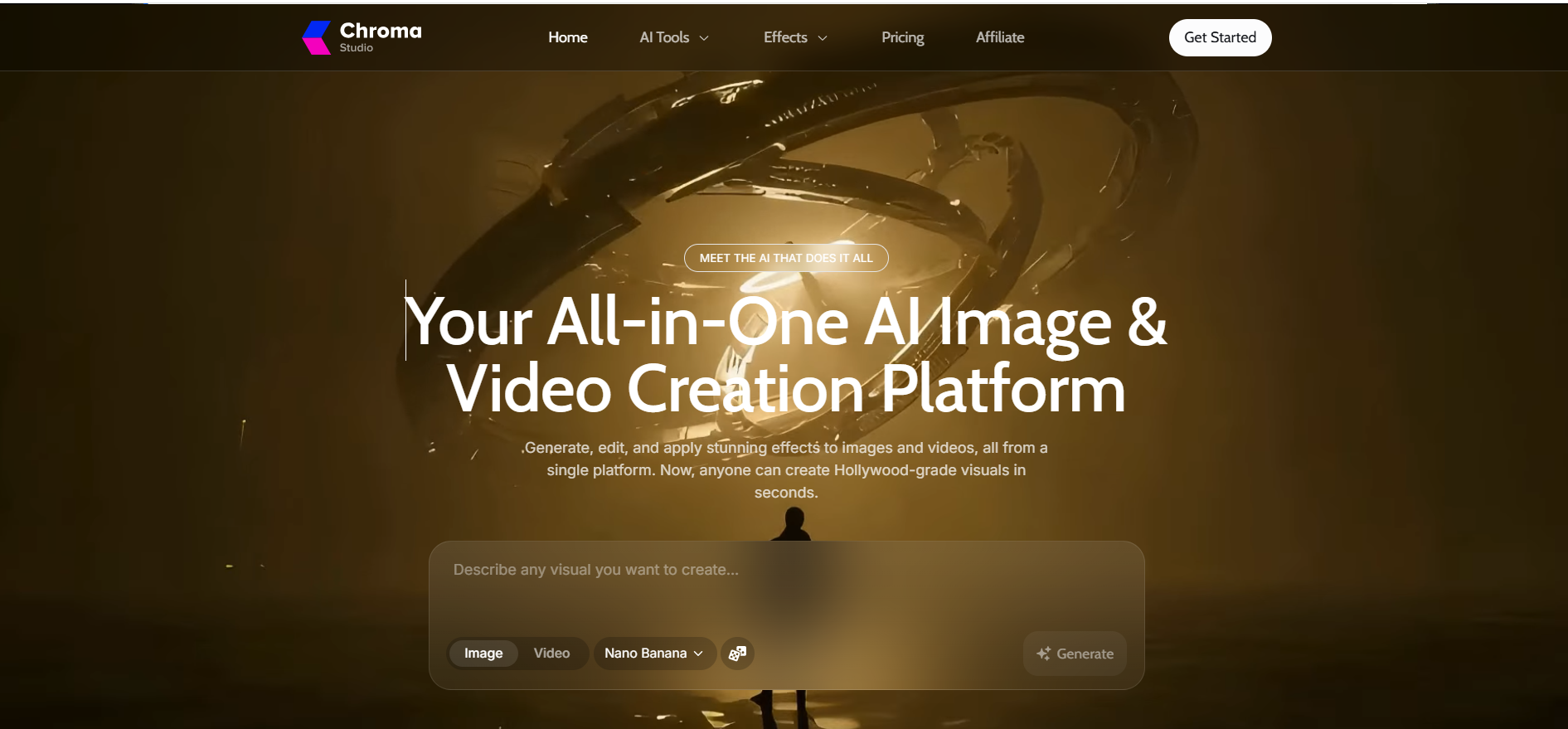
One subscription for images, another for video, a third for edits. Many creators know that stack too well. Chroma AI, sold as Chroma Studio at chromastudio.ai, offers a shortcut: dozens of image and video models behind one dashboard and one credit wallet.
Convenience is the easy part. The harder questions are what each generation really costs, how far the free plan stretches, and whether the platform deserves your card details.
This review answers those questions with real runs on the free tier: a portrait, a text-to-video clip, image effects, video-to-video, and the upscaler. Each task comes with its exact credit price. Prices and model lists reflect October 2026.
Chroma AI Quick Verdict
Chroma AI is a capable multi-model creative hub that suits light-to-moderate creators, but buyers should confirm billing, commercial rights, and retention terms before paying.
Question
Short answer
Best for
Social creators who want many models without many subscriptions
Skip it if
You need long 1080p clips, clear commercial terms or API-level pricing
Free plan
15 credits, watermarked output, 60-day storage
Cheapest paid plan
$6.99/month, billed yearly (Basic)
Stand-out result
Seedance V1 Pro Fast clip for just 3 credits
Main caution
Unclear commercial-use terms and a SynthID Remover tool
Rating
3.8 / 5
What Is Chroma AI?
Chroma AI most often means Chroma Studio, a browser-based platform that generates and edits images and videos with third-party AI models billed through shared credits. The name also covers three unrelated products, which explains the mixed search results.
Name
What it is
Who searches for it
Chroma Studio
AI image and video creation hub
Creators and marketers
ChromaDB
Open-source search and vector database for AI apps
Developers building RAG and agents
Chroma1-HD
Open 8.9B text-to-image model on FLUX.1-schnell, Apache 2.0
ComfyUI users (model card)
Chroma AI Photo Editor
iOS photo-editing app
Mobile users
Searches for “chroma ai comfyui” or “chroma ai model” point to Chroma1-HD. The rest of this review covers Chroma Studio.
Shopify sellers, take note: a Shopify app called Chroma Studio: AI images comes from a different developer, Shire Works, with its own pricing and credits. Buying one doesn’t unlock the other, so confirm the publisher before you pay.
Chroma Studio Features and Models
Chroma Studio bundles text-to-image, text-to-video, video-to-video, talking avatars, one-click effects, and editing utilities in one workspace. Every tool shows its credit cost on the Generate button before you run it.
Model lineup (October 2026)
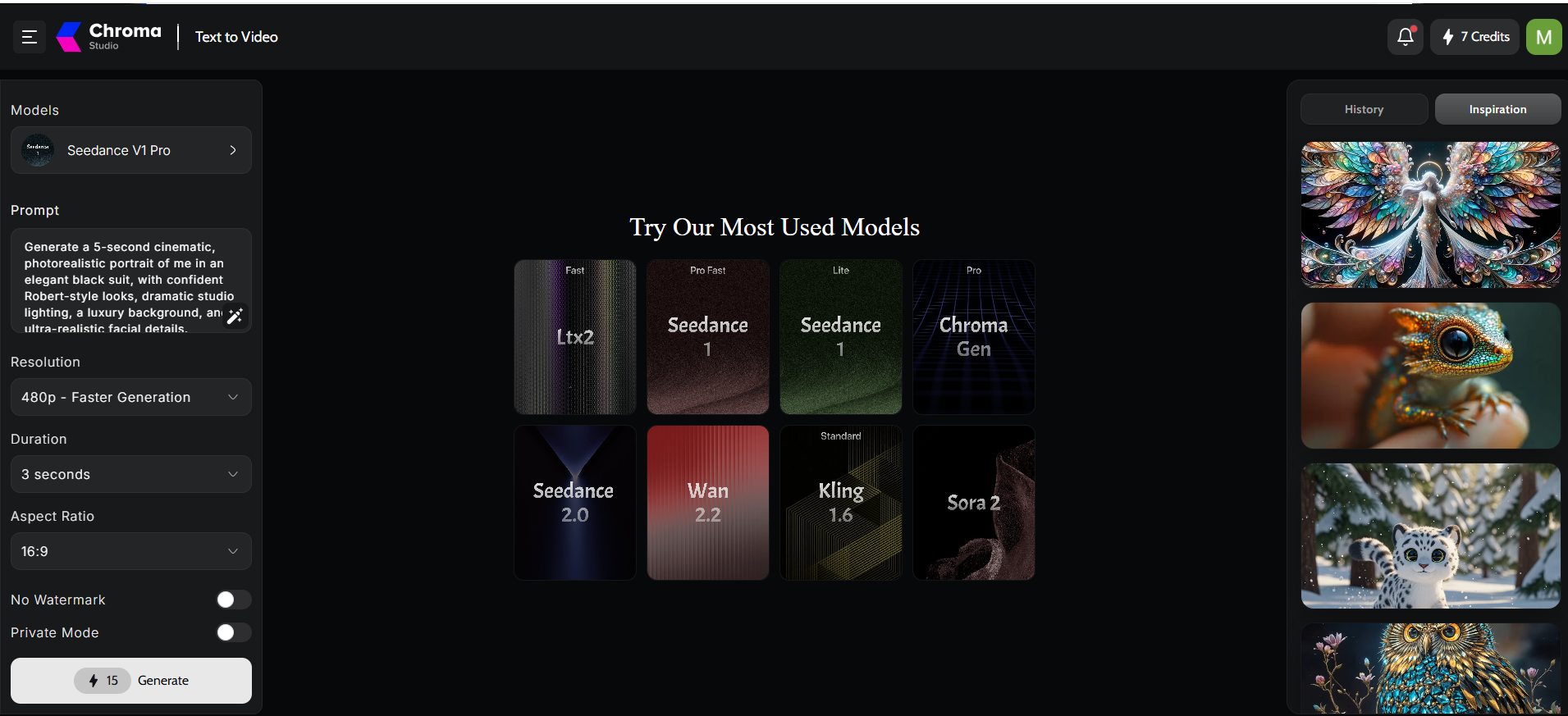
The homepage names 35 models: 17 for images and 18 for video. The workspace grids highlight these favourites:
Image: Nano Banana, Nano Banana 2, Nano Banana Pro, Seedream V5 Lite, Flux2 Pro, Flux Schnell, GPT Image V1.5, and an in-house Chroma model
Video: Seedance 1 (Pro Fast and Lite), Seedance 2.0, Kling 1.6, Wan 2.2, Sora 2, LTX2 Fast and Chroma Gen Pro
Avatar: Kling AI Avatar V2 Pro, with single and multi-speaker modes
Nano Banana sits as the default model, a nod to the viral Nano Banana trend that pushed Google’s image model into the mainstream. Lineups change often, so treat this list as a snapshot.
Tools beyond generation
Image-to-image, upscale, background remover, relight, inpainting, and hair or eye colour changers
Video extender, video background remover, motion control and style transfer
A claimed library of 500+ image and video effects
Watermark Remover and SynthID Remover (covered under privacy below)
Chroma AI Image Generator Results
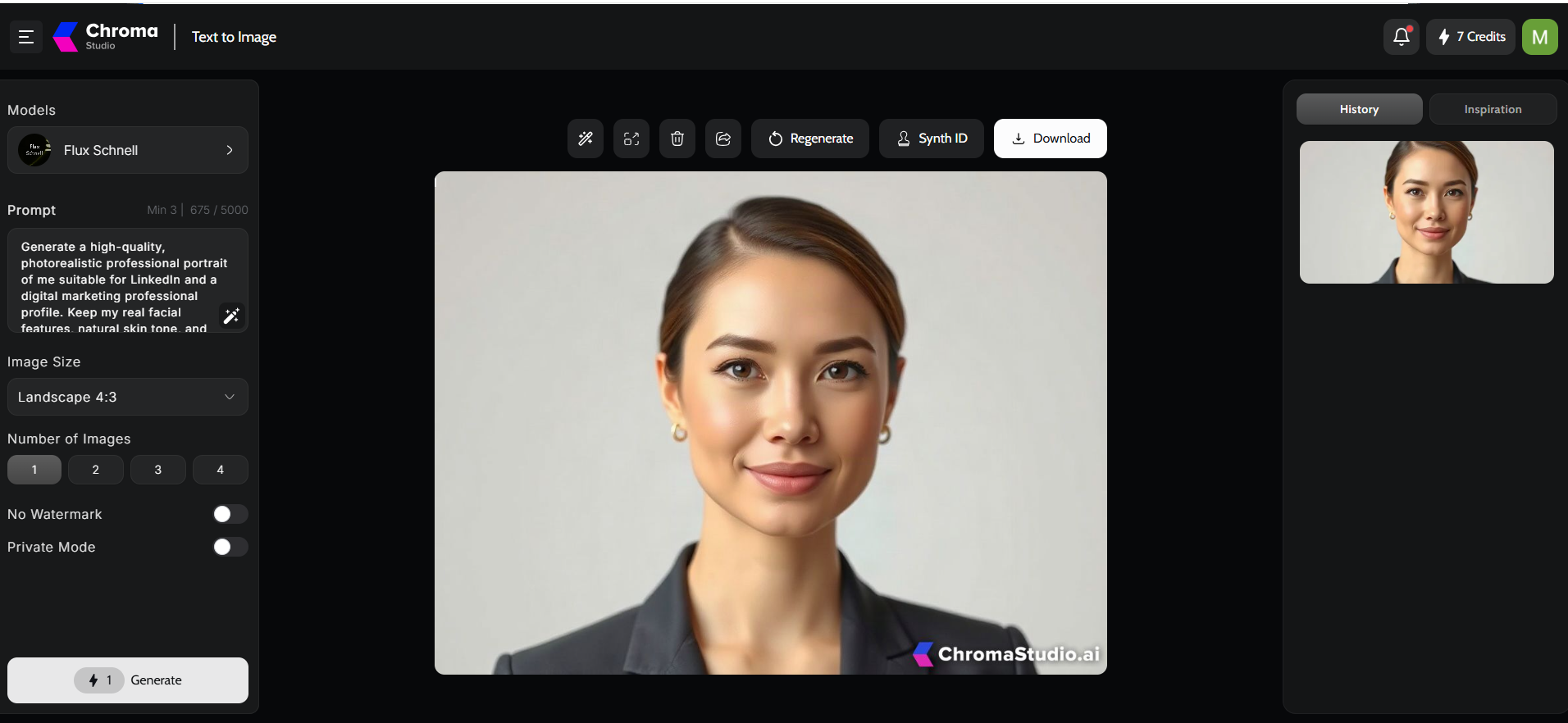
The Chroma AI image generator lets you pick a model, write a prompt, set size and image count, then pay per image. Settings sit on the left, the canvas in the middle, and history plus an inspiration feed on the right.
Portrait run on Flux Schnell
The prompt asks for a photorealistic, LinkedIn-style headshot that keeps “my real facial features.” Flux Schnell renders it at 4:3 for 1 credit.
Soft studio light and a clean grey backdrop
Natural skin texture with no plastic smoothing
Sharp eyes, tidy hair and a crisp blazer
The face, however, belongs to a stranger. A text prompt can’t copy a person it has never seen. Recognisable headshots need a reference photo and an image-to-image tool, the same anchor-first approach behind consistent AI image creation in production pipelines.
Price gaps between models
Flux Schnell costs 1 credit per image, while Nano Banana costs 8. Prompt limits differ too: 5,000 characters on Flux Schnell versus 50,000 on Nano Banana. Drafting on the cheap model and finishing on the premium one keeps costs low.
Chroma AI Video Generator Results
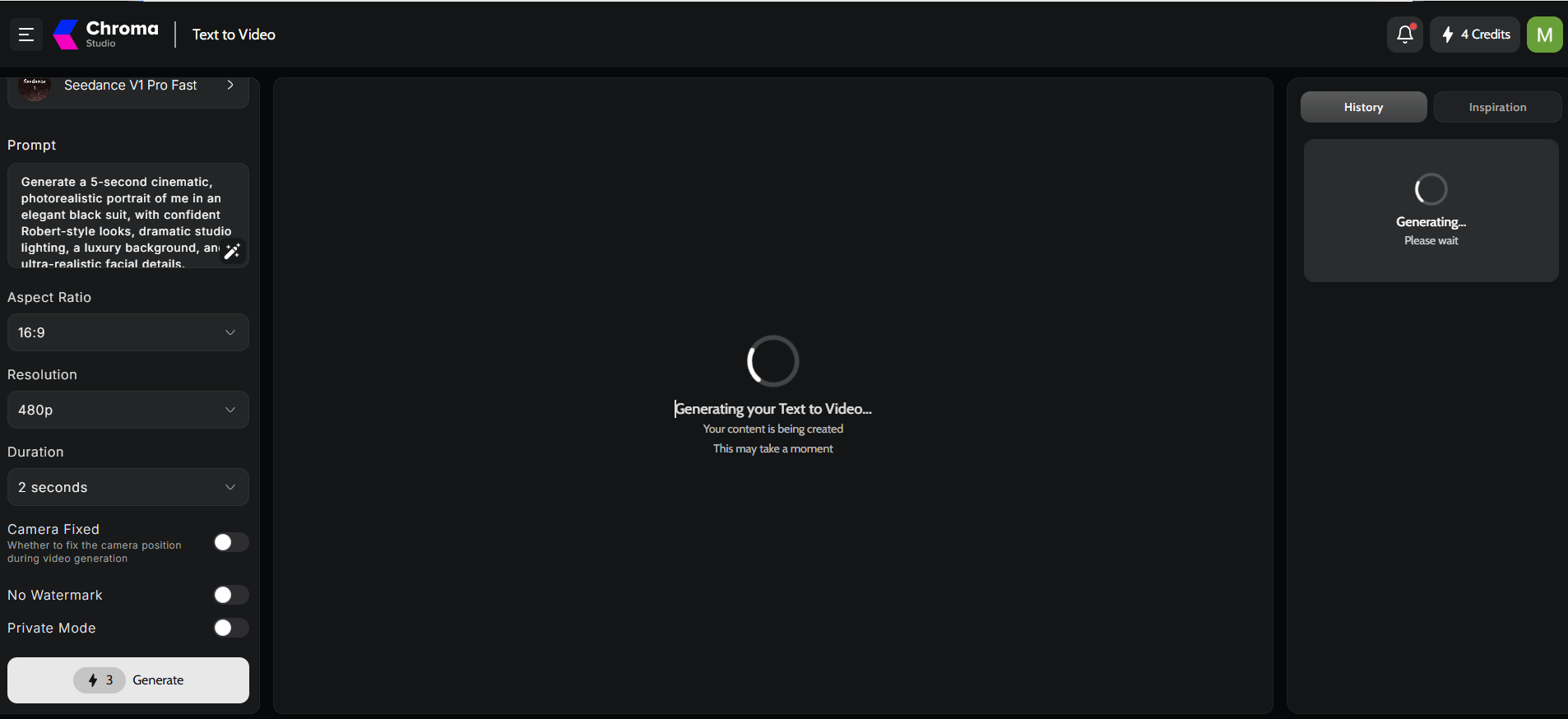
The Chroma AI video generator turns a prompt into a short clip, with controls for model, resolution, length, aspect ratio, and camera movement. Cost climbs with model tier, duration and resolution.
Cinematic portrait on Seedance
The prompt describes a man in an elegant black suit, dramatic studio light, and a luxury setting. Two setups show how fast prices move:
Model
Resolution
Length
Cost
Seedance V1 Pro
480p
3 seconds
15 credits
Seedance V1 Pro Fast
480p
2 seconds
3 credits
The Fast clip lands after a short wait and delivers:
A tailored three-piece suit in a gilded hall under crystal chandeliers
A stable face with no warping between frames
Gentle, natural motion instead of sweeping camera moves
For 3 credits, the quality surprises. Still, two seconds at 480p suits a teaser or a mood test, not a finished ad. A “Camera Fixed” toggle locks framing for product shots and talking poses.
Premium video models
Seedance 2.0, Kling 1.6, Wan 2.2 and Sora 2 cost far more per second. Free users get one or two premium tries at best. An aggregator also may not expose every setting that the model’s native app offers, such as longer durations or higher resolutions.
AI Avatar, Effects and Editing Tools
Chroma Studio’s effects, avatar and editing tools work on media you already have, which sets it apart from single-model apps.
Image and video effects
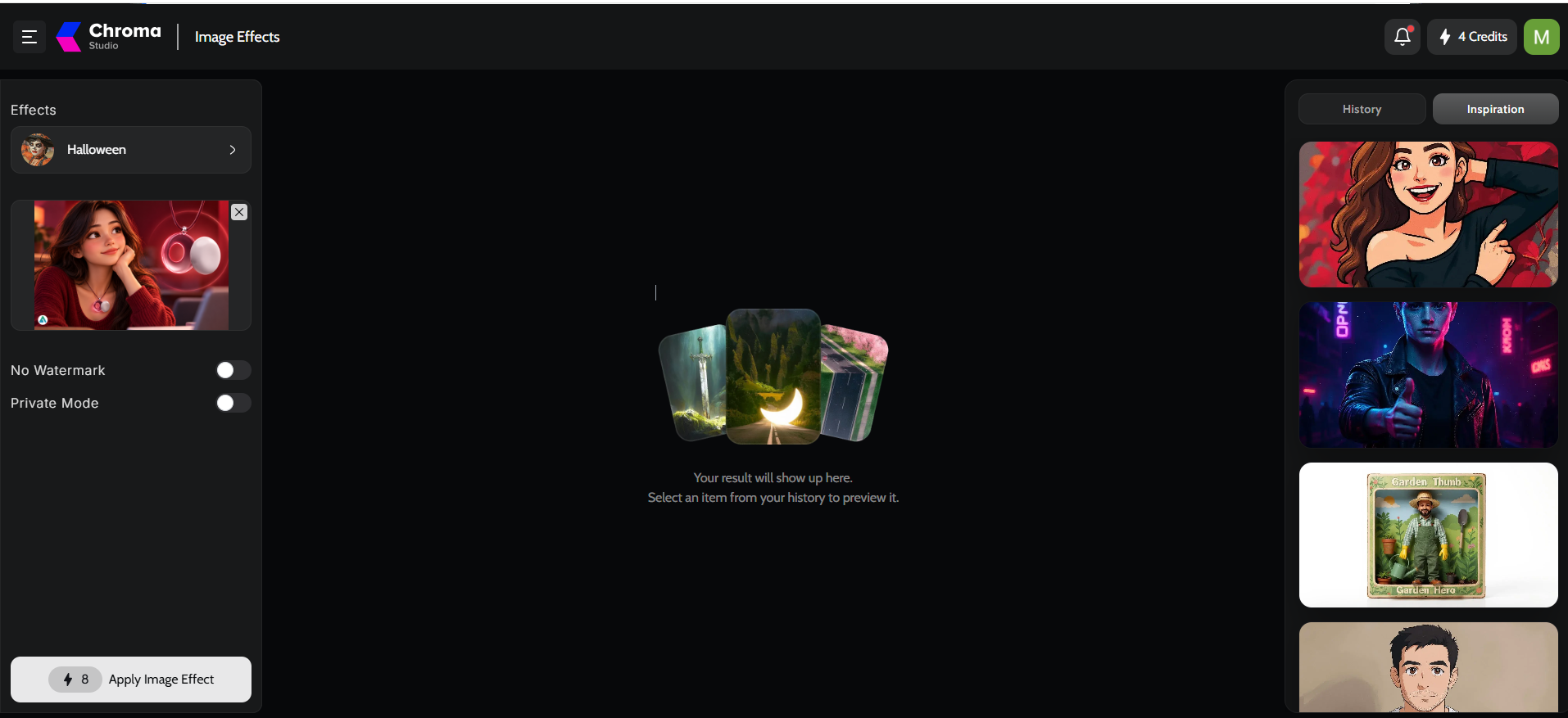
The Video Effects gallery offers Hot and All tabs plus search. Previews animate: a plush toy blinks in Product to Video, snakes coil around a portrait in Serpents Curse, and a model turns skeletal in Haunted Morph. Seasonal Halloween packs look polished. One image effect costs 8 credits.
Talking avatars
The avatar tool takes a face photo and an audio file. Kling AI Avatar V2 Pro then lip-syncs the image to the voice. Multi Talking mode handles several speakers for skits or explainers. You supply the voiceover yourself, unlike some dedicated AI face swap tools that bundle voices and templates.
Video to Video and the upscaler
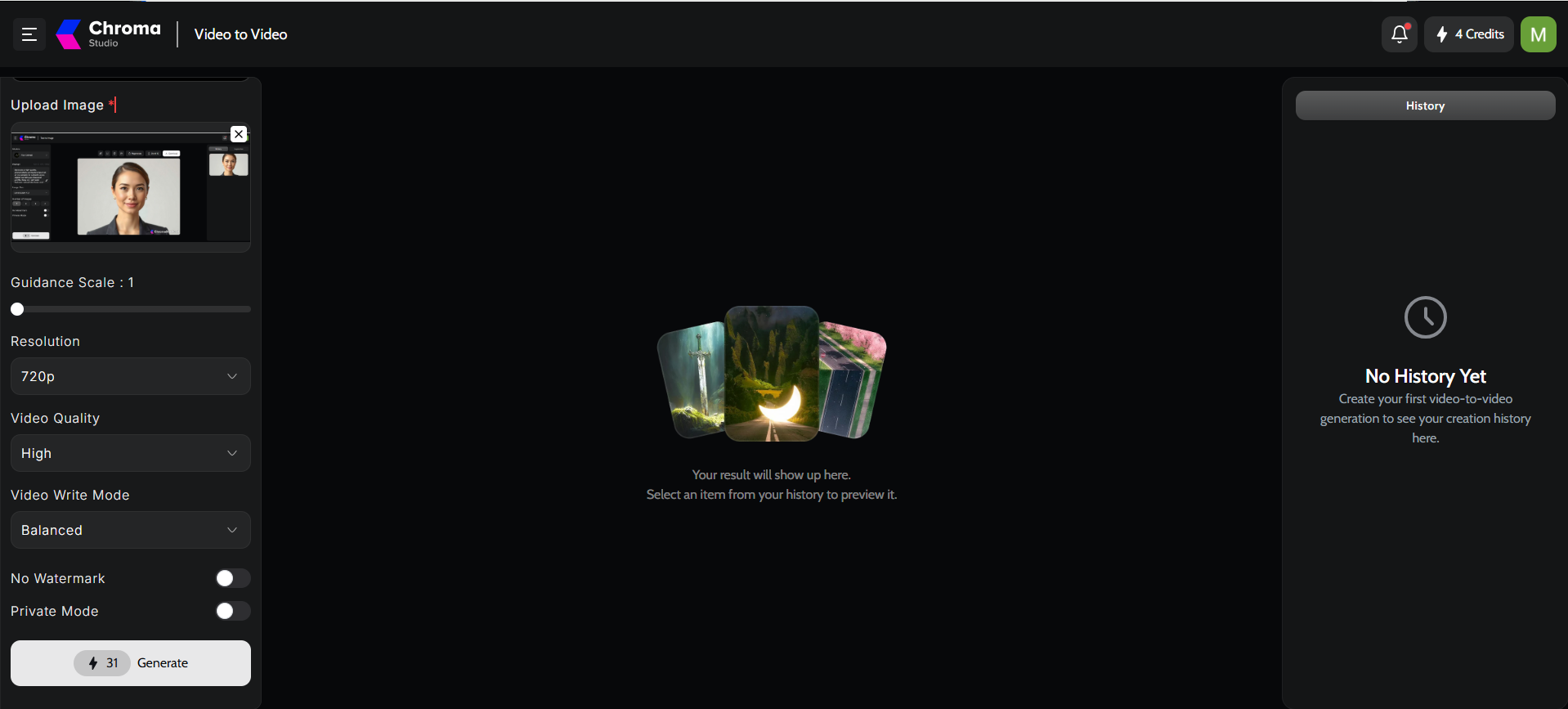
Video to Video at 720p, high quality, balanced mode: 31 credits
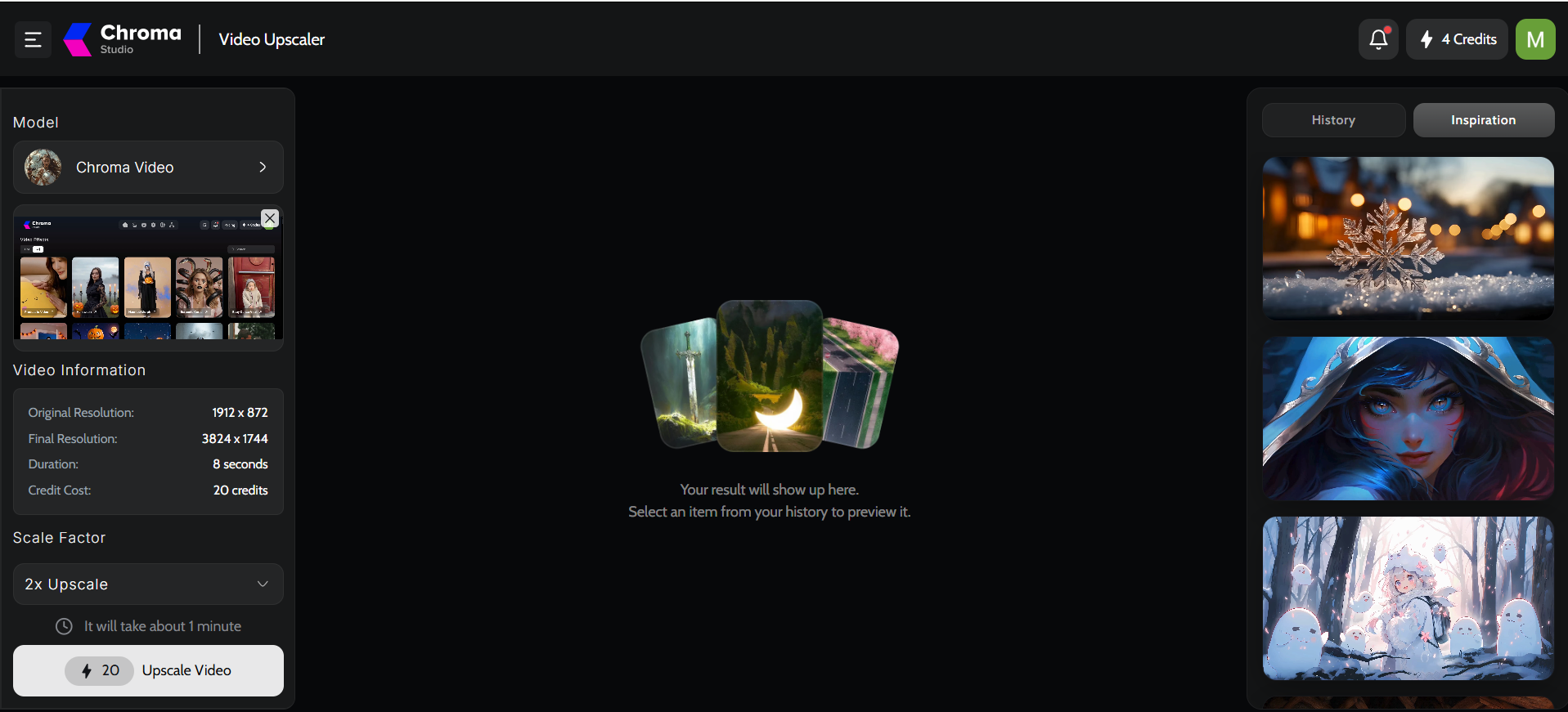
Video Upscaler turns an 8-second 1912×872 clip into 3824×1744 at 2x for 20 credits, in about a minute
Chroma AI Pricing and Credit Costs
Chroma AI pricing uses four tiers (Free, Basic, Pro, and Creator), and every image, clip, and effect draws from one credit pool. The paid prices below are yearly billing rates.
Plan
Billed yearly
Est. monthly billing
Credits
Credits per $1
Key perks
Free
$0
$0
15
Trial only
Watermark, limited styles
Basic
$6.99/mo ($83.88)
~$9.99
8,400 a year
~100
No watermark, private and priority runs
Pro
$17.99/mo ($215.88)
~$24.99
21,600 a year
~100
Same perks, more volume
Creator
$39.99/mo ($479.88)
~$59.99
60,000 a year
~125
Same perks, volume discount
Monthly billing figures are estimates worked back from the page’s “Save $36,” “Save $84,” and “Save $240” labels, because the strikethrough prices ($23.99, $39.99, $99.99) don’t match them. Confirm the final price at checkout. Every plan keeps files for 60 days. Prices as of October 2026.
Basic and Pro buy credits at the same rate. Only Creator adds a volume discount.
What each task costs on Basic
At roughly one cent per credit:
Flux Schnell image: ~$0.01
Seedance Pro Fast 2-second clip: ~$0.03
Nano Banana image or one image effect: ~$0.08
Seedance Pro 3-second clip: ~$0.15
2x upscale of an 8-second video: ~$0.20
Video to Video at 720p: ~$0.31
The monthly quota reality
Basic’s 8,400 credits average about 700 a month. That covers roughly 22 Video-to-Video runs, or 87 Nano Banana images. The free card’s “up to 50 images and 3 videos” also overstates what 15 credits buy at these rates.
A sample month for a social creator:
Task
Count
Credits
Nano Banana images
30
240
Seedance Pro 3-second clips (2 tries each)
10
300
2x upscales
4
80
Total
620
That fits Basic with a small buffer. Retries matter most: the cost of a usable clip is the price per run times the attempts it takes.
Privacy, Commercial Use and SynthID
Chroma Studio offers a Private Mode toggle and 60-day storage, but its public pages leave key privacy and commercial-use questions unanswered.
Commercial rights: the homepage FAQ asks “Can I use ChromaStudio for commercial purposes?” yet shows no answer. Each underlying model also carries its own licence terms.
Uploads: faces, voice files, and source videos feed the avatar and video tools. The public pages don’t spell out training use or deletion timelines.
Private Mode: it hides creations from public feeds. It isn’t a verified confidentiality guarantee.
Storage: files on every plan expire after 60 days.
Provenance, watermarks and SynthID
Free images and clips carry a visible ChromaStudio.ai watermark, which paid plans remove. SynthID, by contrast, is Google’s invisible marker that labels AI-generated images. The result toolbar shows a “Synth ID” button, and the homepage lists a SynthID Remover tool. Stripping provenance markers can clash with model terms and with platform rules on AI disclosure. Brands that must label AI content should keep these markers intact.
Is Chroma AI Legit?
Chroma Studio works as advertised for the tasks covered here, yet a few inconsistencies call for a careful read of the terms. These points don’t prove bad intent. They simply reward due diligence.
Green flags
Every tool used here returned a usable result
Credit costs appear before each run
Paid plans remove watermarks and ads
Yellow flags
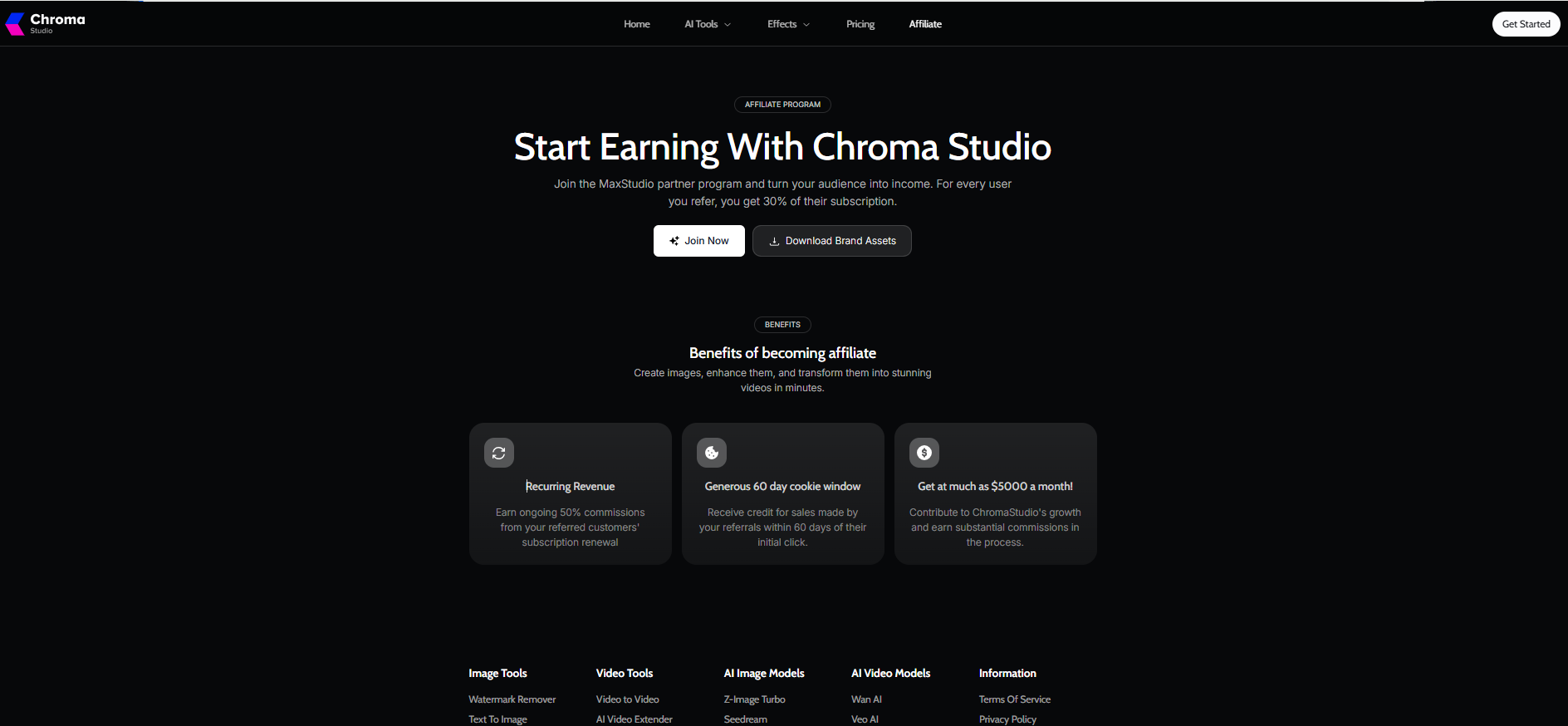
The affiliate page promises 30% commission in one place and “ongoing 50%” in another
The same page invites you to “Join the MaxStudio partner program,” a brand the site never explains
Strikethrough prices don’t match the stated savings
Every flagship model comes from a third party, so a change in a provider’s API terms can pull it from the menu overnight
How to Use Chroma AI
Using Chroma AI takes five steps: sign up, pick a tool, choose a model, set the output, and generate.
Create a free account at chromastudio.ai to claim 15 credits.
Open Text to Image, Text to Video, or an effect from the top menu.
Choose a model; start with Flux Schnell or Seedance Pro Fast.
Write the prompt, then set the aspect ratio, resolution, and length.
Check the credit cost on the Generate button, run it, and download the result.
Mistakes That Burn Chroma AI Credits
Small balances drain fast. Avoid these habits:
Expecting your face from text alone. Upload a reference photo instead.
Drafting on premium models. Refine prompts on 1-credit Flux Schnell first.
Opening with long, high-res video. Lock the look at 480p and 2 seconds.
Upscaling rough cuts. Save the 20-credit upscale for the final version.
Forgetting downloads. Files vanish after 60 days.
Defaulting to monthly billing. Yearly Basic costs about $3 less per month.
Chroma AI Alternatives
The closest Chroma AI alternatives are other multi-model hubs such as Higgsfield, Pollo AI, OpenArt, and Krea, plus native apps like Kling AI, Runway, and Google Flow. The comparison below is feature-based, not a side-by-side price test.
Tool
Type
Strength
Best for
Chroma Studio
Multi-model hub
Large effects library, low entry price
Budget social creators
Higgsfield
Multi-model hub
Cinematic camera presets
Short-form video makers
Pollo AI
Multi-model hub
Wide video model range
Testing many video models
OpenArt
Image-first hub
Character and style tools
Illustrators and image work
Krea
Real-time creative suite
Live canvas and enhancer
Designers
Kling AI
Native model app
Full Kling settings and longer clips
Serious Kling users
Runway
Native suite
Pro editing tools plus own models
Video editors and agencies
Google Flow
Native app for Veo
Direct Veo access
Google ecosystem users
Hub or native app?
Pick a hub when variety matters more than depth. Pick a native app when one model does most of your work, since it usually exposes longer clips and more controls. High-volume teams can also reach models through pay-as-you-go APIs, often at lower unit costs.
Before committing, run the same brief through two tools.Comparing AI video models fairly is simple: fix the source, the action, and the pass-or-fail criteria, then judge the outputs.
What to Check Before Paying
A two-minute check saves a year of regret:
Final checkout price for monthly and yearly billing
Whether yearly credits arrive at once or monthly
Whether failed generations refund credits
Commercial-use rights in the Terms of Service
Training and deletion rules for uploaded faces and voices
Refund and auto-renewal policy
Max resolution and clip length on your chosen models
Conclusion
Chroma AI earns a place on a creator’s shortlist, with clear limits:
Cheap draft models (1 to 3 credits) make experiments affordable
Model choice moves costs more than plan choice
Basic and Pro buy credits at the same rate; only Creator discounts volume
The free plan works as a demo, not a production tool
Commercial terms and the SynthID Remover deserve scrutiny
Next step: claim the free credits, run one Flux Schnell image and one 2-second Seedance clip, then tick the checklist above before choosing a yearly plan.
FAQs
Q. Is Chroma AI free?
Yes, partly. The free plan gives 15 credits, limited styles, and watermarked downloads, enough for a handful of test runs.
Q. How much does Chroma AI cost?
Yearly plans cost $6.99, $17.99, or $39.99 a month. Monthly billing works out to roughly $9.99, $24.99 or $59.99, based on the site’s savings labels.
Q. Is Chroma AI legit?
Chroma Studio delivers real images and videos from models like Nano Banana, Seedance, and Kling. Mixed affiliate figures and unclear commercial terms warrant a check before you pay.
Q. Is Chroma AI safe to use?
It offers Private Mode and paid watermark removal. Its public pages don’t detail how it uses uploaded data for training or how it deletes it, so avoid sensitive photos until you read the privacy policy.
Q. Can I use Chroma AI for commercial projects?
The site raises the question in its FAQ but shows no public answer. Confirm rights in the Terms of Service and the underlying model’s licence.
Q. Can Chroma AI make videos?
Yes. Text-to-video runs Seedance, Kling, Wan, Sora 2, LTX2, and Chroma Gen. A 2-second 480p Seedance Pro Fast clip costs 3 credits.
Q. What is Chroma AI in ComfyUI?
It refers to Chroma1-HD, an open 8.9-billion-parameter image model built on FLUX.1-schnell. It has no link to Chroma Studio.
Q. Chroma AI vs ChromaDB: what’s the difference?
Chroma AI usually means the Chroma Studio creative app. ChromaDB is an open-source database that stores embeddings for AI search and agents.
Q. Is there a Chroma AI app download?
Chroma Studio runs in the browser with no installation. Several mobile apps share the Chroma name, so check the developer before downloading.
Disclaimer: This Chroma AI review reflects independent testing and research as of October 2026. We are not affiliated with Chroma Studio. Pricing, features, and usage rights may change; verify the latest terms before subscribing.
Tags:
Sebastian Vale
Sebastian Vale reviews the latest AI tools and tech innovations, breaking down complex concepts into clear, actionable insights. He also creates step-by-step guides, helping readers make smarter decisions and stay ahead in a fast-moving digital world.