SocialSight AI 2026: Plans, Pricing &Tokens or Worth It?
Ask an AI image tool for “no text,” and you’ll often get a screen full of invented words anyway. SocialSight AI does the same. That quirk tells you a lot about the platform. SocialSight AI gathers leading image and video models under a single roof. It feels quick and polished, yet it inherits every habit of the models it runs.
This review covered all confusion through what people search for most: token pricing, plan value, free access, content filters, cancellation, and the alternatives worth weighing.
What Is SocialSight AI?
SocialSight AI is a multi-model creative platform for images, video, and marketing assets, paid for with a shared token balance.
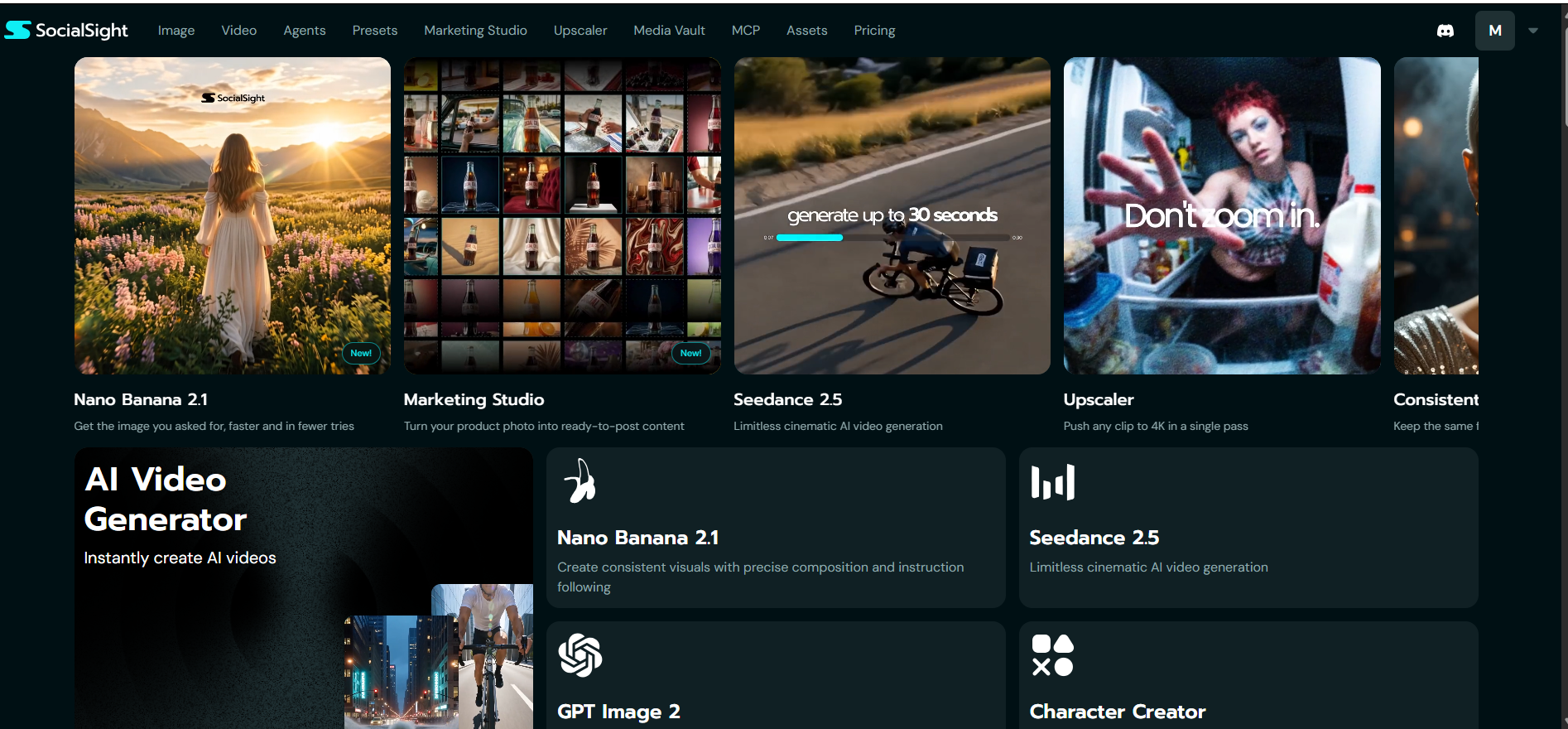
Think of it as an aggregator. You skip separate provider subscriptions, choose a model from a dropdown, and spend tokens on each job. The toolkit includes:
Image and Video for text-to-image, text-to-video and image-to-video
Agents for chat-style photo editing
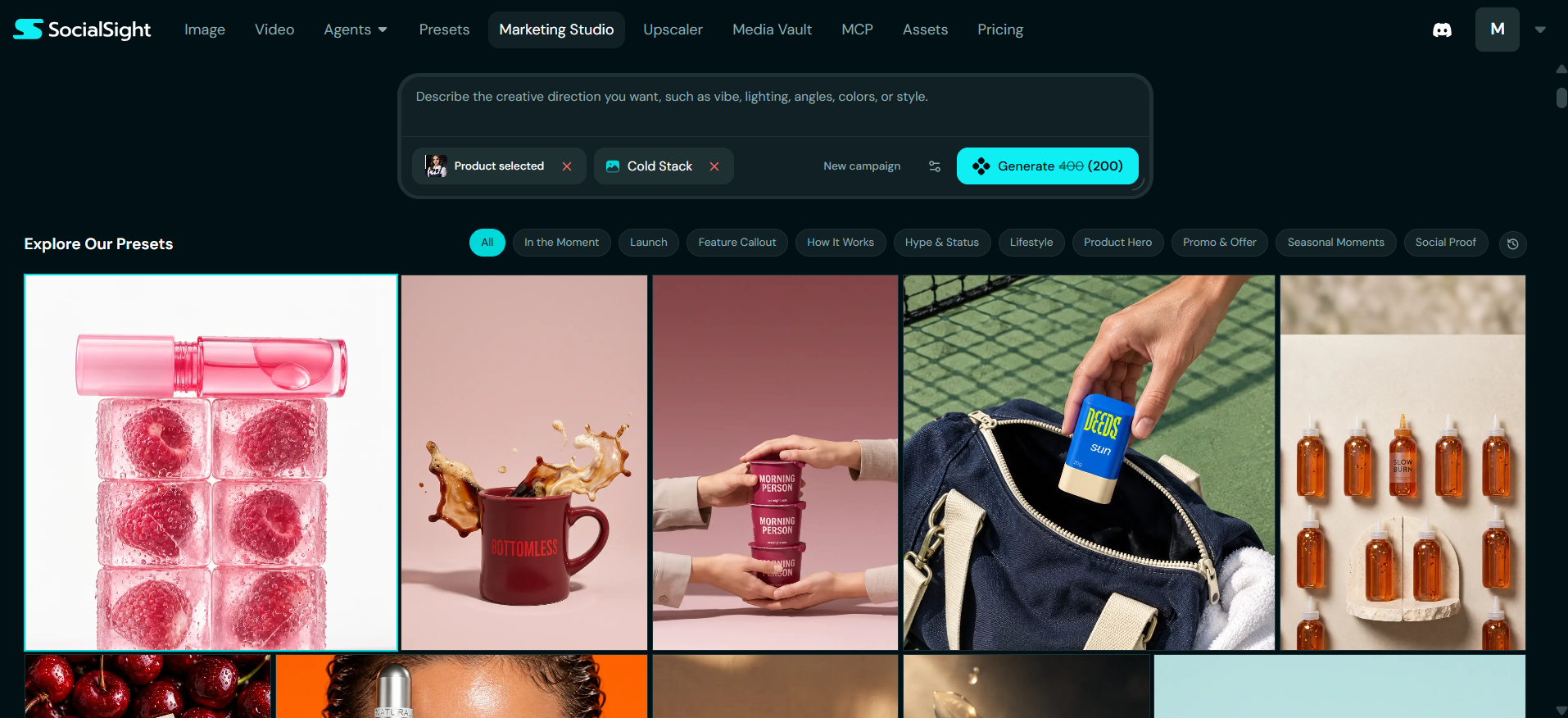
Presets and Marketing Studio for turning product shots into social posts
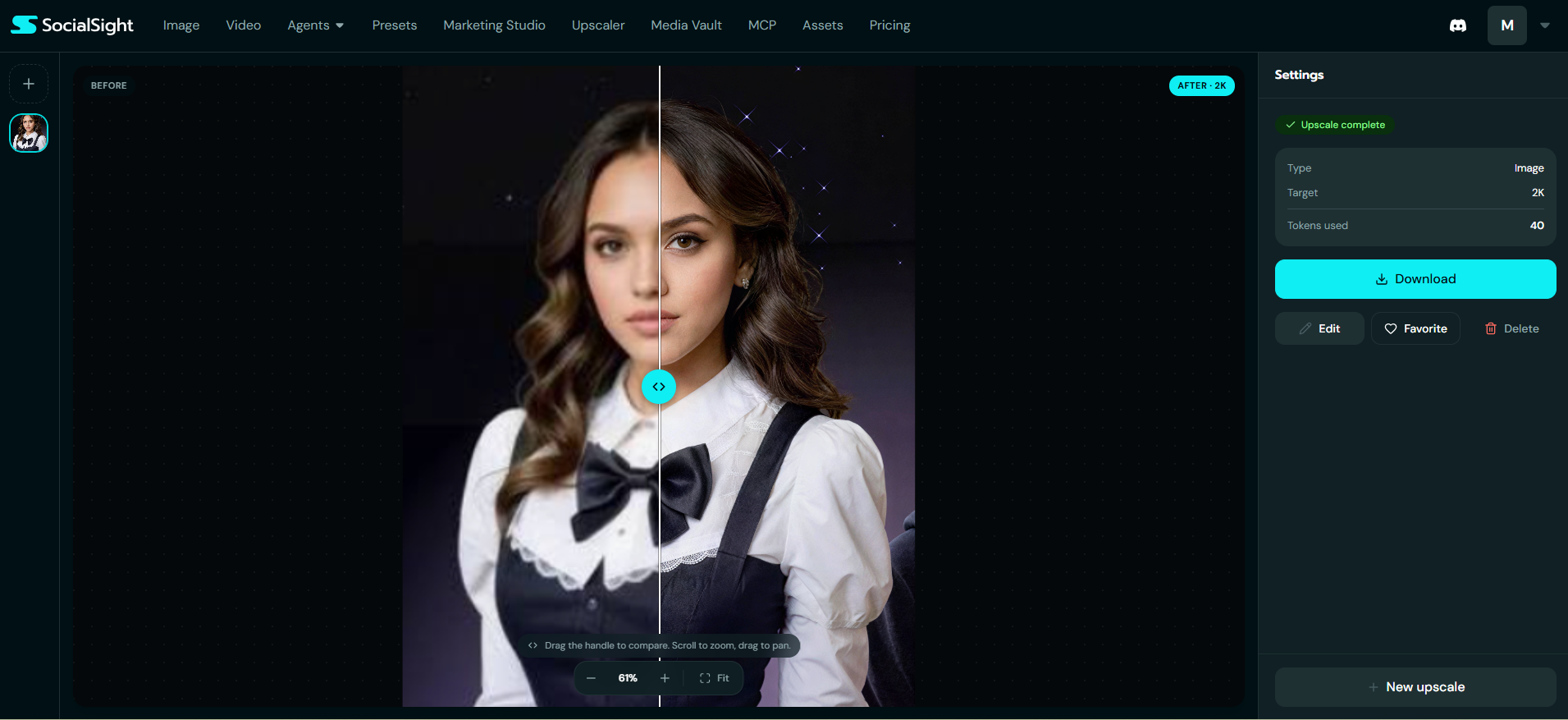
Upscaler for 4K output
Media Vault and Assets for storing work and reusable characters
MCP and API for assistant and developer integrations
Marketers, ecommerce sellers and social creators get the most from it.
SocialSight AI Image Generator
The image generator turns a written prompt into a picture, using the model, resolution, and aspect ratio you pick.
You type up to 4,000 characters, set the size, and hit Generate. A Rewrite button polishes rough prompts, and the Generate button displays the price upfront.
A 2K, 16:9 render on Qwen Image 3 Pro costs 120 tokens. Product shots look sharp, with clean lighting, realistic metal, and tidy backgrounds.
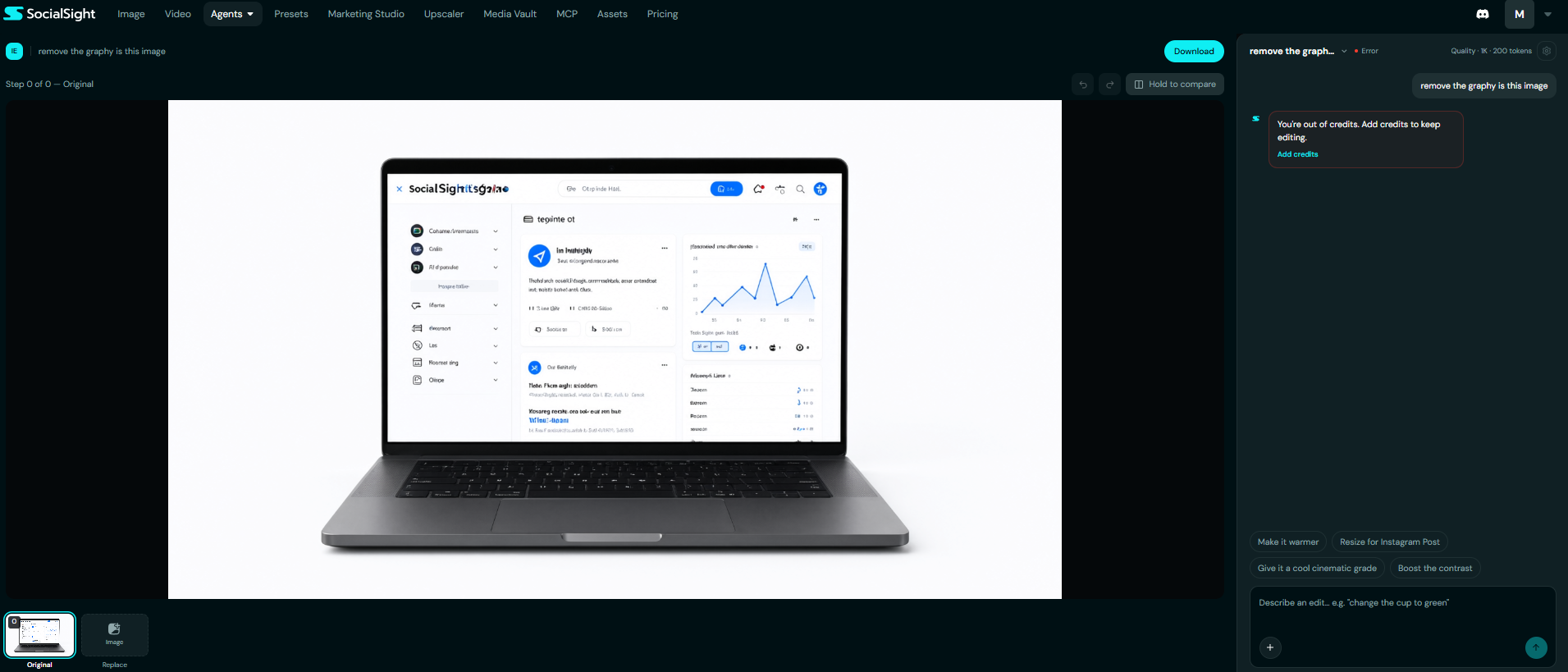
Small on-screen lettering is the weak spot. Laptop dashboards fill with fake labels and warped logos, even when the prompt bans them. Mentioning text still pulls it into the frame, which shows why negative prompts fail so often. Add headlines and logos later in Canva or Photoshop.
Agent Editor: Chat-Based Image Edits
The Agents tool changes an existing image through plain instructions, such as “turn the cup green.”
Useful extras:
One-tap prompts like Make it warmer and Resize for Instagram Post
Hold to compare for side-by-side checks
Undo, redo, and a full step history
Each 1K edit costs 200 tokens, more than a brand-new 2K image. Free accounts hit the “out of credits” wall after very little use.
Bundle all your changes into one instruction. A plannedAI image editing workflowkeeps spending down: fix composition first, then color, then size.
Video, Upscaling and Character Tools
The video suite covers cinematic clip generation, 4K upscaling, and character consistency across scenes.
Standout features:
Seedance 2.5 for clips up to 30 seconds
Upscaler that lifts footage to 4K in one pass
Character Creator that holds one face steady from scene to scene
Nano Banana 2.1 and GPT Image 2 for stills
Half-minute clips stand out in AI video. Expect video jobs to eat far more of your balance than stills, and expect slower queues at peak hours. Before you plan a campaign,test AI video models with your own products and multi-scene prompts.
MCP and API: The Power-User Edge
MCP (Model Context Protocol) lets assistants like Claude trigger SocialSight’s generators straight from a chat.
This feature lifts SocialSight above basic web wrappers. You can write ad copy and create matching visuals in the same conversation, or run batch creative tests without switching tabs. The SocialSight MCP page explains setup.
Developers also get an API for generation and job orchestration. You trade separate keys and bills for central billing. High-volume users should compare per-job rates with direct provider APIs, since aggregators add their own margin.
SocialSight AI Pricing and Token Math
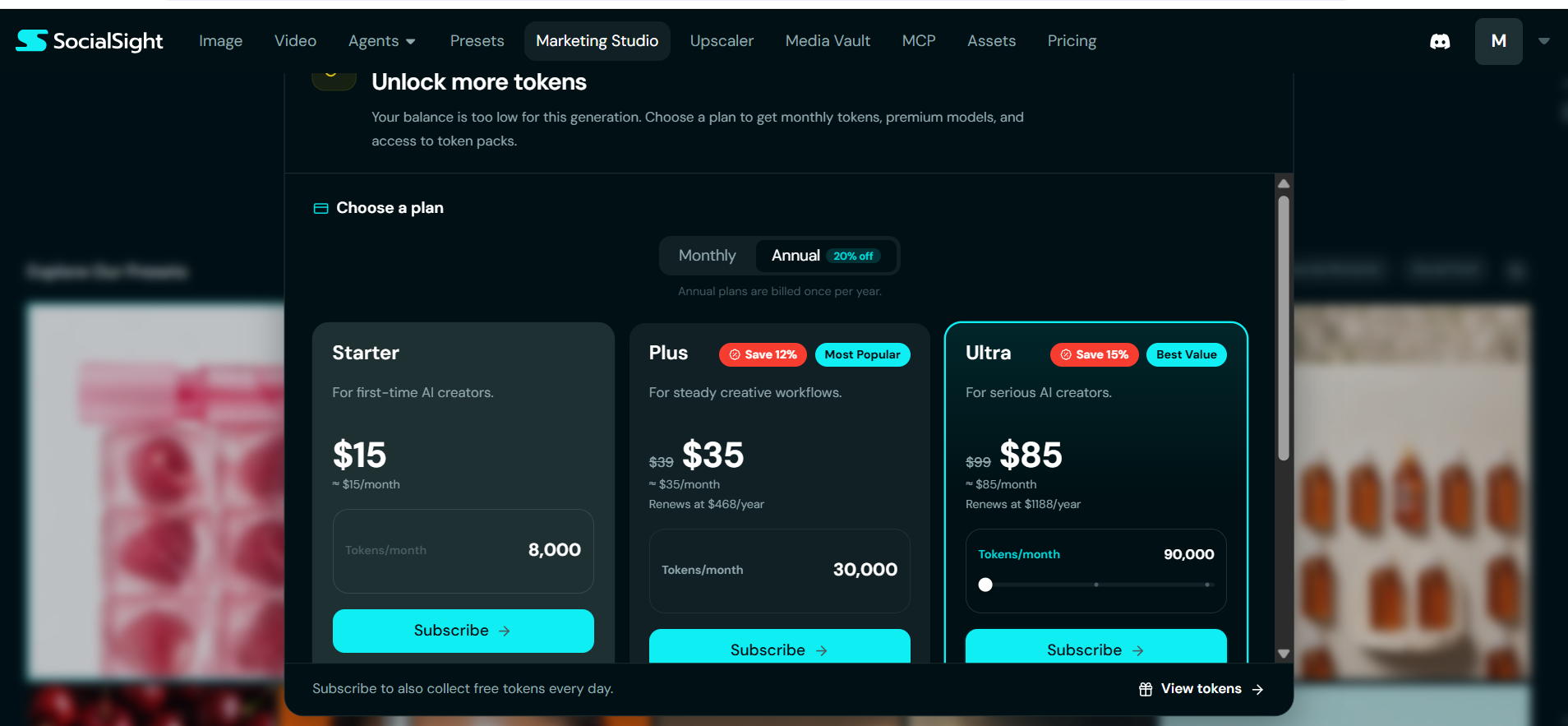
SocialSight offers three subscription tiers, each with a monthly token allowance that funds every image, edit, and clip.
Annual billing rates (advertised at 20% off):
Plan
Price
Tokens/month
Models
Concurrent jobs
Digital assets
Starter
$15/mo
8,000
Selected only
2 videos, 4 images
10
Plus
$35/mo (was $39)
30,000
All
6 videos, 8 images
50
Ultra
$85/mo (was $99)
90,000
All
15 videos, 15 images
1,000
The Renewal Catch
Plus renews at $468/year, and Ultra renews at $1,188/year. Both totals equal the crossed-out price times twelve, so the discount likely covers year one only. Confirm the terms at checkout.
Questions for Support
Do unused tokens carry over to the next month?
Do daily bonus tokens reach free accounts, or paid members only?
The pricing page leaves both unclear.
What Your Allowance Buys
For stills only:
Plan
2K images
Agent edits
Starter
~66
~40
Plus
~250
~150
Ultra
~750
~450
Add video, and these figures shrink quickly.
Best fit: Starter works for a trial run, Plus suits freelancers who want every model, and Ultra serves agencies running parallel jobs.
Character Assets
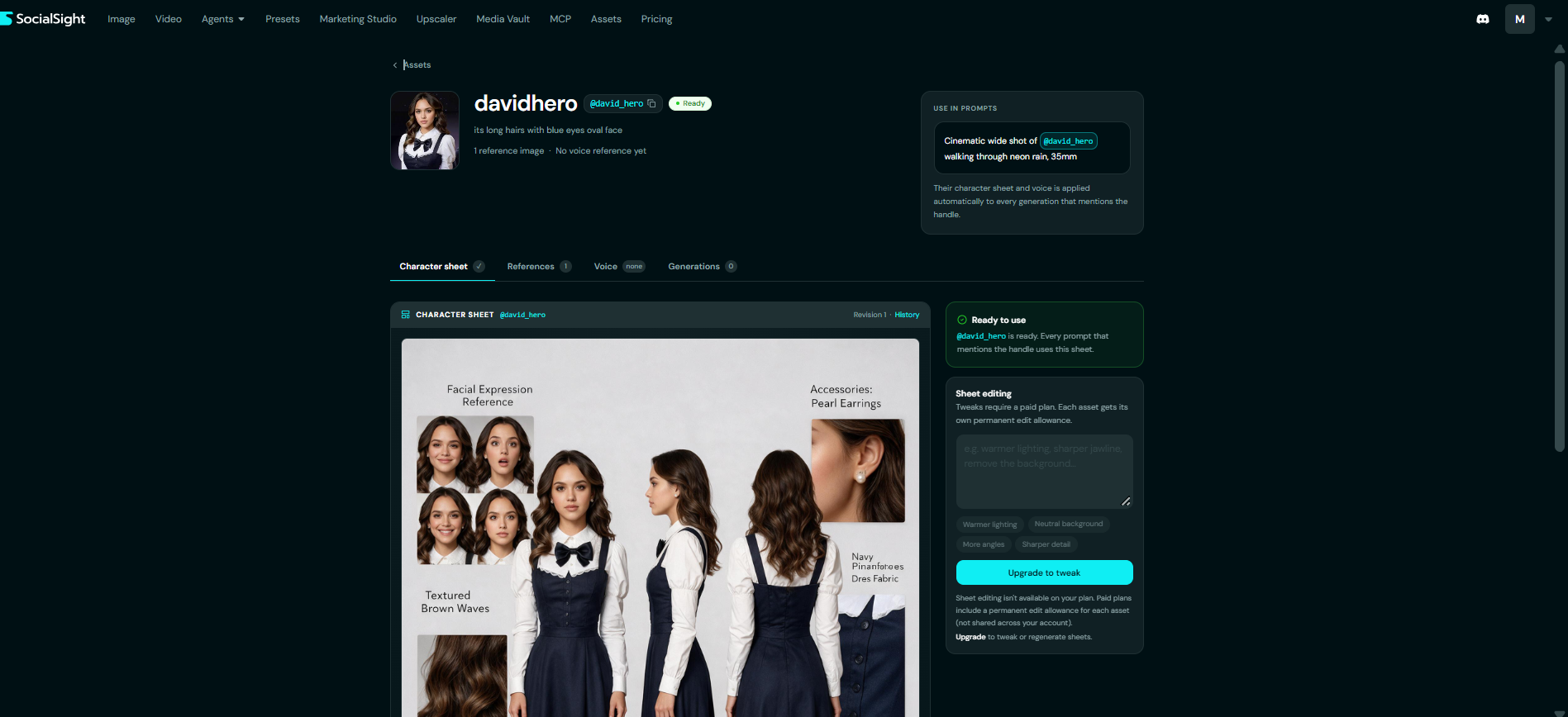
Assets is SocialSight’s character library. You save a person once, give them a handle like @david_hero, and every prompt that mentions the handle pulls in their look automatically.
Character Sheets
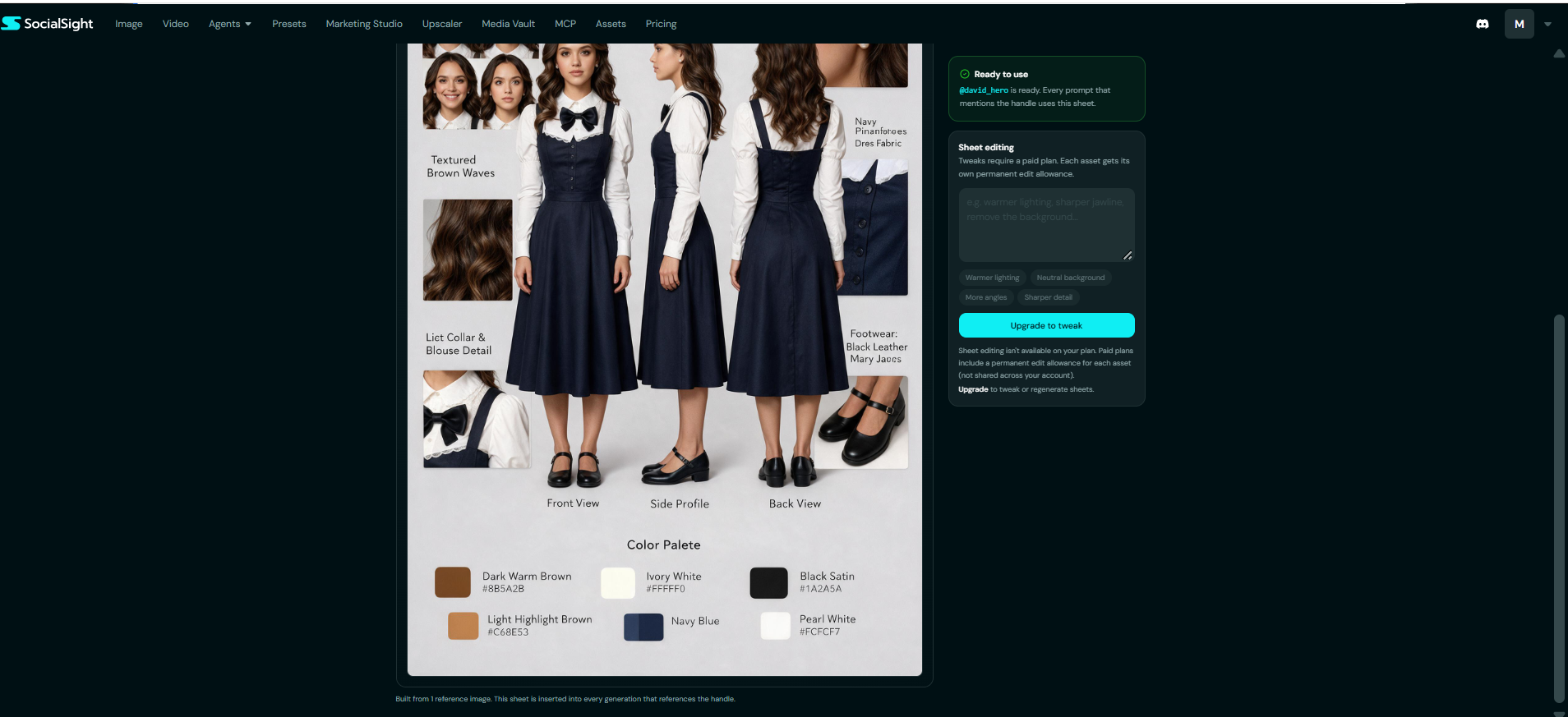
Setup takes a few minutes. You upload a reference photo, add a short description such as “long wavy hair, oval face,” and SocialSight builds a full character sheet from it. A single reference image produces:
Front, side, and back views of the full outfit
A grid of facial expressions
Close-ups of hair texture, collar details, accessories, and shoes
A color palette with hex codes for skin, hair, and clothing tones
Once the status badge turns Ready, you just write prompts like “Cinematic wide shot of @david_hero walking through neon rain, 35mm.” The sheet slots into the generation in the background, so the same face and outfit carry across scenes. That consistency matters for brand mascots, influencer-style accounts and story-driven ads. It also solves the biggest headache in AI visuals, which iskeeping AI characters consistentfrom one image to the next.
Each asset page splits into four tabs:
Tab
What it holds
Character sheet
The generated reference board, with revision history
References
Up to 5 photos; the first becomes the primary portrait
Voice
An optional voice sample for video work
Generations
Every image or clip that used the handle
Upload two or three clear photos from different angles before you generate the sheet. More references give the model less to guess, and you’ll spend fewer edits correcting the face later
Is SocialSight AI Free?
SocialSight AI gives limited free access, but steady use requires a paid plan.
Directory listings mention free daily credits with no card required. The plans screen, however, ties daily collection to subscribers. A free balance covers a handful of renders, enough to judge quality but not to fill a content calendar.
Claim your sign-up credits, grab any daily bonus, and watch the official Discord for promos. Failed jobs refund automatically, so broken renders cost you nothing.
Is SocialSight AI Censored?
Yes. SocialSight runs content filters, and every model provider behind it layers on its own safety rules. The platform targets brands and marketers, so it blocks explicit prompts. Adult-focused tools sit in a different category, and the comparison table below covers them.
SocialSight AI on Reddit
Reddit users split between fans of the all-in-one setup and critics of its costs and filters.
Praise: quick access to new models, single billing, a clean interface
Complaints: heavy token drain and blocked creative prompts
Common questions: image privacy and legitimacy
SocialSight keeps profiles on G2, GetApp and Trustpilot, alongside an active Discord. Each review site holds only about three ratings, so early scores mean little.
Can You Use SocialSight AI Images Commercially?
Directory listings describe SocialSight outputs as watermark-free and cleared for commercial use. Every model carries its own provider license, though. For ads or client projects, confirm that SocialSight’s terms cover the model you picked. Agencies that need written copyright indemnity should look at enterprise tools that offer it.
How to Cancel a SocialSight AI Subscription
Cancel through your account settings before the next billing date.
Log in at socialsight.ai
Open the account menu (your initial, top right)
Head to the billing or subscription area
Cancel and confirm
Keep the confirmation email
No option in sight? Message support on Discord. Annual subscribers should cancel a few days ahead of renewal.
Login, App and Promo Codes
Login: Bookmark socialsight.ai, since lookalike domains target trending tools.
App: The platform runs in any browser, including mobile. Its site lists no official APK, so avoid third-party downloads.
Promo codes: Coupon-site codes rarely work. The annual 20% discount remains the reliable saving.
SocialSight AI vs ComfyUI, Midjourney, Muah AI and Promptchan
The right pick depends on what you value most: ease, control, artistic style, or unfiltered chat.
Tool
Best for
Cost model
Learning curve
SocialSight AI
Multi-model access for marketers
Tokens, $15–$85/mo
Low
ComfyUI
Full local control
Free, open source (needs a GPU)
High
Midjourney
Stylized, artistic images
Subscription
Medium
Muah AI / Promptchan
Companion chat and adult content
Subscription
Low
ComfyUI appears in SocialSight searches for a reason. It charges nothing and hands you every setting, but it demands a strong GPU and node-based workflows. Your decision hinges on how much control you need.
No aggregator replaces a full editing suite, either. Most professionals still finish their work in Photoshop or CapCut.
Mistakes to Avoid
Prototyping on premium models. Draft on cheaper ones, then switch for the final render.
Ignoring concurrency caps. Starter runs only two videos at once, which slows batch work.
Overlooking asset limits. Starter stores just 10 digital assets, so recurring characters fill it fast.
Committing to annual billing first. Run a monthly cycle before locking in a year.
Final Verdict
SocialSight AI delivers real value as a creative hub, with a few catches.
New models arrive quickly, and one balance replaces several bills
Product imagery impresses, while small lettering still falls apart
MCP turns it into a genuine workflow tool, not just a dashboard
Renewal rates and unclear rollover rules deserve a check before you pay
Spend your free credits on real prompts and note the price on each Generate button. Upgrade to Plus only when the math matches your monthly output, because with SocialSight AI, usage costs matter more than the sticker price.
FAQs
Q. Is SocialSight AI free?
New users get limited free credits. Ongoing use starts at $15/month on annual billing.
Q. How many tokens does a SocialSight AI image use?
That varies by model and resolution. A 2K Qwen Image 3 Pro render uses 120 tokens.
Q. Do SocialSight AI tokens roll over?
The pricing page doesn’t specify. Ask support before buying a larger tier.
Q. Does SocialSight AI work with Claude?
Yes. Its MCP integration lets Claude and other compatible assistants generate assets inside a chat.
Q. Is SocialSight AI censored?
Yes. Platform filters and model-level safety rules both apply.
Q. How do I cancel SocialSight AI?
Visit the billing area in your account menu and cancel before the renewal date.
Q. What is the best SocialSight AI alternative?
ComfyUI suits hands-on tinkerers, and Midjourney fits artistic projects. Muah AI and Promptchan cater to companion and adult use.
Disclaimer: This SocialSight AI review is based on hands-on testing and publicly available information. Pricing, token limits, features, and policies may change. We are not affiliated with SocialSight AI; verify current terms before subscribing.
Tags:
Sebastian Vale
Sebastian Vale reviews the latest AI tools and tech innovations, breaking down complex concepts into clear, actionable insights. He also creates step-by-step guides, helping readers make smarter decisions and stay ahead in a fast-moving digital world.