Is CharaxAI Safe? Privacy, Security, and Risks Explained
Five seconds of AI video can cost two dollars on CharaxAI. Most people find that out after their free credits are already gone.
CharaxAI (written CharaXai on its own site) sells itself as an AI girlfriend platform, yet chat is only half the product. The other half is a small media studio, and that studio decides how fast your money disappears.
This review prices every tool, walks through one hands-on example, and flags the single feature you shouldn’t touch. You’ll finish knowing exactly who should buy and who should skip it.
Quick verdict
Category
Verdict
Best for
Adults who want to see and chat with the same character
Pricing model
One-time packs from $9.99 to $39.99
Free start
20 credits
Standout
7-credit images that keep faces consistent
Weak spot
Short 480p–720p clips at $1 to $2 each
Red flag
An “Undress” tool with legal exposure
Age limit
18+
What Is CharaxAI?
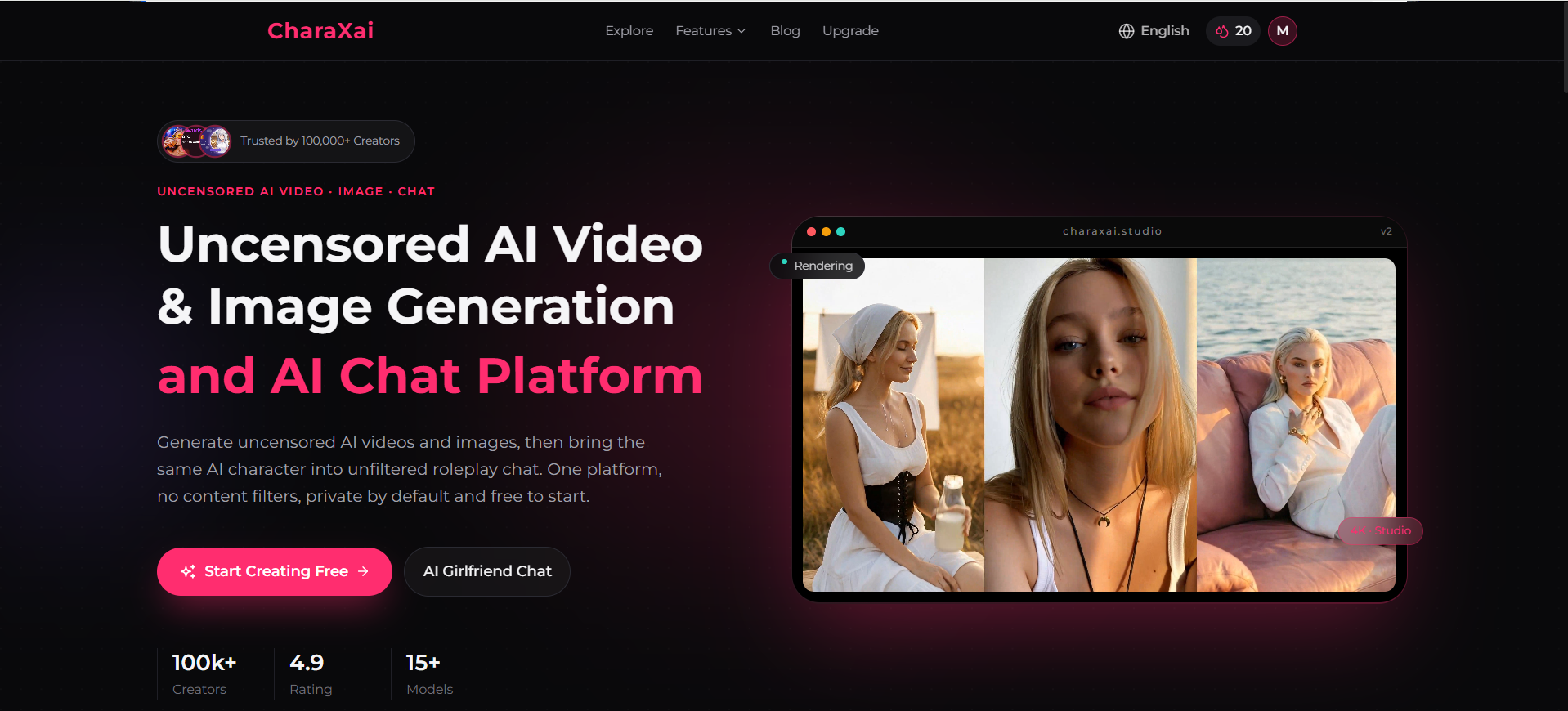
CharaxAI is a browser-based, 18+ platform that pairs companion chat and roleplay with text-to-video, image-to-video, image generation, and face swap, all paid from one credit balance.
You don’t install anything. You design a character, render it, then talk to it in an unfiltered thread. Most rivals split those jobs across separate apps and separate bills.
Who runs it? NeuronFeed’s comparison page points to a small Hong Kong team founded in 2023. The homepage boasts 100k+ creators, a 4.9 rating, and 15+ models, but the company supplies those figures itself. Independent user reviews barely exist yet.
CharaxAI Features at a Glance
Each creation tool sits in the left sidebar and shows its price on the Create button before you commit.
Tool
Default model
Output
Credits per run
Text to Video
Fast V1.0
480p, 5 seconds
50
Image to Video
Ultra V1.0
720p, 5 seconds
75
AI Image Generator
Fast V1.0
16:9 still
7
Face Swap
Template-based
1 image
10
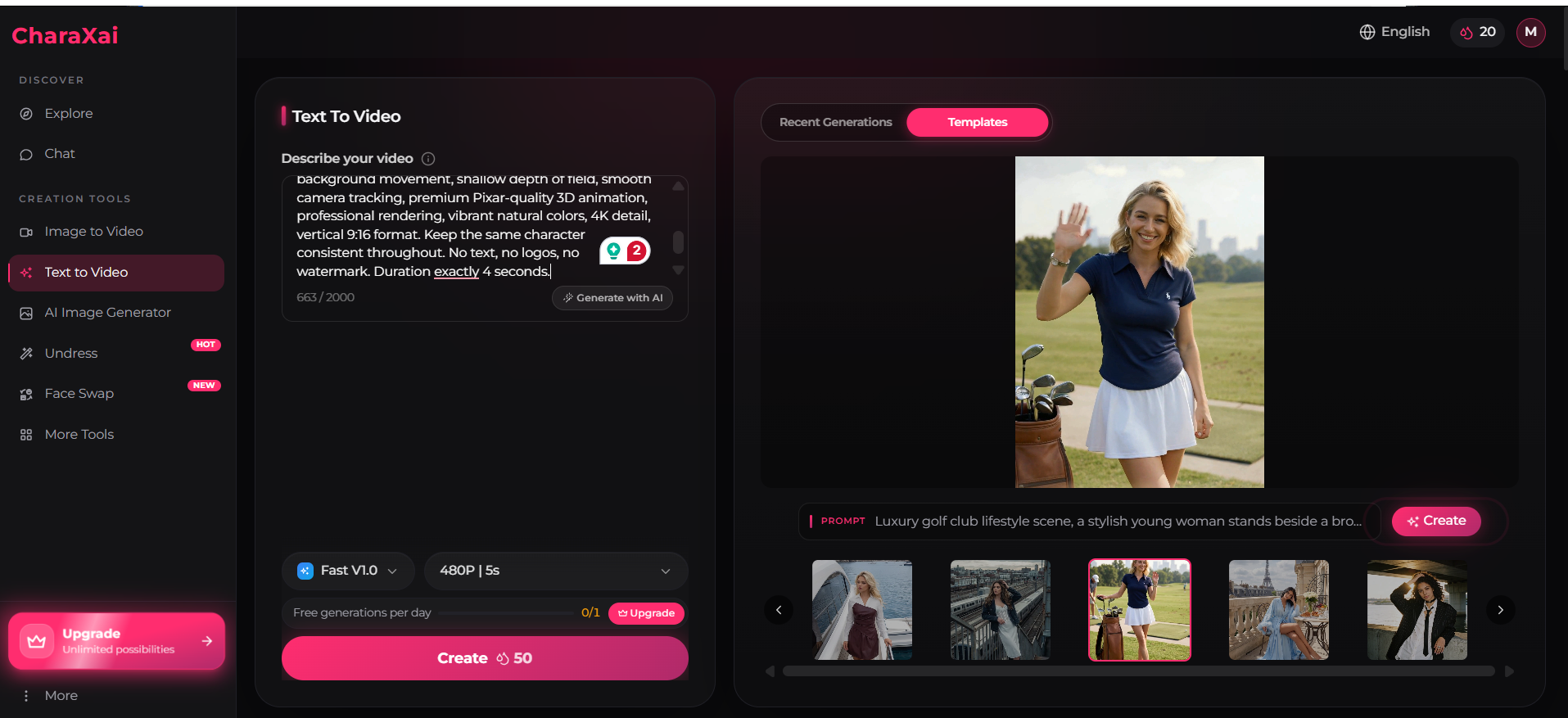
Text to Video
Type a scene, get a clip. The prompt box takes up to 2,000 characters, and a Generate with AI button turns a one-line idea into a full brief. A Templates gallery adds ready scenes such as a golf course, a yacht deck, and a Paris balcony.
Resolution holds it back. At 480p, output looks fine on a phone and soft on a laptop.
Image to Video
Upload a picture, and the Ultra model animates it at 720p. A fixed face, outfit, and art style give the model far less room to wander than a blank text prompt does. Name the details that must stay put, such as face and proportions, and frame-to-frame drift drops.
AI Image Generator
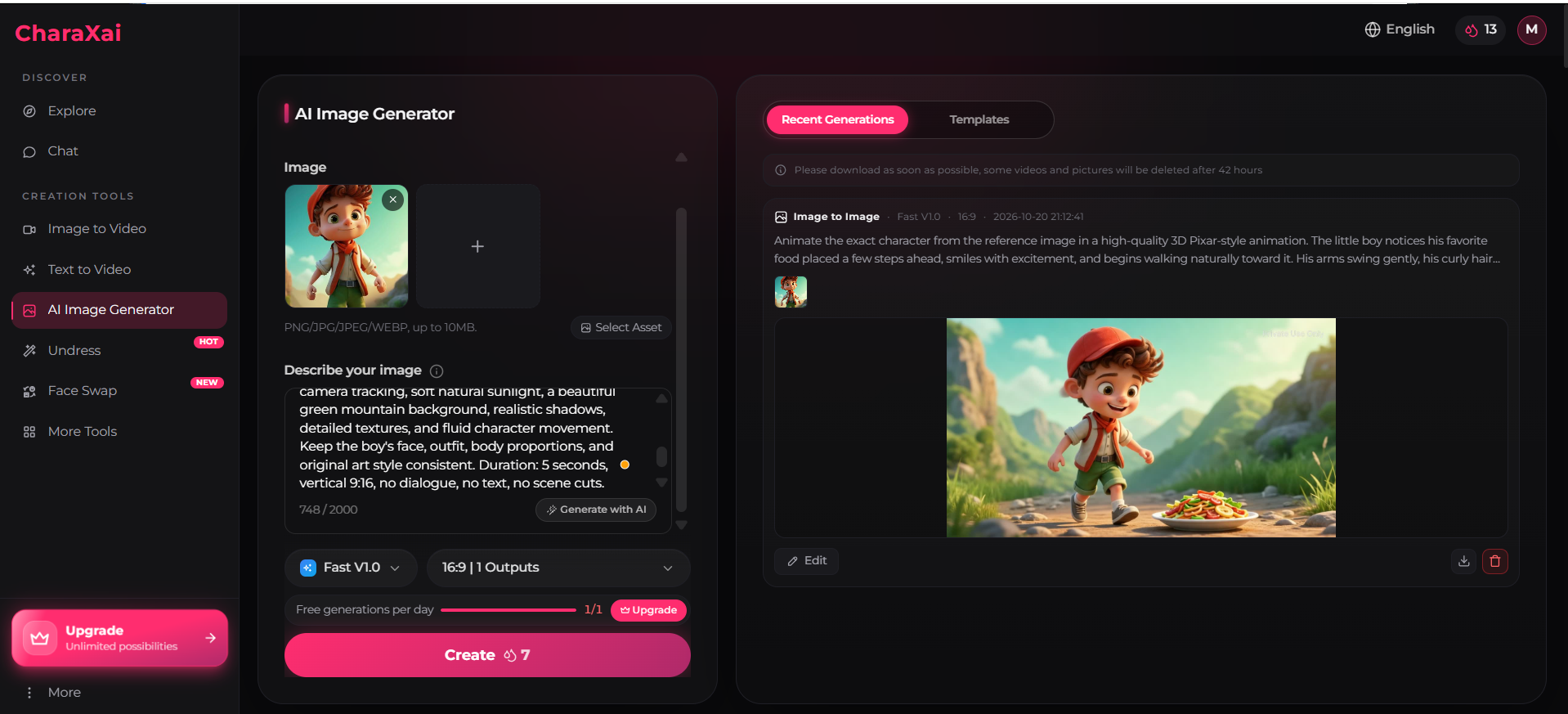
The AI Image Generator builds stills from text or from a reference upload (PNG, JPG, JPEG, or WEBP, up to 10 MB). At 7 credits, it’s the cheapest way to experiment. Select Asset pulls back earlier uploads, and Edit tweaks a finished result instead of rerolling it.
Face Swap
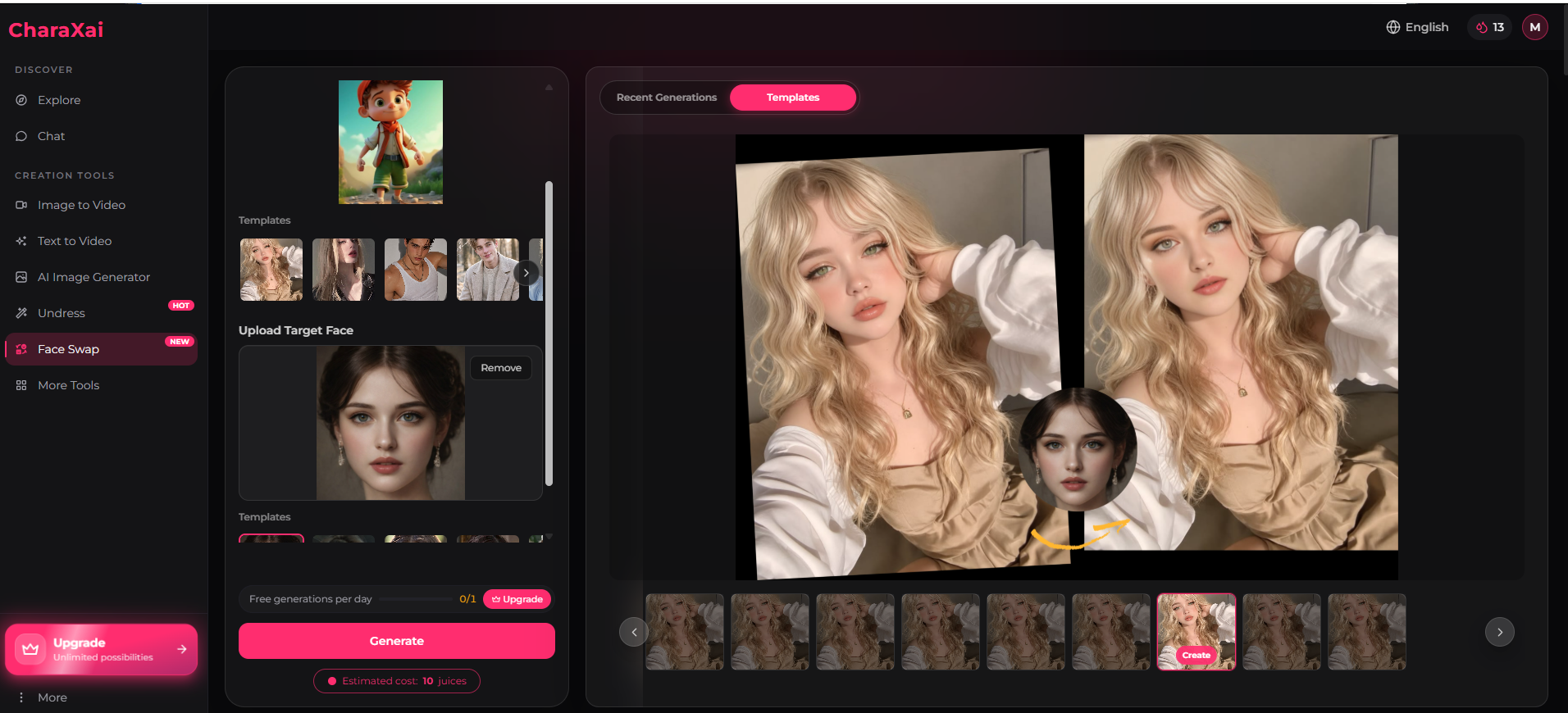
Face Swap lets you place a target face onto a preset portrait or your own uploaded image. A before-and-after preview appears beside the controls, and the tool supports cartoon and 3D faces as well as photographs. If you’re exploring similar tools, learn what happened to Vidqu AI’s Face Swap tool and why the feature is no longer available. Consent rules for using Face Swap are covered in the safety section.
How Good Is CharaxAI Chat?
Chat runs in ToolJunction’s CharaxAI profile in private one-to-one threads, either with premade characters from Explore or with companions you build. mentions context-aware replies and scenario roleplay.
Two gaps stand out:
Memory: Nobody has shown how well it recalls details across long sessions. Every chatbot works inside a limited context window, so older facts fade as a thread grows. The usual fixes for AI companion memory lag help here: a short persona note and the occasional reminder of key facts.
Voice: A few directories mention voice options, yet the October 2026 menu shows no voice tool.
Where chat shines is the link to visuals. The face you render becomes the face you talk to, a loop that suits anyone who enjoys building a custom AI companion from the ground up.
CharaxAI Pricing: How Juices Work
Juices are CharaxAI’s credits. Each run spends a fixed amount, and you refill with one-time packs rather than a subscription.
Every pack shows a struck-through price and a “50% off” tag. The discount never seems to end, so read the lower number as the actual price.
Pack
Price
Credits
Cost per credit
Lite
$9.99
360
~2.8¢
Pro
$19.99
800
~2.5¢
Prime (Most Popular)
$39.99
2,000
~2.0¢
Some rivals, like Flipped AI, stack a subscription plus gems on top of each other. CharaxAI keeps one balance and never renews on its own.
What Each Pack Buys
Output
Credits
Lite
Pro
Prime
Text-to-video clip
50
7
16
40
Image-to-video clip
75
4
10
26
AI image
7
51
114
285
Face swap
10
36
80
200
Put plainly, a 720p animation runs $1.50 to $2.08, a 480p text clip $1.00 to $1.39, and an image 14 to 19 cents. Those figures assume every render lands on the first try. Rerolls push them up.
Old Monthly Plan vs Current Packs
ToolJunction and similar directories still list a $9.90 monthly promo. Today’s checkout sells packs only, so go by the upgrade window in your own account.
Refunds and Failed Renders
Nothing in the upgrade window covers refunds. The app also never says whether a failed render hands its credits back. Read the terms page first, and assume spent credits won’t return.
Is CharaxAI Free?
Yes, to a point. A new account starts with 20 credits, and each tool displays one free daily generation.
Twenty credits buy two or three images. They can’t buy a clip, since the cheapest one needs 50.
A quirk appeared in the October 2026 build: one image run filled the daily counter and still took the balance from 20 to 13. Glance at your meter after the first run, because this behavior may change.
Output Quality: A Mini Case Study
One 7-credit run kept a reference character’s identity almost intact.
Setup: A 3D cartoon boy in a red cap and green shorts served as the reference. The prompt had him notice his favorite food and stroll toward it, Pixar-style, framed by green mountains.
Result: Roughly a minute later, a 16:9 still showed the same boy mid-stride and grinning, a plate of noodles ahead of him on a rocky path. Cap, scarf, vest, and face all matched.
What it shows:
Identity holds, which matters when one character must appear in many scenes.
Each tool reads only its own kind of prompt. Video lines like “5 seconds, no scene cuts” did nothing; the generator simply returned a still.
One success doesn’t prove the same result across every art style.
Video-focused creators should know one more thing. Many export their best stills to dedicated video models for final renders, and budget AI video APIs can cost far less per clip than a bundled platform.
The 4-Step Credit Budget Plan
A credit budget plan spends cheap runs on testing and saves the expensive ones for finished work.
Draft in images. Try faces, outfits, and settings at 7 credits each.
Lock a reference. Save the winner with Select Asset.
Animate once. Feed it to Image to Video with a prompt about motion and camera only.
Download fast. The app warns that it deletes some files after 42 hours.
Follow that order and a Lite pack yields one polished character plus three or four finished clips.
Privacy, Safety, and Legal Risks
Safety here comes down to two questions: what happens to your uploads, and whose face ends up in them.
Storage and Privacy
“Private by default” is a slogan, not evidence of encryption. CharaxAI says little about its models or data handling. Entertainment-first chat apps also land in the riskiest tiers of most AI companion privacy rankings, so keep real names, photos, and personal details out of your threads.
The “Undress” Tool
A HOT badge pushes an “Undress” feature in the sidebar. Run a real person’s photo through it, and you can end up creating nonconsensual intimate imagery.
The TAKE IT DOWN Act made knowingly publishing such images a US federal crime on May 19, 2025, whether they’re real or AI-made. A separate 48-hour takedown duty for platforms kicked in on May 19, 2026. Many states and countries add their own deepfake laws on top.
No legitimate project needs this feature. Leave it alone.
Face Swap and Consent
Your own face, invented characters, and people who said yes are fine. Classmates, coworkers, exes, and celebrities aren’t.
CharaxAI vs Other AI Companion Platforms
CharaxAI stands apart through its payment model and built-in media tools rather than its conversation quality.
Factor
CharaxAI
Subscription companion apps
Character.AI
Payment
One-time packs
Monthly plans
Free, optional paid tier
Content filters
Uncensored, 18+
Varies by app
Filtered, no explicit content
Video generation
Built in
Often missing
Not a core feature
Main strength
Visuals tied to chat
Relationship depth
Storytelling at scale
Character.AI looks quite different after its 2026 overhaul, with age checks, ads, and a paid tier, yet it still blocks explicit content.
On the uncensored side, Selira AI’s roleplay focus suits people who care more about long scenes than media tools.
Daily chatters usually get better value from a flat monthly plan. Burst creators save with packs, since idle months cost nothing. A wider list of top AI companion apps helps if neither profile fits you.
Who Should Use CharaxAI?
Good fit:
Adults who want one character across images, clips, and chat
Hobbyists animating 3D or cartoon designs
Occasional users who hate renewals
Poor fit:
Anyone under 18
Creators who need HD or long-form video
People who expect clear data and refund policies
Conclusion
CharaxAI works best as a character studio with chat attached, not the other way round. Its image generator earns the praise, while video feels like a premium extra rather than a reason to buy.
Pricing stays fair in one way: nothing renews behind your back. Still, the missing refund terms turn every pack into a small gamble.
Want a risk-free test? Spend the free credits on a couple of image drafts and judge the faces. If they hold up, a Lite pack shows whether the video side deserves more of your money. If they don’t, you’ve lost nothing but a few minutes.
Frequently Asked Questions
Q. Is CharaxAI free to use?
You can start free with 20 credits and one daily generation per tool. That covers a few images and some chat, while video needs a paid pack.
Q. How much does CharaxAI cost?
As of October 2026, packs cost $9.99 for 360 credits, $19.99 for 800, or $39.99 for 2,000. Each is a single payment.
Q. What are juices on CharaxAI?
Juices are the in-app currency. A 480p text clip takes 50, a 720p animation 75, an image 7, and a face swap 10.
Can CharaxAI turn a photo into a video?
Yes. Its Image to Video tool animates an upload into a 5-second, 720p clip.
Q. Does CharaxAI remember past conversations?
It advertises memory-aware chat. Nobody has independently shown long-session recall, and older details tend to fade in long threads.
Q. Is CharaxAI legit?
It’s a working product with real tools and a functioning checkout. The company shares few details and rates itself, though, so start small.
Q. Is CharaxAI legal to use?
Adults can generally create fictional characters or use their own likeness. Sharing intimate images of real people without consent can break laws such as the US TAKE IT DOWN Act.
Disclaimer: We are not affiliated with CharaxAI and have no official connection to the company. This review is based on independent research and is intended for informational purposes only. Features, pricing, and policies may change over time. We recommend reviewing CharaxAI’s official terms and privacy policy before using the platform.
Tags:
Sebastian Vale
Sebastian Vale reviews the latest AI tools and tech innovations, breaking down complex concepts into clear, actionable insights. He also creates step-by-step guides, helping readers make smarter decisions and stay ahead in a fast-moving digital world.