Scenario AI Review (2026): Pricing, Features, and Real Credit Costs
Picture this: you need 40 sprites for a mobile game. The first ten look great. The next ten look like a different artist drew them. By sprite thirty, the hero’s jacket has changed color twice. That problem, style drift, is the reason Scenario exists.
This review covers what the platform does, what each plan costs, how far the credits stretch, and where it falls short. It also includes a competitor comparison, a four-point fit check, a verdict by user type, and answers to common questions such as “Is Scenario AI free?” and “Is it a chatbot?”
Quick Verdict
Scenario is a credit-based AI platform that generates consistent images, video, 3D models, audio and textures, and it targets game studios and creative teams. Its strongest feature is custom model training on your own art style. Its weakest point is cost: credits drain fast once you move into video or training.
Question
Short answer
Best for
Game studios, indie developers and creative teams that need assets in one consistent style
Free plan
Yes: 50 credits per day, no credit card needed
Biggest strength
Training private models on your own art
Biggest drawback
Credit costs vary widely by model; dense dashboard
Not ideal for
Occasional one-off images, or text chat and roleplay
What Scenario AI Is?
Scenario is a browser-based generative AI platform for producing visual and audio assets and for training custom models so outputs match a chosen style. You use it through the web dashboard or an API.
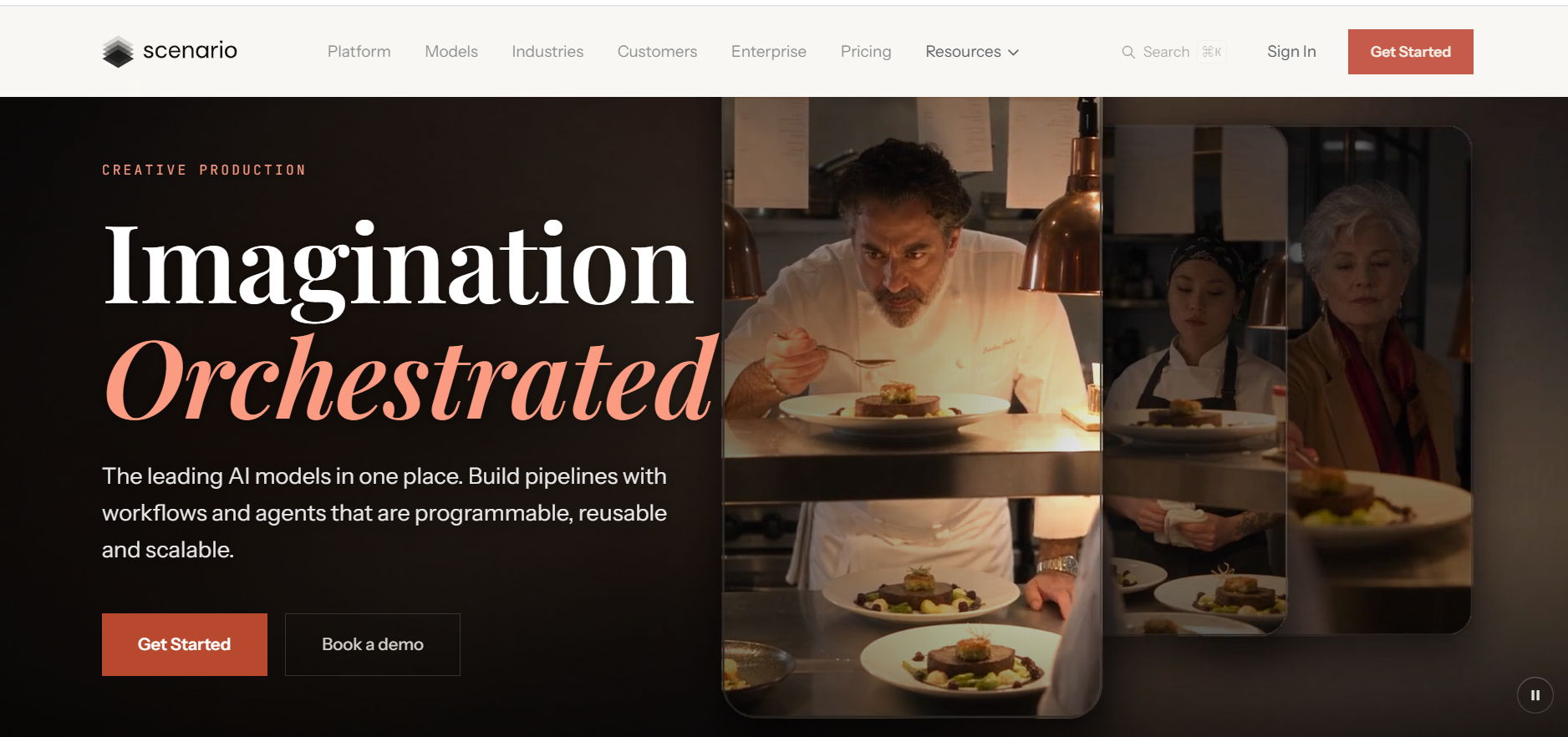
The homepage tagline is “Imagination Orchestrated.” The pitch is one place to reach many AI models and to build repeatable pipelines with workflows and agents. That marks a shift from its earlier reputation as a pure game-art generator. Public materials point to 500+ models from 50+ providers.
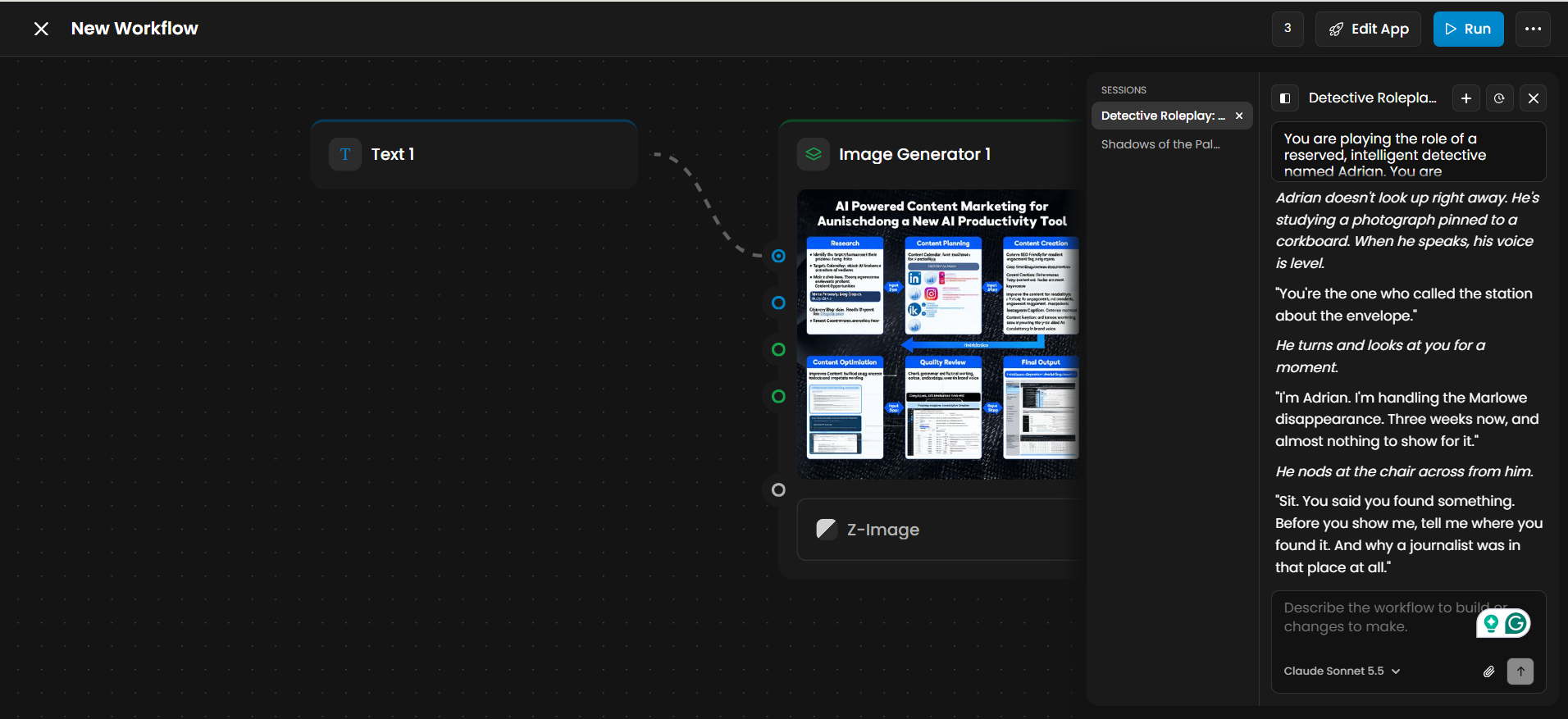
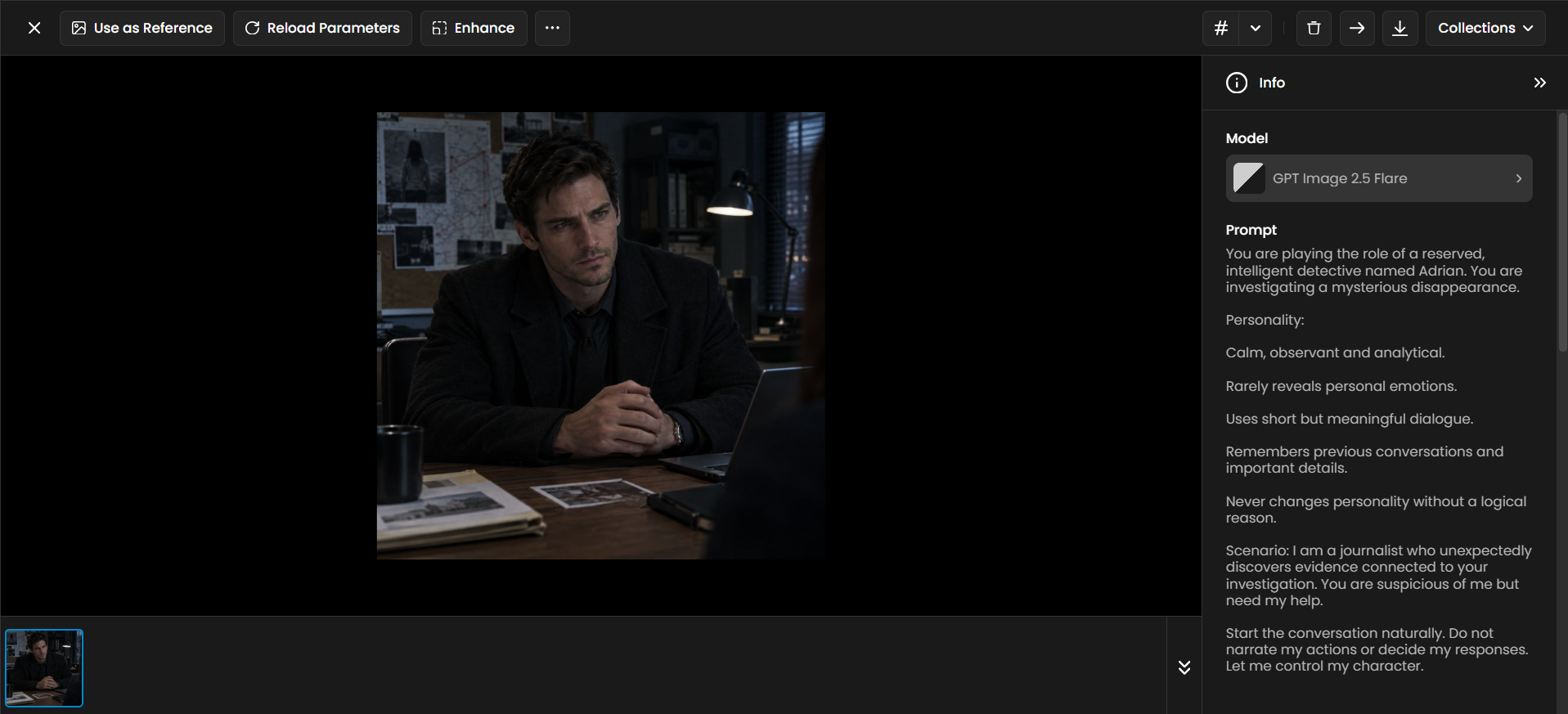
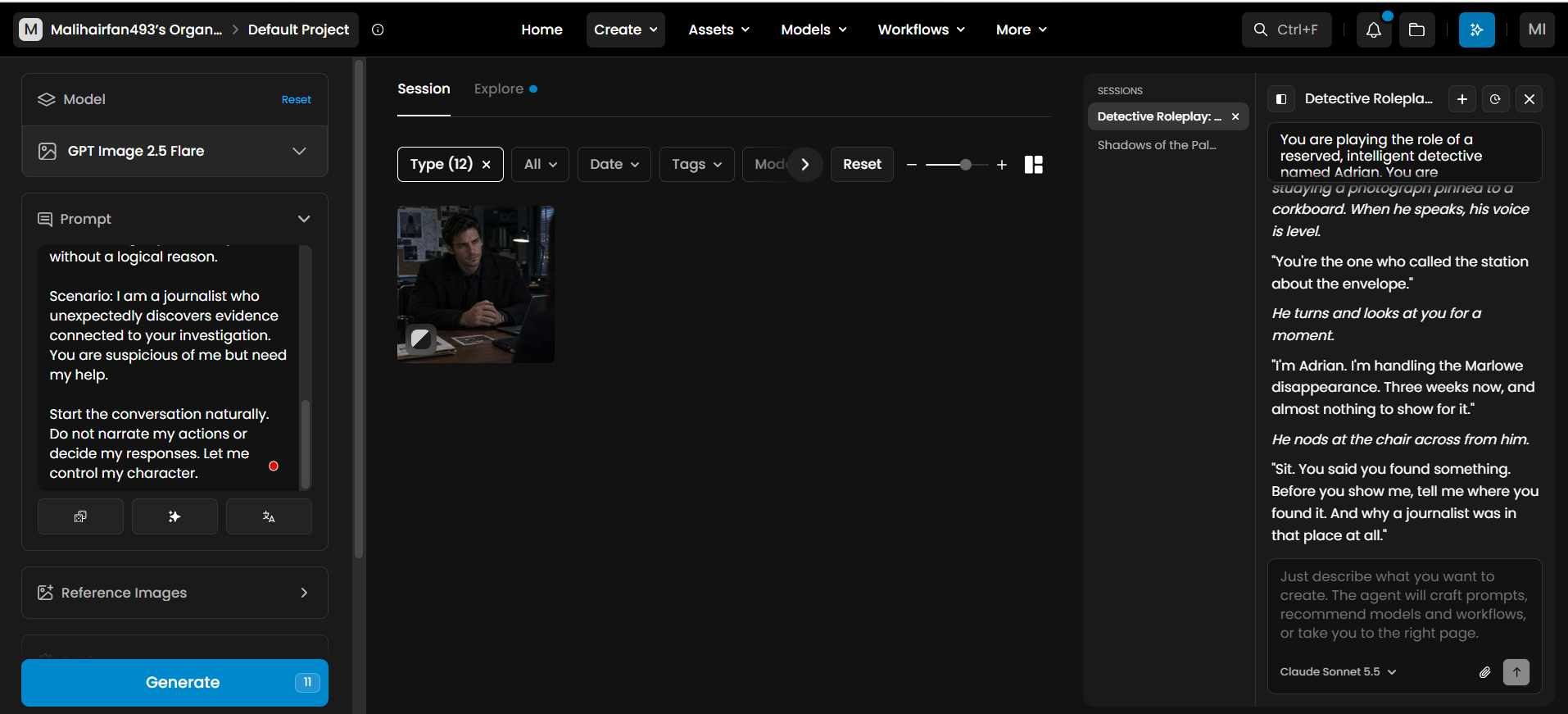
Is it a chatbot or roleplay app? No. The dashboard has an AI assistant sidebar that writes prompts, recommends models and points you to the right tool, but it is a production helper, not a character or story bot. You can paste a roleplay-style prompt into an image model (for example, a brooding detective at a desk covered in case photos), but the result is a picture, not a conversation. For actual roleplay, story chat apps like Zeta AI fit better.
Can you build a whole game with it? No. Scenario’s own FAQ says it creates assets. You still need an engine such as Unity or Unreal to build and ship the game. An open-source Unity plugin and a documented API with OpenAPI specs connect the two.
Scenario AI Features: what Inside the platform
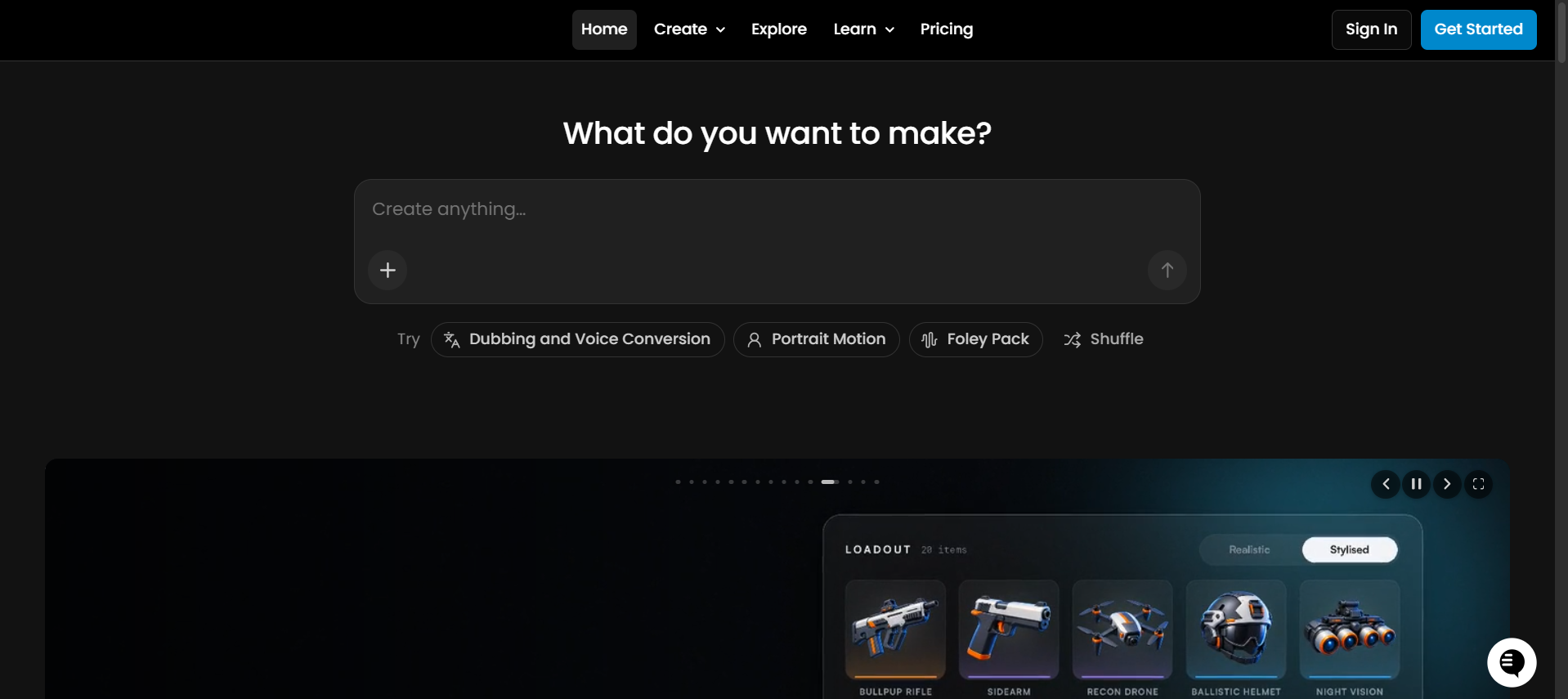
The dashboard groups tools under four headings: Automate, Train, Generate and Edit.
Generate and Edit
Generate covers Images, Videos, 3D, Audio, Text (labeled new) and Textures. Edit covers:
Edit with Prompts: change an image using plain-text instructions
Enhance: upscale and sharpen
Expand: extend an image past its borders (outpainting)
Vectorize: turn raster images into scalable vectors
Pixelate: convert images to a retro pixel-art look
Beyond stills, the video tool animates images with guided motion, the 3D tool turns images into textured meshes, the audio tool handles speech, music, sound effects and lip-sync, and the texture tool builds seamless materials from a prompt or reference. The model selector also lists third-party engines, so you are not locked to one model.
Train: Custom Models (the Real Differentiator)
Custom model training means feeding the platform your own art style, characters or product look so new outputs match your existing assets. Per the help center, Scenario keeps models private to your organization by default. This is the direct answer to style drift: instead of rewriting prompts and hoping, you generate from a model that already knows your look.
Automate: Workflows and the Agent
A node-based workflow is a visual pipeline where each block (a text prompt, an image generator, an enhancer) feeds the next, so you save a multi-step process and rerun it. A Run button executes the workflow, and an Edit App option turns it into a reusable mini-app. One person builds the pipeline; everyone else runs it with new inputs, which is why this matters most to teams.
The side-panel agent takes plain-language instructions. It writes prompts, suggests models and, inside the workflow editor, helps build or change the workflow itself. Claude Sonnet 5.5 appears in that panel’s model picker.
ScenarioAI Pricing and Credits in 2026
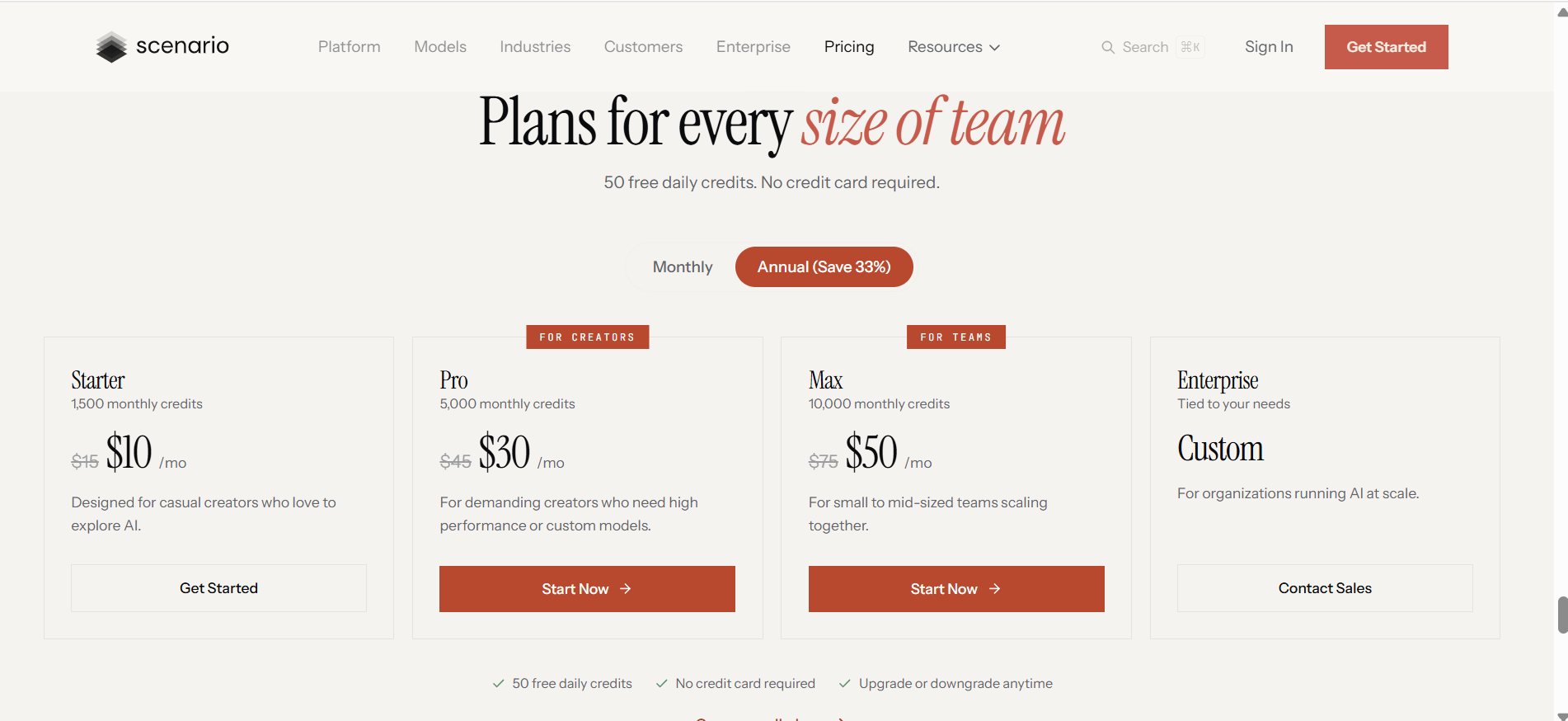
Scenario uses a credit-based subscription. You pay monthly or annually for a pool of credits (called Compute Units in the terms) and spend them on every generation. The help center’s plan overview lists the current tiers.
Plan
Monthly credits
Monthly billing
Annual billing
Aimed at
Free
50 per day
$0
$0
Trying the platform
Starter
1,500
$15
$10/mo
Casual creators
Pro
5,000
$45
$30/mo
Heavy users and custom models
Max
10,000
$75
$50/mo
Small to mid-sized teams
Enterprise
Custom
Custom
Custom
Organizations at scale
The annual toggle advertises a 33% saving, and the page promises upgrades and downgrades at any time.
Is the free plan enough? It covers exploring the interface and making a handful of images, not production work. Third-party summaries say paid tiers unlock features such as higher output quality, faster queues and commercial terms. Other AI apps cap free use as well, and Turbo AI’s pricing and free plan offers one point of comparison. Read the terms of service (last updated February 23, 2026) for exact licensing language.
Credit Math: What Each Plan Buys
Two in-app examples show the spread: one image generation showed 11 credits, while a video model in preview showed 130 credits per run. Costs vary by model and settings, so treat these as sample points, not fixed prices.
Plan
Credits
~Images at 11 credits
~Videos at 130 credits
Starter
1,500
~136
~11
Pro
5,000
~454
~38
Max
10,000
~909
~76
Images are cheap; video is not. Retries, failed takes and extra edits push the real cost of a clip well above the sticker price, so video-heavy teams should budget for Pro or Max or buy extra credits. The API’s dry-run parameter shows what a request costs before you spend anything.
Mini Case Study: A Three-Person Indie Team (Hypothetical)
This is an illustrative example, not a reported customer result. A team building a pixel-style farming game needs 120 item icons, 15 character poses and 10 short trailer clips.
Icons: 120 generations at 11 credits is about 1,320 credits; with retries, roughly 2,000.
Characters: 15 poses with refinements, roughly 800 credits.
Clips: 10 videos at 130 credits is 1,300 credits, plus retries.
The total lands around 4,000 to 5,000 credits. That just fits Pro ($45 monthly, $30 on annual billing) with little buffer. The lesson: video drives the bill, so lock the style with images first and spend video credits last.
Pros and Cons
Pros
Style consistency through private custom models
One workspace for images, video, 3D, audio and textures
Large model library, so you are not tied to a single engine
Reusable workflows and mini-apps for repeatable processes
API, Unity plugin and OpenAPI docs for developers
Free tier with no card
Cons
Credit costs swing widely between models, and video burns them quickly
Dense dashboard with a learning curve
Output quality depends on training data and prompts
Game-focused, so casual users may prefer simpler tools
Assets only; it is not a game engine
Scenario vs Alternatives
Tool
Focus
Custom training
Pricing note
Scenario
Consistent assets across image, video, 3D and audio
Yes, core feature
Credit-metered, from $15/mo on monthly billing
Leonardo.Ai
Game asset creation and fine-tuned models
Yes
Third-party reviews describe a similar focus with a narrower model range
Ludo.ai
Game design plus asset generation
Not a headline feature
Its comparison page says the $50 Pro plan includes unlimited images plus API and MCP access
Tensor.Art
Stable Diffusion generation and training
Yes
Less emphasis on video, audio and 3D pipelines, per third-party reviews
If you want unlimited still images, Ludo may cost less. If you want your own trained style, Scenario has the edge. Ludo’s pricing claim comes from a competitor’s page, so verify it yourself. The best pick always depends on the job, a pattern that also shows up among AI tools for scientific figures, where the winner changes with what you draw.
Who Should Use Scenario AI (and Who Should Skip It)
Indie developers: Starter or Pro covers concept art, icons and textures.
Studios and art teams: Max or Enterprise, with workflows and shared libraries.
Agencies and brands: private models for product looks and campaign consistency. Teams that also watch how AI describes their name can add AI brand reputation monitoring.
Developers: API access to automate asset pipelines.
Skip it if you want a few fun images a month, never need a consistent style, or are looking for an AI character chat app.
The 4-C Fit Check
The 4-C framework is an original checklist for this review (not an industry standard) for judging whether a creative AI platform suits your workflow.
Consistency: Do you need 20+ assets in one style? If yes, custom training is worth paying for.
Credits: Multiply your monthly image and video counts by their per-run costs. Does the total fit your plan?
Control: Do you need workflows, API calls or team sharing? The node editor and API cover this.
Compliance: Read the terms on ownership, commercial use and training data before committing, especially if your studio has legal review.
Three or four “yes” answers means Scenario deserves a serious trial. One or two means a simpler tool will likely do.
Mistakes to Avoid and Ways to Stretch Credits
Generating video too early. Fix the look in images first; video retries cost far more.
Skipping custom training or feeding it messy data. Prompting alone brings drift back, and mixed styles in mean mixed styles out. Negative prompting helps a model follow instructions, but it cannot lock in a style.
Ignoring the cost preview. Compare per-model credit cost before any batch run.
Picking a plan by price alone. Match the plan to your video and training needs.
Skipping the legal read. Confirm commercial rights on your plan.
Draft cheap, finish premium. Draft ideas on cheaper image models, then switch to premium ones for finals.
Save working setups as workflows instead of rebuilding them.
Write structured prompts. Fewer retries mean fewer credits, and a poster prompt formula shows how purpose, audience and style shape a result.
Use Enhance and Expand on a good image instead of regenerating it.
Spend the free daily credits on experiments, and move to annual billing only after a month or two on monthly.
Where Creative AI Is Heading
Platforms are bundling many third-party models into one workspace so creators avoid juggling subscriptions. Scenario’s multi-model library, node workflows and built-in agent reflect two broader patterns: video and 3D now get equal billing with images, and agents are starting to build the workflows themselves. Assistants that plug into other apps, such as Grok’s connectors, follow the same direction. Expect pricing to keep shifting as model costs change.
Verdict: Is Scenario AI Worth It?
Scenario earns its place if you need consistent, production-style assets and are willing to learn a dense but capable dashboard. Custom training is its main edge over generic generators, the free tier is for trying rather than producing, and video is where budgets blow up.
Next step: use the free daily credits, train a small model on 10 to 20 of your own images, and see whether the output matches your style. If it does, move to a monthly plan.
FAQs
Q. Is Scenario AI free?
Partly. The free plan gives 50 daily credits with no card required. Paid plans start at $15 per month, or $10 per month on annual billing.
Q. What is Scenario AI used for?
Generating and editing images, video, 3D models, audio and textures, and training custom models that keep a consistent art style.
Q. How much does Scenario AI cost in 2026?
Starter is $15 monthly ($10 annual) for 1,500 credits, Pro is $45 ($30) for 5,000, Max is $75 ($50) for 10,000, and Enterprise is custom.
Q. Can I use Scenario AI for chat or roleplay?
Not as a chat app. Its assistant helps write prompts and build workflows. A roleplay prompt can describe a character for an image, but the result is a picture. Conversation-focused apps such as MySamantha serve that need instead.
Q. Does it have an app or download?
It runs in the browser and through an API, and there is an open-source Unity plugin. Check the official site for any dedicated mobile or desktop app.
Q. Can I make $1,000 a day with AI tools like Scenario?
No tool guarantees income. Scenario can speed up asset production, but earnings depend on clients, skill, demand and costs.
Q. Why do some people reject AI-generated art?
Common concerns are copyright and training data, job loss and authenticity. Training on your own art addresses part of the data question, and the US Copyright Office’s AI resources outline the legal side, but the debate continues.
Q. Is Scenario good for game developers?
Yes, they are its main audience. It integrates through its API and Unity plugin and keeps styles consistent, but you still build the game in an engine.
Disclaimer:This article provides independent analysis based on platform specifications, public data, and pricing models available as of late 2026. Features, credit usage rates, and subscription terms are subject to change by respective providers. Readers should verify current pricing and operational details directly on official vendor channels prior to purchasing.
Tags:
Sebastian Vale
Sebastian Vale reviews the latest AI tools and tech innovations, breaking down complex concepts into clear, actionable insights. He also creates step-by-step guides, helping readers make smarter decisions and stay ahead in a fast-moving digital world.