Turbo AI Review 2026: Features, Pricing & Is It Safe?
I fed a seven-day website launch plan into Turbo AI and got an 11-part course back. My first quiz score was 67%. That stung, and it showed me exactly where I had skimmed.
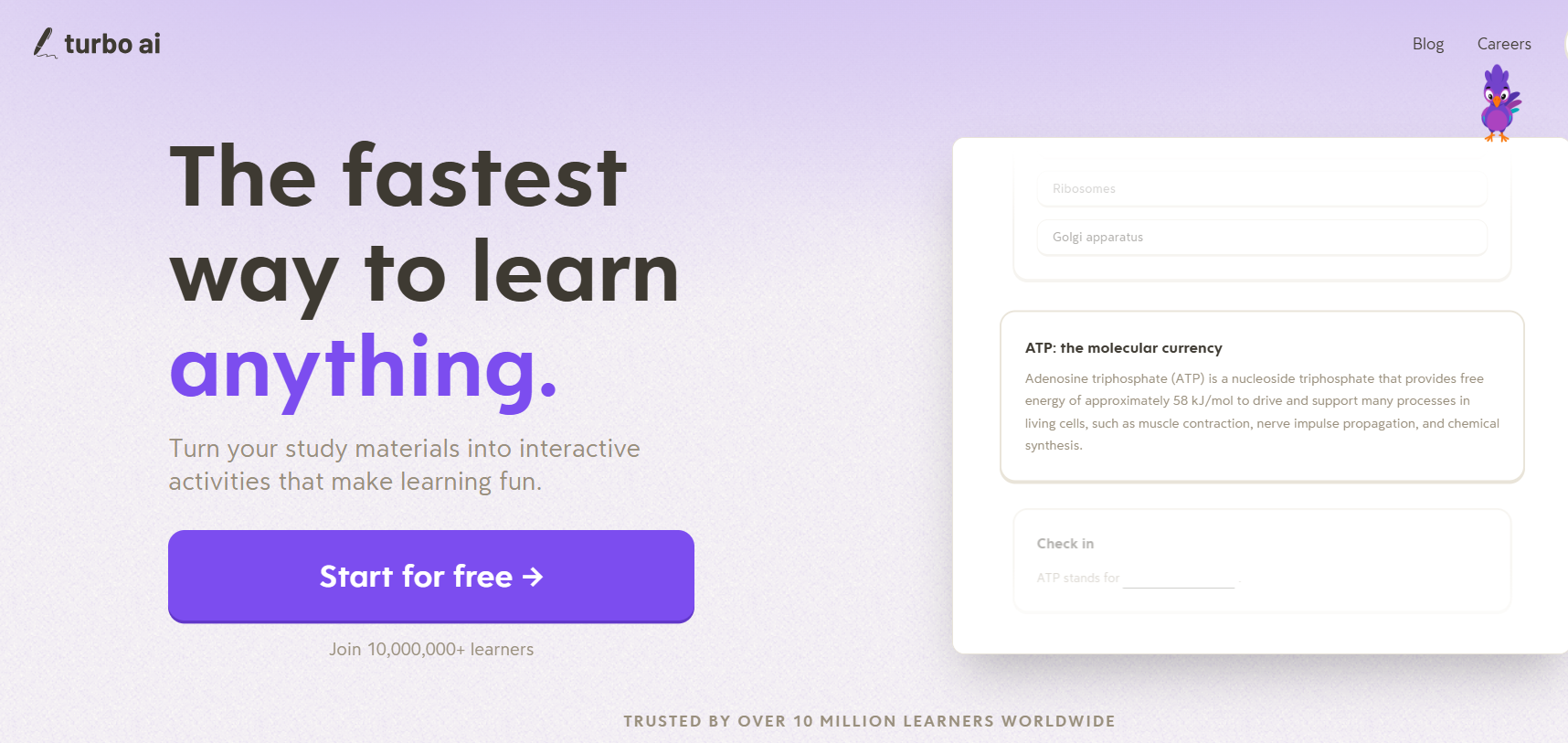
Turbo AI (formerly TurboLearn AI, and still searched as TurboLearn) converts lectures, PDFs, and YouTube links into notes, flashcards, quizzes, and podcast-style recaps. Its homepage claims more than 10 million learners. I tested it in October 2026, recorded the upgrade prices on my screen, and compared them with independent reports.
This review covers what I tested, what I only verified through other sources, what it costs, and who should skip it. Study apps change fast, so I last updated the prices and features on October 29, 2026.
Quick Verdict
Turbo AI deserves a free trial if you study from your own material. Pay only after the free plan stops you.
Good fit: students and professionals with slides, PDFs, or recorded lectures who want flashcards and quizzes fast.
Poor fit: anyone who needs long-term review scheduling, or who plans to paste output straight into assignments.
Biggest unknown: I did not test live lecture recording, which independent reviews call its main draw. A ten-minute test below lets you judge it yourself.
What is Turbo AI?
You add a source, and Turbo AI returns editable notes, flashcards, quizzes, a podcast-style recap, and a chat tutor. Its App Store listing and independent reviews list PDFs, Word files, audio, YouTube links, and live recordings as accepted sources.
The company renamed TurboLearn AI to Turbo AI and moved to turbo.ai. Older listings, reviews, and the app’s own publisher name still say TurboLearn, so expect both names in search results.
Feature
Status
Detail
Notes and lessons from a document
Tested
11 content items; first section ran 8 pages
Quizzes
Tested
Topic generation step, plus in-lesson check-ins
Flashcards
Tested
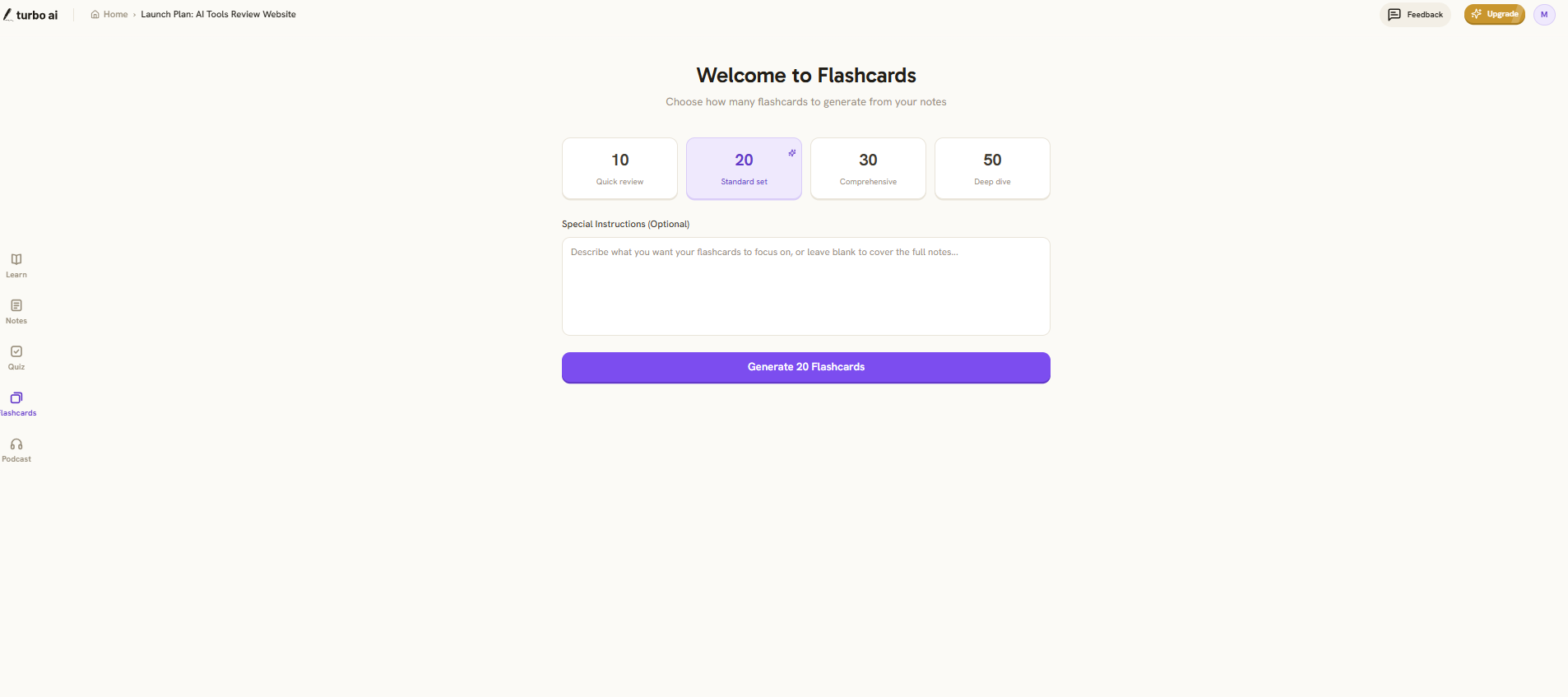
Set sizes of 10, 20, 30 or 50
Podcast
Setup screen only
Language, two speakers, 3 to 5 minute option
Chat tutor
Panel only
Voice tutoring advertised on the paid plan
Live lecture recording
Reported, not tested
Independent reviews describe it
YouTube and audio input
Reported, not tested
Independent reviews describe it
Mobile apps
Partly verified
App Store lists iOS; reviews report Android
My Hands-On Test
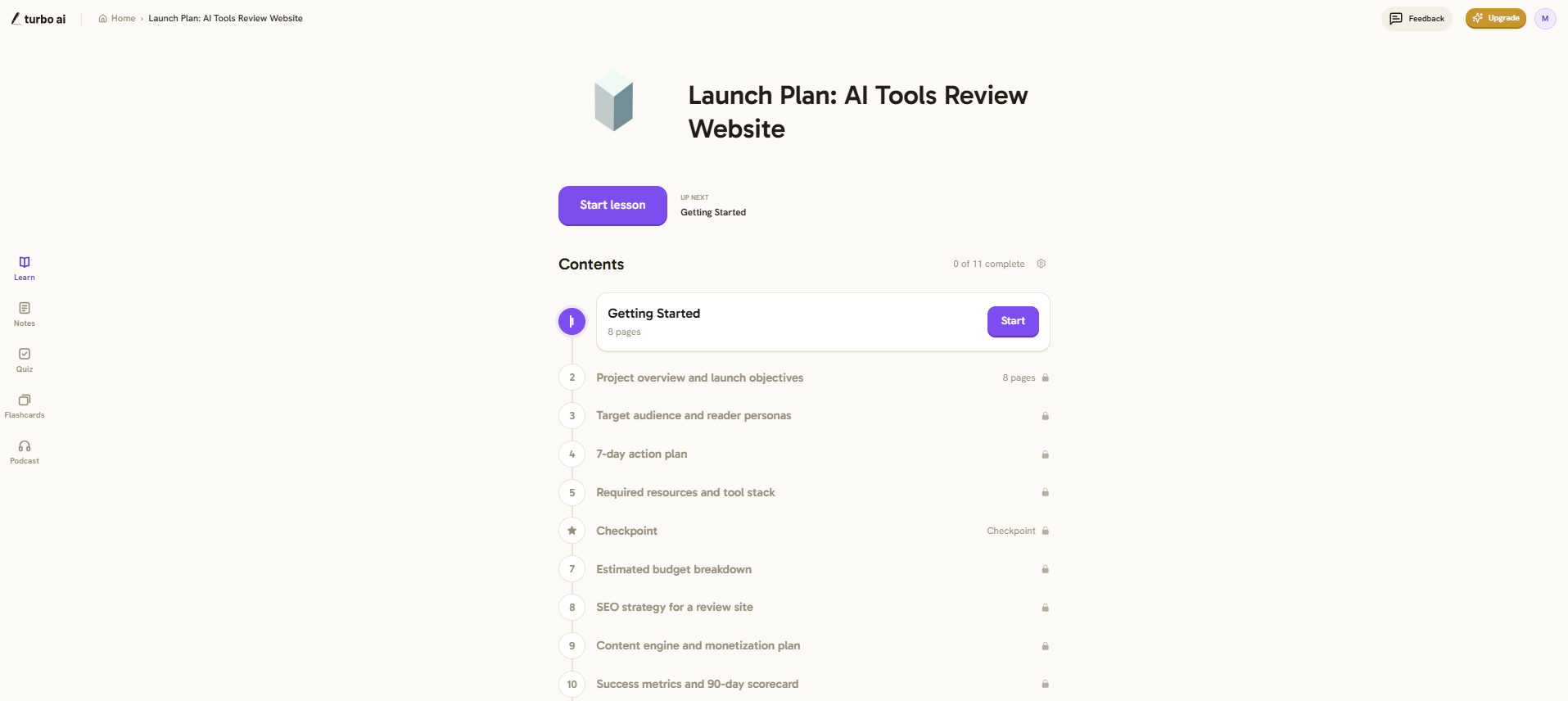
My planning document held objectives, personas, a budget, and an SEO outline. Turbo AI built the course in a logical order. “Getting Started” came first, then the project overview, audience personas, a 7-day plan, tool stack, budget, SEO strategy, and a 90-day scorecard.
The notes view worked like a normal editor. Headings, bullets, and tables carried over, and I could edit any line.
My first check-in ended at 67%. That gave me a revision starting point, but it does not measure the tool’s accuracy, and one quiz cannot show how much I retained. I also did not judge question quality. AI-written quizzes sometimes test exact wording instead of understanding, so scan each question and ask whether it rewards memorized phrases. I did not audit every flashcard against my source either, so I can’t give you an error rate. Verify answers before you lean on them for an exam.
One limit showed up fast. Later lesson sections carried lock icons, and an Upgrade button sat in the header.
Turbo AI Pricing in 2026
Turbo AI uses a freemium model, and your price depends on region and offer. Reviewers report that turbo.ai has no public pricing page, so the number appears in the app or at checkout.
Plan
Price on my screen (PKR)
Reported US price
Free
Rs 0
$0
Annual
Rs 750 per month, billed yearly
about $119.99 per year
Monthly
Rs 1,000 per month
about $19.99 per month
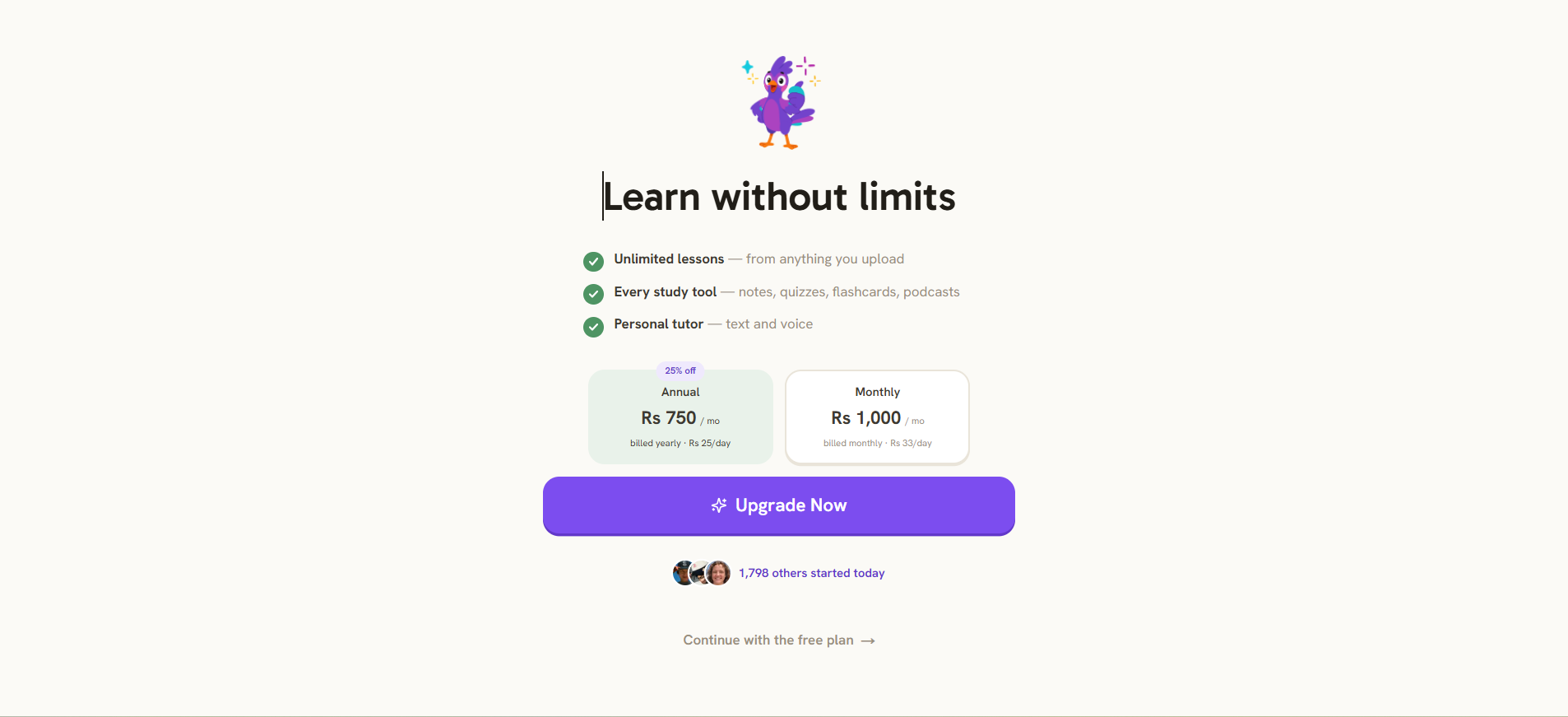
The PKR figures come from one upgrade screen in October 2026. The US prices come from independent reviews, including Zemith’s and HyScaler’s. I did not compare the web price with an in-app purchase price. App stores can charge differently from web checkout, so compare both before you pay. Rs 750 a month adds up to about Rs 9,000 a year if checkout bills it that way.
The paid plan advertises unlimited lessons, every study tool, and a text and voice tutor. Treat “unlimited” as a claim from the upgrade screen, and read the terms for fair-use limits.
Free Plan Limits: Audio, Uploads and Locked Content
Turbo AI’s own FAQ calls the free plan generous, per Zemith, and says it covers notes, flashcards, and quizzes. The company does not publish exact caps. I found no confirmed figure for audio minutes per file or per month.
That gap matters if you want to record a full lecture.
Question
What I found
Lesson sections on free
Later sections locked in my session
Audio length per file
Not published; not tested
Monthly upload cap
Not published
Offline use
Reviewers report it needs an internet connection
Run one real file through the free plan and watch where it stops. Upload a long PDF, then a recording of 30 minutes or more. The point where the lock icon appears tells you more than any marketing page.
Is Turbo AI Safe? Privacy, Data and Institutional Rules
Turbo AI looks legitimate, and independent reviewers call it a real study tool. I did not read its full privacy policy, so I can’t tell you how long it keeps uploads or whether it trains models on them.
HyScaler reports these points from the app’s store disclosures:
The developer states it encrypts data in transit.
The developer says it shares no user data with third parties.
The app collects personal information, audio, purchase history, and product interactions.
It uses identifiers such as User ID and Device ID for tracking.
Users can request data deletion.
Turbo AI Privacy, Data and Institutional Rules
Store labels summarize a policy. They do not replace one, and they say nothing about model training. Research shows why the question matters: a 2025 AAAI/ACM analysis of six frontier AI developers’ privacy policies found that all six appear to train on user chat data by default. That study covers chatbot makers, not Turbo AI, but it shows what a policy can hide. The University of Cincinnati’s guide to evaluating AI tools asks the same questions you should ask here.
Find these four answers in Turbo AI’s policy before you upload anything:
How long does Turbo AI keep your files?
Can you delete uploads and your account?
Does it train models on your content?
Which third parties process your data?
Many schools and employers restrict where lecture recordings and course files can go. A recording holds other people’s voices, and a textbook PDF holds someone else’s copyright. I did not verify any compliance certification for Turbo AI, such as SOC 2 or GDPR alignment. Read your institution’s AI policy first. Skip IDs, medical records, and confidential work files. Study tools that read your files raise the same permission questions as AI assistants that connect to email and cloud storage.
Record a lecture only with permission, because AI Miracle notes the terms put that responsibility on you. Academic honesty matters too. Studying from Turbo AI’s output is fine. Pasting it into an assignment is not.
Turbo AI Notetaker: Live Recording
Independent reviews describe live lecture capture as Turbo AI’s strongest feature. I tested document uploads only, so I can’t vouch for transcript quality, speaker handling, or technical terms.
Lecture audio is messy. Coughs, side chatter, and tangents give any transcription tool trouble, and jargon from medicine, law, or coding gets misspelled easily. One bad transcript line can become a wrong flashcard. One App Store reviewer also complained that the transcript window showed no transcript. That is a single review, but it justifies your own test.
Run this ten-minute test:
Record ten minutes of a real class, with permission.
Write down five technical terms the speaker used.
Compare each term against the transcript.
Count missed sentences and speaker mix-ups.
Compare the generated flashcards with what the speaker actually said.
Exporting Flashcards to Anki and Quizlet
Third-party listings say Turbo AI exports notes as PDF, DOCX, and Markdown. I found no confirmed one-click flashcard sync to Anki or Quizlet, and I did not test flashcard export. I can’t say why, but missing export makes switching tools harder, so test it before you pay for a year.
Reviewers credit Turbo AI’s flashcards with spaced repetition. I did not verify that. Until you do, plan to pair it with Anki. Open a finished flashcard set and look for an export option. If you find only a copy option, paste the cards into a text file. Anki’s manual explains how text-file imports work, including how it matches the first field to detect duplicates. Quizlet also accepts pasted text, but you format it yourself.
Turbo AI Mobile App, Download and Login
You create one account and sign in on the web or in the app. Your notes sync across both. The App Store lists the app as “Turbo AI – Notetaker,” and reviewers report an Android version too. Confirm the publisher name on the store page before you download, since lookalike apps copy popular tools.
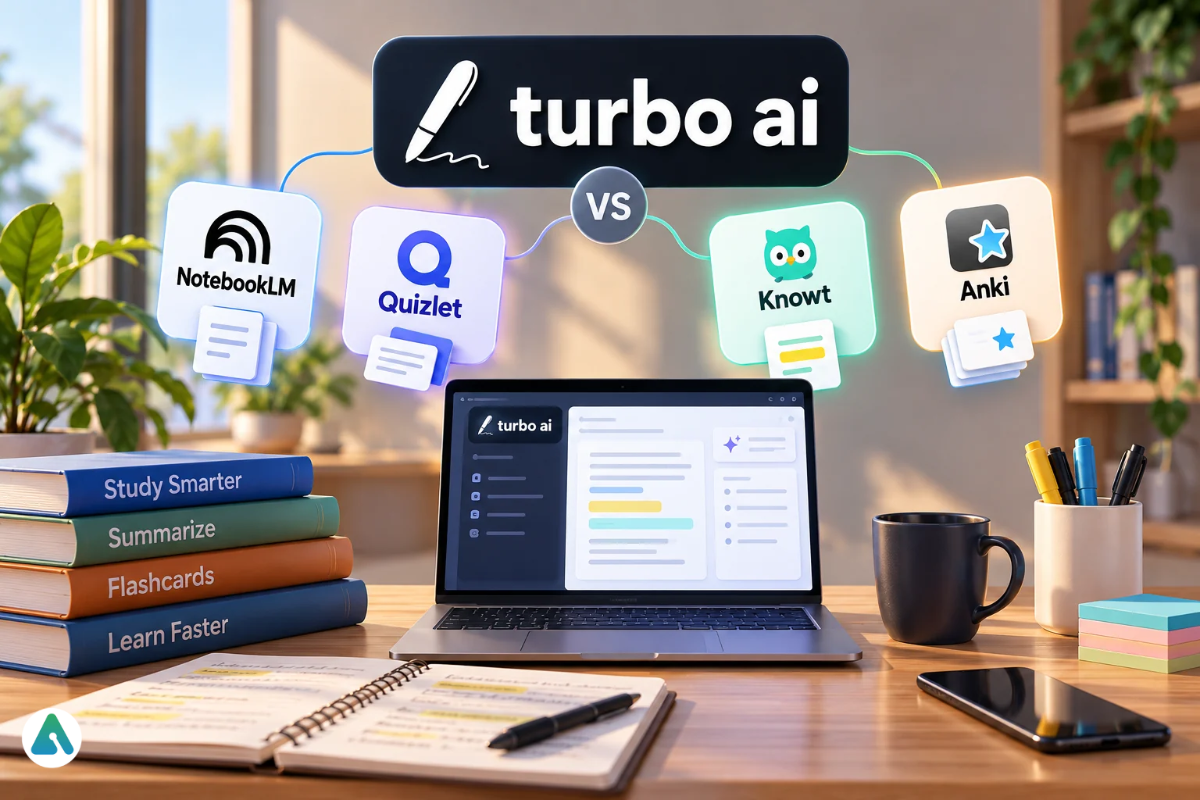
Turbo AI vs NotebookLM, Quizlet, Knowt and Anki
No single tool wins every job. Pick by the job you need done.
Tool
Best for
Where it beats Turbo AI
Where Turbo AI wins
Google NotebookLM
Questions across several sources
Works from sources you pick; reviewers say it states when an answer is missing
Built around lecture capture and one-upload study sets
Quizlet
Flashcards and shared sets
Huge library of sets from other students
Builds cards from your own lecture
Knowt
Free-learning flashcard study
Multiple study modes, including spaced repetition
Notes, quizzes and podcasts in one workflow
Anki
Long-term memory
Schedules reviews over weeks
Generates the study material for you
The NotebookLM comparison turns on grounding. HyScaler reports that NotebookLM treats your uploaded files as its only source. A grounded tool limits invention, but it also limits creativity, and that trade-off matters when you study. I did not find a documented grounding rule for Turbo AI, and I did not test for one, so cross-check its answers against your source. NotebookLM offers a free tier with limits, and HyScaler reports a paid tier through Google AI Pro. Pick NotebookLM for research across many documents. Pick Turbo AI for turning one lecture or file into revision tools.
I did not test whether Turbo AI schedules spaced reviews. If long-term retention matters, pair it with Anki. Students who mainly need homework help may prefer a photo-based AI study companion. Readers who work through papers more than lecture slides should look at dedicated AI research tools.
Common Mistakes and a Simple Workflow
Most bad results trace back to a few habits:
Messy sources. Blurry scans and half-finished notes produce weak lessons.
Oversized sets. Fifty cards on a small topic add filler, so keep each subtopic to 15 to 20 cards.
Skipping the quiz. Retrieval beats rereading, so spend most of your time on questions.
Paying too early. Run one real subject first.
Vague instructions waste the optional instruction box. Tell the tool what to leave out as well as what to include. People call this habit negative prompting, and it trims fluff from generated cards. A fixed structure for your instructions helps too; the way a repeatable prompt formula keeps design prompts consistent.
The order I would use:
Upload one clean topic.
Generate 10 to 20 flashcards.
Take the quiz before rereading the notes.
Fix wrong answers against your source.
Repeat the weak topics the next day.
Who Should Use Turbo AI?
Answer three questions:
Do you study from your own slides, PDFs, or recordings?
Do you need quizzes and flashcards, not just summaries?
Will you use it three or more times a week?
Three yeses justify a paid trial. One yes means stay on the free plan.
FAQs
Q. What is Turbo AI used for?
Students and professionals use it to turn lectures, PDFs, and videos into notes, flashcards, quizzes, and podcasts.
Q. Is Turbo AI the same as TurboLearn AI?
Yes. TurboLearn AI is the old name. The company rebranded to Turbo AI.
Q. Is Turbo AI free?
Yes, it has a free plan. Paid plans add unlimited use and extra tools. Exact free limits are unpublished.
Q. How much does Turbo AI cost?
I saw Rs 750 per month billed yearly and Rs 1,000 monthly in October 2026. Reviewers report about $119.99 a year or $19.99 a month in the US. Compare web and in-app prices before you pay.
Q. Is Turbo AI safe?
It appears legitimate. Store disclosures report encryption in transit and no third-party data sharing. I did not read the full policy, so confirm retention and training terms before you upload sensitive files.
Q. Does Turbo AI train on my uploads?
I could not confirm this. Look for the answer in the privacy policy before you upload.
Q. How long can a recording be on the free plan?
Turbo AI does not publish an audio cap. Test with a recording of 30 minutes or more.
Q. Can I export Turbo AI flashcards to Anki or Quizlet?
I found no confirmed direct sync. Notes export as PDF, DOCX and Markdown, according to third-party listings.
Q. Is Turbo AI better than NotebookLM?
It depends on the job. NotebookLM works from the sources you choose, and Turbo AI builds study sets from one lecture or file. Neither replaces checking answers against your own material.
Q. Is there a Turbo AI app?
The App Store lists an iOS app, and reviewers report Android and web versions.
Q. Can Turbo AI record lectures?
Independent reviews say yes. I did not test it, so run the ten-minute trial first.
Disclaimer: This review is based on hands-on testing and information available in October 2026. Features, pricing, and free-plan limits may change by region or over time. This article is for informational purposes only; I am not affiliated with Turbo AI, and readers should verify current details on the official website.
Tags:
Sebastian Vale
Sebastian Vale reviews the latest AI tools and tech innovations, breaking down complex concepts into clear, actionable insights. He also creates step-by-step guides, helping readers make smarter decisions and stay ahead in a fast-moving digital world.