Is MagicSchool AI Good for Teachers? An Honest Review
Magic School AI earns its place for K-12 teachers who write lesson plans, rubrics, quizzes, IEP content, and parent emails every week, as long as they fact-check what it produces. The Free plan opens 80+ structured generators and the Raina chat assistant, capped at 50 generations a week. Plus ($99.96 a year) lifts the cap and adds student tools. Teachers who mostly reshape existing documents may prefer Brisk.
Quick answers
Question
Answer
Is it free?
Yes. The Free plan costs $0 with a 50-generation weekly cap.
What does Plus cost?
$8.33/month billed annually ($99.96/year), or $12.99/month.
Is there a phone app?
No. It runs in a browser and a Chrome extension.
How do students join?
Teacher-issued link, QR code, join code, or Google Classroom.
Does it sell or train on student data?
MagicSchool’s policy says no.
What is the biggest weakness?
Grade-level accuracy, especially in science.
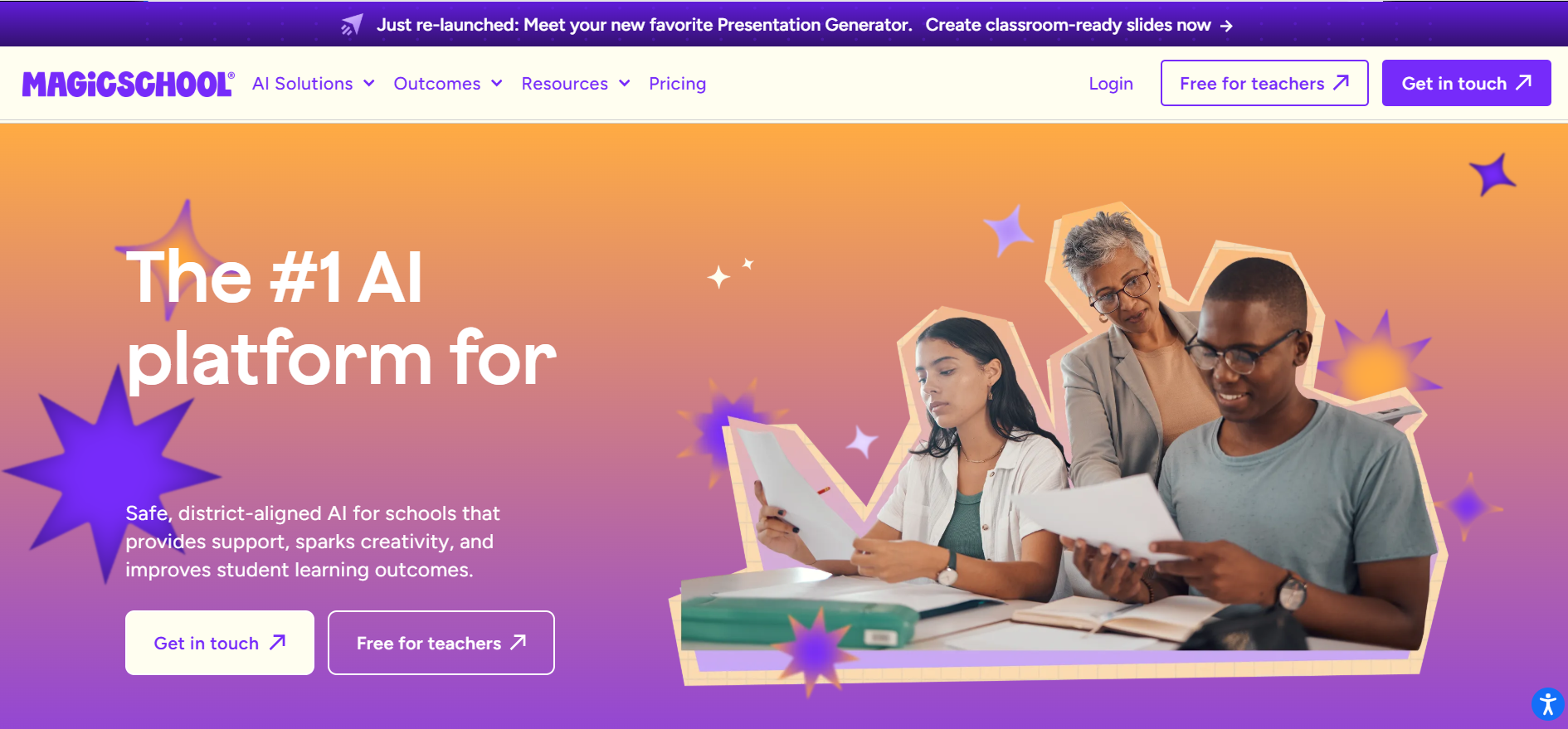
MagicSchool homepage with a banner announcing the relaunched Presentation Generator and a headline calling it the number one AI platform for schools
What is Magic School AI?
Magic School AI, officially MagicSchool, is an education-focused service with a library of teacher tools, a chat assistant named Raina, and a student side called MagicStudent. Teachers type a topic or upload material and get classroom resources back. Students enter only through rooms their teachers assign and monitor.
Most tools ask for structured fields (subject, grade, standards, time) instead of a blank prompt box, while Raina takes open-ended requests. Districts add single sign-on, dashboards, and data agreements through Enterprise.
Behind the interface, MagicSchool routes each tool to the model it judges best for the job: OpenAI’s GPT, Anthropic’s Claude, or Google’s Gemini, with Adobe’s Firefly handling images according to a help article. The company writes the prompts and guardrails; it does not build the models.
Is Magic School AI free for teachers?
Yes. The Free plan covers the core teacher tools, Raina, Quizzes, Class Writing Feedback, and Studio Mode documents. Generations refresh every Sunday at midnight UTC.
The weekly cap is the visible limit. The quieter one stings more: the pricing page lists saved history and editing as paid features, so a Free account cannot count on finding last month’s worksheet. Studio Mode, the document-style editor, opens on every plan, but the help center says Free users get no advanced editing.
Sources disagree in two places. An older partner page describes dynamic monthly limits, while the newer help center describes the weekly one. And the pricing page lists Google and Microsoft exports on Free, while the export help article labels them “Plus or Enterprise.” Until your own account says otherwise, expect exports to need Plus.
New accounts get a Plus trial, which the partner page puts at 30 days with no credit card. When it ends, student tools and advanced editing vanish, which explains why a Free dashboard can briefly show features the plan table excludes.
How much does Magic School AI Plus cost?
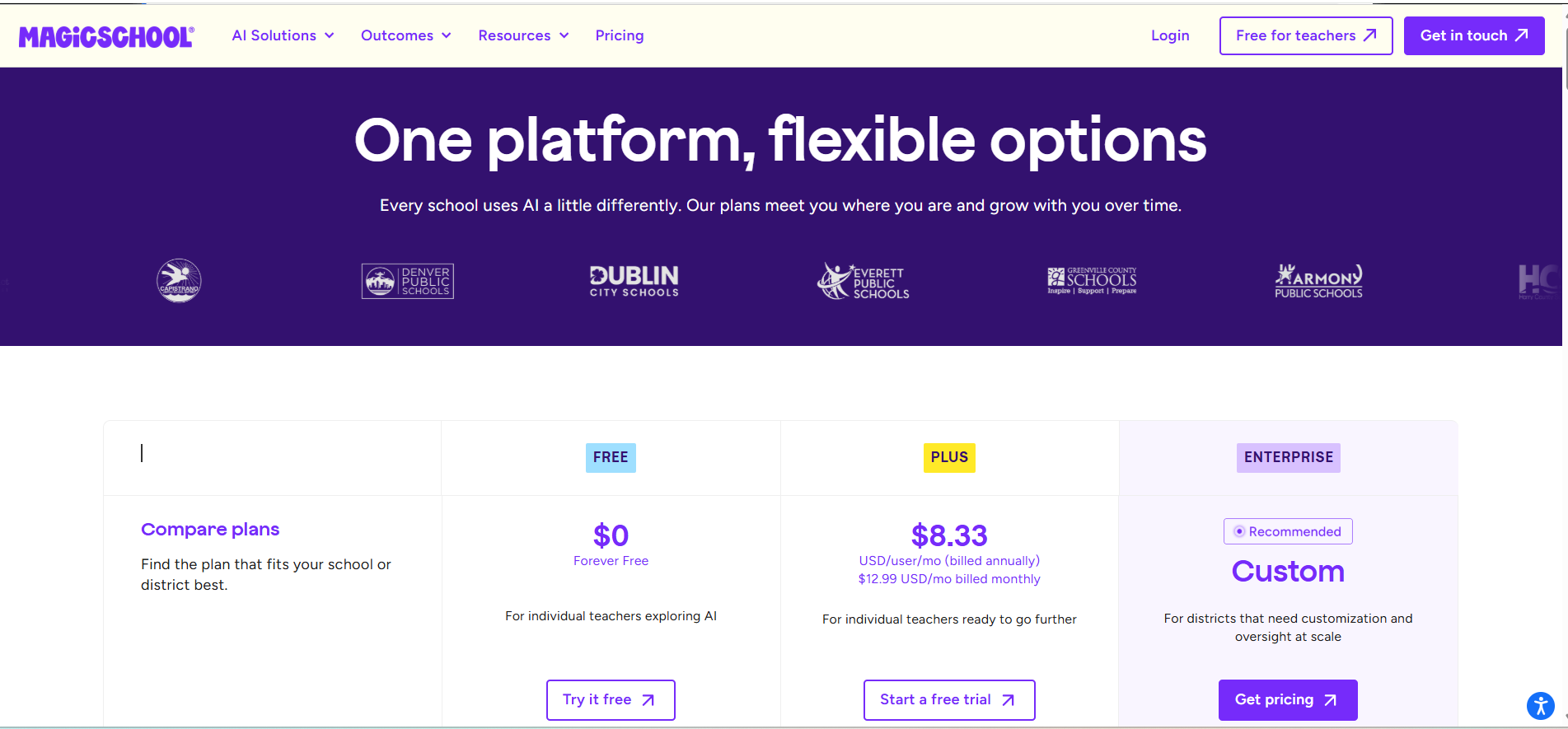
As of November 2026, Plus costs $8.33 per user per month billed annually ($99.96 a year), or $12.99 billed monthly. Enterprise is quote-based with volume discounts. Annual billing cuts the monthly rate by about 36%.
Plan
Price
Built for
Key additions
Free
$0
Individual teachers
80+ teacher tools, Raina, Quizzes, Class Writing Feedback
SSO, SIS and LMS integrations, admin access, custom data privacy agreement, dashboards, enhanced moderation
MagicSchool pricing page showing Free at $0, Plus at $8.33 per user per month billed annually, and Enterprise with custom pricing
The pricing page splits plans by buyer. District logos along the top include Denver Public Schools and Greenville County Schools.
Plus pays off for teachers who bump into the cap or need history. Someone who produces a handful of resources a week can stay on Free for good.
How do you sign up and log in to Magic School AI?
Open the sign-in page, pick “An Educator,” and choose “Create an account.” Register with an email and password or with Google or Microsoft, then confirm the verification email. Returning users click Login, and every plan shares that page.
Role selection screen asking whether the user will be using MagicSchool AI as a Student under 18 or an Educator 18 or older
The role screen asks for Student (under 18) or Educator (18+). Teachers pick Educator.
Google and Microsoft sign-in work on every plan, while Clever and ClassLink single sign-on belong to Enterprise partners. School-managed accounts follow district admin settings, so a district can approve or block them.
Students join a teacher’s room through a join URL, a QR code or join code, or a Google Classroom link. They cannot register on their own, and student single sign-on exists only for partner districts. Rooms and the 50+ student tools need a paid plan, but Quizzes sit in standard access, so Free teachers can still put an assessment in front of students.
Teachers find the options by selecting “Launch to Students,” picking a room, and clicking “Join Info.” A student who returns with the original code starts a fresh session; reopening the old one takes the student’s unique link from the room’s student list, unless the district uses SSO.
The room design answers a worry that drives many school bans. Some districts block consumer homework apps over privacy law, while a teacher-monitored room lets the teacher read every student exchange as it happens.
Do you need district approval before using it with students?
Yes. A personal Plus subscription unlocks features, not permission. Only Enterprise includes a custom data privacy agreement, and districts decide which tools may touch student information. Check with your technology office before any student work goes in.
Age adds a second layer. MagicSchool’s FAQ says the student side suits learners under 13 under COPPA, and its terms put the consent burden on the school, which must hold authority to consent for children that young. Districts set their own floors: one California district’s login guide lists grades 4 through 12.
The risk is practical. Teachers who paste student essays into an unapproved account createshadow AI data exposure with good intentions and no paper trail. Class Writing Feedback carries the most exposure, since it sends student writing through outside AI providers.
What can teachers and students do with Magic School AI?
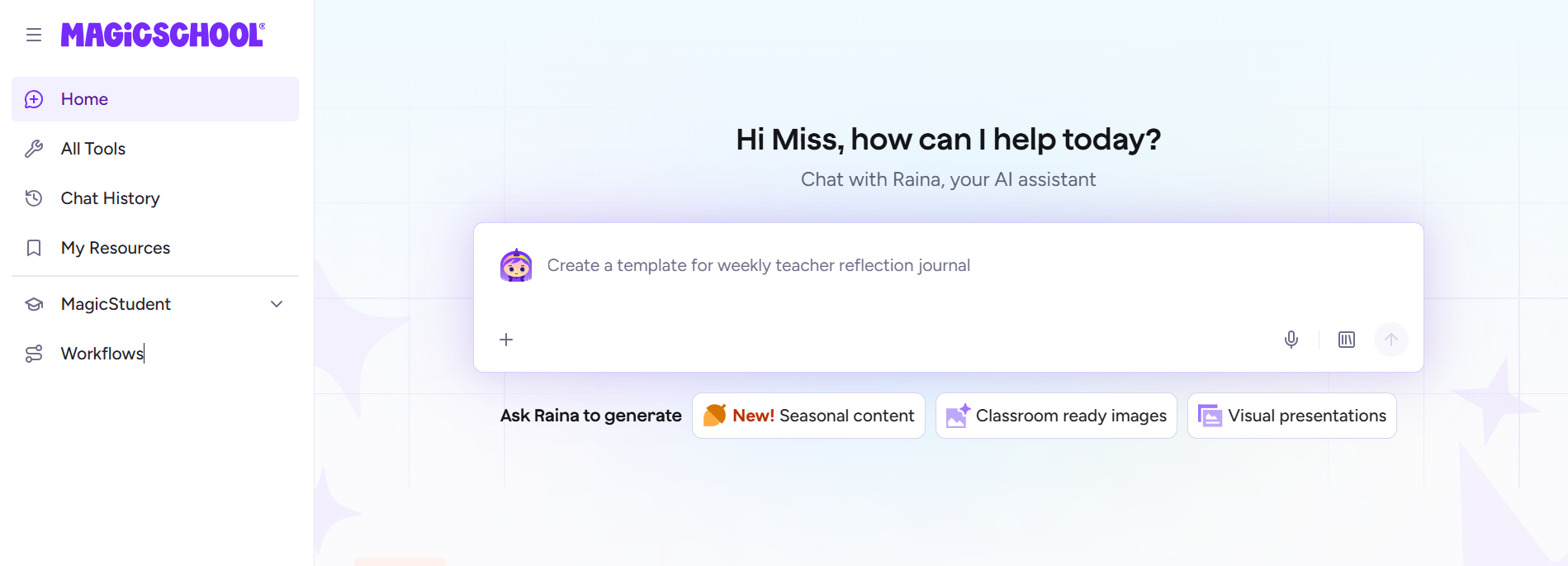
Teachers get a library of generators, a chat assistant, and two multi-step workflows. Students get tutoring and writing helpers that teachers place inside rooms. Raina anchors the home screen, and the All Tools page splits into Teaching, Student, and Workflows tabs.
MagicSchool home screen greeting the teacher and offering a chat box with Raina plus shortcuts for seasonal content, classroom-ready images, and visual presentations
Featured section on the MagicSchool home page listing Image Generator, Presentation Generator, Quizzes, Class Writing Feedback, and Student Rooms
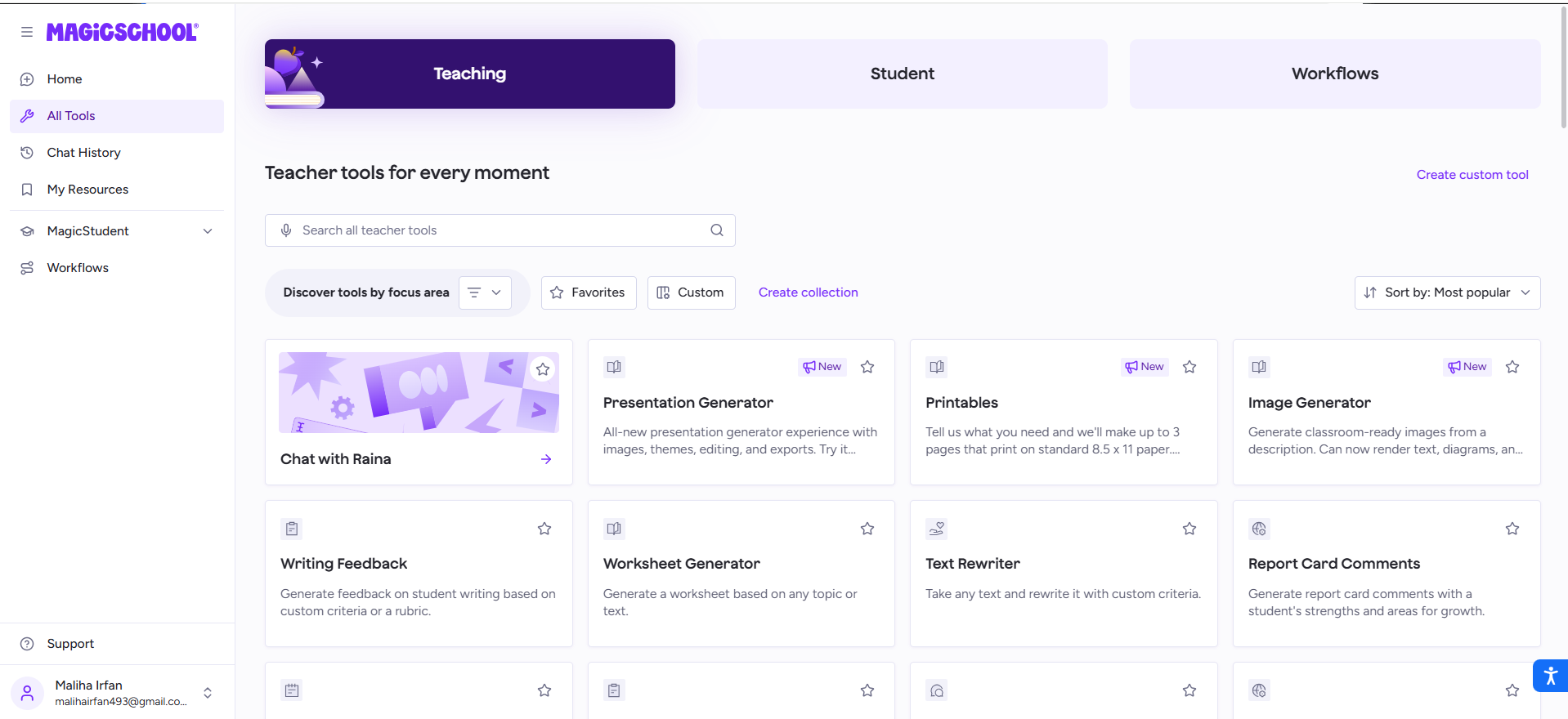
The Teaching tab lists Presentation Generator, Printables, Image Generator, Writing Feedback, Worksheet Generator, Text Rewriter, and Report Card Comments, plus favorites and a custom tool builder.
Teaching tab of the All Tools page lists Chat with Raina, Presentation Generator, Printables, Image Generator, Writing Feedback, Worksheet Generator, Text Rewriter, and Report Card Comments
Workflows chain several steps. Class Writing Feedback scores submissions against a rubric, writes comments, and hands the teacher a review-and-send screen. MagicSchool states that AI does not grade students, so every comment waits for educator approval.
Workflows tab showing Class Writing Feedback and Quizzes, with a note that more workflows are coming soon
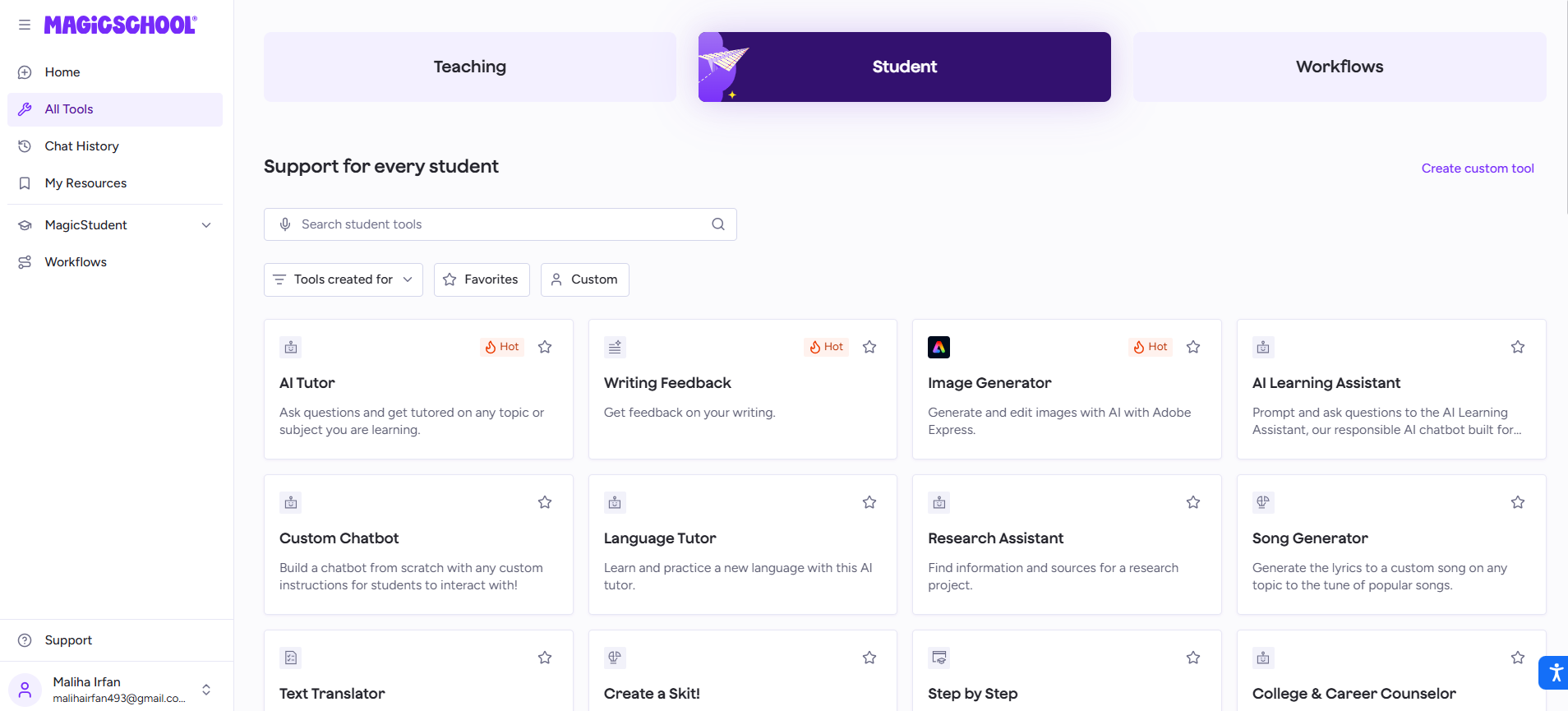
On the student side, AI Tutor, Writing Feedback, and Image Generator (built with Adobe Express) carry “Hot” tags, and the tab also lists a Research Assistant, Language Tutor, Text Translator, and College & Career Counselor. One independent guide suggests high schoolers may find the guardrailed experience tame next to consumer chatbots.
Student tab of the MagicSchool tool library showing AI Tutor, Writing Feedback, Image Generator, AI Learning Assistant, Custom Chatbot, Language Tutor, Research Assistant, and Song Generator
Special-education teachers also get tools for IEP content and behavior plans. A reviewer warns that those outputs need close checks for accuracy and bias.
How Does MagicSchool AI Create a Lesson Plan?
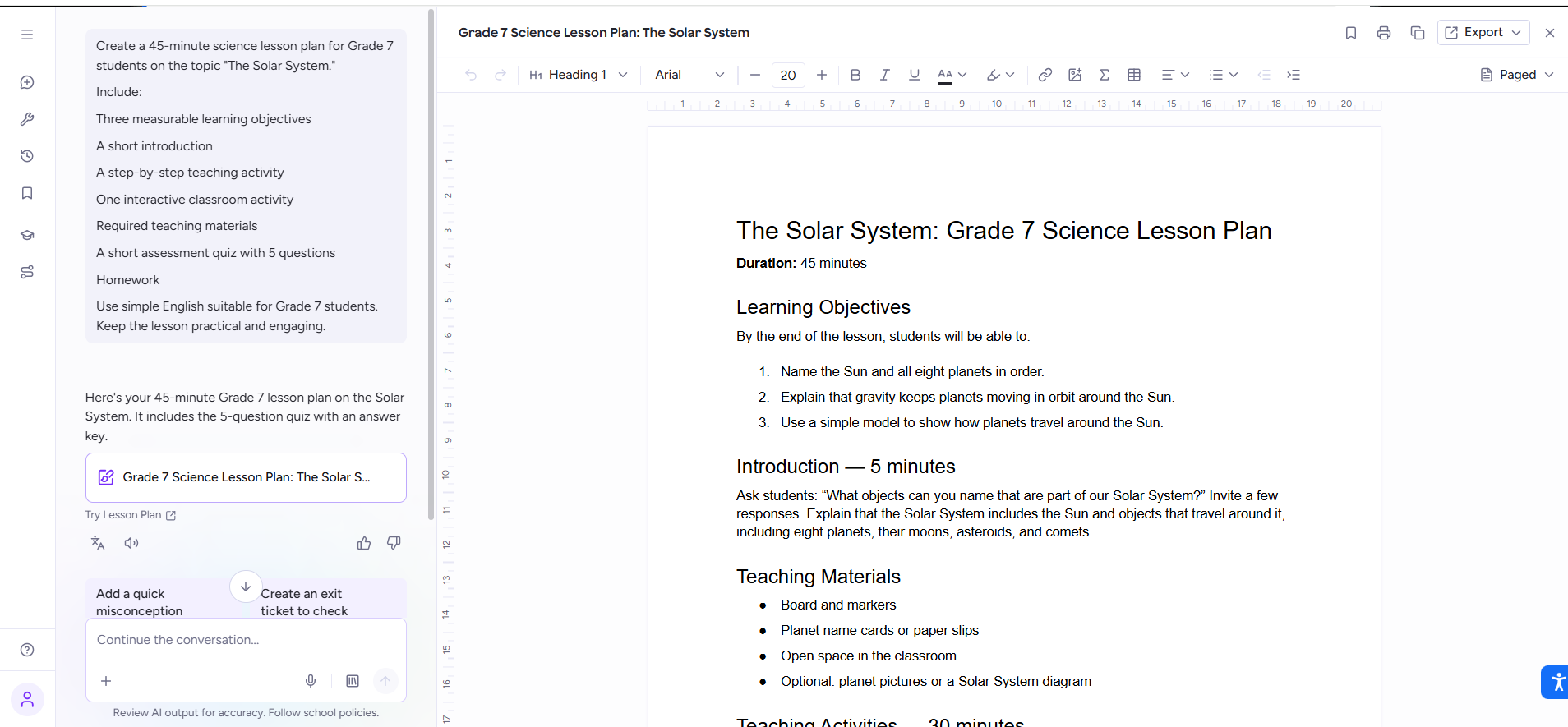
It produces a solid skeleton, not a finished lesson. One detailed prompt returned a 45-minute Grade 7 Solar System plan with three objectives, a five-minute introduction, a 30-minute teaching block, and a materials list, all open in an editor.
Chat panel showing a detailed lesson plan prompt on the left and the generated Grade 7 Solar System lesson plan open in a document editor on the right
The editor appears to be Studio Mode. According to the help center, Lesson Plan, Worksheet Generator, and Raina open there, with an Export button limited to Google Docs and Word. Teachers revise in place instead of re-prompting.
The plan followed the prompt closely and kept materials practical: board and markers, name cards, open space, optional diagrams. Two follow-up chips, “Add a quick misconception” and “Create an exit ticket to check,” nudged toward formative assessment.
Rigor is the soft spot. The first objective asks students to name the Sun and all eight planets in order, the lowest rung of Bloom’s taxonomy. Seventh graders can handle more, so a follow-up prompt should ask for a prediction or a model-based explanation, such as why a planet’s year lengthens with its distance from the Sun.
Standards need a push too. The prompt named none, so the plan carries no codes, yet teachers plan against codes such as NGSS MS-ESS1-2. MagicSchool says the lesson tool can draw on Common Core, NGSS, and state frameworks, and one reviewer found an Oklahoma-aligned plan thin on rigor. No independent test of code accuracy turned up.
Broad prompts invite broad structure, which is why vague prompts backfire with most language models. Naming the standard, the reading level, and the misconception to target gives sharper results than a topic alone.
Can it follow your district’s curriculum?
Only at the Enterprise level. District Knowledge, announced in August 2026, lets admins upload curriculum, pacing guides, standards documents, and policies, and the teacher tools then write against them. Individual accounts work from general standards, which can drift from an adopted textbook’s sequence and vocabulary.
Grounding an assistant in documents works best with one approved source set and a named owner who maintains it. Districts buying MagicSchool for alignment should compare a few outputs with their pacing guide after each upload, because supplying documents shapes the model’s output without guaranteeing it follows them.
Can Magic School AI generate images and presentations?
Yes. The Image Generator turns text descriptions into classroom pictures, and the Presentation Generator builds themed decks with images, editing, and export. Both carry a “New” tag. The pricing page lists neither as a plan feature, and one reviewer places the full slides generator under Plus.
Raina chat showing a generated image of five diverse students in lab coats and goggles collaborating on a science experiment at a lab table
Prompt: “Create an image of a diverse group of students collaborating on a science experiment.”
The wall posters rendered legible text, including “Be Curious, Be Kind, Be Scientists,” and the tool’s description advertises text and diagram rendering. Zoom in on small print, such as the scientific-method poster, before classroom use. When a detail looks off,editing instead of regenerating tends to keep the rest of the picture, though repeated edits can garble small text. Clear layout and wording instructions help from the start, as the AI poster prompt formula shows. Scan any people in the image for stereotypes too; “diverse” in a prompt does not guarantee a thoughtful result.
A growth-mindset prompt returned a 10-slide deck that opens with a hook question, defines the idea, and closes with practice slides.
Growth Mindset for Students slide deck in the MagicSchool editor with a theme bar offering Light, Dark, Magic, Playful, Chalk, Notebook, and Scholar styles
Eight theme options restyle the whole deck. The help center says slides export to Google Slides or PowerPoint.
Is there a Magic School AI app?
No native one exists. MagicSchool runs in a browser, including a phone browser, and ships a Chrome extension. Store listings with similar names come from unrelated developers, and the company’s FAQ points teachers to the web service and the extension.
One iPhone listing, “Magic School AI: Homework Help,” belongs to Lumination AI Ltd, advertises a math tutor, and sells in-app subscriptions. It has no tie to the teacher service.
Does the Chrome extension close the gap with Brisk?
Partly. According to its Chrome Web Store listing, the MagicSchool extension brings its tools into Gmail, Google Docs, Google Classroom, Canvas, Schoology, and Blackboard, so teachers skip a trip to the main site. The bigger difference lies in how each tool gets its context.
Brisk starts from what is already open. Its how-it-works page says it reads the visible text on a webpage, a video transcript, an uploaded PDF or image, and a Google Doc or Slide once the teacher activates it on that file. MagicSchool’s generators ask for topic, grade, standards, and time, then write from scratch.
Teachers who adapt documents, videos, and student essays get more from Brisk. Teachers who build new lessons from a standard, or who want monitored student rooms, get more from MagicSchool. Brisk also offers Boost, which turns a resource into a teacher-monitored AI chat (tutor, debate, exit ticket) that students open by link, code, or QR code.
Integrations separate the plans: Canvas, Schoology, and Clever connections sit on Enterprise, and no grade passback feature appeared in the sources reviewed.
Do free ChatGPT and Gemini tools replace it?
For writing alone, they can. OpenAI offers ChatGPT for Teachers free to verified U.S. K-12 educators through June 2027, and Google includes Gemini in Classroom at no extra cost for Workspace for Education accounts. Neither ships MagicSchool’s structured forms or monitored student rooms, and ChatGPT for Teachers launched without student accounts, according to a third-party summary.
Workflow decides the winner. A blank chat box rewards teachers who already write strong prompts, while MagicSchool’s forms ask for the right inputs. OpenAI says workspace content does not train its models by default, and Google says student data does not train its models, but your district’s agreement sets the real terms for each.
Is Magic School AI safe for students and school data?
MagicSchool says it does not sell student personal data or use it to train AI models, and it reports iKeepSafe certification for FERPA and COPPA, SOC 2 Type II attestation, and participation in the EU-U.S. Data Privacy Framework. It also reports a 95% Common Sense Privacy rating. That rating reviews policies, not output accuracy, and Brisk reports the same figure.
The privacy policy bars AI providers from training on processed data. Data sent through AI interfaces is retained briefly for abuse monitoring, security, and compliance, then deleted within 30 days unless law requires longer. A separate quality page says providers delete data immediately after processing. The two documents differ, and the policy is the binding text.
Certifications lower risk without removing it. MagicSchool’s own reminders tell teachers to keep student names, IDs, and sensitive details out of prompts.
How accurate is Magic School AI?
Accuracy is the platform’s weakest point. MagicSchool’s own blog says an independent evaluation found generated content met grade-level expectations about two-thirds of the time overall, with lower results in science. Missing one time in three is a lot for a service that sells lesson plans and leveled text.
That grade-level alignment post gives no sample size, method, or date, so treat the figure as a company-reported direction, not a benchmark. The post adds that no two runs match, so one good or bad output proves little.
Math needs extra care. The FAQ states that language models cannot reliably calculate answers, and even step-by-step AI math solvers tell users to confirm results before graded work. Another reviewer found the Text Leveler does not always land on the target grade.
Fluent wording also hides small errors. Meeting summaries drop hedgesand turn “maybe” into a promise, and a quiz key can turn a nearly right answer into a confident wrong one. Before classroom use, verify four things: facts, standards codes, reading level, and answer keys. For passages students will read, verify every claim yourself against sources you opened.
What are the limitations of Magic School AI?
The main limits are Free-plan paywalls, plain first outputs, and a form-based workflow. Results inherit the weaknesses of the underlying models.
Plain first outputs. One reviewer reported that quiz questions lean generic until the teacher adds lesson-specific detail.
Student-side sprawl. A wide menu suits teachers who want options. Those who want one guided conversation may prefer a different design.
District dependence. Curriculum grounding, SSO, and LMS links all sit on Enterprise.
Time saved is not value earned. Faster prep only pays off when the hours go somewhere useful, and workplace research shows time saved rarely becomes return without changes to how work gets done.
Disclosure. Follow your school’s AI-use policy on telling students and parents when AI shaped a handout, comment, or assessment.
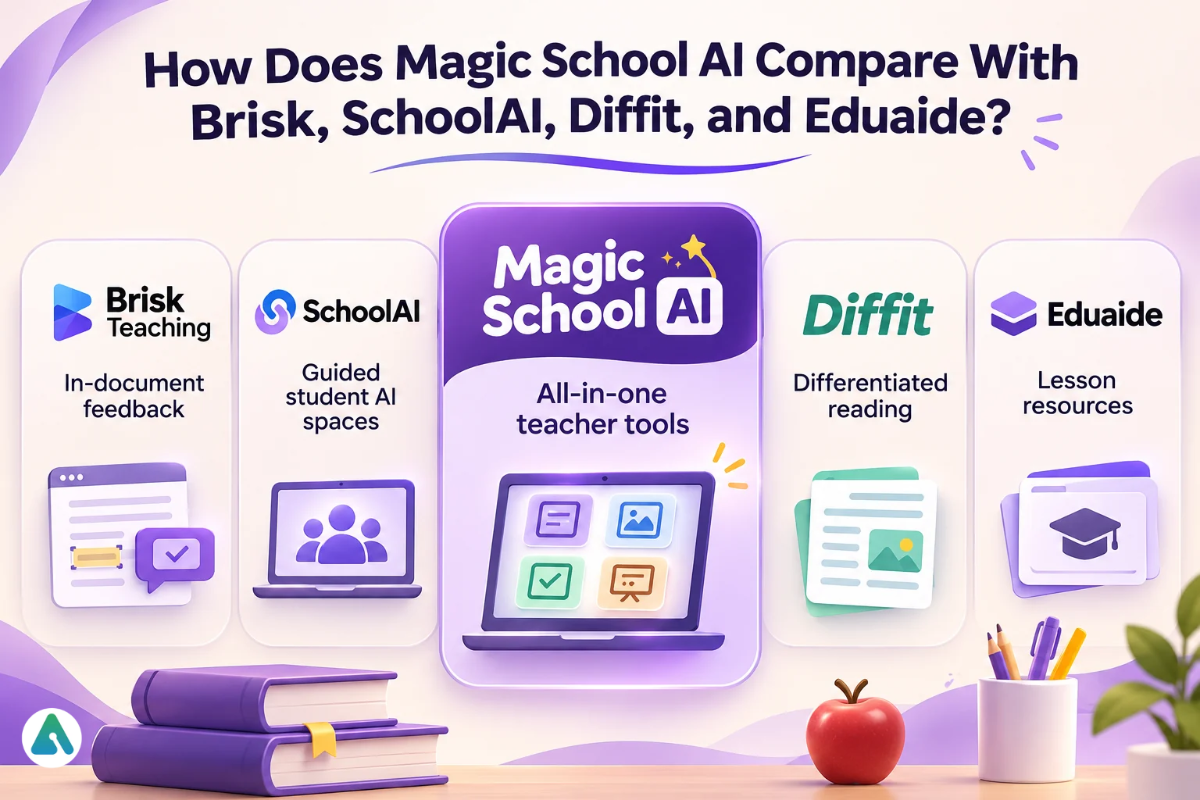
How does Magic School AI compare with Brisk, SchoolAI, Diffit, and Eduaide?
MagicSchool suits teachers who want one hub with broad templates and monitored rooms. Brisk fits teachers who adapt existing material. SchoolAI centers on supervised student chat spaces, Diffit on reading-level adaptation, and Eduaide on a large template catalog at a lower paid price.
Tool
Best for
Where it lives
Free plan
MagicSchool
New lessons, IEP content, monitored student rooms
Web hub plus Chrome extension
80+ teacher tools; 50 generations a week
Brisk Teaching
Feedback and writing from open documents, videos, and pages; Boost student activities
Chrome or Edge extension
Free for teachers, no usage number stated
SchoolAI
Supervised student-facing “Spaces”
Web
A launch cap on free use
Diffit
Adapting any text to different reading levels
Web
A content window on free use
Eduaide
Large resource catalog
Web
Limited free use; Pro $49.99 a year
ChatGPT for Teachers
Open-ended writing by prompt
Web workspace
Free for verified U.S. K-12 educators through June 2027
Gemini in Classroom
Work inside Google Workspace
Google Classroom and Gemini app
Included with Workspace for Education
Who should use Magic School AI?
Classroom teachers who build new lessons several times a week get the most from it, starting on Free. Daily users who need history and rooms should move to Plus once their district approves the tool. Districts that want SSO, dashboards, curriculum grounding, and signed data agreements should price Enterprise. Schools that already provide an approved assistant can skip it if their needs are light.
Verdict: MagicSchool is a practical partner that trims routine prep. It does not replace professional judgment on accuracy, standards, or rigor.
Scope and evidence labels
Pricing, plan limits, privacy, and model details were verified against MagicSchool’s pricing page, help center, privacy policy, terms, and FAQ in November 2026. The screens come from a teacher dashboard session that produced the lesson plan, image, and deck. Competitor details come from vendor pages (OpenAI, Google, Brisk) and independent 2026 roundups.
Claims carry one of four labels:
Shown in dashboard: visible in the screenshots here.
Confirmed on official pages: matched against MagicSchool’s documentation.
Reported by MagicSchool: a company statement without independent verification.
Third-party report: a roundup or reviewer claim.
FAQs
Q. Is Magic School AI free?
Yes, for individual teachers, within a weekly generation cap.
Q. Is Magic School AI free for students?
Students never pay directly. Access runs through a teacher’s room.
Q. How do I log in to Magic School AI?
Choose Educator on the sign-in page, then use email, Google, or Microsoft. Students join with a teacher’s link, code, QR code, or Google Classroom.
Q. Can I use Magic School AI on my phone?
Yes, in a mobile browser. Similarly named apps come from other developers.
Q. What age is Magic School AI for?
MagicSchool says the student side suits learners under 13, with the school authorizing consent. Districts set grade floors.
Q. Does Magic School AI train on student data?
No, according to MagicSchool’s policy, which also bars its AI providers from training on processed data.
Q. Does my district need to approve it first?
Yes. A personal subscription does not replace a district data agreement.
Q. Is Magic School AI worth paying for?
Plus fits daily users who hit the cap or need saved history. Occasional users can stay on Free.
Disclaimer: This article is based on my hands-on experience with MagicSchool AI, publicly available information, and independent research. We are not affiliated with MagicSchool. AI-generated content may contain errors, so teachers should review all materials for accuracy, educational suitability, and curriculum alignment before using them in classrooms. Features and pricing may change over time.
Tags:
Sara Hayes
Sara Hayes covers AI, business technology, and the companies building the next generation of software. She is particularly interested in how artificial intelligence changes the way businesses operate—from boosting efficiency and revenue to creating new challenges around trust, privacy, and adoption. Her reporting combines product analysis, market trends, and practical insights for business leaders and everyday users alike.