

You want to make your AI writing sound more human, but you don’t want to spend hours rewriting it manually? So you decided to try a few AI humanizers, but the text still doesn’t bypass AI detectors, and now you’re doubting whether they even work at all? If this sounds like you, then you should try Clever AI Humanizer because it’s currently one of the best AI humanizers available. But if you’re convinced it will produce the same disappointing results as every other tool you’ve tried, this Clever AI Humanizer review is for you. We’ll take a closer look at the tool, test its performance, and see whether it really lives up to the hype.
What is Clever AI Humanizer?
Clever AI Humanizer is a free AI text humanizer released in 2025. It does much more than simply replace words with synonyms. Clever AI Humanizer carefully analyzes common AI writing patterns and rewrites them using more natural sentence structures. At the same time, it preserves the original meaning instead of changing or distorting the author’s message. The tool also reduces repetitive words and phrases, improves readability, and creates clearer, more logical content that flows naturally.
One of the first things that attracted users to Clever AI Humanizer was its clean, intuitive, and well-organized interface. Even if you’ve never used an AI humanizer before, the tool is easy to navigate. The workspace is laid out logically, making it immediately clear where to paste your text, start the humanization process, and review the rewritten version. Unlike many free online tools, it isn’t cluttered with intrusive pop-up ads that interrupt your workflow.

Since its release, Clever AI Humanizer has quickly earned a place among the top three AI humanizers thanks to its text quality and AI detection performance. It consistently performs well against popular AI detectors, including Grammarly AI Detector, QuillBot AI Checker, ZeroGPT, GPTZero, and many others. Besides helping make writing sound less like AI, Clever AI Humanizer can also help create more original wording, reduce textual similarity, and help you avoid plagiarism in research papers.
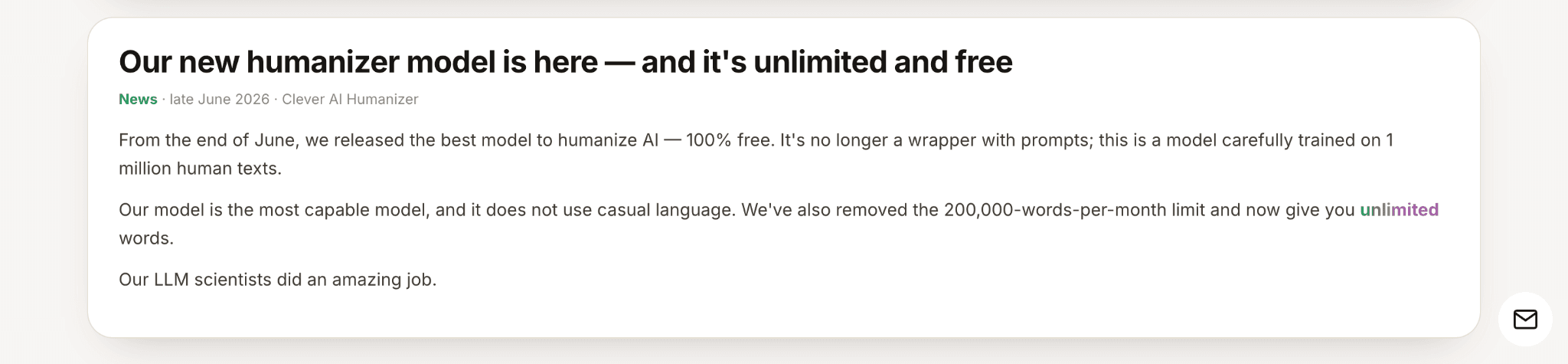
With the latest update, Clever AI Humanizer moved to its own dedicated super server, removing its reliance on third-party APIs. Another major change is that the previous 200,000-word monthly limit has been removed. You can now enjoy unlimited humanizing, with support for up to 3,000 words per run. In addition, the dedicated AI Writer mode was removed to allow the developers to focus on improving the platform’s core humanization technology and delivering higher-quality rewriting.
Key Features of Clever AI Humanizer
Clever AI Humanizer offers three rewriting modes, each suited to a specific writing style. Normal produces natural, human-like text for general writing. Simple Academic preserves an academic tone without relying on overly complex phrasing. Simple Formal works well for business documents and professional communication. With its latest update, Clever AI Humanizer now uses academic language instead of casual style, making it a much better choice for students.
In addition to helping you humanize AI text, Clever AI Humanizer includes several built-in writing tools. For example, the paraphrasing tool lets you paraphrase for free while choosing from 22 different rewriting styles to match your writing needs and supports DOCX and PDF file uploads. Whether you want the text to sound more academic, persuasive, concise, creative, or conversational, the tool adapts the rewrite to match your preferred writing style.

If needed, you can also use a free AI grammar checker before copying the final version. Having all of these features in one place makes the workflow much more convenient. Instead of switching between multiple tools, you can complete the entire editing process in a single platform.

You can use the tool without creating an account, but doing so offers an additional feature. Once you sign in, Clever AI Humanizer automatically saves all of your previous rewrites. The built-in history displays the date, word count, and a short preview of each text, making it easy to find earlier versions and keep track of different writing projects. You can browse all of your texts in one place or filter the history to view only humanized, paraphrased, or grammar-checked content.

Another standout feature is the built-in text formatting editor. You can apply headings, bold, italic, underline, hyperlinks, as well as bulleted and numbered lists directly within the editor. Even better, all formatting is preserved after the text is humanized and copied. This means you won’t have to spend extra time restoring your formatting if your document needs to follow specific style or formatting requirements. It’s a small but valuable time-saving feature that few competing AI humanizers implement this well.

Does Clever AI Humanizer really work?
Now it’s time to see how Clever AI Humanizer performs in practice. To keep the results as objective as possible, we tested it with three popular AI detectors: ZeroGPT, GPTZero and QuillBot AI Checker.
First, we generated a simple draft using ChatGPT. The text followed a typical AI writing style, with a predictable structure, neutral tone, and common AI writing patterns that modern detectors can usually recognize without much difficulty.

We then submitted this draft to all three AI detectors. As you can see, every AI detector gave the text the highest AI score.

Next, we ran the same text through Clever AI Humanizer without making any manual edits or additional changes. Finally, we submitted the humanized version to the same AI detectors. Here’s what we got.

Overall, Clever AI Humanizer performed very well in our tests and proved that it can make AI-generated text undetectable to AI detectors. However, don’t forget about academic integrity. This was a performance test of the tool, not an encouragement to use it to complete school or university assignments dishonestly.
After a thorough review and a performance test, we can now outline the advantages and disadvantages. Here they are.
Pros:
- Performs well in AI detection tests.
- Produces natural, high-quality writing.
- Completely free with an unlimited number of words per month.
- Supports up to 3,000 words in a single rewrite.
- No need to create an account.
- Supports DOCX and PDF file uploads.
- Clean, user-friendly interface with no ads.
- Includes built-in Grammar Checker and AI Paraphraser.
- Saves previous rewrites with History.
Cons:
- No major drawbacks were found.
Conclusion
As you can see from the results of our test of Clever AI Humanizer, such tools really do work and can be highly effective. AI humanizers don’t simply rewrite text by replacing words with synonyms. Instead, they make AI-generated text sound more natural, improve readability, reduce repetitive AI writing patterns, create more original wording without changing the original meaning, and achieve strong results against popular AI detectors. That’s why you can confidently use them to simplify your writing workflow and save time.
However, keep in mind that AI should be used responsibly to enhance and improve your work, not to replace your own ideas, knowledge, and critical thinking. You’ll get the best results by combining AI tools with your own writing and experience.
Frequently Asked Questions
Q. Do I need to create an account to use Clever AI Humanizer?
No. You can start humanizing AI-generated text immediately without creating an account. However, signing up gives you access to additional features, such as your rewrite history, where you can review and manage all of your previous humanized, paraphrased, and grammar-checked texts.
Q. Is Clever AI Humanizer really free?
Yes. Clever AI Humanizer offers unlimited AI text humanization without a monthly word limit. The current limit is 3,000 words per run, allowing users to rewrite large amounts of text at no cost. Unlike many free AI humanizers, it also doesn’t hide key features behind paywalls or interrupt your workflow with intrusive ads.
Q. Does Clever AI Humanizer really pass AI detectors?
Clever AI Humanizer consistently performs well against popular AI detectors, including Grammarly AI Detector, QuillBot AI Checker, GPTZero, and ZeroGPT. It also ranks among the top three AI humanizers for AI detection performance, making it one of the strongest options currently available. However, no AI humanizer can guarantee that your text will remain completely undetectable because AI detectors use different algorithms and continuously evolve. The final result also depends on the quality of the original text and the rewriting mode selected.
Related: 15 Powerful Prompts to Write ChatGPT Long-Form Content in 2025
| Disclosure: This article was contributed by a guest author. We welcome expert insights and diverse perspectives that we believe our readers will find valuable. While we review guest content for quality and relevance before publication, the opinions, product claims, and performance results shared in this article are those of the contributor. As always, we encourage readers to do their own research and evaluate any tools or services before making a decision. |
