What Are the Best AI Talking Devices for Seniors in 2026?
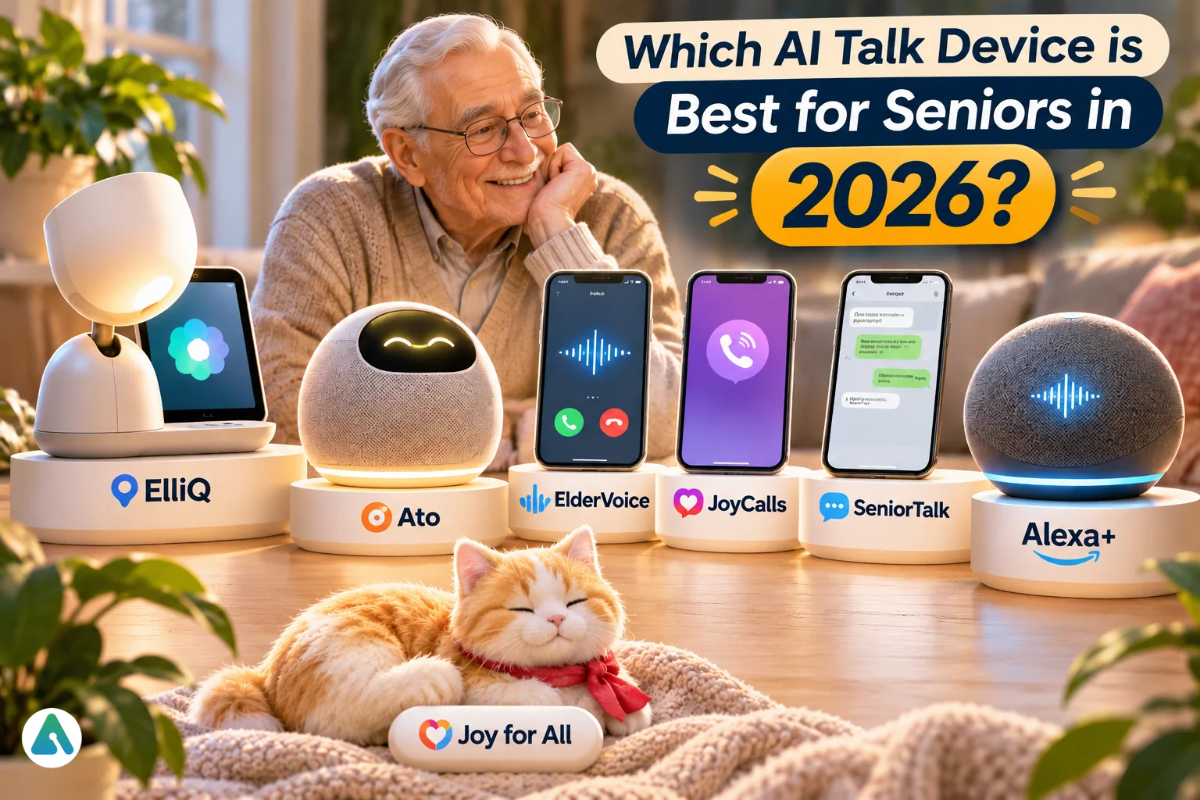
The best AI talk device for conversations for seniors depends on how your parent already communicates. A landline user does best with a phone-call companion like ElderVoice or JoyCalls. A parent who spends long, quiet days at home suits a tabletop companion like ElliQ or Ato. A Prime household can start with Alexa+ at no extra cost.
Most buying guides treat AI companions as interchangeable gadgets. A tabletop robot, an automated phone call, and a voice assistant suit very different routines.
These tools fill gaps between family visits and calls; none replaces them. Most are sold mainly in the US.
Which AI talk device is best for seniors in 2026?
No single product wins for every older adult. ElliQ is the most complete tabletop companion. ElderVoice and JoyCalls lead the phone-call field. SeniorTalk fits seniors who already message, and Alexa+ suits budget-minded Amazon households. Start with the person, not the brand.
Product
Category
Best for
Skip it if
ElliQ
Tabletop AI companion
Independent seniors with home Wi-Fi
Your parent dislikes prompts or lives outside the US
Ato
Screen-free tabletop companion
Seniors with low vision or screen anxiety
You want a product already proven in homes
ElderVoice
Phone-call AI companion
Daily calls with distress alerts to family
Your parent ignores every unfamiliar caller
JoyCalls
Phone-call AI companion
The lowest-cost paid phone companion, in several languages
Your parent talks longer than the minute caps allow
SeniorTalk
Messaging and phone companion
WhatsApp, Messenger and SMS users
Your parent never texts
Alexa+
General voice assistant
Prime members who handle voice tech with ease
You want caregiver alerts
Joy for All pets
Tactile robotic pet
Comfort for moderate to advanced dementia
You want real conversation
Can any AI companion handle an emergency?
No. Every product in this guide is a companion, not a safety system. None calls 911 or a monitoring center, and none promises to catch a fall. If falls or sudden illness worry you, pair any companion with a medical alert device.
What the companions do offer is limited escalation. ElliQ urges the user to call a doctor or 911 and, with consent, texts a family contact. ElderVoice texts family when a call raises distress or goes unanswered. Ato says it can’t contact emergency services at all.
The false-security trap
The bigger risk is psychological. Daily chats with one friendly voice build real emotional attachment to AI, and that bond can turn the companion into an imagined safety net. A parent may tell it “I’m hurt,” instead of pressing a pendant or dialing 911.
Speech recognition still mishears soft or slurred speech, so a real cry for help can get a cheerful, useless reply.
Three habits lower that risk:
Say it plainly. Tell your parent: “This is for chatting. For a fall or chest pain, press your button or call 911.”
Rehearse it. Practice the emergency route together, the same way you’d test a smoke alarm.
Keep the alert device within reach. A pendant or watch matters most when the phone is across the room.
Internet outages matter too. ElliQ and Echo devices depend on home Wi-Fi, so an unplugged router silences them. Phone-call services keep working as long as the phone line does.
How did I evaluate these AI companions?
I compared each product on how the senior uses it, who starts the conversation, cost, caregiver access, emergency limits, and cancellation terms. Prices come from official company pages, and every research claim carries its evidence tier. I ran no hands-on tests, so nothing here claims personal testing.
Which type of AI companion fits your parent?
Today’s AI companion technology for elderly people falls into five groups: tabletop devices, phone-call services, messaging bots, general voice assistants, and tactile robotic pets. Choose the group that suits daily habits, then compare brands within it.
One idea separates these categories more than any feature list: push versus pull.
Push: the AI reaches out on a schedule or on its own. ElliQ, Ato, ElderVoice, JoyCalls and SeniorTalk work this way. Push suits isolated seniors who rarely make the first move.
Pull: the AI waits for a question. Alexa+, ChatGPT and Gemini work this way. Pull suits curious seniors who enjoy asking questions.
Has moderate to advanced dementia or limited speech
Tactile robotic pet
Touch
Which tabletop AI companion is worth buying?
ElliQ remains the most established tabletop AI companion for older adults in the US, with a screen, games, video calls, and a caregiver app. Ato swaps the screen for a simpler, cheaper design. ElliQ suits families who want maturity; Ato suits parents a screen would overwhelm.
ElliQ: the proven choice
Intuition Robotics built ElliQ as a tabletop companion with an expressive, moving head and a touchscreen. It opens conversations, suggests activities, runs games and reminders, and handles family video calls. It needs home Wi-Fi and ships only within the US.
One buying detail trips up families. Only the annual and 24-month plans include the 30-day risk-free trial, so the flexible monthly plan offers no low-cost trial.
Verdict: the strongest tabletop choice for an independent senior open to proactive chat. Avoid it if Wi-Fi is unreliable, your parent lives outside the US, or interruptions annoy them.
Ato: the screen-free alternative
Ato looks more like a tabletop radio than a computer. Family members send messages through an app, your parent replies by voice, and the app shows when they last talked to Ato. The company says it uses no cameras.
A free plan covers messages, reminders, radio, and a monthly allowance of conversation time. A paid membership unlocks unlimited conversation and full proactive check-ins. The new model ships in December 2026.
Verdict: a promising, lower-cost pick for seniors with low vision or screen anxiety. Avoid it if you’d rather wait for independent reviews of the new model.
Which phone-call AI companions work on a regular landline?
Phone-call AI companions need no Wi-Fi, app, or new device. The service rings your parent’s existing landline or mobile at set times, chats, remembers earlier calls, and updates family afterward.
ElderVoice and JoyCalls stand out, while SeniorTalk bolts a calls plan onto its messaging service.
ElderVoice
ElderVoice offers three tiers: weekly check-ins, daily calls with family alerts, and an anytime plan that lets your parent ring the companion whenever they like. The AI remembers details such as a grandchild’s name. Some ElderVoice landing pages run promotional prices, so compare pages before you subscribe.
Verdict: the best phone pick when family alerts matter as much as the chat. Avoid it if your parent wants long, open-ended chats and your budget stops at the daily tier.
JoyCalls
Its three tiers differ by number of scheduled calls, minutes, and features such as call-anytime, weather, and web search. It speaks several languages, including English, Spanish, Chinese, and Vietnamese, and sends family an update after each conversation.
Verdict: the most affordable paid phone companion. Avoid it if your parent talks for long stretches, because overage minutes add up.
What happened to Meela?
Meela gained attention in 2025 as a phone-based AI companion, and its research results still stand. Its consumer site now sells something else: a phone concierge that books rides, groceries, handymen, and tech help. Families seeking companionship calls should compare ElderVoice or JoyCalls instead.
Why carriers block AI check-in calls
Cloud-dialed AI calls often trip carrier spam shields. US carriers verify caller ID through a system called STIR/SHAKEN, which grades each call A, B, or C. Separate analytics engines then decide whether to show “Spam Likely,” and lower-graded calls draw far more scrutiny.
Even fully authenticated calls can get a spam label. A saved contact helps on many phones but doesn’t always override network-level filtering. Take four steps before the first call:
Ask the service what attestation level its calls carry. Reputable providers aim for A.
Save the number in your parent’s contacts under a friendly name, such as “Joy, daily chat.”
Open the carrier’s spam-filter app on your parent’s account and add the number to the allowed list.
Mark it “not spam” if a call ever arrives labeled as spam or telemarketing.
What is the best chat app for seniors who already text?
For a senior active on WhatsApp, Facebook Messenger, or SMS, SeniorTalk’s Messengers plan fits most naturally. It lives inside chat threads your parent already opens, so there are no new apps, passwords or menus. Your parent sends a text or a voice note, and the AI replies.
SeniorTalk offers more than nine AI personalities and several languages. The company lists conversation analytics for families as coming soon, so caregiver insight stays thin for now.
Verdict: the right pick for texting seniors. Avoid it if your parent never opens a messaging app.
Can Alexa+, ChatGPT or Gemini work as a free AI companion for seniors?
Yes, for the right person. Alexa+ comes free with Amazon Prime, and ChatGPT and Gemini include free voice chat on a smartphone. These pull-style assistants range widely across topics but send no caregiver alerts, so they fit confident smartphone or Echo users.
Alexa+ (the Amazon option)
Prime members get the full Alexa+ across Echo speakers, Echo Show displays, the Alexa app and Alexa.com. Without Prime, a limited text-only Alexa+ chat runs free at Alexa.com and in the Alexa app, but not on Echo devices.
If an Echo already sits in the kitchen, Prime turns it into a free voice companion. An Echo Show adds a screen for video calls and photo slideshows.
ChatGPT voice and Gemini Live
Both offer free spoken conversation in their phone apps, with daily limits and lighter models on free tiers. OpenAI’s GPT-Live voice system has powered ChatGPT voice chats since July 2026, including on free accounts. Gemini Live runs free with a Google account, again with usage caps.
Purpose-built companions win on memory and routine: they recall family names and daily habits. General assistants win on depth: history, recipes, science, current events.
Verdict: start here when the budget is tight. Avoid them if you need family alerts or a companion that reaches out first.
Are AI companion robots and robotic pets worth it for elderly adults?
Companion robots make sense for seniors who respond to a physical presence. Touch-based pets help where speech has faded. Robots that lift or fetch remain mostly in research and pilot programs.
Joy for All Companion Pets: animatronic cats and dogs that purr, bark, and respond to touch. They aren’t medical devices, though some memory-care settings use them. Amazon and Best Buy stock them.
Hyodol: a South Korean AI doll that talks like a grandchild and reminds users to eat and take medicine. Korean officials have handed out close to 15,000. Its US FDA registration as a medical device isn’t FDA approval of effectiveness, and US sales remain a plan.
Generic desk robots and pocket gadgets: most AI companion robots for adults target hobbyists and skip caregiver alerts. The Rabbit r1’s small screen and push-to-talk button suit seniors poorly.
Do you need an AI companion or a human check-in service?
They solve different problems. An AI companion offers conversationand company. A check-in service confirms your parent is okay each day and alerts you when they don’t respond. Several free human options deserve a look first.
Iamfine: an automated daily call asks your parent to press 1. A missed check-in triggers a call, text, or email to the family list. It offers reassurance, not conversation.
Local telephone reassurance programs: many police departments, senior centers, and Area Agencies on Aging run free daily wellness calls. The Eldercare Locator at 1-800-677-1116 connects you with your local agency.
If your main worry is “Is Mom safe today?”, start with a check-in service. If it’s “Mom has no one to talk to”, choose a companion. ElderVoice’s daily tier sits between the two.
How much do AI companions for seniors cost?
Prices run from free to about $60 a month, plus device costs for tabletop options. JoyCalls starts at $9.99 a month, ElderVoice at $25, and ElliQ at $39 a month on a two-year plan plus a $249 enrollment fee.
Product and plan
Price
What it includes
Free trial
Commitment
ElliQ 24-month
$39/month ($936 upfront) + $249 enrollment = $1,185 for two years
1 scheduled call, 60 min/month, $0.20 per extra minute
7 days
Monthly
JoyCalls Plus
$19.99/month
3 scheduled calls, 120 min, call anytime, $0.18 per extra minute
7 days
Monthly
JoyCalls Premium
$29.99/month
5 scheduled calls, 180 min, weather and web search, $0.16 per extra minute
7 days
Monthly
SeniorTalk Messengers
$14.90/month
WhatsApp, Messenger, text and voice messages
30 days
Monthly
SeniorTalk Calls + SMS
$24.90/month
180 call minutes + SMS
30 days
Monthly
Alexa+
Free with Prime; $19.99/month otherwise
Full Alexa+ on Echo devices; limited free text chat without Prime
None
Monthly
Joy for All pets
$159.99 (cat) or $179.99 (pup), one-time
Touch-responsive robotic pet
None
None
Availability:ElliQ ships only in the US. ElderVoice serves the US, Canada, and the UK. Ato ships worldwide from San Francisco. Alexa+ runs in the US, Canada, and a growing list of markets. JoyCalls and SeniorTalk are US-based.
What can family caregivers see and control?
The caregiver view often decides the purchase, because caregiver mental health matters too. ElderVoice and JoyCalls send updates after calls, while ElliQ and Ato show when your parent last engaged. General assistants share almost nothing. Most products share details only with the senior’s permission, which protects their dignity.
Product
What family members get
ElliQ
Connect app for video calls, messages, and photos; with permission, last activity time and wellness updates; remote reminders
Ato
Family app for messages and reminders; shows when your parent last talked to Ato; the company says relatives can’t read transcripts
ElderVoice
Family dashboard, weekly summary email, text alerts for distress and unanswered calls on higher tiers
JoyCalls
An update after each conversation; scheduling from an online account
SeniorTalk
Family analytics listed as coming soon
Alexa+, ChatGPT, Gemini
No caregiver reports
Agree with your parent on what you’ll see before you switch anything on. Shared summaries feel supportive when agreed upon and intrusive when discovered.
Which AI companion suits seniors with hearing loss, low vision, or dementia?
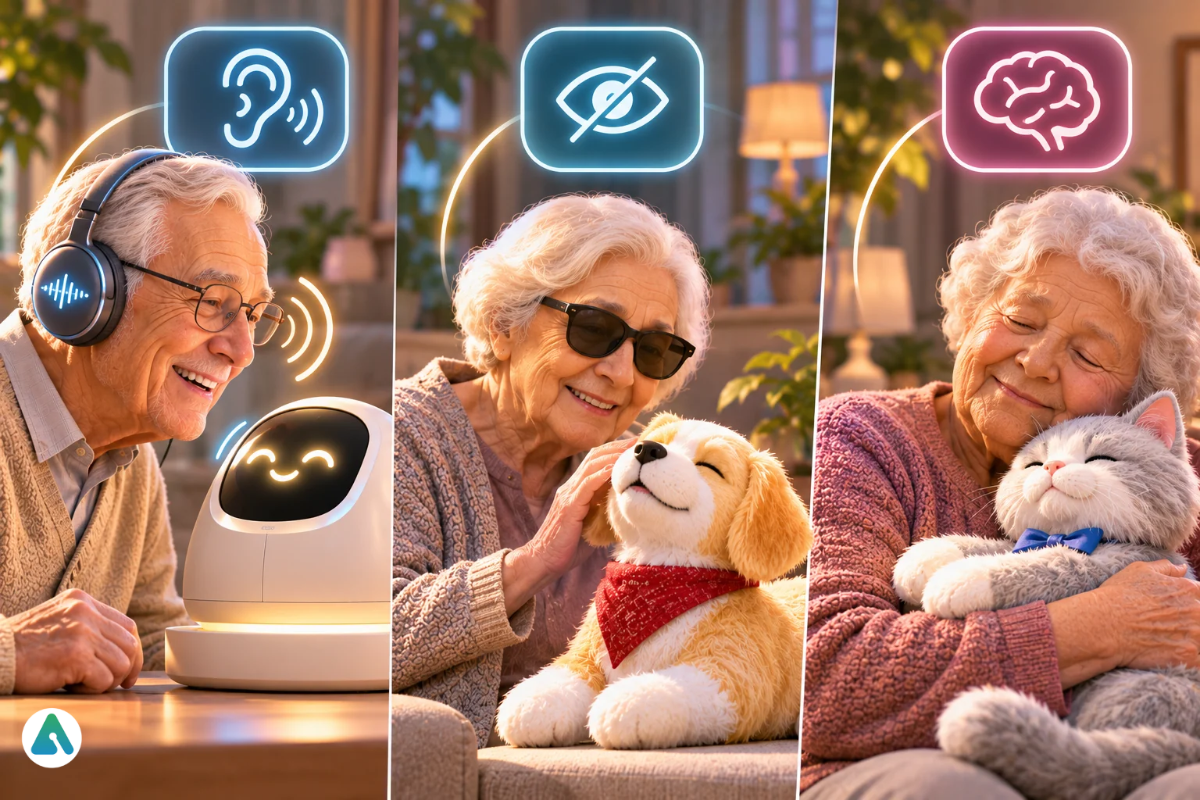
Match the interface to the senses your parent still relies on. Phone services work with amplified phones your parent already knows. For dementia, predictable scheduled calls or a tactile pet usually beat open-ended devices, and their doctor should weigh in.
Hearing loss: A familiar amplified or hearing-aid-compatible phone makes call-based services easier to follow than a speaker across the room. Test volume and speech pace during the trial.
Low vision: Skip touchscreens entirely and favor spoken interaction.
Arthritis or tremor: voice and large buttons beat small push-to-talk controls.
Early memory loss: scheduled calls add routine, and ElderVoice markets calls with gentle orientation cues. Confirm medication schedules with a clinician.
Moderate to advanced dementia: conversation-based AI can confuse or frustrate. A Joy for All pet comforts through touch and sound instead.
Why do seniors stop using AI companions after a few weeks?
Novelty fades. Early chats feel fresh, but the AI can’t bring genuinely new news from the family, and conversations start to repeat. The fix lies with families, who can keep feeding the companion fresh, personal material.
The little public data that exists comes from vendors. Meela’s investor, Bain Capital Ventures, reported over 50% retention at 90 days in early pilots. That’s an encouraging company-side figure, not an independent one, and it still leaves a large share who quit.
Five habits keep a companion relevant past day 30:
Refresh the profile monthly. Add new names, trips, health appointments and hobbies so the AI asks about current life, not old facts.
Route family news through it. ElliQ’s and Ato’s family apps let relatives send messages and photos, which gives the companion real news to talk about.
Tie calls to the week. Ask the service to mention the grandkid’s game on Saturday or the doctor visit on Tuesday.
Adjust the dose. Drop a call slot if chats start to feel like homework. Ato’s family app lets you tune how talkative the device is.
Hold 30-, 60-, and 90-day reviews. Ask your parent what they enjoy and what bores them, then change the setup or cancel.
Do AI companions really reduce loneliness in older adults?
Early evidence is encouraging but thin. Loneliness carries well-documented health risks, and one small study plus one large government program report benefits from AI companions. No large randomized trial has confirmed those results yet, so expect help for some seniors, not a cure.
The underlying problem is serious. A National Academies report found that about 24% of community-dwelling Americans aged 65 and older are socially isolated. It linked isolation to roughly a 50% higher dementia risk. The wider debate on how AI companions affect loneliness continues, so judge every claim by its evidence tier:
Evidence
Type
What it found
Strength
Meela feasibility study, JAMDA
Peer-reviewed, 4 weeks
28 residents enrolled, 23 finished; those with higher starting depression scores saw an average 5.7-point drop on the PHQ-9 scale
Small, no control group; authors call for larger trials
New York State Office for the Aging, ElliQ
Government program report, 800+ users
Reported a 95% reduction in loneliness
Program-reported outcome, not a clinical trial
Vendor testimonials
Company claims
Warm user stories
Show how people use the tools, not whether they work
How private are AI companion conversations?
Privacy practices vary widely, so read each policy before signing up. Your parent will likely share health details, family tensions, and money worries. Ask four questions: Is audio recorded? Who reads transcripts? How long does the company keep data? Does it share or sell it?
ElliQ: the company commits never to monetize personal data. It shares information with loved ones only when the user explicitly asks.
Ato: says it stores no audio recordings and blocks relatives from reading transcripts. It keeps selected personal details to personalize future chats.
Phone-call services: these process speech through AI by design. Some services’ terms say they record and transcribe every call, so compare retention and sharing terms.
Regulatory context: the FTC’s September 2025 inquiry into seven companion-chatbot firms, including OpenAI, Meta and Alphabet, centered on children and teens. None of the senior companions here received an order.
Withdrawal risk: A Menninger Clinic psychologist warned that some older adults may use AI as an excuse to pull back from people. That fits wider AI companion dependency risks. If your parent starts skipping family calls or outings, revisit the setup.
What do Reddit users and families say about AI companions for seniors?
Online opinion splits sharply. Seniors quoted in news coverage often describe their companion warmly, some calling it a friend or roommate. Reddit threads lean skeptical about AI in general, though some commenters argue the benefit to isolated older people outweighs the discomfort. Treat all of this as sentiment, not evidence.
Recurring patterns in news interviews and community threads:
Seniors living alone value the morning check-in and feeling asked about.
Adult children value the summaries and alerts as much as the chat.
Skeptics worry about machines replacing human care, and some clinicians share that worry.
Complaints center on cost, setup, and misheard speech.
How do you set up an AI companion so a senior actually uses it?
A companion pushed on someone rarely sticks. These six steps make the first two weeks feel easy rather than imposed.
Offer two options. Ask which feels less annoying. Ownership drives use.
Start light. Three calls a week beats daily calls at first.
Add personal context. Enter names, hobbies, and routines so the first chat feels familiar.
Clear the phone line. Save the caller ID and allow the number in the carrier’s spam filter.
Book the first review. Pick a date two weeks out to ask how it’s going.
Sit in on the first call. A familiar face nearby makes the new voice feel safe.
Frequently asked questions
Q. Which AI is best for seniors to use?
It depends on tech comfort. A parent who only uses a landline needs a phone-call service such as JoyCalls. Wi-Fi homes open the door to ElliQ or Ato. Smartphone users can start for free with ChatGPT or Gemini voice, or with Alexa+ through Prime.
Q. What is the best AI companion for elderly people living alone?
ElliQ packs the widest feature set for independent older adults. It costs $249 to enroll plus $39 to $59 a month. Without buying hardware, ElderVoice’s $49 plan offers a lighter alternative.
Q. Is there a free AI companion for seniors?
Alexa+ comes free with Amazon Prime, and non-Prime users get a limited free text chat at Alexa.com. ChatGPT and Gemini offer free voice chat with daily limits. AARP Friendly Voice connects isolated adults with human volunteers for free at 1-888-281-0145.
Q. Can I buy an AI talk device for seniors on Amazon?
Yes. Amazon sells Echo speakers and Echo Show displays that run Alexa+, plus Joy for All robotic pets. ElliQ, Ato, and the phone-call services sell through their own websites.
Q. What is the best chat app for seniors?
For family connection, WhatsApp and FaceTime video calls remain the easiest. For AI conversation inside a familiar app, SeniorTalk runs through WhatsApp, Messenger, and SMS for $14.90 a month after a 30-day free trial.
Q. Can an AI companion call 911?
No. ElliQ, Ato and ElderVoice all state they aren’t emergency systems. Keep a medical alert device for falls and sudden illness.
Q. Is Meela still an AI companion for seniors?
Meela’s consumer site now sells a phone concierge for rides, groceries, and errands at $24 a month or $119 a year. Its earlier companion research still stands, but families seeking companionship calls should compare ElderVoice or JoyCalls.
Q. Does Medicare pay for AI companion devices?
Coverage is rare, so most families pay out of pocket. Some state aging agencies, including New York’s, have given ElliQ to eligible older adults for free. Families can also weigh other insurance routes for AI companions, but coverage depends entirely on the plan.
Disclaimer: This article is for informational purposes only and is not medical advice. Product features, pricing, and availability may change, so verify details with providers before purchasing. AI companions are not substitutes for professional care, emergency services, or genuine human interaction. We are not affiliated with the products mentioned.
Tags:
Sebastian Vale
Sebastian Vale reviews the latest AI tools and tech innovations, breaking down complex concepts into clear, actionable insights. He also creates step-by-step guides, helping readers make smarter decisions and stay ahead in a fast-moving digital world.