
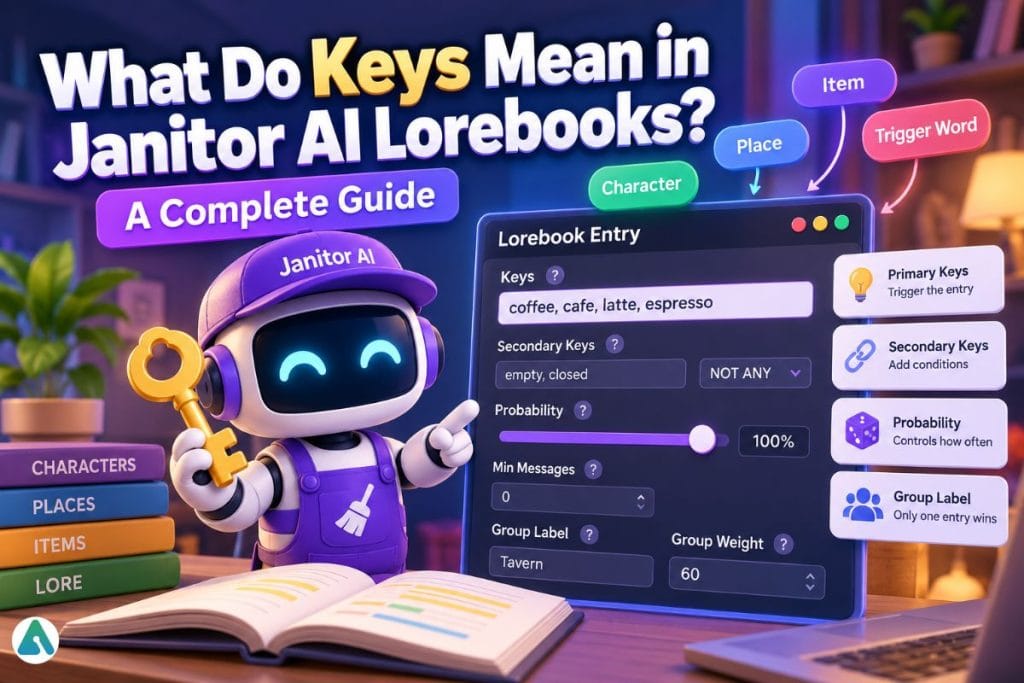
Keys are the words or phrases you type into a lorebook entry’s Keys field. When one shows up in the conversation, that entry becomes eligible to enter the character’s context.
Eligible is not the same as inserted. Probability, Min Messages, secondary keys, and group competition can all block an entry after its key has matched.
That gap explains most “my lorebook isn’t working” complaints.
What Are Keys in a Janitor AI Lorebook Entry?
Keys are the trigger terms attached to one entry. You separate multiple keys with commas, which helps when a character, place, or item goes by more than one name.
For a character named Alex who also goes by “Commander,” you might enter Alex, Alexander, Commander Alex. Any of those terms can put the entry in the running.
Janitor’s own beginner walkthrough calls them wake-up words. In its example, the keys coffee, cafe, latte, espresso wake a coffee-shop atmosphere entry.
How Does a Key Make an Entry Eligible to Fire?

A key match puts the entry in line. Other settings then decide whether it gets inserted.
Think of a key as a gate, not a guarantee. Key detected, entry eligible, other checks run, entry inserted or rejected.
Janitor documents how many recent messages it scans for keys, which I could not find. Treat the exact window as unknown and test it yourself in the debug panel.
To watch the process, send a test message containing your key. Then open Show Debug Panel and check the Changes tab.
What Are Secondary Keys?

Secondary keys add conditions on top of a primary key. They come in four modes: AND ANY, AND ALL, NOT ANY, and NOT ALL.
| Mode | What it does |
|---|---|
| AND ANY | At least one of the secondary words can be present |
| AND ALL | All secondary words must be present together |
| NOT ANY | Blocks the entry if any secondary word appears |
| NOT ALL | Blocks the entry only if all secondary words appear together |
Here is an example. Say a tavern entry has the primary key tavern, secondary keys empty, closed, and mode NOT ANY. The entry describes a fiddler playing a jig.
“We walk into the tavern” fires the entry. “The tavern is closed for the night” matches the primary key, but the secondary key blocks it.
Use this when a broad primary key keeps firing in scenes where the lore doesn’t fit.
Does Case Sensitivity Change How Keys Match?
Each entry has a Case Sensitive toggle. When it’s on, the casing in the message must match your key exactly.
Leave it off unless casing matters. A forgotten toggle is an easy way to make an entry go quiet without any error.
Why Isn’t My Janitor AI Lorebook Entry Firing?

Start with the basics, then work down the list. Check each one before you change anything else.
| Check | What to look for |
|---|---|
| Script assigned | A lorebook is a script you attach to a character. Open the script, select the character, and click Assign to Script |
| Key in message | Your key has to appear in a recent message |
| Active toggle | The entry must be enabled |
| Min Messages | The chat may be shorter than the threshold you set |
| Case Sensitive | If it’s on, casing must match exactly |
| Probability | Below 100%, the entry rerolls every message |
| Group competition | Another entry in the same group may have won |
Probability makes testing unreliable. Set it to 100% while you debug, so a silent test means something else is wrong.
Firing off a lot of test messages in a row can also trip a proxy error 429 rather than an actual lorebook failure, so rule that out before you keep tweaking keys.
Test the opposite case too. An entry that fires in every scene is just permanent context.
How Do Grouped Entries Pick a Winner?

Entries that share a Group Label compete, and only one speaks per turn. Group Weight sets the odds: weights of 60 and 40 mean the first entry wins about 60% of the time.
For grouped entries, Janitor’s guide suggests setting Probability to 100% and letting Group Weight decide. That avoids stacking two random rolls.
To make the most specific entry win, turn on Use insertion order or Use Group Scoring. Both entries need the same Group Label.
How Many Keys Should One Entry Have?

Janitor sets no fixed number. Start with the fewest specific terms that cover how people will actually mention the subject.
Eldoria, Kingdom of Eldoria, Eldorian Fits a kingdom entry well. A key like city fires constantly and crowds out better entries.
Too narrow fails too. Nobody types “the ancient Moonfang sword of Eldoria” in a chat, so Moonfang, Moonfang sword matches real speech better.
Janitor’s guide also suggests priority numbers: high (10) for important entries, low (1) for flavor. It recommends chains from specific to broad, such as golden retriever, dog, pet, animal, instead of a web where every entry points at every other one. That’s a design tip from the guide. It doesn’t document exactly how one entry “mentions” another, so test any chain before you rely on it. More entries firing means more token budget spent. If memory limits keep cutting your lore no matter how you tune the keys, compare Janitor AI alternatives built around memory.
Can Min Messages Help Instead of Hurt?
Yes. Min Messages is a design tool as well as a failure cause. Janitor’s guide pairs two entries on the same keys: one at 0 messages for mild curiosity about books, another at 20 messages for real enthusiasm.
The same trigger word then produces different behavior as the chat gets older.
Can You Bring Keys Over From SillyTavern?
Yes. Create a new Lorebook script and open the JSON Editor. From your SillyTavern World Info export, copy only the contents of the entries array, not the outer entries key.
Paste it in and save. Janitor says the entries appear with their settings intact.
Spot-check secondary keys and groups afterward. That’s my recommendation, not a documented step.
FAQs
Q. Does a Janitor AI lorebook key have to match a whole sentence?
No. A Janitor AI lorebook key can be a single word or phrase. If that key appears in the conversation, the entry can become eligible to fire. Secondary keys may add extra conditions before the lorebook entry is inserted.
Q. Do partial key matches work in Janitor AI lorebooks?
Janitor AI’s documentation does not clearly confirm whether partial word matches work. For example, it is unclear whether the key coffee will also match coffees. The safest approach is to test the variation in the debug panel before relying on it.
Q. Can two Janitor AI lorebook entries use the same keys?
Yes. Multiple lorebook entries can share the same keys. If you only want one of those entries to fire on a turn, place them under the same Group Label and use Group Weight or scoring settings to control which entry is selected.
Q. Why did my Janitor AI lorebook entry fire once and then stop?
Check the entry’s Probability setting first. If Probability is below 100%, Janitor AI can skip the entry even when its key matches. For troubleshooting, temporarily set Probability to 100% so you can test the key without an additional random roll.
Q. What happens if I leave the Keys field empty in a Janitor AI lorebook?
Janitor AI’s beginner documentation does not clearly explain how an entry behaves when the Keys field is empty. Because editor behavior can change, test an empty-key entry in the current debug panel before using it as permanent or always-active context.
Related: Selira AI Review (2026): NSFW Features, Memory & Privacy Risks
| Disclaimer: This article is for informational and educational purposes only. Janitor AI features, interface options, and lorebook behavior may change over time. Where official documentation does not clearly define a setting or behavior, this article identifies that uncertainty and recommends testing it in the current Janitor AI editor or debug panel. This website is not affiliated with, endorsed by, or sponsored by Janitor AI. |
