
Slow internet. Dropped calls. Video meetings that freeze right when a client is talking. Nobody has patience for that, and your business should not have to work around it.
Most office networks were planned against headcount. So many desks, so many drops, traffic peaking mid-morning and going quiet overnight. That assumption held for years.
It holds less well now. Cisco reports only 15% of organizations run networks flexible enough to support AI at scale, and the shift is not simply about volume. Cisco and Foundry project AI could triple enterprise network traffic, though the sharper consequence is unpredictability rather than size. Computer-vision workloads alone consume 10 to 15 times the bandwidth of traditional applications, and they push traffic sideways between devices instead of straight out to the internet.
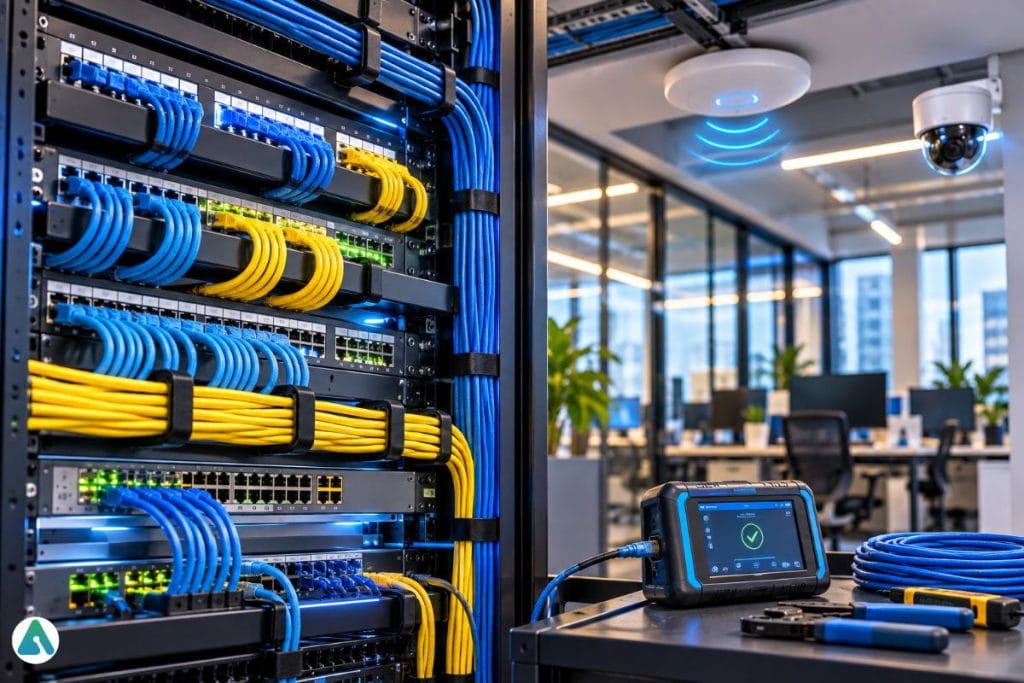
Modern cabling solutions create the physical backbone underneath all of that. Get the foundation right, and business connectivity becomes far easier to control as devices, apps, and systems multiply.
How Much Downtime Really Traces Back to Cabling?
Less certainly than the common figure suggests, though the case for planning stays strong.
Industry sources attribute 50% of all network failures to cabling infrastructure rather than hardware or software. Treat that as a widely repeated industry figure rather than settled research. Estimates vary considerably, and some analyses put cabling far lower as a share of severe outages.
Two sturdier numbers make the same practical point. Uptime Institute research links roughly half of data center troubleshooting time to poor cable organization. BICSI traces more than 30% of enterprise network slowdowns to substandard or misapplied cabling.
Read those together, and the argument shifts slightly. Cabling may not cause most outages. It reliably decides how long they last, and that is the cost showing up on your team’s calendar.
What Does Structured Cabling Actually Do?
It turns a network closet into something a technician can read.
Your network is no longer just “the internet.” Phones, cloud platforms, security tools, payment systems, and the daily rhythm of the whole team all run across it. Building from a clean, scalable foundation beats patching things together later.
A single foundation for daily work. Good planning keeps computers, phones, cameras, access control, wireless access points, and conference gear from becoming a guessing game. Design structured cabling systems properly and your IT team traces problems faster, adds equipment with less stress, and avoids those “who labeled this?” moments.
Planning help that prevents rework. Growth exposes old shortcuts. A cable path fills up. Labels go missing. The category turns out to be outdated, and nobody notices until new equipment arrives. Experienced commercial low voltage contractors review pathways, categories, labeling, test records, rack organization, and upgrade space before walls close or furniture lands.
Support for flexible work. Hot desks, shared rooms, cloud apps, and constant video calls all rest on stable wired infrastructure, even when people connect over Wi-Fi. The wireless experience everyone notices depends on cabling nobody sees.
Why Did AI Change the Requirement?
Because the traffic pattern changed shape, not just scale.
Three shifts matter for anyone specifying cable today.
Inference moved to the edge. Many AI workloads now start at cameras, sensors, and Wi-Fi devices rather than in a distant cloud region. Processing close to where data appears cuts backhaul demand and latency, which is exactly why edge computing keeps systems working when connectivity drops. Those edge boxes sit in your building and need a run to them.
Machine traffic ignores office hours. Agents and automated systems talk to each other continuously, with no regard for when people arrive or leave. Security teams already treat this as a new category of unmanaged network traffic, and the physical layer feels it as load that never drops to baseline overnight.
PoE budgets tighten. Campus modernizations now pair PoE upgrades with multi-gigabit cabling to feed power-hungry Wi-Fi 7 access points. Arista reported 27.6% campus switching growth in one recent quarter, with around 60% tied to Wi-Fi 7 backhaul and PoE work. AI-enabled cameras and sensors draw from the same budget.
None of this means every office needs a fiber backbone tomorrow. It does mean headcount is the wrong number to plan against.
Where Does Better Cabling Pay Off?
Three places, all of them practical.
Speed without daily friction. When apps crawl, software usually gets blamed first. Sometimes fairly. Other times the real bottleneck is cabling that was never meant to carry today’s workload. Well-planned runs reduce congestion between workstations, switches, servers, and access points.
Room to grow. Adding staff, printers, cameras, sensors, or access points should not mean opening ceilings every quarter. Modular design gives you a cleaner path to expand.
Faster repairs. Clean labels, tested terminations, organized racks, and documented paths make troubleshooting far less painful. If a port fails, a technician should not need Sherlock Holmes energy to find the right line.
Which Components Should You Choose?
Distance, budget, interference, device needs, and plans all feed the decision. Here is a starting point.
| Component | Practical fit | Watch for |
| Cat6A | Offices, access points, PoE devices | Good balance for most upgrades |
| Cat7 | Shielded environments | Not TIA-recognized in North America; original spec uses GG45/TERA rather than RJ45 |
| Cat8 | Short, high-speed runs | Often more than an office needs |
| Fiber | Backbones, long runs, multi-floor links | Planning and termination skill |
Cat6A handles most offices well. Verify the Cat7 question with your installer before ordering, since North American structured cabling standards recognize Cat6A and Cat8 while Cat7 sits under ISO/IEC. Buying cable your patch panels cannot terminate is an expensive discovery.
On the market side, optical transceivers and high-speed cables are projected as the fastest-growing product segment, with a CAGR of 18.4%. Faster infrastructure is becoming the norm rather than a luxury.
What About IoT, Cameras, and Sensors?
They arrive faster than anyone budgets for.
Smart locks, environmental sensors, AI-enabled cameras, and edge devices all press on the physical layer. Each one needs a drop, power, and a place in your documentation. Physical AI systems that sense and respond are spreading through ordinary commercial buildings, not just factories.
Better routing also reduces waste, improves airflow in network rooms, and makes future changes less messy. Reusable pathways, accurate maps, and right-sized materials keep future-proof cabling useful instead of turning it into abandoned wire.
Does Every Business Need the Same Plan?
No. A startup, a medical office, a warehouse, a law firm, and a multi-site company all grow differently.
Smaller sites usually need organized racks, tested drops, reliable Wi-Fi coverage, and enough ports for steady growth.
Larger locations often need fiber backbones, redundant pathways, access control wiring, camera cabling, and tighter documentation across floors or buildings.
Hybrid teams depend on steady local infrastructure even when the work feels wireless. Access points still need strong wired backhaul and dependable Power over Ethernet.
Should You Audit Before Upgrading?
Almost always, yes.
An audit maps ports, checks labels, reviews patch panels, identifies old cable types, finds abandoned lines, and spots weak points. Simple audits regularly reveal quick fixes before anyone commits to a larger project.
Add two items to the traditional checklist. Count the non-user devices already on the network, since cameras and sensors rarely appear on a headcount-based plan. Then check your remaining PoE budget per switch, because that ceiling arrives sooner than port count does.
Which Mistakes Cost the Most?
Ordinary planning gaps, mostly.
Underestimating bandwidth. Plan beyond today’s headcount and device count. Cloud apps, video calls, cameras, access control, and sensors grow faster than expected. Software changes quickly. Cable behind walls does not.
Ignoring security and compliance. Physical infrastructure factors into audits, device control, and risk management. Sensitive areas may need locked cabinets, better segmentation, tamper-aware layouts, and documented paths supporting PCI DSS, HIPAA, or internal policy. Shadow devices complicate this, and discovering what has quietly connected to your network belongs alongside the physical audit.
Skipping management tools. Smart patch panels, remote monitoring, and automated records reduce guesswork. They earn their keep when several people work in the same network room over time. Labels vanish, cables move, and nobody remembers what changed six months ago.
Common Questions About Modern Business Cabling
Q. Which cabling system fits small businesses well?
Cat6A usually gives the strongest mix of cost, speed, and useful life. It supports demanding office devices, access points, and PoE equipment without jumping to specialty cabling.
Q. How often should cabling be audited?
Review during major moves, renovations, security changes, or technology upgrades. A lighter yearly check covers labels, patch panels, abandoned lines, and the condition of the network room.
Q. Can wireless replace structured cabling?
Not completely. Wi-Fi handles mobility well, though access points still need wired backhaul and power. Strong wireless performance starts above the ceiling tiles.
Q. Does AI adoption change what I should install?
It changes what to plan for. Edge devices, AI cameras, and Wi-Fi 7 access points raise PoE demand and shift more traffic between devices inside the building rather than out to the internet.
Final Thoughts on Smarter Cabling Choices
The right plan does more than tidy a network closet. It improves speed, lowers outage risk, supports secure growth, and makes future changes easier to absorb.
Businesses treating cabling as core infrastructure build a steadier base for cloud tools, hybrid work, security systems, and connected devices. Start with an audit. Choose components against distance and device load rather than habit. Bring in installers who will document what they did.
Count the machines alongside the people while you plan. That number is the one still climbing.
Related: Best Online Calculators & Diagnostic Tools for Everyday Tech Problems
