

Trying to use Grok, and it suddenly stops responding? As of April 2026, Grok is not fully down, but users are experiencing intermittent issues across Web, X (formerly Twitter), and mobile apps on iOS and Android. Most reports point to authentication errors, slow responses, and “High Demand” messages — especially during peak hours.
This guide covers Grok’s current status, what’s actually happening behind the scenes, and how to fix the most common issues without guessing.
What “Grok Down” Actually Means

When users search “is Grok down,” they’re usually experiencing one of these:
- Chat is not responding or is stuck loading
- Conversations not loading or appearing blank
- Image generation is failing with “High Demand.”
- Login or authentication errors
- App stuck on loading screen
Most of these are not full outages — they’re partial or surface-specific failures. The distinction matters because the fix for a login issue is completely different from the fix for a server load problem.
Live Test Note (April 2026)
At 10:15 AM ET, Grok was tested across multiple surfaces:
- Web version loaded normally
- Chat responses were slightly delayed (3–5 seconds)
- Image generation (“Imagine”) failed twice with “High Demand” before succeeding on the third attempt
Conclusion: Grok is operational but under intermittent load pressure — not fully down.
How to Check if Grok Is Actually Down
Official Status Pages

- Grok Web: status.x.ai/grok-com
- Android App: status.x.ai/android-app
- X Platform: X Help Center for platform-level updates
Real-Time Monitoring Tools
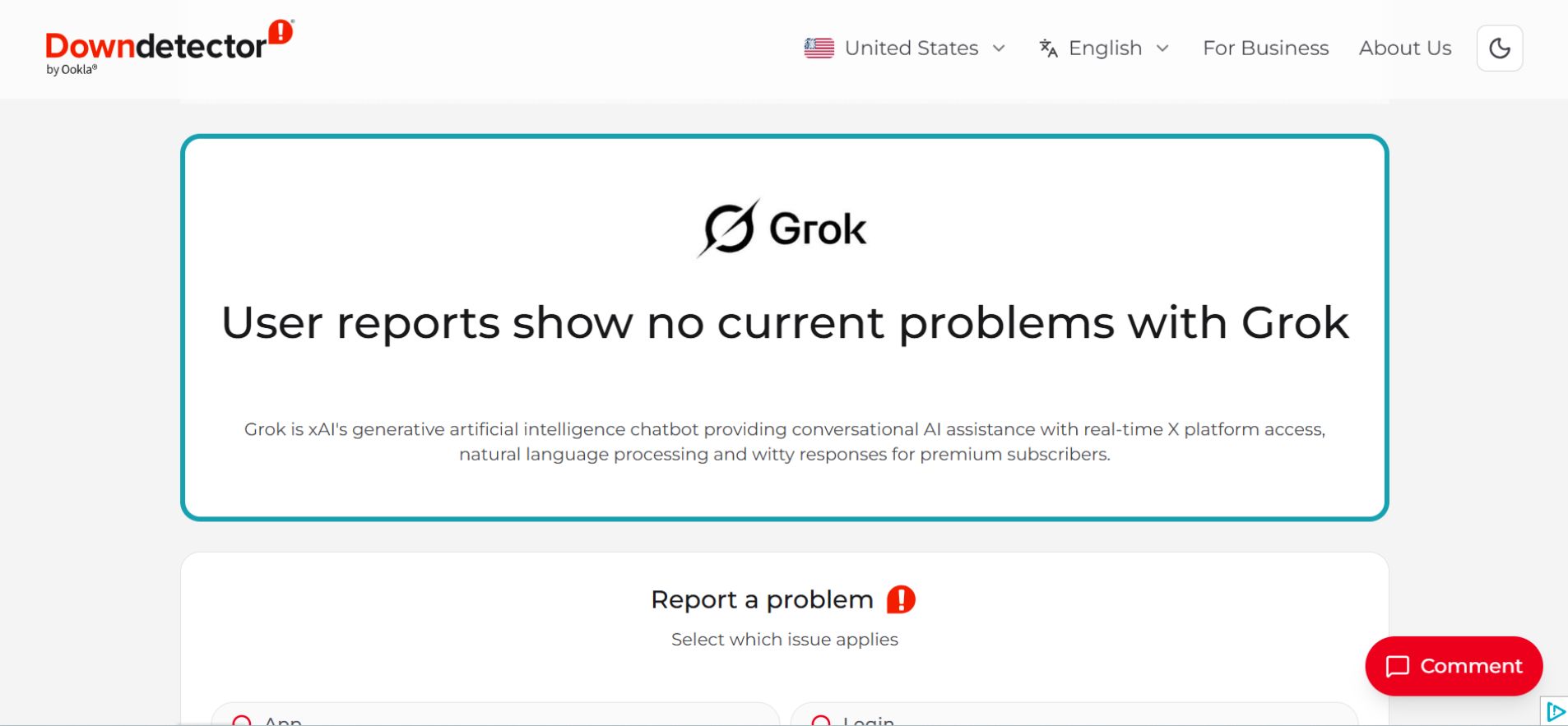
- Downdetector — look for report spikes above 200 as a signal of a real incident
- StatusGator — tracks aggregated outages across services
- IsDown.app — shows 90-day outage history for historical context
Community Signals
Searching “Grok down” on X or checking threads on r/xAI and r/Grok gives the fastest real-world signal, since users report issues there before official status pages update.
Best practice: combine official status pages with community reports for an accurate picture.
What Users Are Actually Reporting
Instead of technical labels, here’s what real reports look like:
- “Chat just keeps spinning and never replies.”
- “My conversation history disappeared.”If you’re dealing with missing or deleted chats, you can follow this guide on how to recover deleted Grok conversations.
- “It says High Demand every time I try image generation.”
- “I got logged out and can’t log back in.”
Matching the symptom to the cause is the fastest path to a fix — see the table below.
Common Grok Errors and How to Fix Them
| Issue | What It Feels Like | Likely Cause | Quick Fix |
|---|---|---|---|
| Authentication failure | Can’t log in | Token/session expired | Log out and log back in |
| Chat not responding | Endless loading | Server overload | Refresh or wait |
| High Demand (Imagine) | Image fails repeatedly | GPU capacity full | Retry after 2–5 minutes |
| Conversations missing | Blank chat screen | Sync issue | Clear cache/update app |
| App not loading | Stuck screen | App bug or old version | Reinstall or update |
Grok Troubleshooting: Step-by-Step Fixes for Login, App, and Connectivity Issues
Follow these in order — each step rules out a different cause.

Step 1: Switch platforms. If the app isn’t working, try the web version. If the web is slow, try mobile. If one surface works and another doesn’t, it’s not a full outage — the issue is platform-specific.
Step 2: Fix login issues. Use the “Forgot Password” flow, reconnect to your Google or Apple ID, or try logging in via your X account. Authentication errors often resolve when the session token is refreshed through a clean login. This is the same class of session issue that affects other AI platforms during high-traffic periods — the underlying mechanism is similar even if the platform is different.
Step 3: Update the app. As of April 2026, the current stable version is Grok 4.20 Beta 3.Older versions frequently fail to connect to updated backend endpoints. This is one of the more reliable fixes that users tend to overlook.
Step 4: Clear cache.
On mobile: Settings → Apps → Grok/X → Clear Cache
On desktop:
- Windows: Ctrl + F5
- Mac: Cmd + Shift + R
One thing most users miss: because Grok is deeply integrated with X, clearing the X app cache often fixes Grok connectivity on Android even when clearing Grok’s own cache doesn’t.
Step 5: Check the network. Switch between Wi-Fi and mobile data. Disable any active VPN temporarily. Some ISP-level issues look exactly like platform outages but only affect specific networks — if the issue resolves on mobile data, the problem is with the local network, not Grok.
Is Grok API Down? (For Developers)
Grok API downtime affects developers using xAI endpoints for integrations and applications. It often manifests differently from consumer-facing issues: high latency during peak hours, token authentication failures, and rate limiting rather than full unresponsiveness.
The xAI API pricing structure and rate limits are relevant context here — rate limiting during peak hours is expected behavior within the free tier and lower-tier plans, not necessarily a platform problem. Monitoring API response times and checking status.x.ai, combined with developer reports on X, gives the clearest picture of API-specific issues versus broader platform problems.
ISP and Region Issues (Looks Like an Outage, But Isn’t)
Sometimes Grok works for most users but not for a specific person. The tell-tale signs:
- Works on mobile data but not Wi-Fi
- Works with a VPN enabled
- No spike visible on Downdetector
When that pattern appears, the issue is local — either ISP-level DNS resolution, a specific network’s routing to xAI’s servers, or a flagged IP range. Switching networks, enabling a VPN, or flushing DNS resolves this in most cases.
2026 Grok Outage Trends

Based on community tracking through Q1 2026:
- Median recovery time: approximately 1 hour
- Micro-outages in Q1 2026: 16+ incidents [UNVERIFIED — confirm against official status history]
- Peak issue window: 9–11 AM ET
- Top regions affected: US, Germany, India
Notable incidents:
- January 27, 2026: 7.5-hour outage
- March 26, 2026: Authentication bug that logged out users platform-wide
The March 26 authentication incident is worth noting specifically — it affected Grok’s broader platform stability during a period when xAI was managing significant infrastructure load. Most issues in 2026 resolve within the hour; extended outages like January’s are the exception rather than the norm.
Why Grok Shows “High Demand” So Often
“High Demand” is capacity control, not a crash. It happens most commonly with image generation because GPU-intensive tasks are resource-constrained in ways that text responses aren’t. The message typically clears within minutes as the queue processes.
This is particularly relevant for Grok’s image generation features — the GPU capacity constraints during peak hours are a known limitation of the current infrastructure, not a bug in the system.
What to Do If Grok Is Down (Quick Alternatives)
| Use Case | Alternative |
|---|---|
| Real-time X insights | Native X search |
| AI chat | ChatGPT or Claude |
| Image generation | Midjourney or DALL·E |
For users evaluating whether Grok is actually better than ChatGPT for their specific needs, these temporary outage moments are a useful prompt to think through which platform fits which workflow — rather than being dependent on a single tool when it goes down.
FAQs
Q. Is Grok down right now?
As of April 2026, Grok is not experiencing a global outage. However, users may face temporary issues like slow responses or login errors during peak hours, which usually resolve within minutes.
Q. Why is Grok not loading conversations?
Grok conversations may not load due to cache issues, app bugs, or sync errors. The most effective fix is to clear your browser/app cache or update the Grok app to the latest version.
Q. Is Grok Imagine down separately from chat?
Yes. Grok Imagine (image generation) can go down independently because it relies on GPU resources, while text chat uses a different infrastructure. This is why chat may work while images fail.
Q. How do I know if Grok is down or if it’s just me?
To check if Grok is down, use tools like Down For Everyone Or Just Me.
- If it says “it’s just you,” the issue is likely your device, network, or browser
- If others report issues, it may be a temporary Grok outage
Q. Why does Grok say “High Demand”?
The “High Demand” error means Grok servers are temporarily at capacity. This is common during peak usage hours or when using image generation features. It usually resolves within a few minutes.
Q. Does app version affect Grok performance?
Yes. Using an outdated version of the Grok app can cause connection failures or loading issues. Updating to the latest version ensures compatibility with current backend systems.
Q. Can I avoid Grok downtime or errors?
You can reduce issues by:
- Avoiding peak hours (9–11 AM ET)
- Keeping your app updated
- Clearing the cache regularly
- Using Premium access, which may offer priority during high demand
Final verdict
Grok is not fully down today. Most reported issues are temporary, partial, or network-specific rather than global outages. “High Demand” errors are normal during peak usage and clear quickly. The fixes that resolve the majority of problems — clearing cache, updating the app, switching platforms, and refreshing the login session — take less than five minutes to run through. If none of those work, checking the official status page and waiting out a micro-outage is usually the right call.
Related: Grok 5 Release Update (2026): Q1 Miss, Features & Real Truth
| Disclaimer: This guide reflects Grok’s status based on recent data and user reports as of April 2026. Since service conditions can change quickly, some issues may be temporary or specific to your device or network. |
