

Most tutorials tell you how to find the “Ask Grok” button. That’s a waste of your time.
In 2026, if you aren’t using Grok to exploit the 48-hour gap between an X trend exploding and Google actually indexing it, you’re doing it wrong. Grok isn’t just a chatbot at this point — it’s a social-sentiment engine sitting directly inside the fastest-moving conversation layer on the internet. ChatGPT is for writing your thesis. Grok is for winning the news cycle.
The real advantage isn’t raw intelligence. GPT-5 systems still outperform Grok in structured academic reasoning and long-form depth — that’s just honest. Grok wins because it sees X in real time, generates multimodal content natively, integrates with Tesla, and surfaces what people are actually arguing about before most platforms have even indexed the conversation.
This guide covers how Grok actually works in the real world: Ask Grok, DeepSearch, Grok Imagine video workflows, the Tesla personality mode trick most tutorials miss, the hallucination problem nobody warns you about, free tier limits, and prompting strategies that consistently outperform vague requests.
What Grok AI Is in 2026
Grok AI is a conversational AI platform developed by xAI, integrated across X, Tesla systems, mobile apps, and web-based interfaces. Unlike traditional AI assistants, Grok focuses on live internet context, real-time X data, multimodal generation, and social trend awareness.
As of May 2026, Grok 4.3 is the flagship public model. Grok 4.1 Fast remains widely used for agentic workflows and speed-focused tasks — it’s the right choice when you need quick iterations, not deep reasoning.
The model distinction matters more than most people realize. Grok 4.3 is the reasoning choice. Grok 4.1 Fast is the agentic choice. Using 4.3 for lightweight automation tasks is like using a sledgehammer to hang a picture frame — it works, but you’re burning resources for no reason. Understanding what separates Grok versions from each other changes how you route tasks across the two models.
Users following xAI’s rapid release cycle should also pay attention to how newer model generations shift reasoning speed, multimodal behavior, and agentic workflows over time, especially as rumors and discussions around Grok 5 continue accelerating.
How to Start Using Grok
Through X: Open X, locate the Grok sidebar or “Ask Grok” feature, enter your prompt, and continue with follow-up questions. This version is strongest for trend analysis, thread summaries, viral post generation, and real-time commentary.

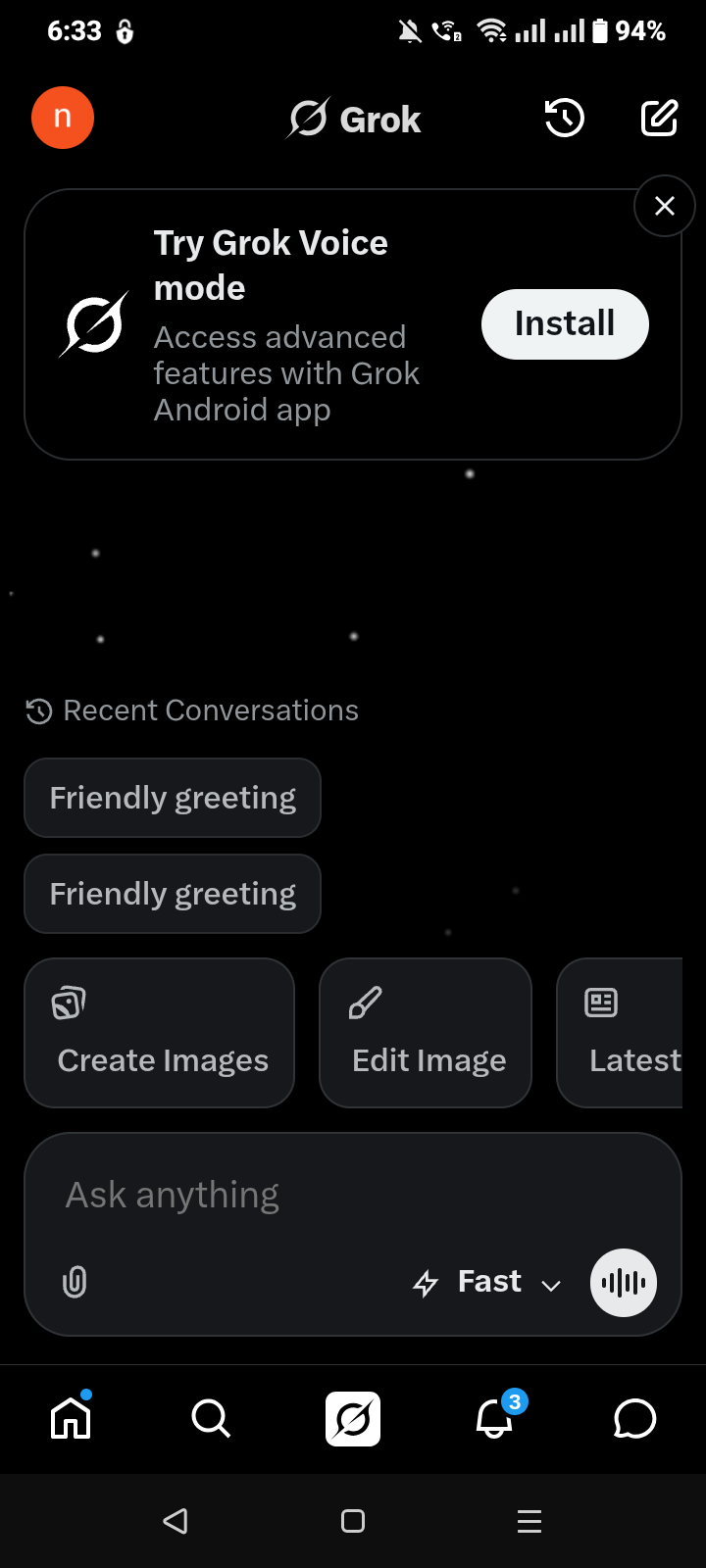
Through the Grok app (Android and iPhone): Generally provides faster interactions, voice conversations, file uploads, image generation, and multimodal tools. For power users, the app experience runs smoother than X-only access.
Through the web at grok.com: Ideal for longer workflows, research tasks, desktop productivity, PDF analysis, and coding sessions.

DeepSearch: The Feature That Changed How People Research
DeepSearch is one of Grok’s most important 2026 upgrades and still one of its most underused features.
Instead of searching like a traditional engine, DeepSearch synthesizes live X conversations, indexed web results, multimodal context, uploaded files, and conversational memory simultaneously. The result feels less like a search and more like a briefing.
This is why marketers now use Grok specifically for trend forecasting, early topic discovery, sentiment analysis, and content gap research. When a topic starts moving on X before Google fully indexes it, Grok identifies the shift early. That 48-hour window is real, and it’s exploitable.
The 1-Minute Marketer Workflow:
- “Summarize the top 5 X threads on [topic] from the last 24 hours.”
- “Identify the one angle that nobody is covering well.”
- “Generate 3 viral hooks for that angle in the tone of a skeptical founder.”
Three prompts. One content gap. Repeatable daily.
The Grok Hallucination Problem Nobody Warns You About

Because Grok pulls heavily from live X data, it occasionally parrots troll posts, coordinated misinformation campaigns, or viral claims that haven’t been verified anywhere outside social media.
This isn’t a flaw unique to Grok — it’s an architectural reality of any system that indexes social platforms in real time. But it creates a specific failure mode that’s different from how ChatGPT hallucinates, and most guides completely ignore it.
The prompt that fixes this: “Cross-reference this claim with three non-social media sources via DeepSearch.”
That single instruction forces Grok to leave the X bubble and verify against indexed web sources. Use it any time Grok returns a claim that sounds like it originated from a viral post rather than a primary source — and always use it before trusting anything involving financial claims, health information, or breaking news.
The responsible framing: Grok is exceptional for identifying what people are saying. It’s less reliable for determining whether what people are saying is true.
The ASK Prompt Framework
Most people get mediocre Grok outputs because their prompts are vague. Specificity changes everything, and Grok responds particularly well to conversational structure rather than formal academic instructions.
| Letter | Meaning | Example |
|---|---|---|
| A | Assign a role | “Act like a skeptical startup investor.” |
| S | Specify context | “Writing for early-stage SaaS founders, conversational tone.” |
| K | Keep the format clear | “Output as a 5-point X thread” |
Bad prompt: “Write something about AI.”
Better prompt: “Write a short edgy X post explaining why most AI startups fail within 18 months, in the tone of a cynical founder who’s watched three of them collapse.”
The second prompt gives Grok a role, context, audience, tone, and format in one sentence. That’s all it needs.
Prompts that consistently work:
Trend analysis: “Summarize current sentiment around AI agents on X in under 200 words.”
Viral post: “Write an edgy X post about AI startups in the tone of a cynical founder.”
SEO gap: “Find overlooked discussion angles around [topic] that competitors are missing on X right now.”
Research: “Explain the biggest behavioral differences between Grok 4.3 and Grok 4.1 Fast for agentic workflows.”
Hallucination check: “Cross-reference this claim with three non-social media sources via DeepSearch.”
Grok Imagine: Images and AI Video

Grok Imagine expanded significantly in 2026. It now supports 10-second AI videos with native audio generation, cinematic prompt workflows, and vertical social exports — pushing Grok deeper into creator workflows.
The Ambience + Motion Formula produces dramatically stronger video outputs than generic prompts:
Structure: Subject → Environment → Motion → Camera style → Lighting → Audio mood
Example: “Cybertruck driving through a futuristic Mars colony, cinematic 16:9 tracking shot, red dust kicking upward, low-frequency ambient hum audio, dramatic sunset lighting.”
Compare that to “Cybertruck on Mars” — the structured version gives the model enough to build a coherent scene rather than guessing at every variable.
| Common Mistake | Result |
|---|---|
| Vague prompts | Generic visuals |
| No motion cues | Flat, static-feeling videos |
| Overloaded instructions | Broken composition |
| Missing lighting details | Weak atmosphere |
Free-tier access to video generation tightened in March 2026. Consistent creative workflows now generally require SuperGrok or X Premium+.
Grok in Tesla: The Hidden Personality Setting That Changes Navigation Accuracy

Tesla Grok integration became one of Grok’s fastest-growing 2026 use cases — and it has one critical setting that almost no tutorial mentions.
Navigation commands work best when Grok’s personality mode is set to Assistant. Users in Fun mode or Romantic mode consistently report inconsistent navigation behavior — the model interprets commands differently depending on persona, and navigation is sensitive to that interpretation. That tiny setting matters more than most tutorials acknowledge.
To activate: update Tesla software → open AI assistant settings → enable Grok integration → connect your X account if required → long-press the steering wheel voice button.
Why Assistant Mode Works Better for Navigation Commands
| Command | Use Case |
|---|---|
| “Find the fastest charger nearby.” | Charging optimization |
| “Summarize today’s AI news.” | Passive information intake while driving |
| “Find sushi within 10 minutes.” | Local recommendations |
| “Explain why Tesla stock moved today.” | Market context without touching the screen |
The Grok Tesla integration is still early relative to what it will eventually become, but conversational vehicle assistants are clearly a major AI category in the making.
Grok on Android
Install the app → log in → enable required permissions → start chatting or generating.
If Ask Grok is missing: usually an outdated app version, regional rollout delay, or unsupported account tier.
If Grok won’t load: clear cache, disable VPN temporarily, update Android System WebView, reinstall if none of that works. WebView is an underappreciated dependency — outdated versions break rendering in ways that look like server problems but aren’t.
In some cases, the issue is more specific than a general loading failure — users have also reported sync bugs where chats fail to appear entirely or conversation history refuses to load properly inside the interface. Troubleshooting steps for Grok not loading conversations are slightly different from normal app crashes.
Grok on iPhone
Keep iOS updated, allow microphone access, enable background refresh, and update the X app regularly.
| Issue | Fix |
|---|---|
| Voice mode fails | Enable microphone permissions in Settings |
| App crashes on launch | Reinstall app |
| Ask Grok missing in X | Update the X app — feature rollout is tied to app version |
Grok on X Comments
The Ask Grok feature inside X comments lets users query AI directly within posts and discussions. Open a post → find the “Ask Grok” option → enter your question.
| Goal | Prompt |
|---|---|
| Summarize the thread drama | “Summarize this thread objectively.” |
| Fact-check a claim | “Verify the main argument here and flag anything unverified.” |
| Generate a reply | “Write a sarcastic but fair response.” |
| Understand trend context | “Explain why this post is trending and what the underlying argument is.” |
Adding “and flag anything unverified” to fact-check prompts is worth building into your habit — it nudges Grok toward epistemic caution rather than confident summarization of whatever the thread claims.
Grok 4.3 vs. ChatGPT: Honest Comparison
| Feature | Grok 4.3 | ChatGPT GPT-5 Series |
|---|---|---|
| Real-time data | Excellent | More delayed |
| X integration | Native | Limited |
| Tesla workflows | Yes | No |
| Personality styles | Strong | Moderate |
| Long-form research | Moderate | Excellent |
| Coding depth | Good | Excellent |
| AI video generation | Native 10s video | Sora-integrated |
| Hallucination risk from social data | Higher (live X) | Lower (no live social) |
The honest framing: Grok is stronger for real-time X analysis, trend identification, social sentiment, and multimodal content creation. Whether Grok actually beats ChatGPT depends almost entirely on what you’re using it for. For deep research and structured writing, ChatGPT still leads. For momentum detection and live internet intelligence, Grok has carved out a niche that ChatGPT genuinely doesn’t serve.
Common Mistakes That Cost People Results

Treating it like a search engine. “Best AI tools” returns generic results. “What AI tools are gaining momentum on X among startup founders this week?” returns something you can actually use.
Overcomplicating prompts. Ironically, shorter prompts often outperform giant instruction walls. Grok’s conversational architecture processes natural language better than formal structured prompts.
Not using follow-up questions. The best Grok workflows are iterative. Good users refine conversations instead of restarting them.
Trusting viral claims without verification. This is the big one. Because Grok analyzes live X data, trending misinformation occasionally influences outputs. Always apply the cross-reference prompt to anything that matters. Always.
Using Grok for legal or medical decisions without cross-verification. The hallucination problem compounds in high-stakes domains. Grok can help you understand a topic — it shouldn’t be your final source for anything with real-world consequences.
Grok Content Moderation: Why Some Prompts Get Blocked
One thing experienced users encounter eventually: prompts that seem completely reasonable getting flagged or moderated without a clear explanation. Understanding why Grok moderates safe-seeming prompts matters because the blocking logic isn’t always obvious — and knowing it prevents wasted iterations on prompts that will never succeed regardless of how they’re rephrased.
Quick Answer: How to Start Using Grok AI
Open X, the Grok app, or grok.com. Log in to your account. Access “Ask Grok.” Enter a specific conversational prompt. Refine with follow-up questions rather than restarting.
- For video: switch to Imagine mode and use the Ambience + Motion formula.
- For Tesla: set personality mode to Assistant before issuing navigation commands.
- For research: trigger DeepSearch with a cross-reference request to stay out of the X echo chamber.
FAQs
Q. Is Grok AI free to use in 2026?
Yes, Grok AI offers a free tier in 2026, but usage limits became stricter after the March 2026 update. Free users typically receive around 10 prompts every 2 hours with reduced multimodal access. Advanced features like AI video generation, extended DeepSearch usage, and higher image-generation limits usually require SuperGrok or X Premium+ subscriptions.
Q. How do I ask Grok a question on X?
To ask Grok a question on X:
- Open X (formerly Twitter)
- Locate the “Ask Grok” button in supported posts or the sidebar
- Enter your prompt or question
- Submit the request and continue the conversation with follow-up prompts
The Ask Grok feature is commonly used for thread summaries, fact-checking, trend analysis, and generating replies directly inside X conversations.
Q. Can Grok AI generate videos?
Yes. Grok Imagine supports AI-generated videos with audio in supported subscription tiers. In 2026, Grok can generate short cinematic clips, animated scenes, and social-ready video content using detailed prompts that include motion, lighting, ambience, and camera directions.
Example prompt:
“Cybertruck driving through a futuristic Mars colony, cinematic tracking shot, red dust clouds, ambient audio, sunset lighting.”
Q. Is Grok better than ChatGPT?
Grok and ChatGPT excel in different areas.
Grok performs better for:
- real-time X analysis
- trend detection
- live internet discussions
- social sentiment monitoring
- Tesla integration
ChatGPT performs better for:
- deep structured reasoning
- long-form writing
- academic-style research
- advanced coding workflows
- detailed analytical tasks
For most users, the better choice depends on whether they prioritize real-time information or structured depth.
Q. How do I use Grok in Tesla?
To use Grok AI in Tesla:
- Update your Tesla software to the latest version
- Open AI assistant settings
- Enable Grok integration
- Set personality mode to “Assistant.”
- Use the steering wheel voice command button to interact with Grok
Tesla users commonly use Grok for navigation assistance, AI news summaries, charger discovery, and conversational voice interactions while driving.
Q. What is DeepSearch in Grok AI?
DeepSearch is Grok’s advanced research system that combines:
- live X conversations
- indexed web content
- uploaded PDFs and files
- conversational AI analysis
Instead of returning a simple list of links, DeepSearch synthesizes information into a summarized briefing with contextual insights. This makes it useful for research, trend analysis, SEO topic discovery, and real-time monitoring workflows.
Q. Does Grok work on Android and iPhone?
Yes. Grok AI works on both Android and iPhone through:
- the dedicated Grok mobile app
- X integration
- web access via desktop and mobile browsers
Mobile versions support voice interaction, image generation, file uploads, and conversational AI features depending on the subscription tier.
Q. Can deleted Grok conversations be recovered?
In some situations, yes. Recovery depends on whether the conversation was cached locally, synced to account history, or permanently deleted from the platform. Temporary sync failures can sometimes make chats appear deleted when they are not. Detailed recovery methods for deleted Grok conversations vary depending on device type and account state.
Q. How do I reduce Grok hallucinations from X data?
Because Grok heavily analyzes live X conversations, viral misinformation or unverified claims can occasionally influence outputs.
One of the best prompts for reducing hallucinations is:
“Cross-reference this claim with three non-social-media sources via DeepSearch.”
This helps Grok compare social sentiment against indexed web sources and improves factual reliability for:
- breaking news
- financial claims
- viral threads
- controversial discussions
For sensitive topics, always verify outputs independently.
The Future of Grok
Real-time AI search is becoming normal. Grok is evolving into a conversational search engine, trend-analysis platform, and social intelligence layer — not just a chatbot. Grok 4.1 Fast already supports Python execution, uploaded PDF analysis, web synthesis, and multimodal workflows. That direction is expanding.
The Tesla integration is still early. Conversational vehicle assistants are clearly a major category, and the current integration is a foundation rather than a finished product.
The broader trajectory: Grok becomes less of a tool you use occasionally and more of a live feed you run in the background — surfacing what matters before it reaches the platforms that most people check.
Related: Grok Spicy Mode 2026: Why It Keeps Disappearing and What Still Works
| Disclaimer: This article is independently written for educational and informational purposes only and is not affiliated with, endorsed by, or sponsored by xAI, X, Tesla, or any related company. Features, pricing, limits, and AI capabilities may change over time, and readers should verify critical information directly through official sources before making decisions based on AI-generated outputs. |
