

Backyard AI, the character chat app formerly known as Faraday.dev, has shut down. As of November 7, 2026, the official homepage shows a shutdown notice; new accounts and normal cloud features are closed, and the self-service data download window has closed. The site had asked users to download their characters and chats before November 6, 2026, at 11:59 p.m. Pacific, and to request archives by November 4. Subscription and refund questions go to support@backyard.ai.
This guide covers what happened, what to do about your data and subscription, whether it’s safe to use anything still carrying the name, and which alternatives suit people who liked its local, character-focused approach.
Is Backyard AI shut down?
Yes. The official backyard.ai homepage now shows a shutdown notice instead of the app, so the service is discontinued rather than temporarily down. Some status-checker sites may still report the domain as “up,” but that only means the notice page loads.

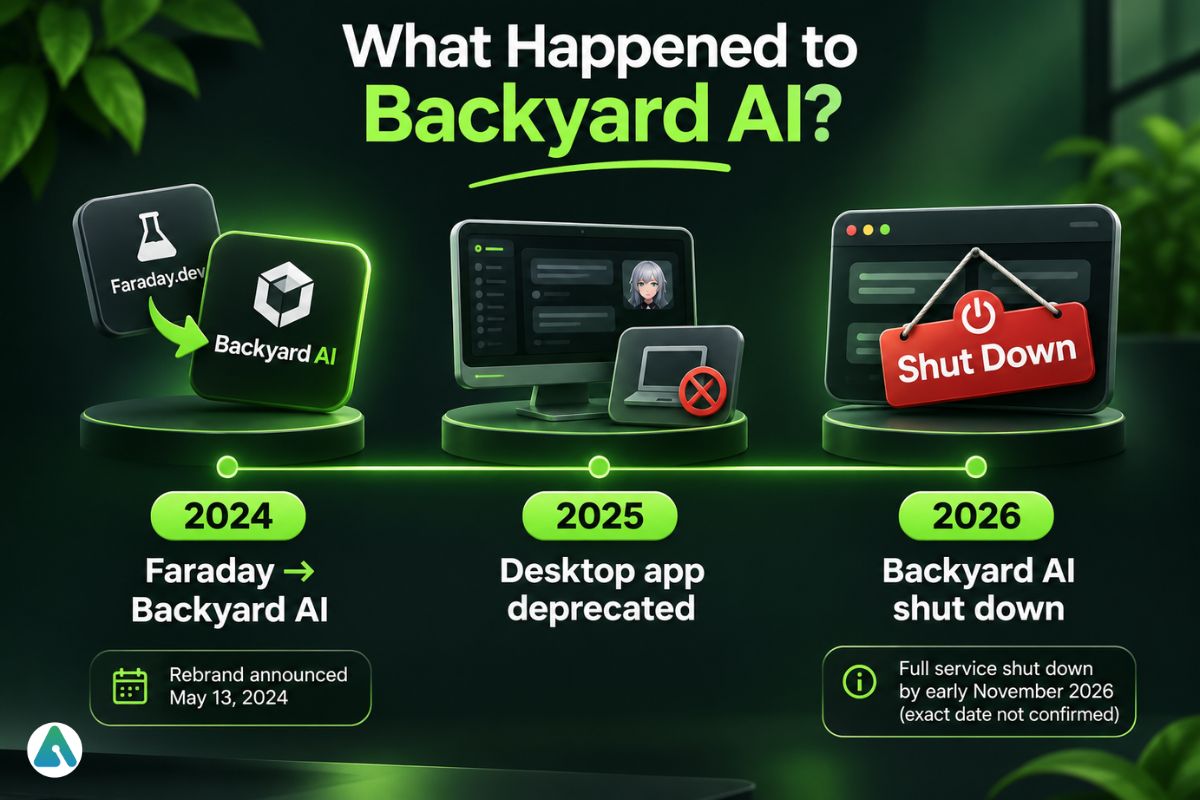
What happened to Backyard AI?
| When | What happened |
|---|---|
| May 2024 | Faraday.dev announced its rename to Backyard AI on May 13, 2024. The new domain went live on May 20, and the old Faraday app stopped working after the update. |
| 2025 | Developers announced they were ending local-model desktop development in favor of the paid cloud service. The desktop page now says the app is deprecated and no longer supported. |
| October 2026 | The plans page said new paid subscriptions and plan upgrades were unavailable, while free chat still worked. |
| November 4, 2026 | Deadline to request a data archive |
| November 6, 2026 | Deadline to download data; the site now shows a shutdown notice saying the self-service download window has closed. |

Why did Backyard AI shut down?
The 2025 desktop decision and the 2026 closure have different levels of documentation.
- Desktop app, 2025. The developers said supporting several apps and inference engines was unsustainable for a team of one to three developers, which explained why desktop development ended.

- Full closure, 2026. No comparably detailed public explanation was found, so the 2025 comment shouldn’t be read as the reason for the shutdown. Claims about cloud costs or funding are speculation.
What happens to your chats, characters and subscription?

Your data. The archive offered by Backyard contained structured JSONL data, plus BYAF files for compatible single-character chats. Group “Party” chats may therefore exist only in the JSONL files. If you saved an archive, back it up now in at least two places. If you didn’t, the self-service window is closed. You can email support@backyard.ai, but recovery isn’t guaranteed.
Subscriptions and refunds. The site says cancellations and refunds for unused paid time are handled separately. Purchases made through the App Store or Google Play follow Apple’s or Google’s refund process.
New payments. Don’t buy plans or credits from any site claiming to offer Backyard AI.
Is Backyard AI safe to use now?
The main risks now are outside the app. Third-party APK and download sites still list Backyard AI builds, and a modified or outdated installer can carry malware, so stick to official stores. If you reused your Backyard password anywhere else, change it now.
Privacy was also the app’s main selling point, since the company said cloud chats were never logged or shared. But the app was closed-source, so that claim could not be independently audited. With the service closed, there’s no way to check how remaining data is handled.
Can you still download or use the desktop app?
The official desktop page labels the app as deprecated. The App Store listing returned a “page can’t be found” message when checked on November 7, 2026. Whether an already-installed copy still opens wasn’t verified, so don’t rely on it for anything important.
Can you keep using Backyard’s models?
Yes. The quantized models Backyard published remain listed on its Hugging Face page. They are standard GGUF files, which other local apps can load. Check each model’s license before using it.
What Backyard AI did well, and where it fell short
Backyard’s strengths were its Character Hub, lorebooks, author’s notes, detailed sampler controls, and the ability to tether a phone to a home machine running local models. Its Parties feature added multi-character group chats. The limits were a closed-source app, a curated model list, cloud models for larger or newer options, and a very small team.
Backyard AI alternatives
The right replacement depends on what you used Backyard for.

- If you valued local control and privacy, look at SillyTavern or KoboldCpp. They give you the most control, with more setup.
- If you mainly used the cloud app, the Character Hub or Parties, a hosted app or Agnai (free, open source, with group chat) is closer. SillyTavern has no built-in character library, so you’d bring your own cards.
| Option | Best for | Setup effort |
|---|---|---|
| SillyTavern | Maximum control, group chats, extensions | High |
| Agnai | Free, open-source group chat | Lower; registration is optional |
| KoboldCpp | Running GGUF models locally as a backend | Medium; pair with a front end |
| LM Studio | Trying local models without a character layer | Low |
| Hosted platforms | No hardware at all | Lowest, but less local control |
SillyTavern is a front end only, so you connect it to a model backend of your choice, which makes it the most flexible and also the most demanding to set up.
Hosted character apps such as Zeta AI and Flipped AI need no hardware, though they differ in pricing, filters, and memory, and the wider field of Character AI alternatives is large.
Larger models need more VRAM or unified memory, so check each model’s stated requirements before downloading.
How to move your characters and models
- Find your downloaded archive and copy it to at least two places.
- Choose a replacement app from the table above.
- Import one character first. SillyTavern’s importer reportedly accepts .byaf files as well as .png and .json cards, but that comes from a third-party reading of its code, not a tested Backyard export. Lorebooks or settings may not carry over, so check each character card after importing.
- Re-download any models you need from their original Hugging Face pages.
- Rebuild anything that didn’t import, such as lorebooks or group chat setups.
FAQs
Q. Can I still recover my Backyard AI chats?
The official download window closed on November 6, 2026. If you didn’t save an archive, contact support@backyard.ai, but recovery isn’t guaranteed.
Q. Can I import Backyard AI characters into SillyTavern?
Possibly. The archive included BYAF files for compatible single-character chats, and SillyTavern reportedly accepts that format. This hasn’t been tested here, so try one character before moving everything.
Q. Was Backyard AI the same as Faraday?
Yes. Faraday.dev was renamed Backyard AI in May 2024.
Q. Does the Backyard AI app still work on iPhone or Android?
The App Store listing was unavailable when checked, and cloud features are closed. Don’t install the app from third-party sites.
Q. What is the closest alternative?
For local control and group chats, SillyTavern with a local model backend is the nearest match, though it takes more setup than Backyard did.
Related: What Happened to Vidqu AI? Face Swap Is Gone
| Disclaimer: This article is for informational purposes only and is not affiliated with, sponsored by, or endorsed by Backyard AI or any other platform mentioned. We do our best to provide accurate, reliable, and up-to-date information. However, features, availability, policies, and services may change over time. We recommend double-checking all important details with official sources before making any decisions or taking action. |
