I opened GymBuddy expecting a full AI coach. What I found was a simpler tool: workout generation, set logging, a rest timer, goals, and a few account controls.
That is the short version of this GymBuddy AI review. I went through the app screen by screen, including the dashboard, workout log, break timer, goals page, settings, and pricing.
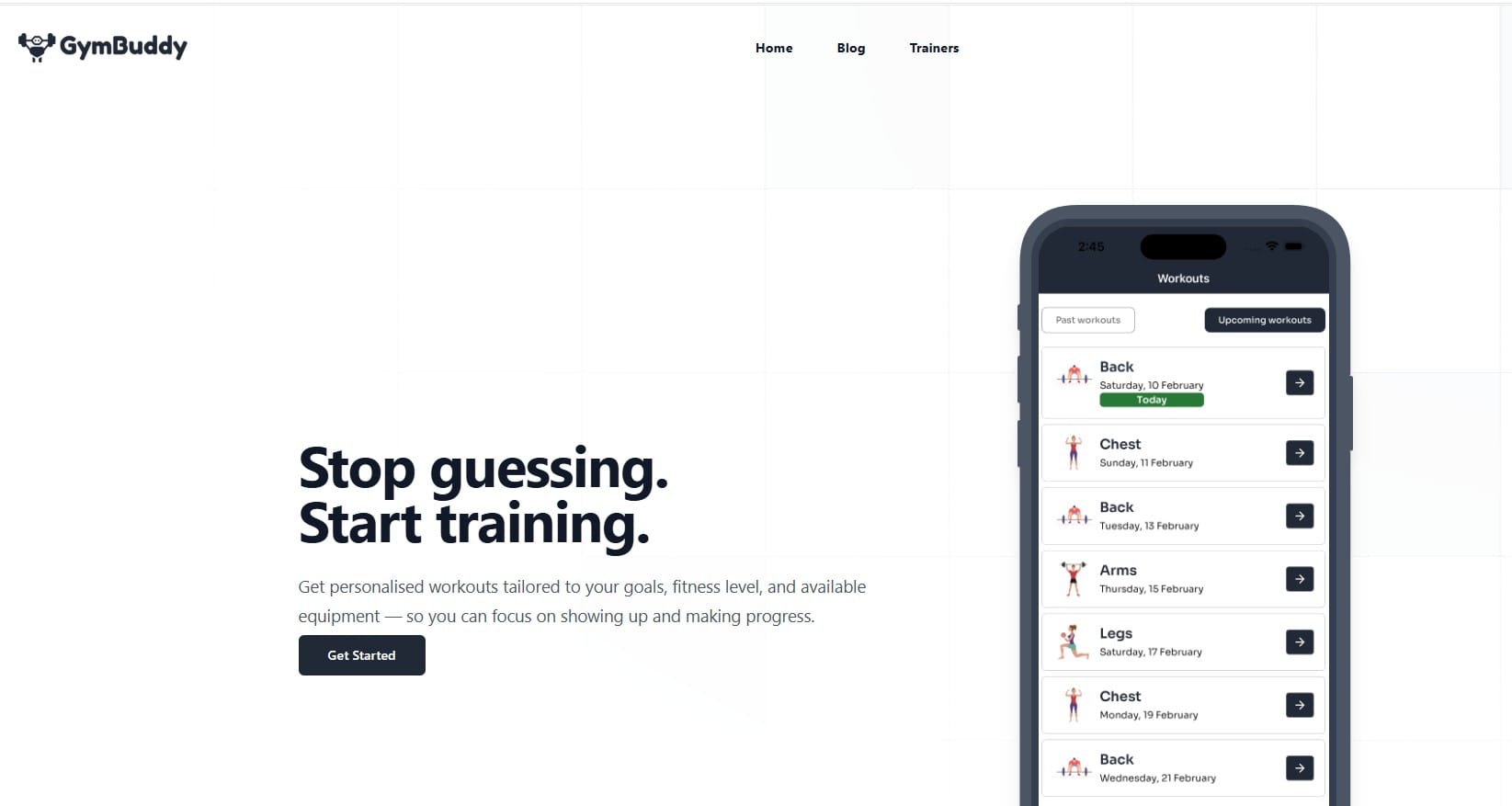
The homepage promise is “Stop guessing. Start training.” The idea is to hand you a routine based on your goals, experience, and equipment, so you stop improvising at the gym.
Here you’ll find what each screen does, what the plans cost, and what I could not confirm. There’s also a comparison table, a short checklist, and answers to common questions.
As of 2026, prices and features can change, so check the official site before you buy.
What Is GymBuddy AI?
GymBuddy AI is an AI-powered fitness app that builds personalised workout routines from your goals, experience level, and available equipment, then lets you log each session.
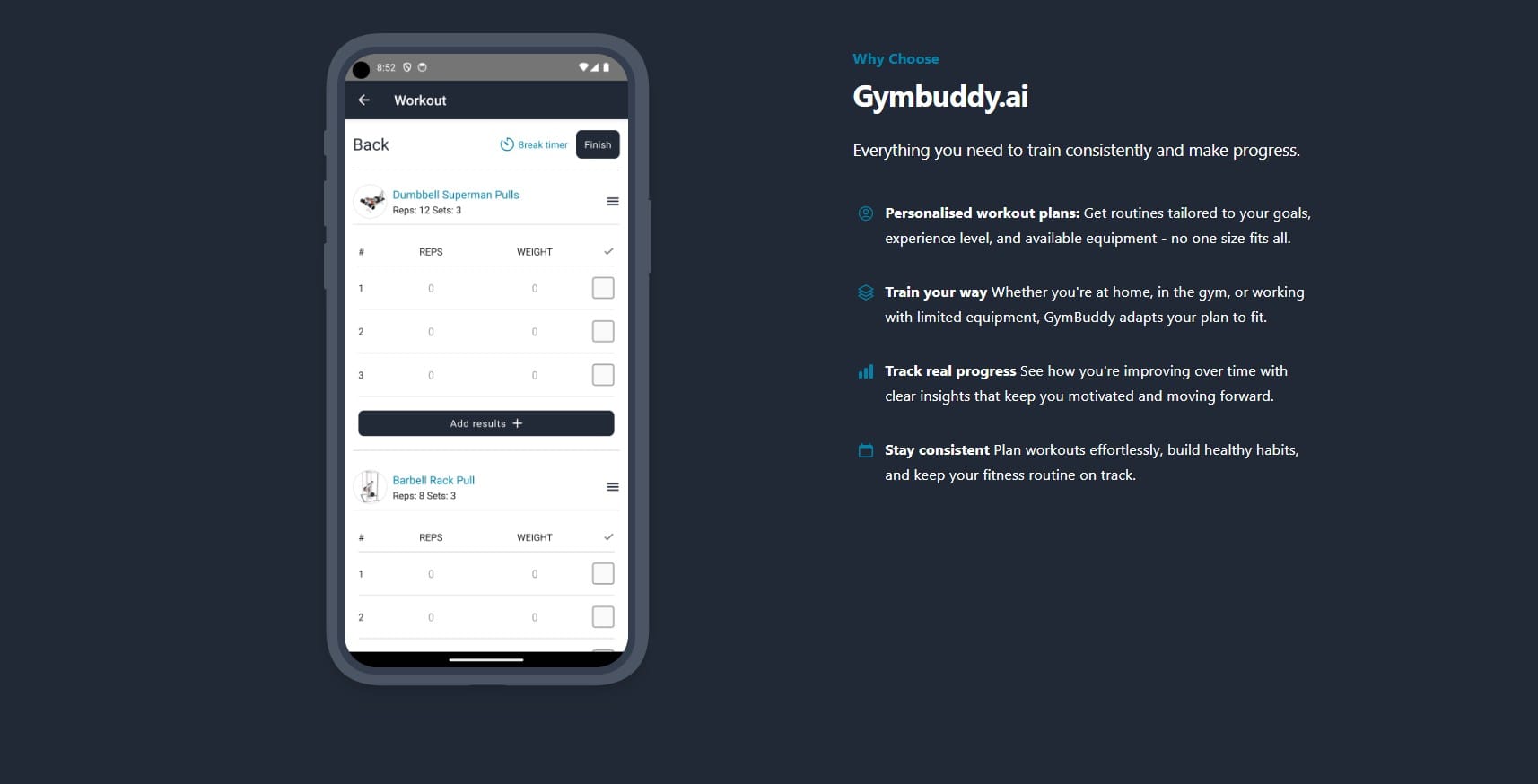
The website groups its promise into four ideas:
Personalised workout plans: routines shaped around your goals, level and gear
Train your way: at home, in the gym, or with limited equipment
Track real progress: insights that show improvement over time
Stay consistent: planning tools that help you build the habit
The homepage phone preview shows an upcoming schedule with Back, Chest, Arms, and Legs days, spread across the week. The main menu is short: Home, Blog, and Trainers.
GymBuddy AI Features I Tested
Below is what each screen does, based on my own hands-on run.
Dashboard: Routines and Workouts Tabs
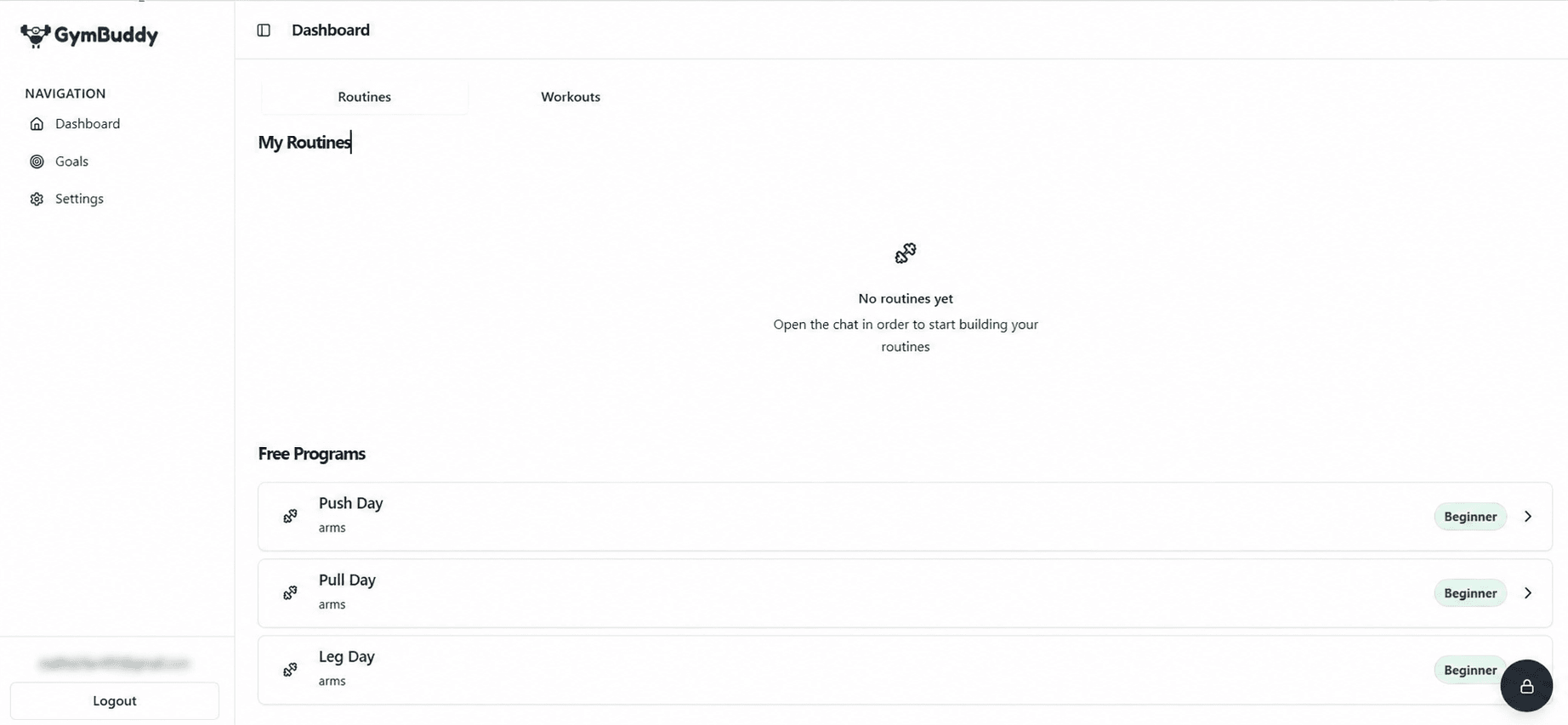
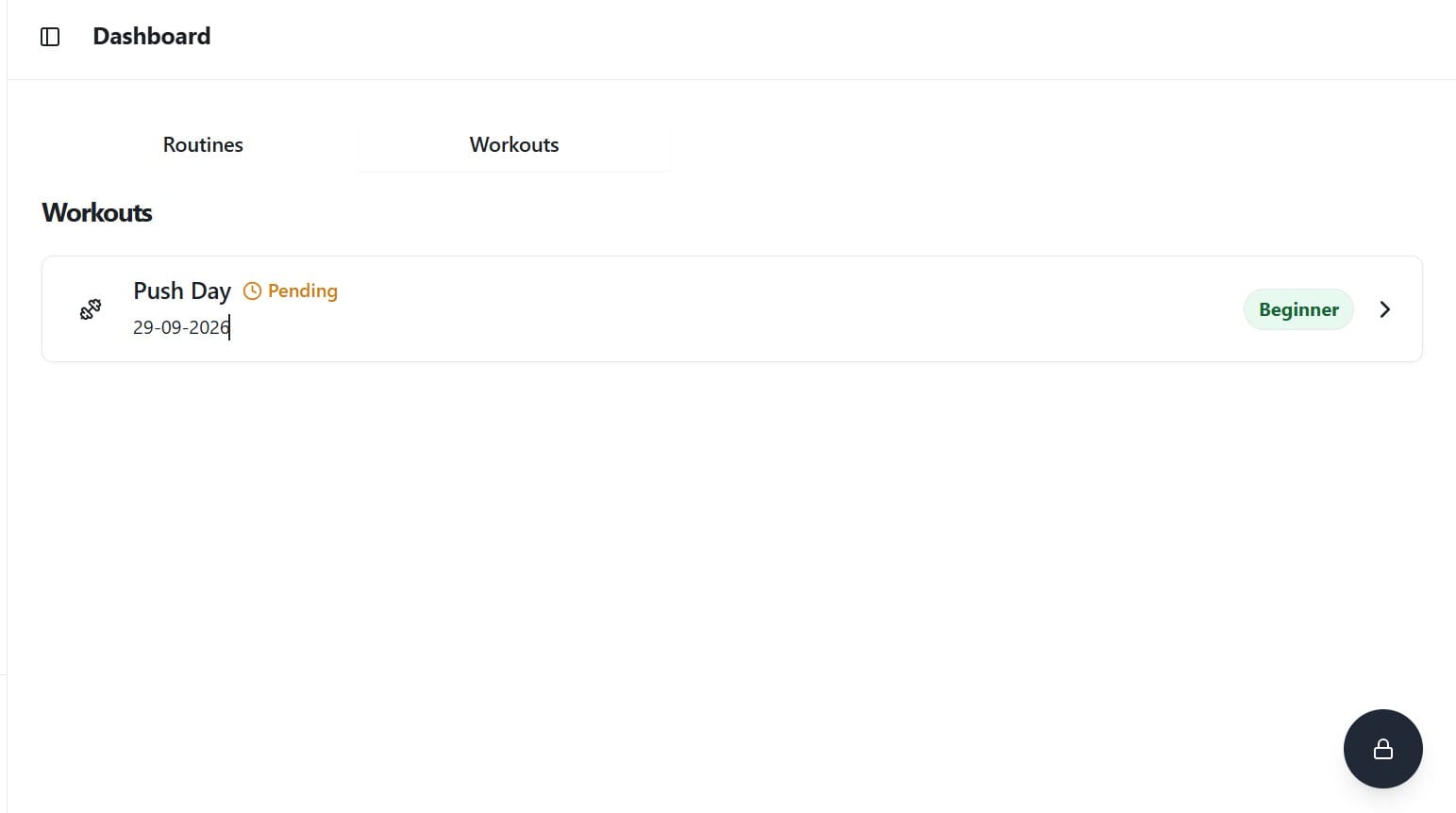
The dashboard splits into Routines and Workouts.
Routines: mine said “No routines yet” and told me to open the chat to start building one
Free Programs: Push Day, Pull Day, and Leg Day, all tagged Beginner
Workouts: dated sessions with a Pending label, like a Push Day
One small oddity: all three free programs carry the label “arms,” even Leg Day. It looks like a labelling slip.
Workout Logging: Sets, Reps and Weight
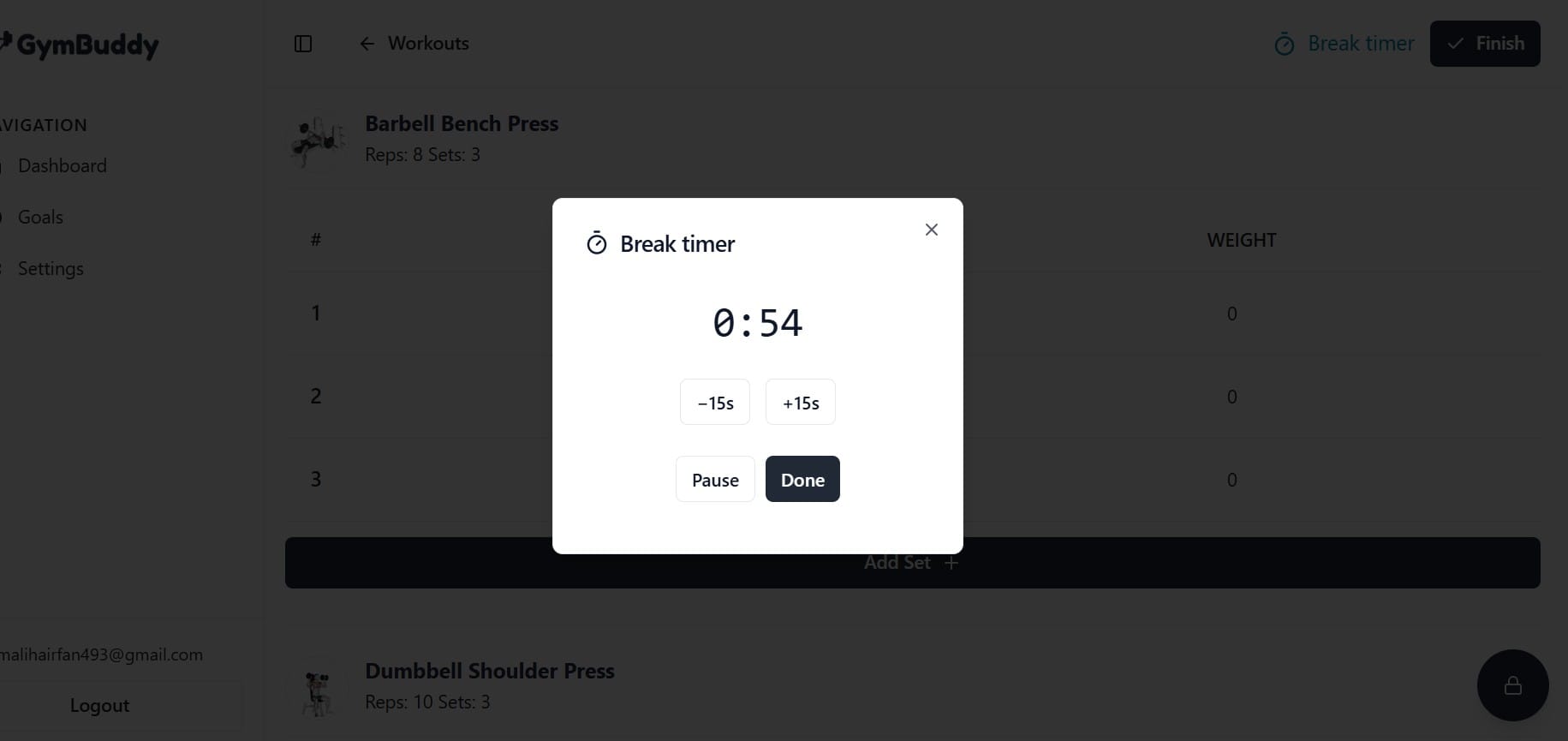
Each session lists your exercises with a target, like Barbell Bench Press: 8 reps, 3 sets, then Dumbbell Shoulder Press: 10 reps, 3 sets.
You fill in reps and weight for every set. Add Set gives you extra rows when you want more volume. Break timer and Finish sit at the top.
Every exercise has a small demo image beside its name. I saw images, not full videos, in the screen I tested.
Break Timer: Simple and Adjustable
The timer pop-up shows a countdown (mine read 0:54) with −15s, +15s, Pause, and Done. It is basic, and that’s fine.
Rest length affects your lifting. In an 8-week trial with 21 trained men, the group that rested 3 minutes between sets did better than the 1-minute group on strength and size measures. The researchers suggested longer rests may let you lift heavier loads, which adds mechanical tension. You can read the original study or the NSCA’s guide to rest intervals.
My take: the ±15 second buttons make it easy to match rest to the lift. Heavy compounds usually need more time than light accessory work.
Goals Page
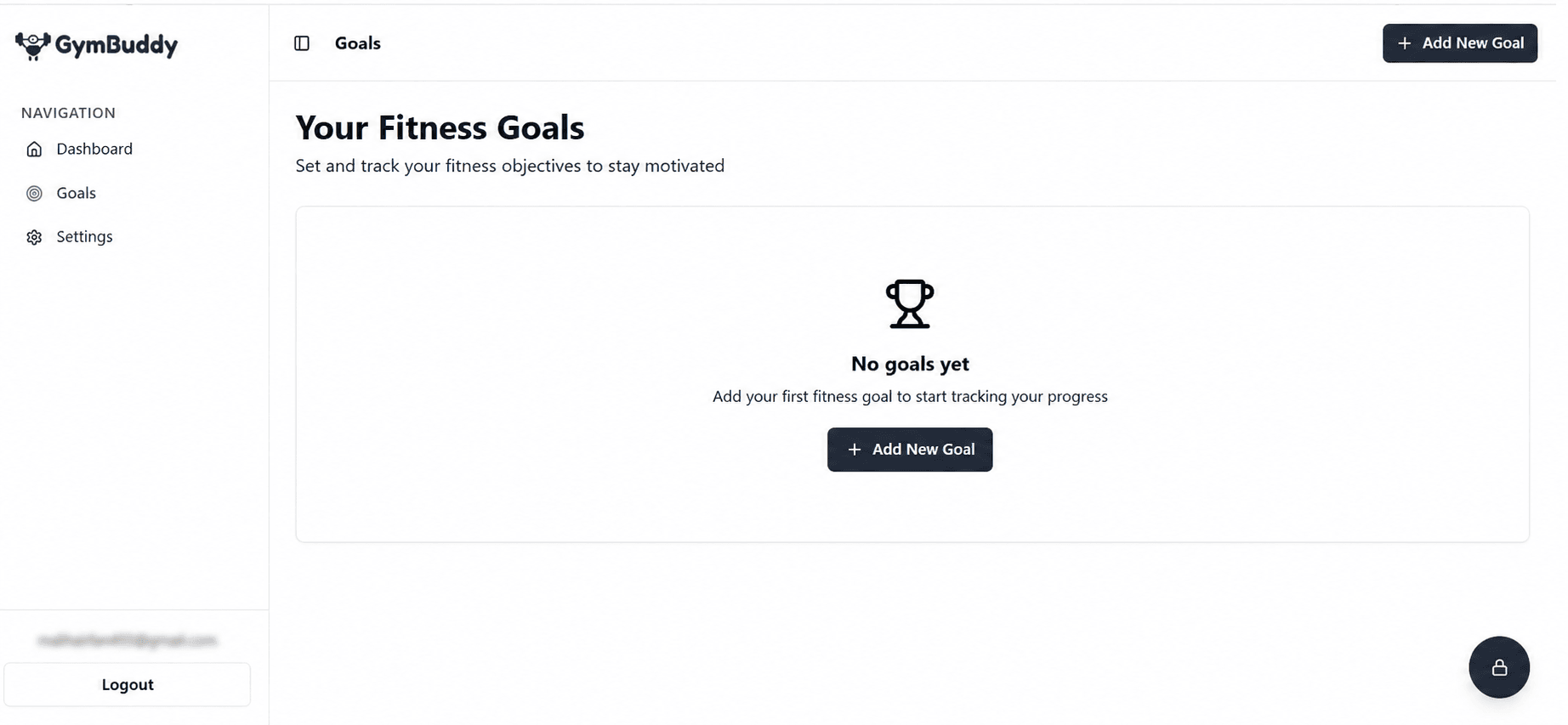
The Goals page opened with “No goals yet” and an Add New Goal button. I can’t say how deep the goal options go, because my screen showed only the empty state.
Workout Notes and the Danger Zone
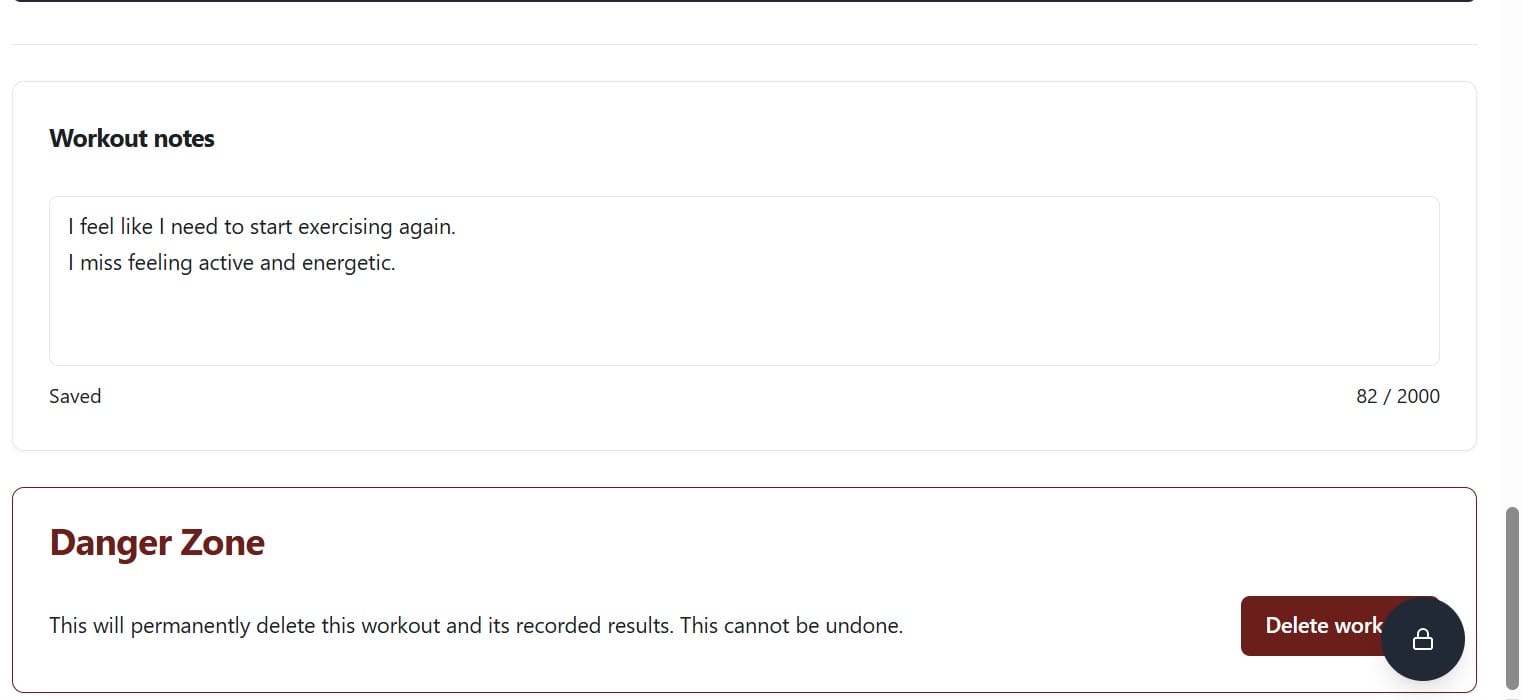
Each workout has a notes box (up to 2,000 characters) that shows “Saved” as you type. It works for sleep, mood, or a sore shoulder.
Below it, a red Danger Zone warns that deleting a workout permanently removes its results. Clear warnings like this are good design.
Trainers and Profile Settings
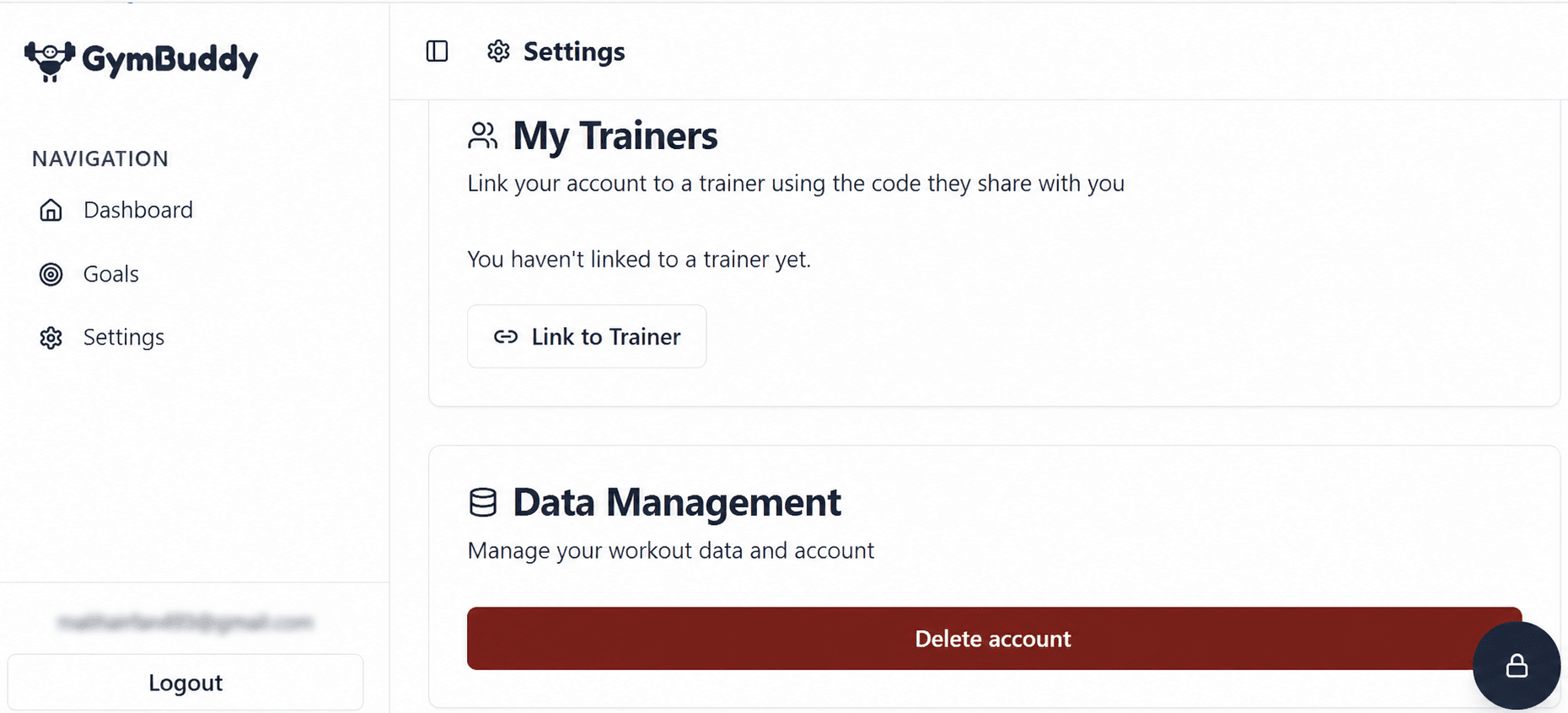
My Trainers: link your account to a trainer with a code they share
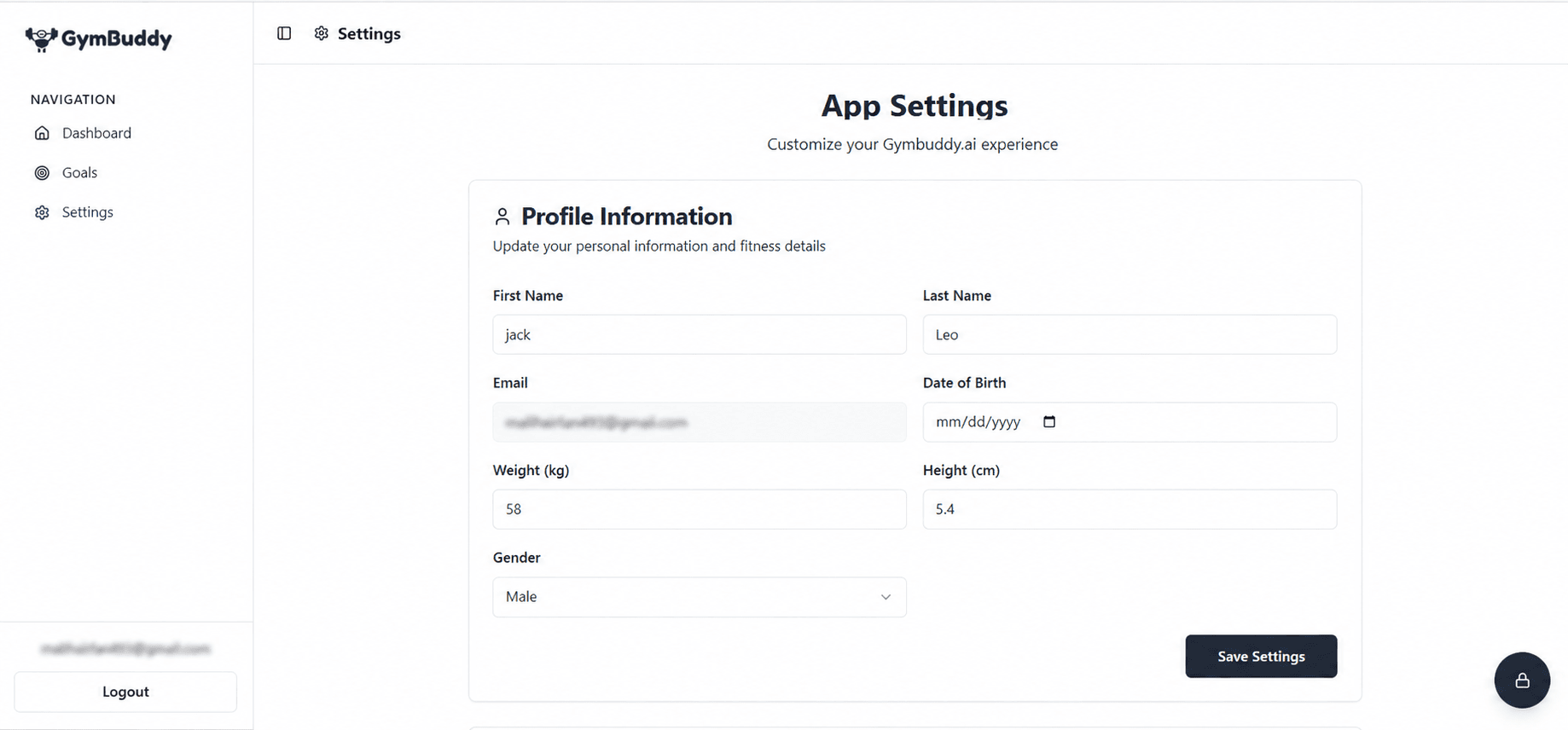
Profile: name, email (locked), date of birth, weight in kg, height in cm, and gender
One usability gap: the height field is in centimetres, yet a feet-style value (5.4) is saved without a warning. Basic input checks would help, since wrong body data can skew a plan.
GymBuddy AI Pricing: Free, Monthly and Yearly Plans
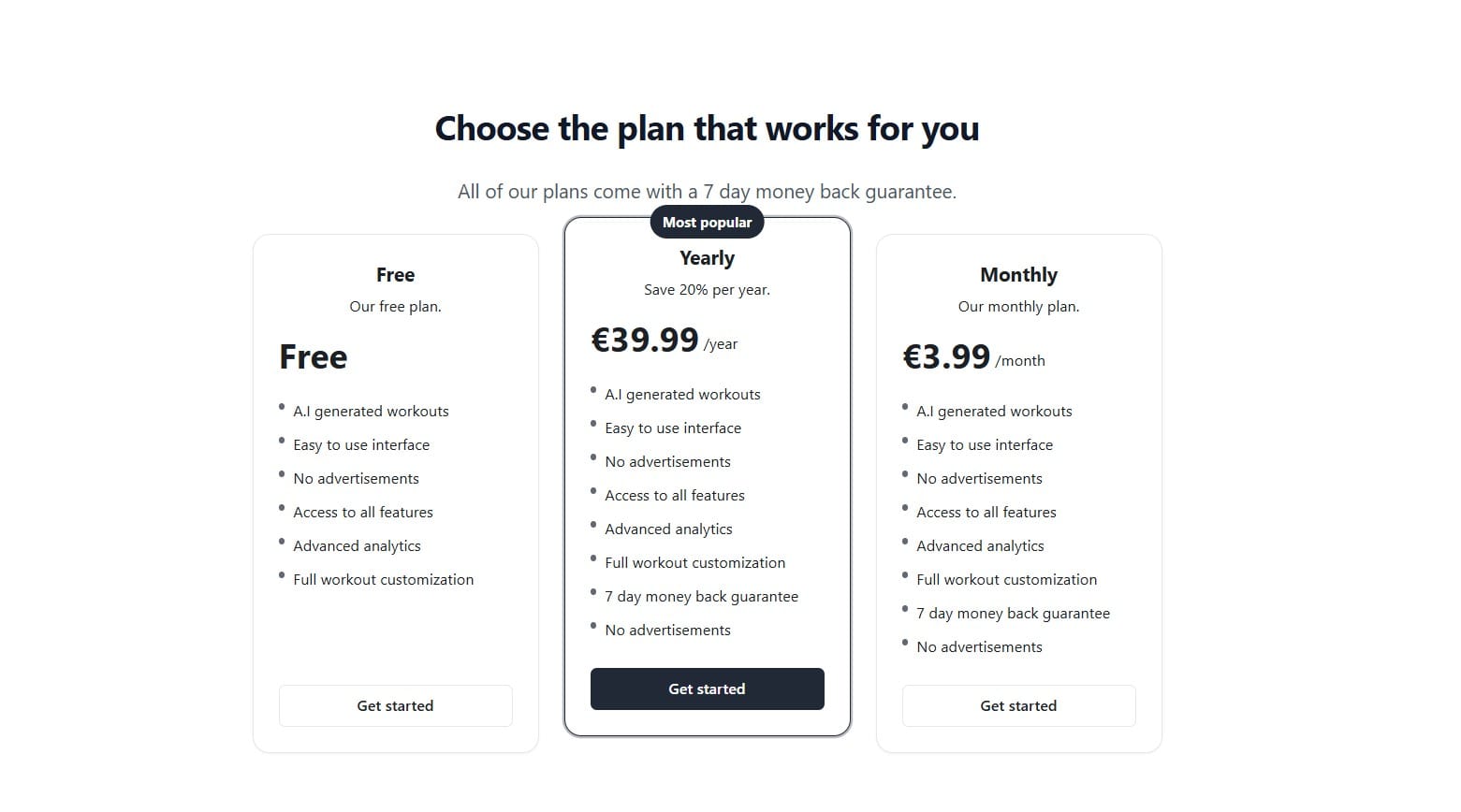
GymBuddy AI pricing is a subscription model with a free tier, a monthly plan, and a yearly plan. The paid plans include a 7-day money-back guarantee.
Plan
Price
Notes
Free
€0
Listed with AI workouts, advanced analytics, no ads, and full customisation
Monthly
€3.99/month
Unlimited access, “no token-based limits”
Yearly
€39.99/year
Marked “Most popular,” described as 2 free months
At the listed monthly price, 12 months would cost €47.88. That makes the yearly plan about 16.5%
cheaper (€7.89 saved). The pricing page advertises “Save 20%,” and the basis for that number isn’t clear from the displayed prices.
These are the gaps I hit while testing, and the questions I’d want answered before subscribing.
Free plan limits: not stated either way
The 20% saving: the basis isn’t explained
Does it adapt? I can’t say whether future workouts change based on what you log. I didn’t test it, so I won’t claim it
Analytics depth: my screens showed logging and empty goals, not charts
Exercise guidance: demo images, but no full videos on the screen I tested
Offline use: not confirmed
Other review pages mention wearable links, form analysis, or voice coaching. I couldn’t verify those. Some may describe different apps that share the GymBuddy name.
GymBuddy AI Availability: Web, Android, and iOS
App availability means which devices you can use the product on, and whether it needs an internet connection.
Be careful with store searches. Several unrelated apps use “GymBuddy” or “Gym Buddy AI” in their names. Install the one linked from the official site.
Some Google Play reviewers reported problems with an older version, and the developer replied that the version in question was quite outdated. Update before you judge it.
Offline mode: I couldn’t confirm it. The AI features likely need a connection, but I haven’t tested that. Try airplane mode with one saved workout before you count on it in a basement gym.
GymBuddy AI Pros and Cons
A pros and cons list weighs what an app does well against where it falls short.
Pros
Cons
Clean, easy interface
Free plan limits not stated
Low monthly price (€3.99)
“Save 20%” basis unclear
Built-in break timer
Analytics depth unclear from my screens
Exercise demo images
Small label errors (Leg Day tagged “arms”)
Trainer linking
No input checks on body measurements
Clear delete warnings
Offline use unconfirmed
GymBuddy AI vs a General AI Chatbot for Workouts
A general AI chatbot answers fitness questions in text, while a dedicated AI gym app turns those answers into saved, trackable sessions.
People often ask, “Is there a ChatGPT for fitness?” Any chatbot can write a routine. The gap shows up after you get the plan.
Feature
Dedicated app (GymBuddy AI)
General chatbot
Saved routines
Yes
Copy and paste yourself
Set, rep, and weight log
Built in
Not built in
Rest timer
Built in
No
Scheduled workouts
Yes
No
Open-ended conversation
Limited to the app’s chat
Very flexible
If you type into any AI chat, wording matters. Vague prompts get vague plans, and “don’t” instructions often get ignored. The section on more negative prompting explains why, and how to phrase limits like “no barbell” or “no jumping.”
Who Should Use GymBuddy AI (and Who Should Skip It)
Based on my testing, GymBuddy AI looks most suited to people who want structure and a simple log without paying for a trainer.
A good fit if you are:
New to the gym, or returning after a long break
Training at home with limited equipment
Someone who prefers a simple log over heavy analytics
Skip it if you:
Need injury-specific rehab guidance (see a physiotherapist)
Want deep nutrition tracking
Compete and need advanced programming
How to Get More From an AI Workout Planner
A good AI workout routine only helps if your inputs are honest and you actually record the session.
✅ Check units before saving. Kilograms and centimetres, as the settings ask.
✅ Be specific about equipment. “Dumbbells only” beats “home.”
✅ Fill in every set. Zeros in the table mean no data to review.
✅ Adjust rest by lift. Use the ±15s buttons.
✅ Use the notes box for sleep, pain, and energy.
For a general health baseline, the World Health Organization recommends adults include muscle-strengthening activity on two or more days a week.
Data, Privacy and Account Control
Data management means how an app lets you view, keep, or remove your personal and workout information.
Settings include a Delete account button under Data Management, which is a good sign for control. Still, AI tools do shut down.
Read the official privacy policy before entering body data.
Final Verdict: Is GymBuddy AI Worth It?
GymBuddy AI is worth a trial if you want a simple way to generate, follow, and log workouts.
Here is what the low price covers:
AI-generated workouts and saved routines
Set, rep, and weight logging with a break timer
Goals, notes, and trainer linking
A free plan, plus a 7-day guarantee on paid plans
What I couldn’t verify: adaptive plans, analytics depth, and offline use.
Conclusion
The site’s “Tips, Tricks & Recipes” section goes beyond basic workout instructions, offering practical guides such as the hex dumbbell press, a 3-day full-body split, and a Couch to 5K running plan. What makes the content more useful is that it often explains the why behind each exercise or routine instead of simply telling you what to do. That extra context can help beginners understand how a movement fits into a larger training plan, what they are working toward, and how different routines can support specific fitness goals. If you prefer to understand the reasoning behind your workouts rather than blindly follow a list of exercises, this section provides useful guidance alongside the actual routines.
FAQs
Q. Which AI is best for gym workouts?
There is no single best one. Dedicated apps like GymBuddy AI suit people who want saved routines and a log. General chatbots suit people who want flexible advice. Many people use both.
Q. Is there a ChatGPT for fitness?
Yes, there are AI chat tools built for fitness, and general chatbots can also write routines. The difference is tracking: fitness apps store sets, reps, weight, and schedules for you.
Q. What is a gym buddy?
A gym buddy is a workout partner who keeps you accountable. Here, “GymBuddy” is the app name, and it acts like a digital training partner.
Q. Is there a free AI gym app?
Yes. GymBuddy AI currently lists a Free plan with AI-generated workouts, advanced analytics, full customisation, and no ads, according to its pricing page. Usage limits aren’t spelled out, so check before you rely on it.
Q. How much does GymBuddy AI cost?
Paid plans cost €3.99 per month or €39.99 per year and include a 7-day money-back guarantee, according to the current pricing page.
Q. Does GymBuddy AI work offline?
I couldn’t confirm offline support. Test one saved workout without a connection first.
Q. Is GymBuddy AI on iPhone and Android?
The service works in a browser, and a Google Play listing exists under the developer’s account. Use the links on the official site to avoid similarly named apps.
Q. Can I link a trainer or delete my account?
Yes to both. Settings has a trainer code option under My Trainers and a Delete account button under Data Management.
Disclaimer: I tested GymBuddy AI firsthand to assess its features, pricing, and user experience. I’m not affiliated with GymBuddy, and this review is based on my testing. Pricing, features, and availability may change, so check the official site for the latest information.
Tags:
Zyra Lane
Zyra Lane is a technology analyst and AI storyteller exploring the forces shaping the future of business and innovation. She turns complex trends into clear, actionable insights, helping readers see what’s next in a rapidly evolving digital world.