Is Civitai the Best AI Model Hub in 2026? Features, Costs & Alternatives
Is Civitai worth using in 2026? For most AI image makers, yes. It still holds the deepest library of community checkpoints and LoRAs, and popular images show the exact prompt behind them.
It has also grown messier. Civitai split into two websites in April. It sells credits in three colors. Its creator rules changed again in July. This review sorts out what matters before you spend a cent.
Quick verdict: Use Civitai to find models and pick up prompt tricks. Its cloud generator is cheap and flexible. If you only want quick pictures, a simpler app will feel easier. If you build serious workflows, keep local copies of every model you use.
Civitai at a Glance
Category
Rating
In one line
Model library
5/5
Huge range, each model with example images
Cloud generator
4/5
Wide model choice and full controls
Creator tools
4/5
Free analytics; payouts sit behind a high bar
Safety
3.5/5
Scans help, but local setups need care
Ease of use
3/5
Busy pages and two websites
Pricing clarity
3/5
Cheap per image; credit rules take time
What Is Civitai and How Does It Work?
Civitai is a community platform where people share, download, and run generative AI models, mainly checkpoints and LoRAs, along with the images those models make. Justin Maier founded it in 2022. It has since become the go-to library for fine-tuned image models.
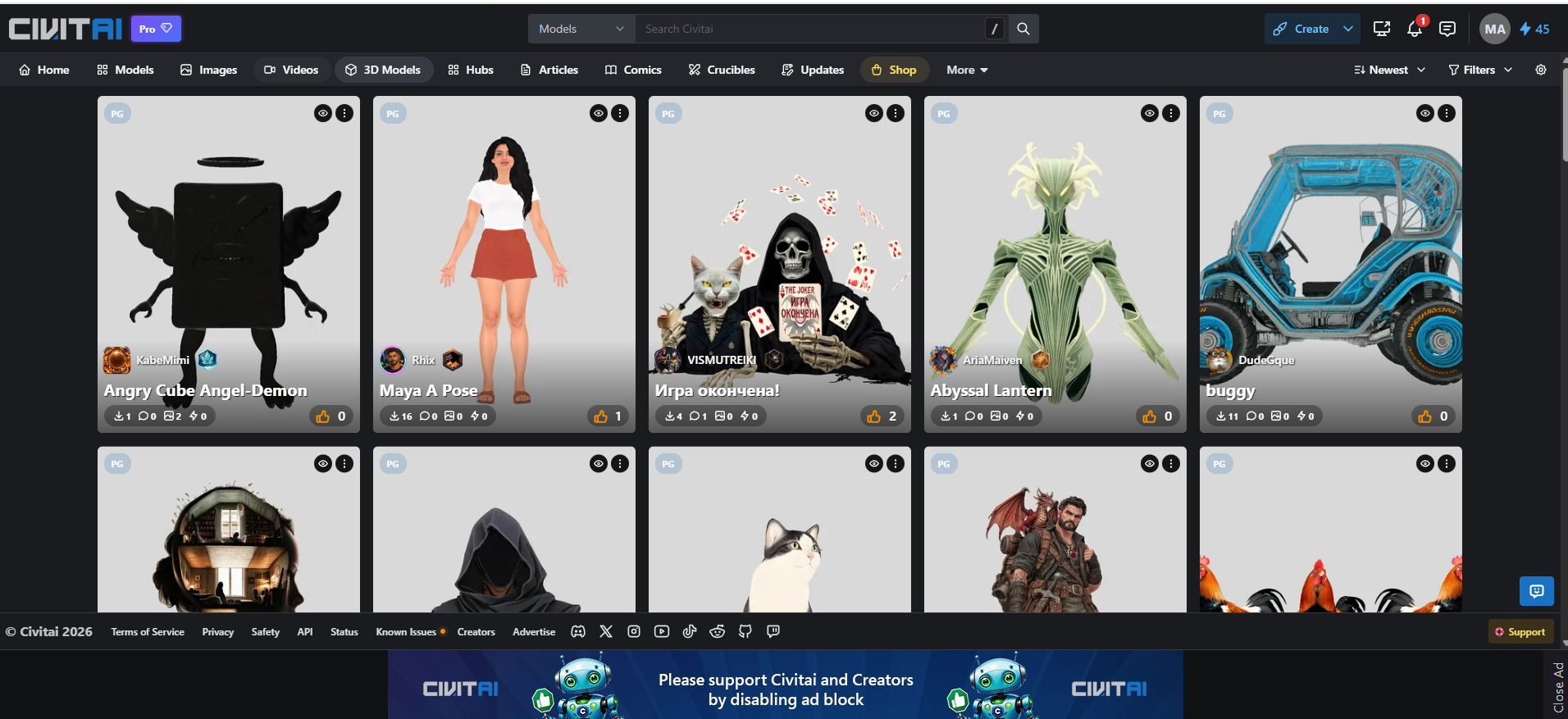
Discovery, Cloud Studio and Marketplace
Civitai does three jobs. You can use any one and ignore the rest.
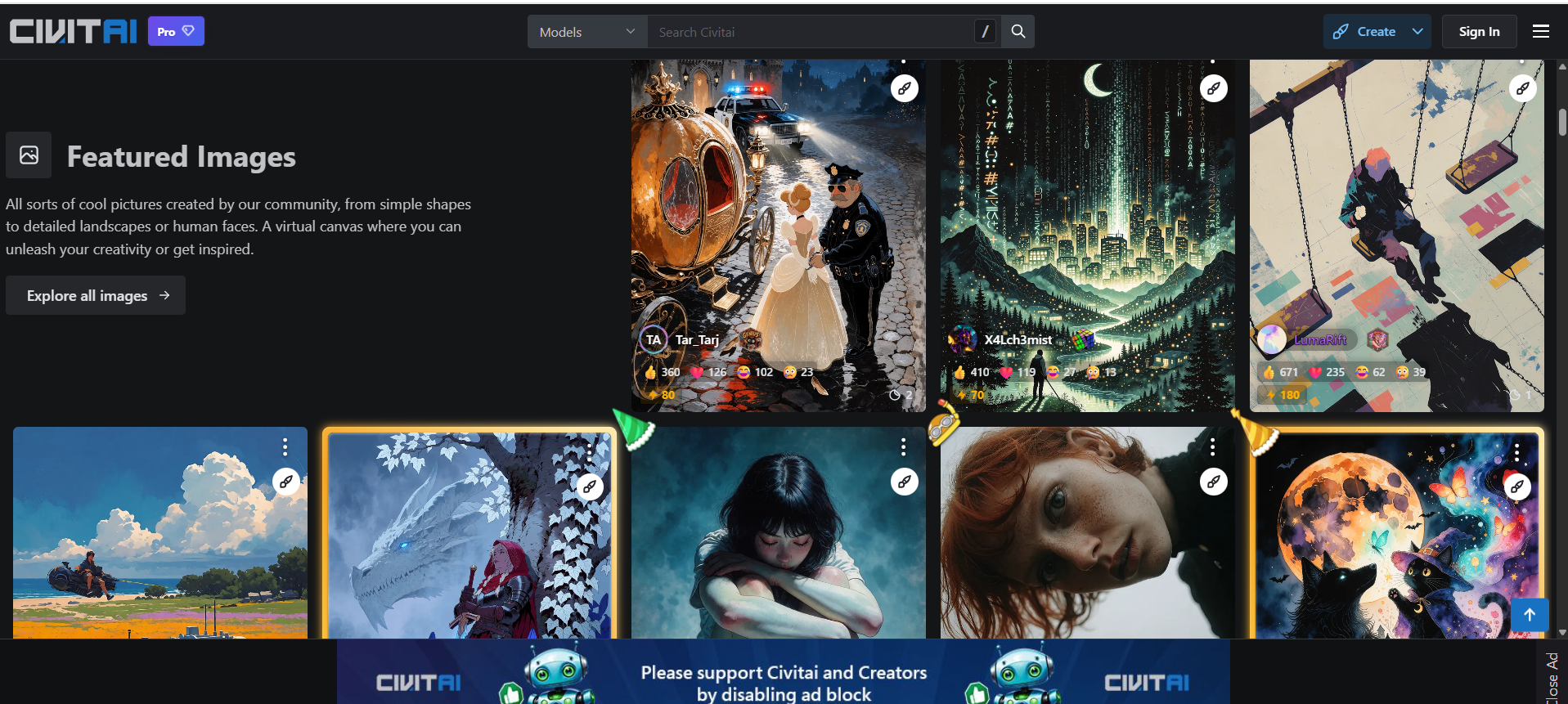
Discovery: a searchable library of checkpoints, LoRAs, embeddings and ComfyUI workflows, each with sample images and settings.
Cloud Studio: a browser generator that runs those models on Civitai’s servers.
Marketplace: tools to publish, train, sell and promote models, plus tips, bounties and contests.
Checkpoints, LoRAs and Workflows
A checkpoint is a full image model. It sets the overall look and quality. A LoRA is a small add-on that teaches a checkpoint one style, character, or concept. A workflow is a saved ComfyUI node graph you load and run.
One rule saves hours: a LoRA only works with the model family it was trained on. A Flux LoRA won’t behave inside an Illustrious checkpoint, so read the base-model tag on every card. Anime artists hit this wall most often, and it shapes how they pick anime AI art generators.
The VRAM Wall: Why Many Users End Up in the Cloud
Modern base models have outgrown mid-range graphics cards. The full FLUX.1 dev file weighs 23.8 GB. Its FP8 build still needs about 11.9 GB, and the ComfyUI team pitches that version at cards with under 24 GB of video memory.
Compressed GGUF builds go further. A Q4 version of a Flux model fits in about 6.5 GB, while Q8 lands near 12 GB, with some quality loss at the smaller end. So an 8 GB card owner faces a tough trade-off: run heavily compressed models or rent compute.
That pushes many people into the Cloud Studio out of need, not convenience. Remember it once you reach the pricing section.
Civitai vs Civitai Red: What Changed in 2026?
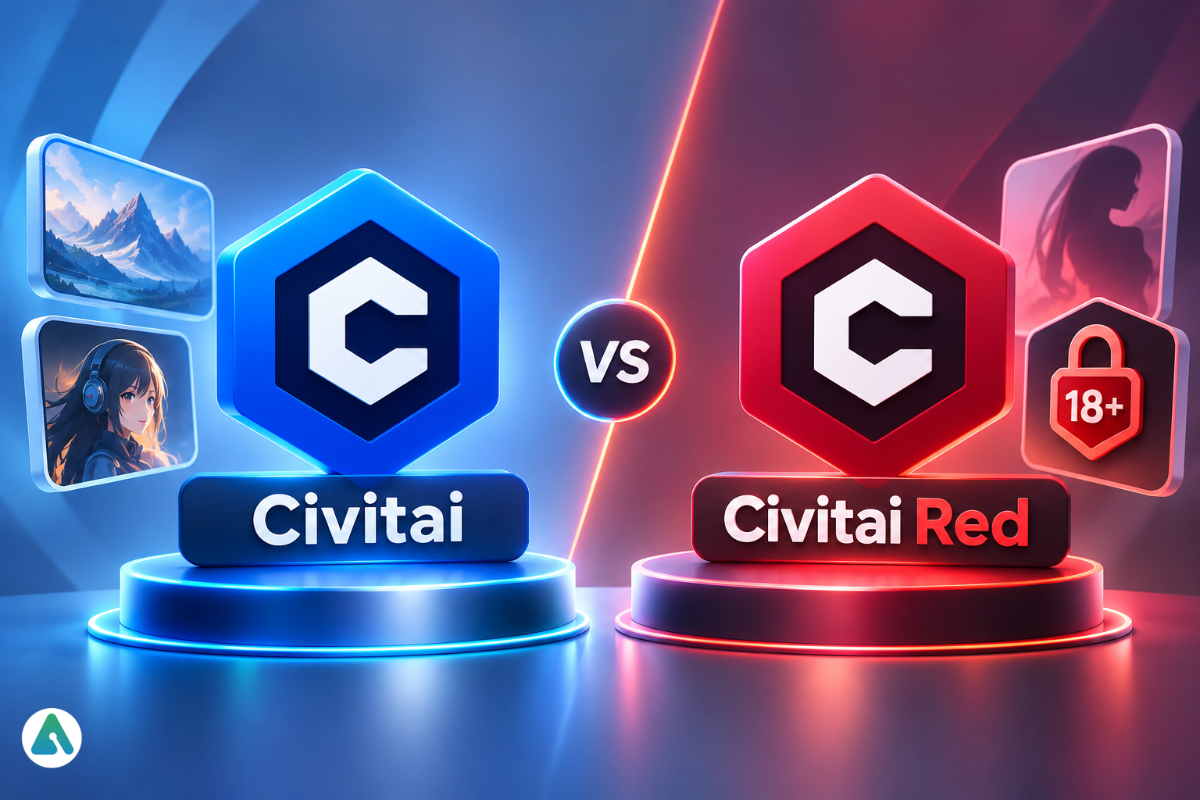
Since April 2026, civitai.com shows only safe-for-work content up to PG-13, while civitai.red carries the full catalog Civitai’s policies allow, including mature content. One account works on both. The old civitai.green address now redirects to civitai.com.
Payment processors drove the split. Card networks refused to back a single site that also hosted adult material. Civitai answered by moving mature content to its own domain with separate payment rails, which keeps card billing alive on civitai.com.
Civitai.com
Civitai.red
Content ceiling
PG/PG-13
Full range allowed by policy and your filters
Paying for credits
Cards
Crypto
Account, follows, uploads
Shared
Shared
Membership checkout
Here
Sends you to .com
Minimum age
18+
18+
Before you panic about a missing page, remember four things:
One login covers your profile, models, gallery, and followers on both sites.
Filtered isn’t deleted. A model rated above PG-13 disappears from .com but may still live on .red.
Banned stays banned. Civitai’s content rules apply on both domains.
The API stayed put. It still runs on civitai.com and answers through civitai.red too, though some third-party tools needed patches.
Mature image generation draws many people to civitai.red. It isn’t the only route, though, as several NSFW-friendly AI tools now compete for the same audience.
Civitai Cloud Studio Review: Tests and Usability
Civitai’s Cloud Studio is a browser-based generator that runs models on Civitai’s servers, so you can make images, video, audio, and 3D without a local GPU and pay per job in Buzz. It slides open from almost any page. You go from admiring an image to making your own in seconds.
How a Generation Works
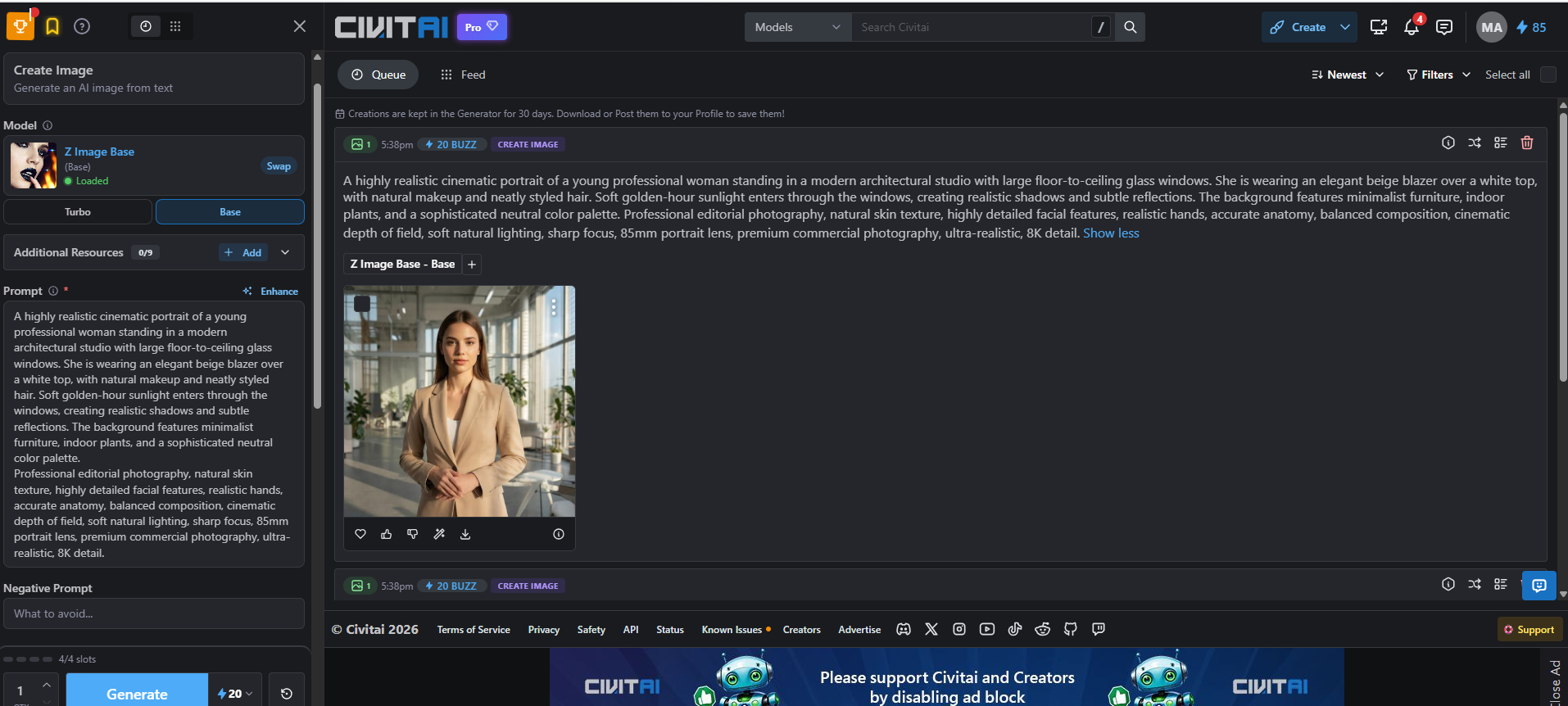
Pick a mode and model. Tabs switch between image, video, audio, and 3D. Z Image Base, for example, offers a quick Turbo mode and a fuller Base mode.
Stack resources. Add up to nine LoRAs or embeddings.
Write the prompt. An Enhance button expands short ideas, and a separate field tells the model what to leave out.
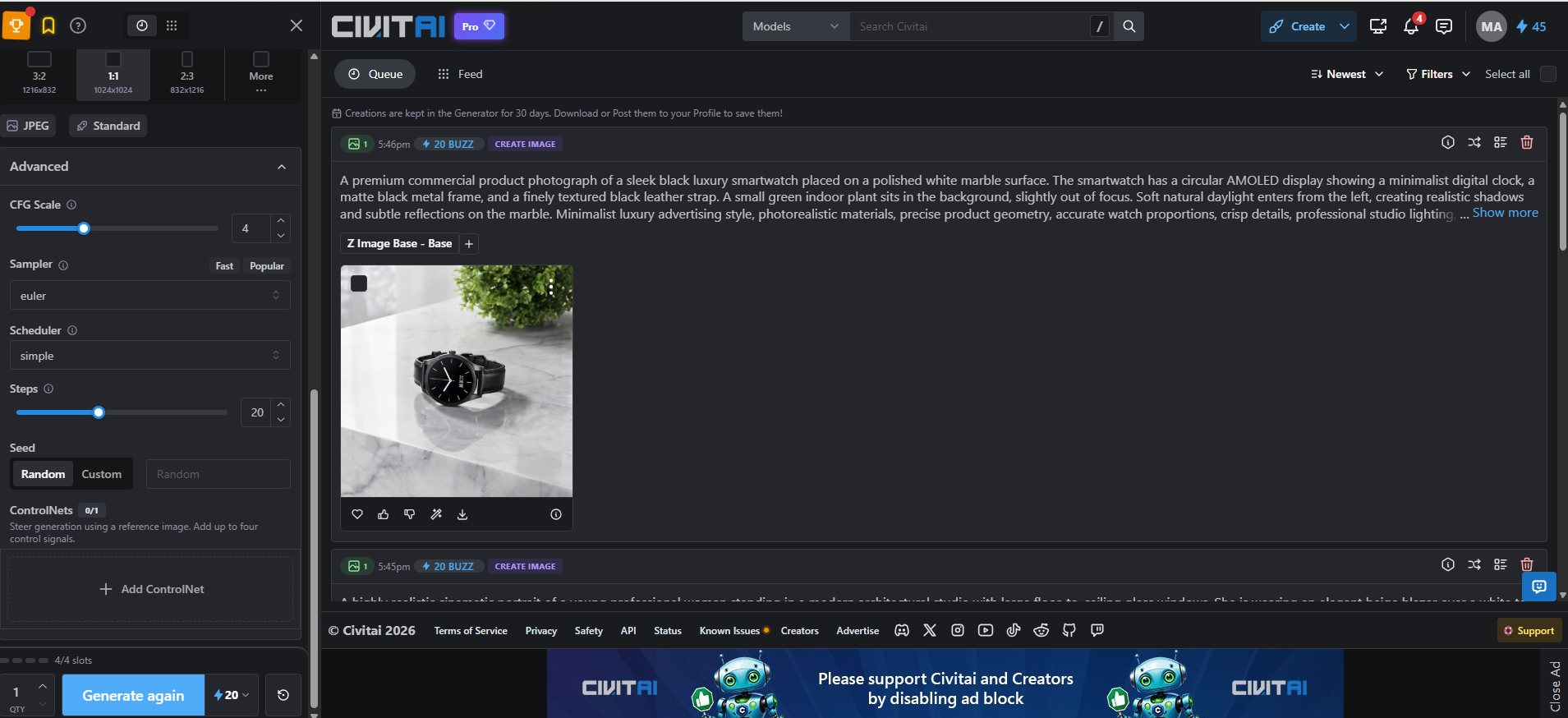
Set the frame. Presets include 3:2 (1216×832), 1:1 (1024×1024) and 2:3 (832×1216).
Tune if you like. CFG scale, sampler, scheduler, steps, and seed all sit in view. ControlNet steers composition from a reference image with up to four control signals.
Check the price, then run. The Generate button shows the Buzz cost first. Results stay in your Queue for 30 days, so save keepers early.
The Remix button deserves a mention. It copies any community image’s prompt, model, and settings into your panel, which makes it the fastest prompt teacher on the site.
The model list keeps growing too. Civitai’s September and October 2026 updates added FLUX 3, Krea 3, Flux.3 Klein, Ideogram 4.5 editing, and Sonilo for music. Video engines bring their own trouble, like faces that drift mid-clip, but most motion and consistency glitches have known fixes.
Test Results: Two Everyday Briefs
Brief
Cost
Result
Weak spot
Editorial portrait: professional in a beige blazer, glass studio, golden-hour light
Product shot: black smartwatch on white marble, soft-focus plant
20 Buzz
Crisp product shape and convincing marble reflections
Asked for a digital face; got analog hands
Each image cost about two cents at the standard pack rate. Light and materials landed well. A small, specific detail drifted, so budget a few rerolls for exact briefs.
These runs cover still images only. Text in images, crowded scenes, video, and ControlNet sit outside this test, so try a few sample runs before you depend on them.
Usability: Smooth Spots and Friction
Smooth: the generator panel reads logically, and every job shows its price upfront.
Smooth: the queue keeps prompt, model, and cost together, so reruns take one click.
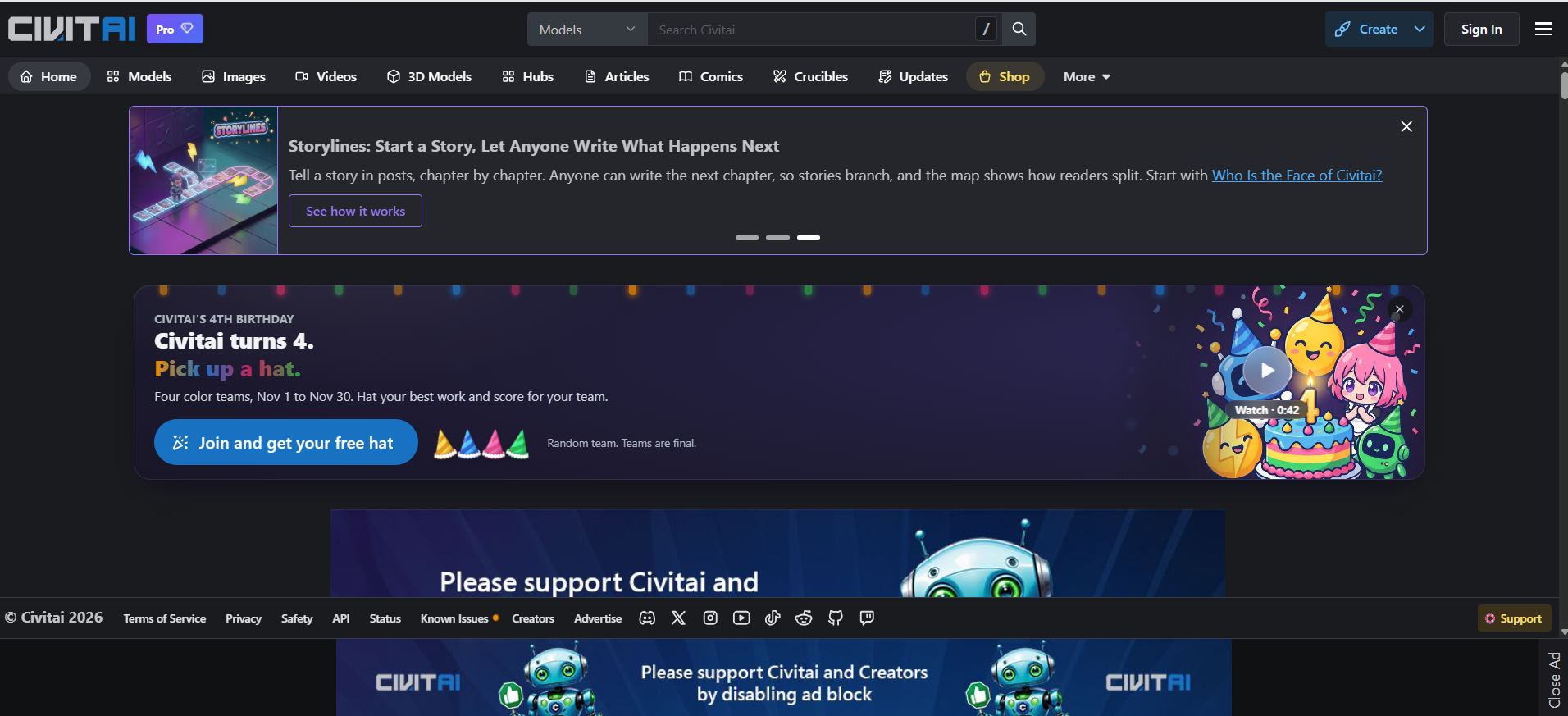
Friction: promo banners, event cards and ad-block requests crowd the homepage.
Friction: tiny base-model tags make it easy to grab a LoRA that won’t fit your checkpoint.
Pairing Civitai With Local Tools
Power users treat Discovery as a download source for ComfyUI, Forge, or Automatic1111. A few helpers make that smoother:
Civitai’s official command-line client downloads models straight into a ComfyUI folder layout.
Civitai Helper, a community extension for Automatic1111-style interfaces, pulls previews and model info.
ComfyUI nodes such as Lora-Auto-Trigger-Words fetch trigger words through the Civitai API.
Community extensions run third-party code. Install them only from maintained public repositories.
Civitai Buzz and Pricing in 2026
Buzz is Civitai’s internal credit for generation, training, tips, and other paid actions. Blue Buzz comes free from activity, Green Buzz is bought by card on civitai.com, and Yellow Buzz is bought with crypto on civitai.red. Blue works on both sites.
The color rules hide a trap. Green and Yellow never convert, because card networks forbid card-bought credits from funding mature content. Buy Green on .com, then shift your work to .red, and that balance sits stranded. Decide where you’ll create before you top up.
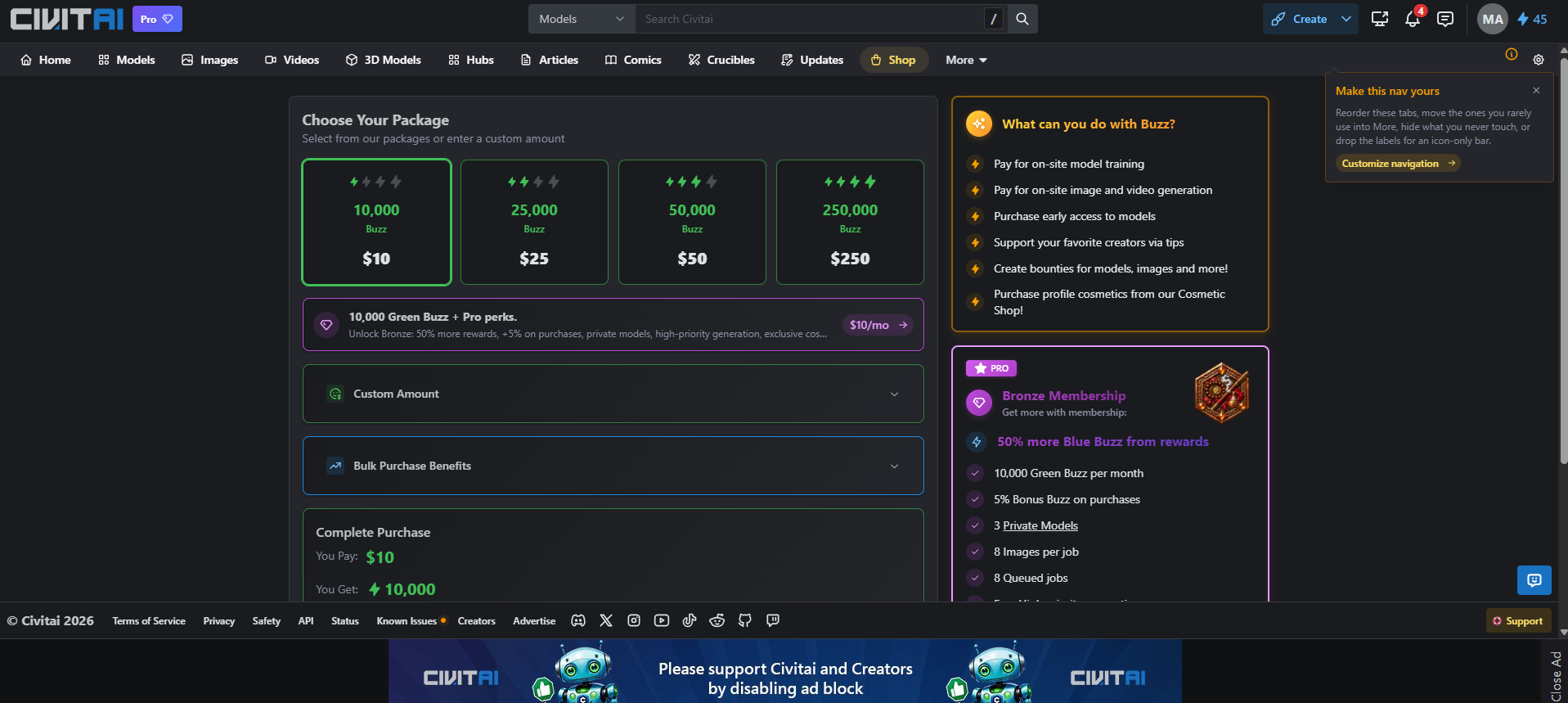
Standard packs run 10,000 Buzz for $10, 25,000 for $25, 50,000 for $50, and 250,000 for $250. That’s 1,000 Buzz per dollar, and bulk bonuses or membership perks trim it a little further.
What Things Actually Cost
Activity
Typical cost
Notes
Still image (Z Image Base)
20 Buzz
Our test runs; other models cost more or less
Video
Varies by engine, length, and resolution
The Generate button shows the price first
LoRA training
About 500 Buzz for SDXL; from 2,000 for Flux
Early-2026 walkthrough figures; the trainer quotes yours
Local generation
No Buzz
You pay in hardware, power, and setup time
At 20 Buzz a picture, $10 buys roughly 500 still images. Buzz also covers early-access models, creator tips, bounties, Shop cosmetics, and bids for featured placement.
Free vs Bronze, Silver and Gold
Civitai now labels its paid plans “Pro,” with Bronze as the entry tier.
Free
Bronze
Silver
Gold
Price
$0
$10/mo
$25/mo
$50/mo
Monthly Buzz
Earned only
10,000
25,000
50,000
Crucibles running at once
1
2
3
5
Bronze doubles batch size to 8 images per job and the queue to 8 jobs. It adds three private models, 50% more Blue Buzz from rewards, a 5% purchase bonus, and high-priority generation. Since August 2026, Civitai also sells a perks-only membership paid in Buzz.
Is a Membership Worth It?
Bronze’s 10,000 monthly Buzz costs exactly what the $10 pack costs. So the perks only pay off if you’d spend that $10 anyway.
Your usage
Best option
Why
Download and run models locally
Free
You need no Buzz
A few cloud images a week
Free
Daily Blue Buzz covers it
One project every few months
One-off pack
No charge for idle months
$10+ of Buzz every month
Bronze
Same Buzz, bigger batches, priority
Selling models, frequent training
Silver or Gold
Higher caps justify the cost
Is Civitai Safe?
Civitai is reasonably safe for adults who download safetensors files, vet their local tools and lock down their account. No platform scan, though, can vouch for your whole local setup.
Downloads and Your Local Setup
Old .ckpt and .pt files rely on Python’s pickle system, which can run hidden code the moment a file loads. The .safetensors format stores only weights, so it can’t carry that payload. Civitai runs every upload through ClamAV antivirus and PickleScan, as its team explained in a GitHub thread on file scanning.
That scan checks the model file, not the tools around it. Watch these too:
Custom ComfyUI nodes run as ordinary Python on your machine.
Extensions for local interfaces carry the same risk.
Bundled scripts or installers deserve suspicion by default.
Unofficial mirrors may host altered files.
Content, Likeness and Regional Rules
You must be 18 or older to use Civitai. In May 2025, the platform banned models built to copy real people’s likenesses, citing payment pressure and laws like the US Take It Down Act.
Civitai has also blocked UK visitors since July 24, 2025, pointing to the Online Safety Act’s compliance burden. It says it will reassess only if the rules change, so don’t build a team workflow that assumes every collaborator can reach the site.
Account Safety and the “Civitai App” Question
Turn on two-factor authentication early. A real Buzz balance makes your account worth stealing. Civitai also has no official mobile app. An App Store listing named “CivitAI – Image Video Generator” comes from an independent seller, so keep your login away from it.
Can You Use Civitai Models Commercially?
Commercial use depends on two licenses: the model’s own and the base model’s. A free download never means free commercial rights.
Run through this list before any paid project:
The model’s license on its Civitai page, including limits on selling images.
The base model’s license. FLUX.1 dev, for instance, ships under a non-commercial license, and fine-tunes built on it inherit that question.
Attribution rules, if the creator asks for credit.
Merge and resale terms, if you plan to build on the model.
Civitai’s Terms of Service, which also cover images made in the Cloud Studio.
When a license looks unclear, treat the model as personal-use only.
Why Civitai Models Disappear (and How to Protect Your Work)
CivArchive, often called Civitai Archive, is an independent search engine that indexes AI models by SHA256 file hash, so you can track mirrors of models that vanish from Civitai. It hosts no files itself. Its founders built it after a wave of sudden model removals.
Models vanish through policy removals, creator deletions, takedowns, or a rating change that hides them on .com. The page often takes trigger words, settings, and license terms with it. Use Discovery as a finding tool, not a vault, and keep these for every model you depend on:
The file, its SHA256 hash and version ID
Trigger words and recommended settings
A copy of the license and creator credits
A prompt and seed that reproduce your best result
Vet any mirror like a fresh download. A reupload can carry a different license or a tampered file.
Civitai for Creators: The Payout Reality
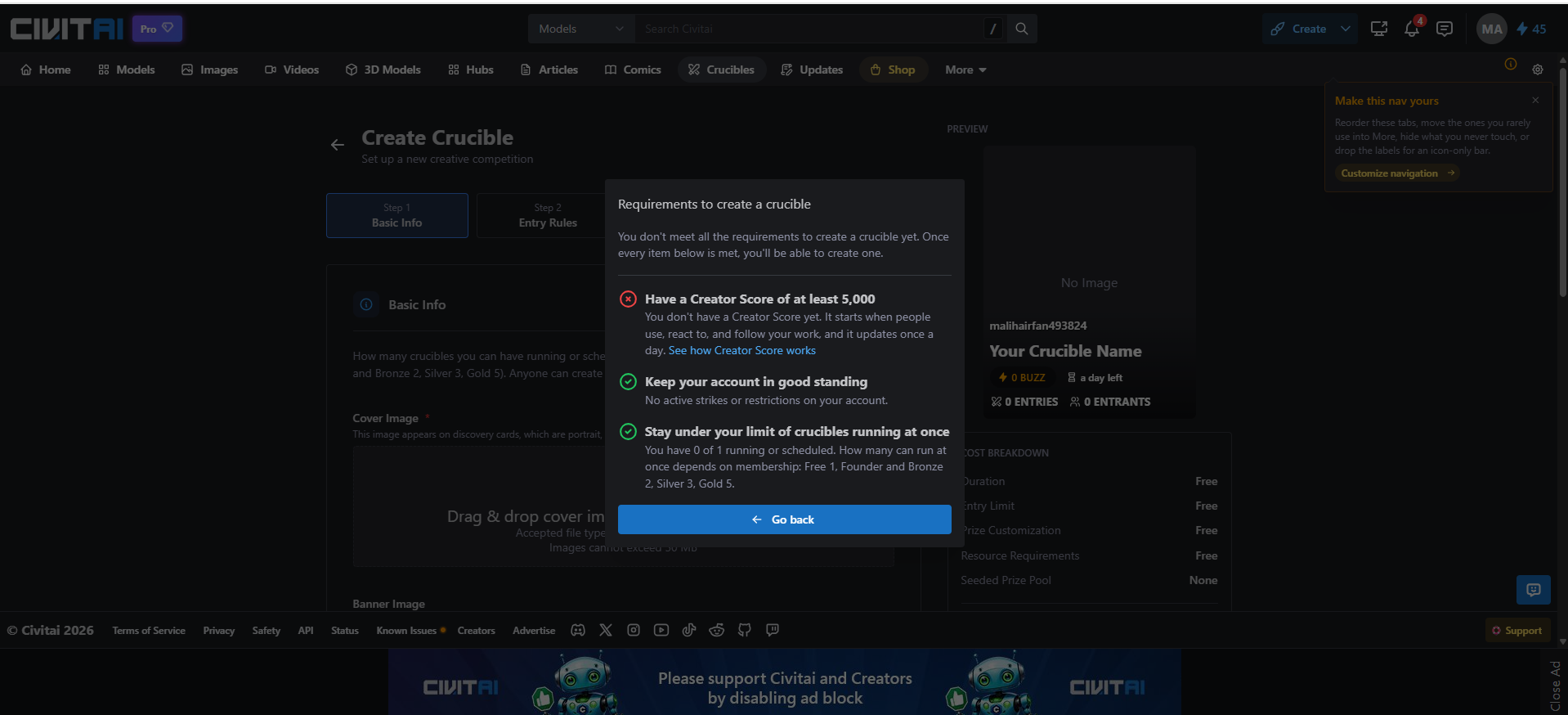
Creator Score is Civitai’s daily-updated measure of how people use, react to, and follow your work. Anyone can publish and track stats, but only Creator Program members can cash out.
Feature
Who gets it
Creator Studio analytics and earnings view
Every creator
Timed early access for new models
Every creator; length scales with score
Hosting a Crucible contest
Creator Score of 5,000+
Payouts, per-generation license fees, model sales
Score of 40,000+ plus a paid membership
Models for sale at once
Bronze 10, Silver 25, Gold unlimited
Civitai’s Creator Studio announcement confirms analytics stay free for everyone. The July 2026 update also scrapped the flat 25% creator share on each generation and let Program members set their own license fees.
The trouble lies in that 40,000 score. It’s a high bar that puts cash payouts out of reach for many hobbyists and niche model builders. Their models can still earn money for the Cloud Studio while they collect nothing, and some creators have pushed back publicly on exactly that point. In practice, the Marketplace now rewards established names. Smaller builders should use Civitai mainly for distribution.
Common Civitai Problems and Quick Fixes
Problem
Likely cause
Fix
LoRA does nothing
Missing trigger words or wrong base model
Copy trigger words; match the base tag
Model page vanished
Rating filter or removal
Try Civitai.red, then CivArchive
Buzz won’t spend
Wrong color for the site
Match Green to .com, Yellow to .red
Jobs stuck in queue
Peak load and free-tier limits
Run off-peak or use priority generation
Old images gone
30-day queue limit
Download keepers right away
Bookmarks or scripts break
Links from before the split
Test them on both domains
Site won’t load
Outage or regional block
Use the Status link in the site footer
Best Civitai Alternatives in 2026
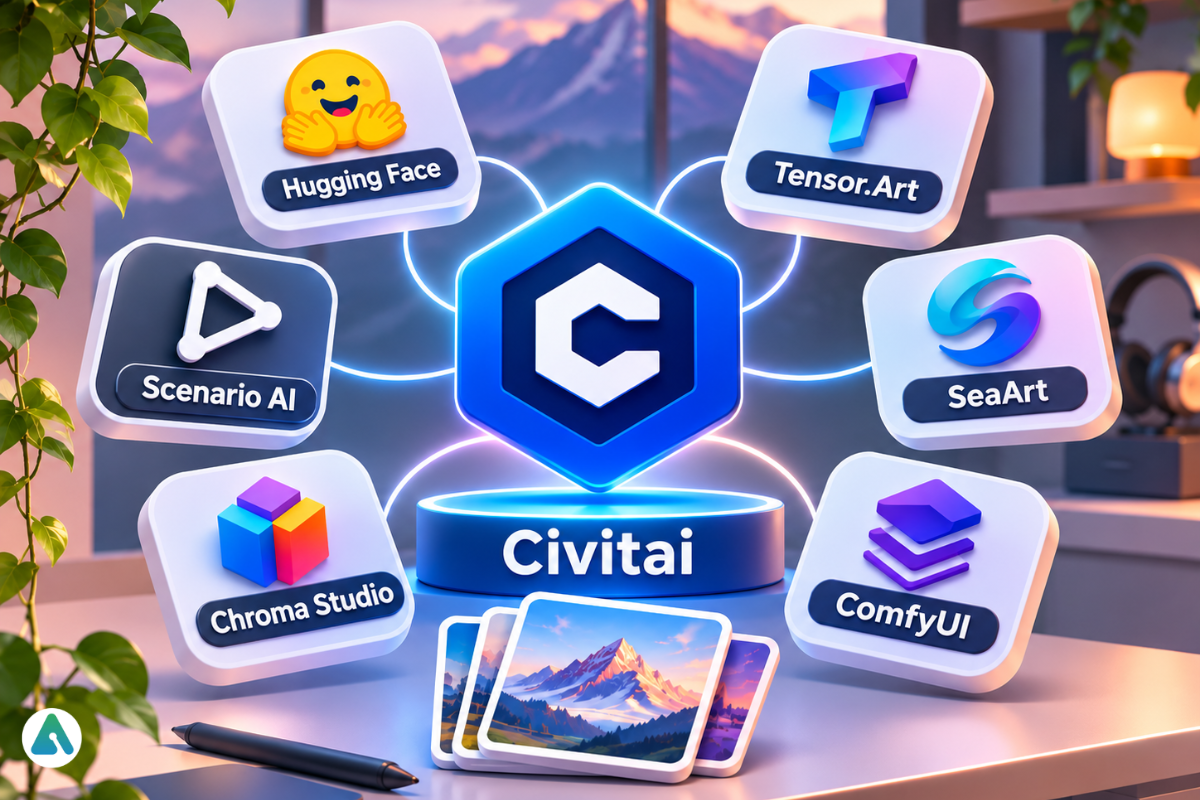
No single site copies Civitai’s mix of model library, community examples, and cloud generation. The right alternative depends on which job you need, and often you’ll combine tools instead of switching.
Platform
Best at
Switch when
Combine when
Hugging Face
Hosting and versioning model files
You need clear licenses and version history
You want a durable source copy
Tensor.Art
Hosted browsing plus generation
You want similar tools under different rules
You compare one model across two generators
SeaArt
Quick, beginner-friendly images
You just want pictures
Rarely; it serves a different user
ComfyUI
Local, repeatable workflows
You own a strong GPU and want zero per-image fees
Almost always: Civitai finds, ComfyUI produces
One more group now competes with the Cloud Studio: all-in-one hubs that bundle many paid image and video engines under one credit balance. Chroma Studio’s multi-model setup shows how that approach trades community models for convenience. Game studios face a different problem, since they need matching assets across dozens of images, and tools built around custom model training target it directly.
Is Civitai Worth It in 2026? Final Verdict
Civitai is worth it in 2026 for anyone who wants community models and working prompt examples. It suits people less well if they just want the simplest image app.
Pros
Cons
Huge model library with prompts attached
Two sites and three credit colors confuse newcomers
Cloud generation for images, video, audio, and 3D
Models can vanish without warning
Low per-image cost on mid-tier models
Busy, ad-heavy pages on free accounts
One-click remixing teaches prompting fast
Blocked in the UK
Free analytics for every creator
Payouts favor established creators
Local creators get the most from Discovery feeding into ComfyUI. Owners of 8 GB or 12 GB cards will lean on the Cloud Studio, and the per-image price makes that a fair deal. Beginners who only want pictures may prefer hosted AI image generators built purely for speed.
Start free. Browse a few models, remix one image you like, and note what a job costs. Pay only when your monthly Buzz spend matches a membership, and back up every model that matters.
FAQs
Q. What is Civitai used for?
People use Civitai to find and download AI models like checkpoints and LoRAs, generate images and video in the browser, study prompts from community posts, and publish or sell their own models.
Q. How much does Civitai cost?
Browsing, downloads, and light generation cost nothing. Memberships run $10, $25, or $50 a month, and Buzz packs start at $10 for 10,000 Buzz. A still image on Z Image Base costs 20 Buzz.
Q. Is Civitai safe?
Mostly. Stick to .safetensors files, vet any custom nodes or extensions, and turn on two-factor authentication. You must be 18 or older to use the site.
Q. Is Civitai Red down right now?
Open the Status link in the footer of any Civitai page, plus the Known Issues list beside it. Both domains share one platform, so outages usually hit both. If the status looks fine, clear your cache and try the other domain.
Q. Why did a Civitai model disappear?
Civitai may have removed it under policy, its creator may have deleted it, or a rating change may have hidden it on civitai.com. Try civitai.red first, then search CivArchive by name or file hash.
Q. Is there an official Civitai app?
No. Civitai runs in mobile browsers, and developers get an official API and command-line client. App Store listings using the Civitai name come from independent sellers.
Q. Can I sell images made with Civitai models?
Only when both the model’s license and its base model’s license allow commercial use. Read both, plus any attribution or resale rules, before a paid project.
Disclaimer: This review is based on platform research and hands-on testing of selected Civitai features. I am not affiliated with, sponsored by, or officially associated with Civitai. Pricing, Buzz costs, content policies, and membership benefits may change, so verify the latest details on Civitai’s official website before making a purchase.
Tags:
Maliha Irfan
Maliha Irfan is an AI and technology writer specializing in AI tools, AI agents, automation, and emerging software. Her work explores how AI technologies perform in real-world scenarios, what features they offer, and where their limitations lie. She focuses on practical reviews, hands-on testing, and evidence-based insights to help readers understand AI products, compare available solutions, and make informed decisions about adopting new technologies.