SamanthaAI Review 2026: Is MySamantha Worth Trying?
Search “Samantha AI” and the results scatter. You get a film character, an Apple system voice, custom chatbot personas, and a productivity app. Most people close the tab, confused.
The app is MySamantha, built by Zemuria Venture Studio. It puts notes, to-dos, journal entries, email, calendar, and meeting transcripts on one dashboard. An assistant named Samantha sits on top and speaks only when you ask. Most AI tools start with the chatbot and add organization later. This one starts with the page.
When people search for “Samantha AI,” they may be looking for an AI companion, a voice assistant, a chatbot persona, or the fictional AI from Her (2013). AI companions are popular for natural conversations and personalized interactions, but this review focuses on a different product: MySamantha, a productivity workspace developed by Zemuria Venture Studio.
This guide sorts out the name mix-up, walks through the features, and breaks down 2026 pricing. It also shows who should try the app and who should skip it. Every claim comes from the product pages and app listings.
What Is SamanthaAI?
SamanthaAI usually refers to MySamantha, a productivity workspace with an optional AI assistant named Samantha, from Zemuria Venture Studio. It brings notes, tasks, journaling, email, calendar, and meetings together.
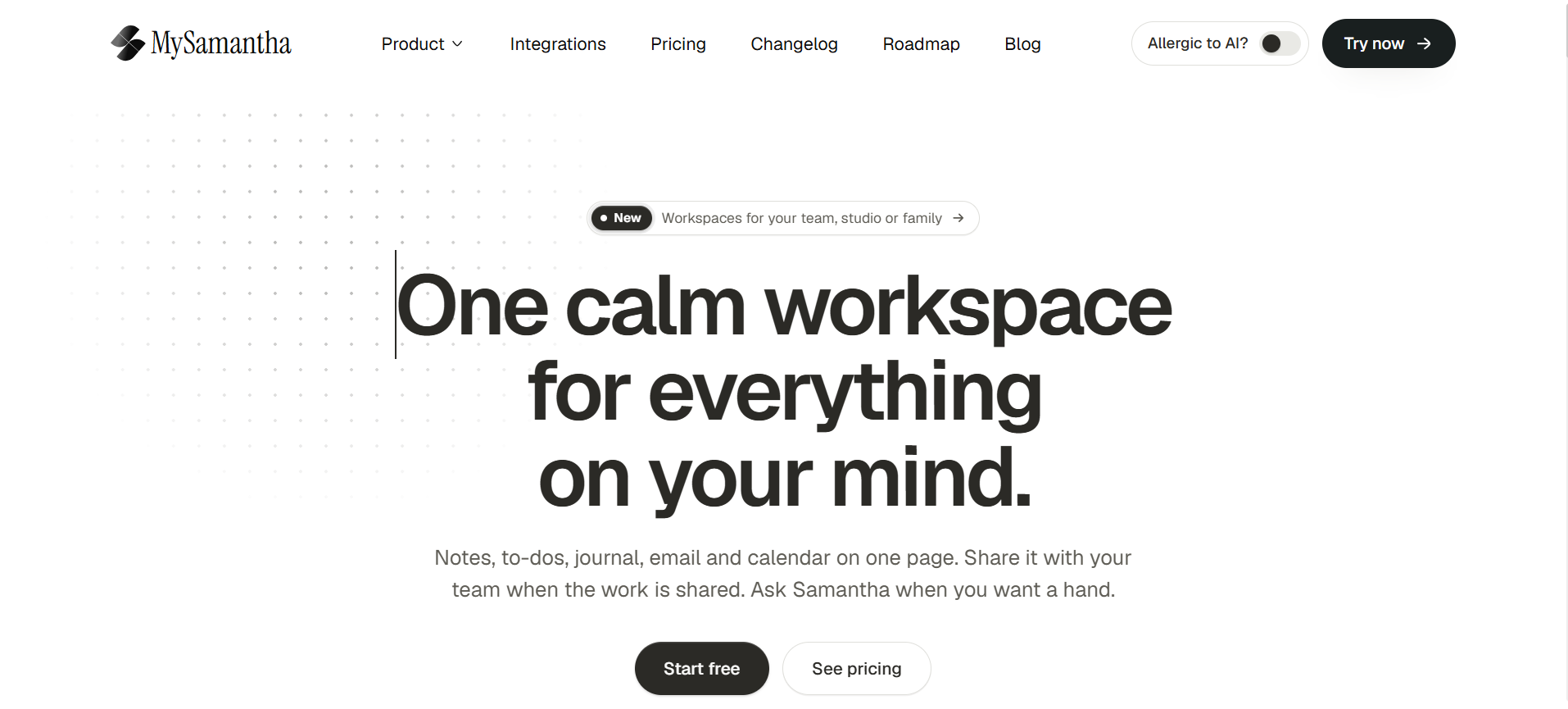
The homepage pitch is simple: one calm workspace for everything on your mind. You can use it on the web, on Android through Google Play, and with a Chrome extension that clips pages and records meetings. Product details sit on the MySamantha official website.
Many AI tools start with the chatbot and add organization later. MySamantha flips that order. The workspace comes first, and the AI helps when you call on it.
Which Samantha Do You Mean?
What you searched
What it usually means
Link to MySamantha
Samantha AI app
MySamantha, a productivity app with optional AI
This is the one
Samantha AI movie
The AI operating system in Her (2013, directed by Spike Jonze)
Inspiration only
Samantha AI
AI companion, a voice assistant
None
Sesame AI
A separate company building conversational voice AI
None found
Samantha ChatGPT
Personas that users build inside chatbots
None
The film needs a closer look. Zemuria says Her inspired the product. The goal is an assistant that stays close and understands your day. The execution differs. The movie’s Samantha is a fictional voice you can’t download. MySamantha is software that organizes tasks and information.
Voice also needs a caveat. The chat box has a microphone button, and the Chrome extension records meetings with AI transcription. Nothing I found sells it as a talking companion. If you want conversation, try a voice-first tool like Sesame AI. If you want roleplay, story apps like Zeta AI fill that gap.
Core Features of the MySamantha App
MySamantha’s core features are a unified workspace, an optional AI assistant, flexible organization tools, and imports from other apps. Here is how each piece works.
One Workspace for Notes, Tasks, and Email
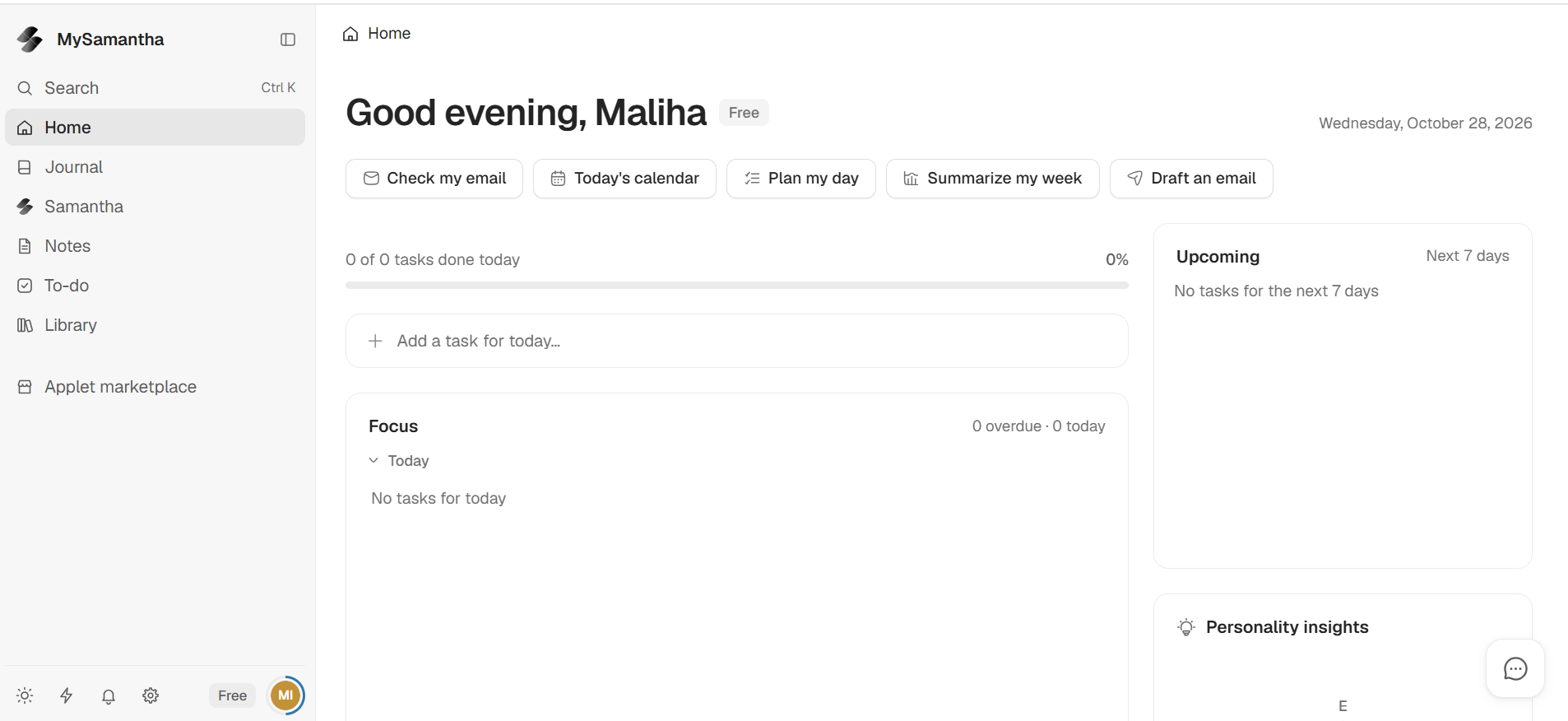
The sidebar lists Home, Journal, Samantha, Notes, To-do, Library, and an Applet marketplace. The Home screen shows how many tasks you finished today, a focus list, and a seven-day upcoming panel.
Five shortcut buttons sit at the top: Check my email, Today’s calendar, Plan my day, Summarize my week, and Draft an email. It feels closer to a daily dashboard than a blank chat window.
The Optional AI Assistant
Samantha can search, summarize, and act across the information you connect. The homepage even jokes about it with an “Allergic to AI?” switch.
You can turn the AI off and keep writing and planning offline. You can also bring your own API key and swap models.
Folders, Databases, and the Atlas View
Organization goes deeper than plain notes:
Nested folders with custom icons and colors
Databases with A1-style formulas, like a spreadsheet
Chart views for tracked data
An “Atlas” map view that clusters notes and links
The Atlas view suits people who think in connections instead of folders. Think of it as a visual map of your second brain.
Imports and the Web Clipper
You can import notes and folder structures from tools like Notion, Obsidian, and Google Drive. That lowers the cost of switching.
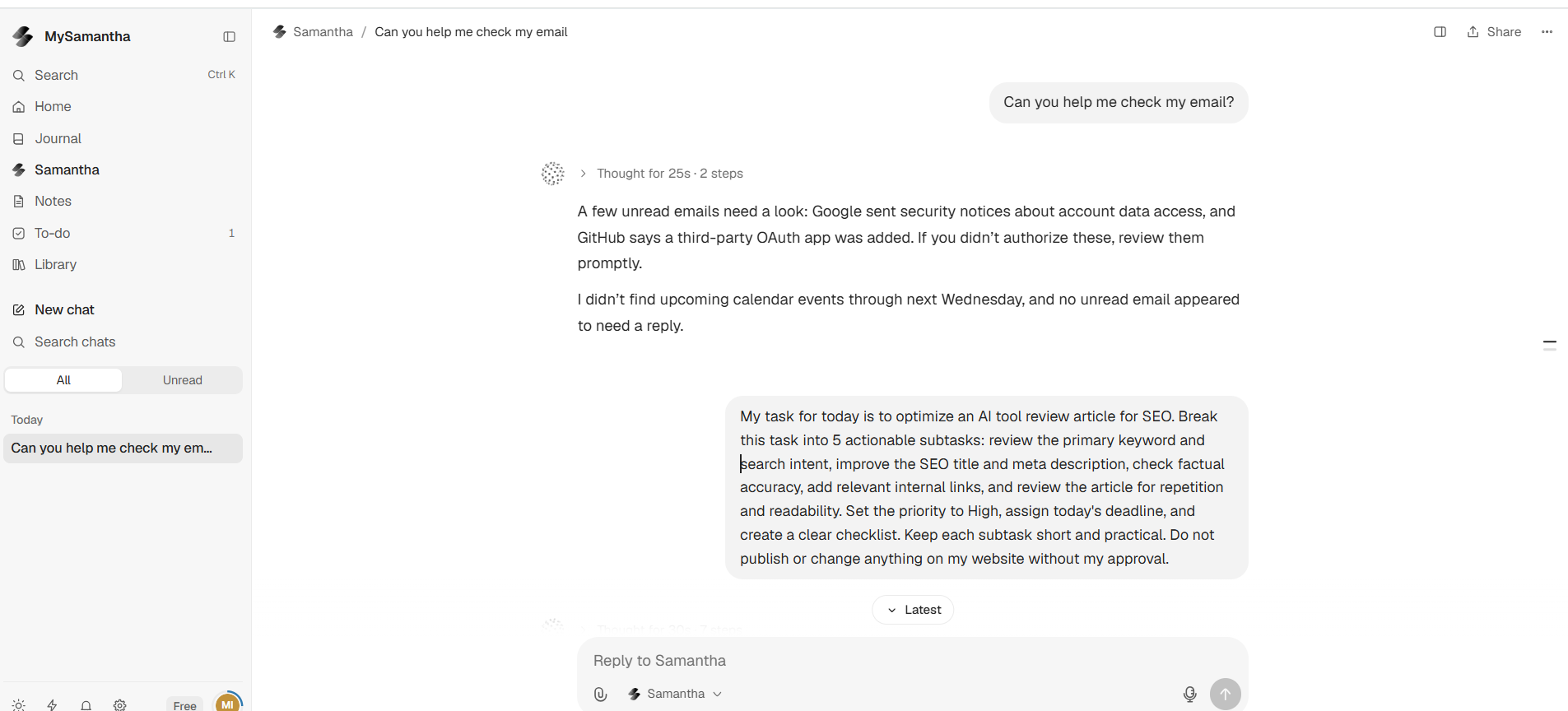
I asked Samantha to check my email. The chat showed “Thought for 25s · 2 steps,” so I expected a short wait. The reply was brief. It flagged Google security notices about account data access and a GitHub notice about a newly added OAuth app. It found no calendar events through the following Wednesday and nothing unread that needed an answer.
It flagged the notices and left the judgment to me. Open the original messages yourself before you act on any summary. One test proves little, so run your own prompts before you rely on the tool.
SamanthaAI Pricing in 2026
MySamantha uses a one-time payment model: a free Lifetime Basic plan, a $99 one-time Lifetime Pro launch price, and a Workspace plan that is free for up to five members. The pricing page says you can start without paying for an AI subscription and upgrade when you need more accounts, more connections, and more control.
Plan
Price
Best for
What stands out
Lifetime Basic
$0, no payment needed
One personal workspace
Unlimited notes, tasks, and journal
Lifetime Pro
$99 one-time (launch price)
Work and life together
Everything in Basic, plus up to 5 email and calendar accounts
Workspace
Free for up to 5 members, then $99 per member, once
Teams, studios, or families
Shared folders and notes edited live
Prices come from the public pricing page as of October 28, 2026. The page labels $99 a launch price, so confirm it before you buy.
One caution. If you bring your own API key, any model usage fees depend on the AI provider you choose. Read the details before you connect one.
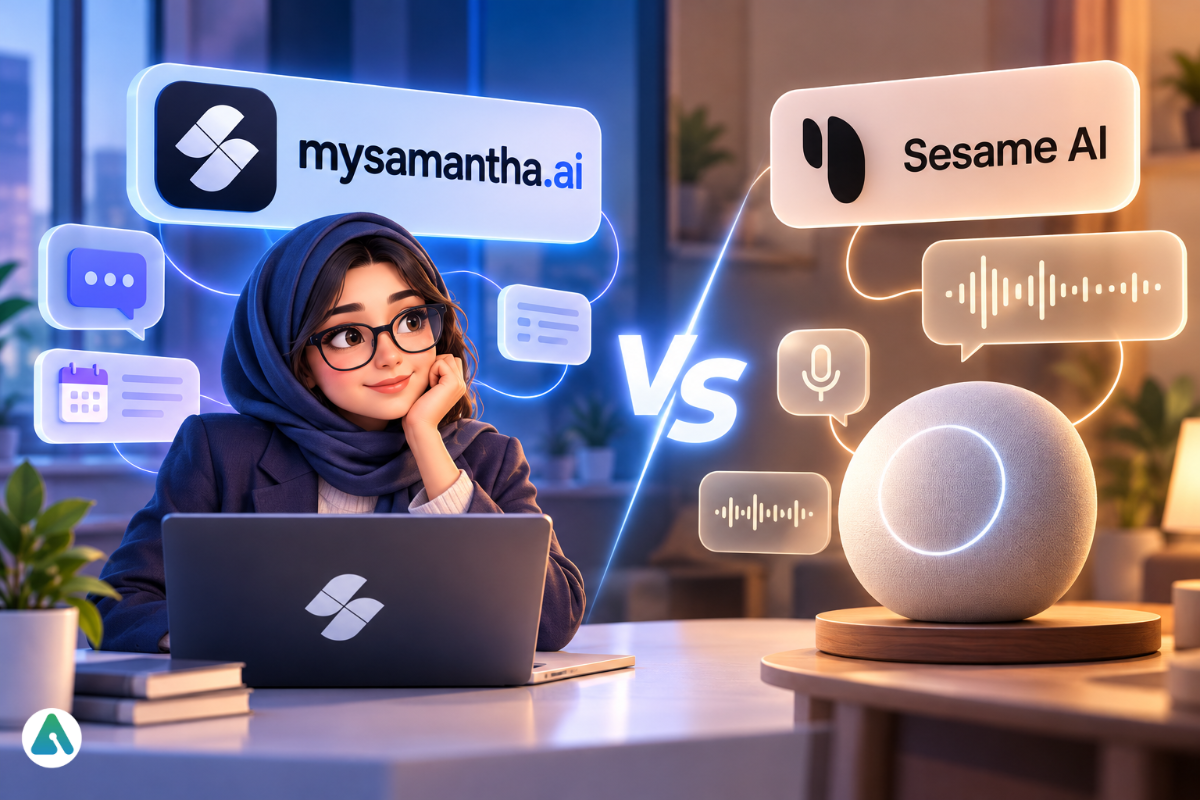
MySamantha vs Voice Companions Like Sesame AI
Voice companions are built around spoken conversation, while MySamantha is built around organizing your work and life, with AI as an add-on. They solve different problems.
Main job: MySamantha manages notes, tasks, email, and calendar. Voice companions focus on talking.
AI role: In MySamantha, the AI can be off. In a companion app, the AI is the product.
Data connections: MySamantha links to your inbox and calendar. Companion apps usually don’t need that.
Cost model: MySamantha offers lifetime plans. Many companion apps use subscriptions.
Short on time? Pick MySamantha if you want fewer open tabs. Pick a voice companion if you want a conversation partner.
Who Should Try It, and Who Should Skip It
Fit comes down to how you already work. A tool pays off when it matches your routine. It costs time when you bend your routine around it. Use this checklist.
Try it if you:
Juggle notes, to-dos, email, and calendar across separate apps
Want AI help you can switch off
Like paying once instead of monthly
Plan to import notes from Notion or Obsidian
Skip it (for now) if you:
Need a mature, heavily reviewed tool for a large team
Want a voice-first companion
Rely on third-party integrations you haven’t confirmed it supports
MySamantha looks early-stage. Its Chrome extension listing shows a 4.4 rating from five ratings and 49 users, with an April 29, 2026 update. That’s a small sample, so test the free plan before you commit.
Privacy Checklist Before You Connect Email
Before you link email or calendar, review what the app can read, where AI requests go, and which permissions you approve. The check takes ten minutes. The same questions apply to any assistant that reads your inbox, as AI connectors for email, files, and calendars do.
Read the privacy policy on the official site
Connect one inbox first, not all of them
Review the OAuth permissions each service asks for
Decide whether to use the built-in AI or your own API key
Expect security notices from Google or GitHub after linking, and confirm they match your actions
Common Mistakes to Avoid
Expecting the movie. The Samantha from Her is fiction. This is a workspace.
Connecting everything on day one. Start small, then add accounts.
Importing a messy vault. Clean your Notion or Obsidian folders first.
Trusting summaries of security emails. Open the original message.
Buying before testing. The free plan exists for a reason.
A Simple Five-Step Start
A start-small setup tests one feature at a time, so you judge the value before you pay. Try this order:
Create a free account on the Basic plan.
Import one folder from your current notes app.
Connect one email and calendar account.
Run the five dashboard shortcuts for a week.
Decide on Lifetime Pro only if you hit the account limit.
2026 Outlook: AI You Can Switch Off
“Optional AI” is a design where the assistant is a feature you control, not a requirement. In 2026, more workspaces let people pick a model, bring their own key, or skip AI entirely.
The selling point is shifting from “more AI” to control. People want help with their inbox without handing the whole workspace to a chatbot. MySamantha leans into that idea. Whether it delivers depends on future updates and real-world reviews.
Conclusion
SamanthaAI mostly means MySamantha, a workspace that combines notes, tasks, journal, email, and calendar with an AI assistant you can turn off. A few things to remember:
The name also covers a movie, voice tools, and chatbot personas.
Lifetime Basic is free, and Lifetime Pro is a $99 one-time launch price.
The AI is optional, and you can bring your own key.
It looks early-stage, so test before you commit.
Your next step is simple. Start on the free plan, import one folder, and run the dashboard shortcuts for a week.
FAQs
Q. What is SamanthaAI?
SamanthaAI usually means MySamantha, a productivity workspace from Zemuria Venture Studio. It combines notes, tasks, journal, email, calendar, and meetings, with an optional AI assistant named Samantha. The name also covers a movie AI and other tools.
Q. Is Samantha AI free to use?
Yes, there is a free option. Lifetime Basic costs $0 and covers one personal workspace. Lifetime Pro is a $99 one-time launch price, and Workspace is free for up to five members. Check the pricing page for current terms.
Q. Is there a Samantha AI app for Android?
MySamantha has a Google Play listing from Zemuria. It also runs on the web and offers a Chrome extension for clipping pages and recording meetings. Check the official website for other platforms.
Q. Does Samantha AI have a voice?
MySamantha’s chat box includes a microphone button, and its Chrome extension records meetings with AI transcription. It isn’t positioned as a voice companion. Apple devices also have a separate text-to-speech voice named Samantha.
Q. Is Samantha AI the same as the AI in the movie Her?
No. The movie’s Samantha is a fictional operating system voiced by Scarlett Johansson. MySamantha is a real productivity workspace that shares the name but not the concept.
Q. What is the difference between Sesame AI and Samantha AI?
Sesame AI is a separate voice-focused AI company. MySamantha is a workspace for notes, tasks, email, and calendar with optional AI. One centers on conversation, the other on organization.
Q. Can I use MySamantha without AI?
Yes. You can turn the AI off completely and write and plan without it. You can also bring your own API key or change models if you want AI help.
Q. Can I import notes from Notion or Obsidian?
Yes. MySamantha supports importing existing notes and folder structures from tools like Notion, Obsidian, and Google Drive. Clean up your folders first to keep the import tidy.
Disclaimer: This SamanthaAI review is based on our research and hands-on observations. Features, pricing, and availability may change. We are not affiliated with MySamantha or its developers.
Tags:
Sebastian Vale
Sebastian Vale reviews the latest AI tools and tech innovations, breaking down complex concepts into clear, actionable insights. He also creates step-by-step guides, helping readers make smarter decisions and stay ahead in a fast-moving digital world.