MindVideo AI Review: Is It Good for AI Videos and Images?
Five video models, five logins, five monthly bills. That’s what chasing the best AI clip costs in 2026, and it’s the exact pain MindVideo AI sells itself on fixing. One account, one credit balance, and Veo 3.1, Kling, GPT Image 2.5, music, and avatars all under the same roof.
Sounds like a bargain. Is it? This MindVideo AI review answers the question buyers actually care about: how much usable content a credit allowance buys, and what can go wrong on the way. You’ll get plan-by-plan credit math, model access after the Sora 2 shutdown, the refund and renewal fine print, and a quick-fit test before you pay a cent.
Verdict at a Glance
Score
3.4 / 5
Best for
Social creators and small sellers who want many engines on one bill
Skip it if
You need final client masters on tight deadlines (pitch drafts and mood boards still work)
Best-value plan
Pro, billed yearly (lowest cost per credit)
Biggest strength
Free GPT Image 2.5 plus one shared credit pool
Biggest risk
Failed renders and surprise subscription renewals
Smart first move
Free tier, then one monthly Pro cycle before any annual commitment
What Is MindVideo AI?
MindVideo AI is a browser-based, multi-model hub that turns text or image prompts into short videos, images, and audio through third-party engines, then lets you edit the results with built-in AI tools. It doesn’t train its own frontier model. It rents access to engines like Veo 3.1, Kling, Wan and Seedance, and adds a free in-house model for drafts.
Why creators use hubs instead of native apps
The real product here isn’t any single model. It’s convenience. Each engine has a sweet spot: one nails product motion, another handles moody cinematic shots, a third renders text inside images cleanly. Separate sign-ups mean juggling bills, credit systems, and download folders.
A hub collapses that into one workflow:
One balance instead of separate model subscriptions
One prompt box to try the same idea on several engines
One asset library for clips, images, characters, and voices
No re-uploading files between tools
The trade-off: hubs share capacity with thousands of users and often trail the newest model versions. They also depend on upstream providers. One pricing or access change at Google or Kuaishou can reshape the menu overnight, and the Sora 2 exit already proved it.
How hubs make money, and why it matters to you
Hubs buy model access from providers and resell it as credits, with their margin built into the price. That model explains a few things buyers notice:
Free offers cost the hub real money. OpenAI bills developers for every GPT Image 2.5 call, so MindVideo pays for each “free” image. Treat the promo as temporary.
Busy hours hit hardest. Popular engines run on shared capacity, so peak-time renders stall first.
Failed jobs need watching. The plan screen doesn’t say whether failed renders return credits, so compare your balance after every failure.
The menu can shrink. If a provider changes its API terms, that engine can vanish from the dropdown, even mid-subscription.
MindVideo AI Features and Model Access
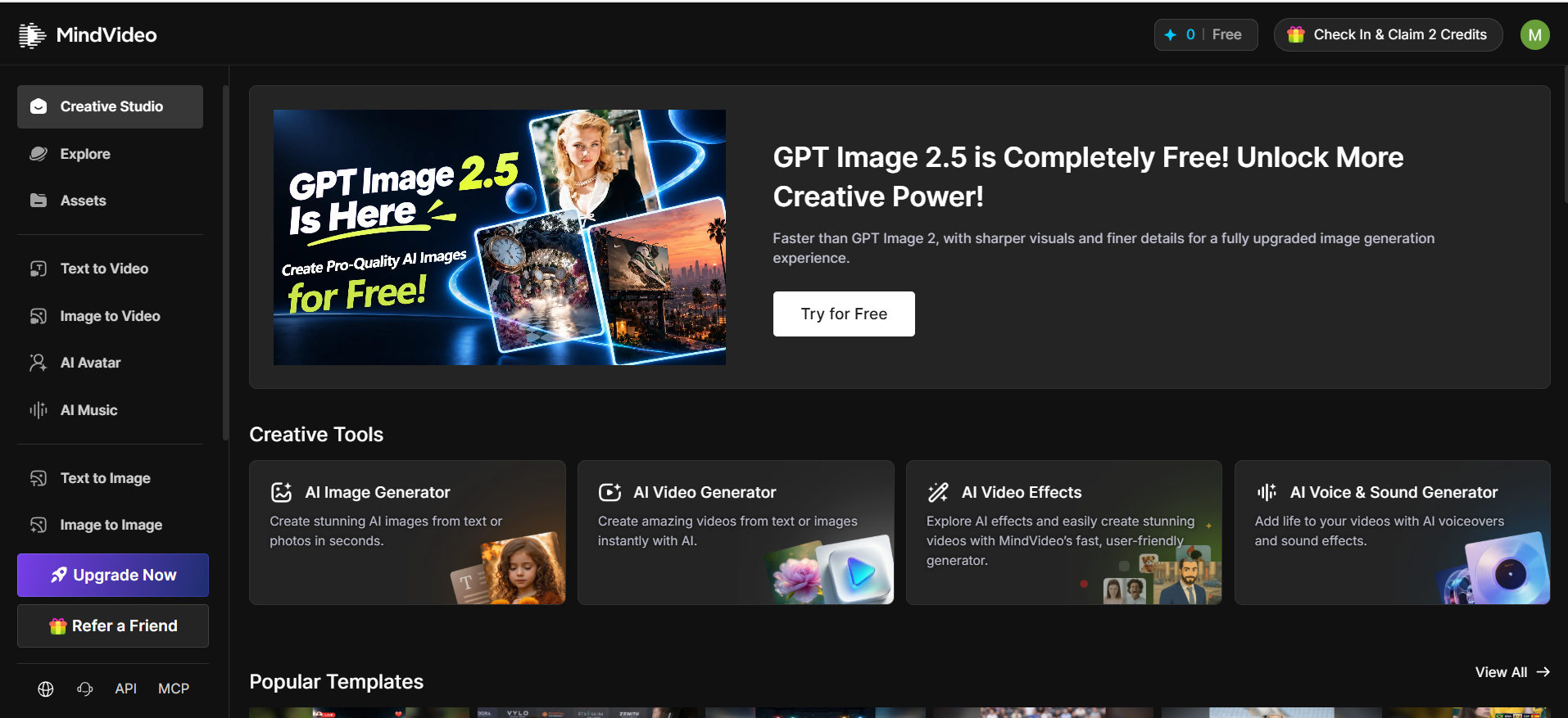
The Creative Studio is MindVideo’s main workspace: a sidebar of generators on the left, settings and a live sample on the right, and a credit counter pinned to the top bar. Anyone who has used Canva or CapCut will find their way around in minutes.
Video tools
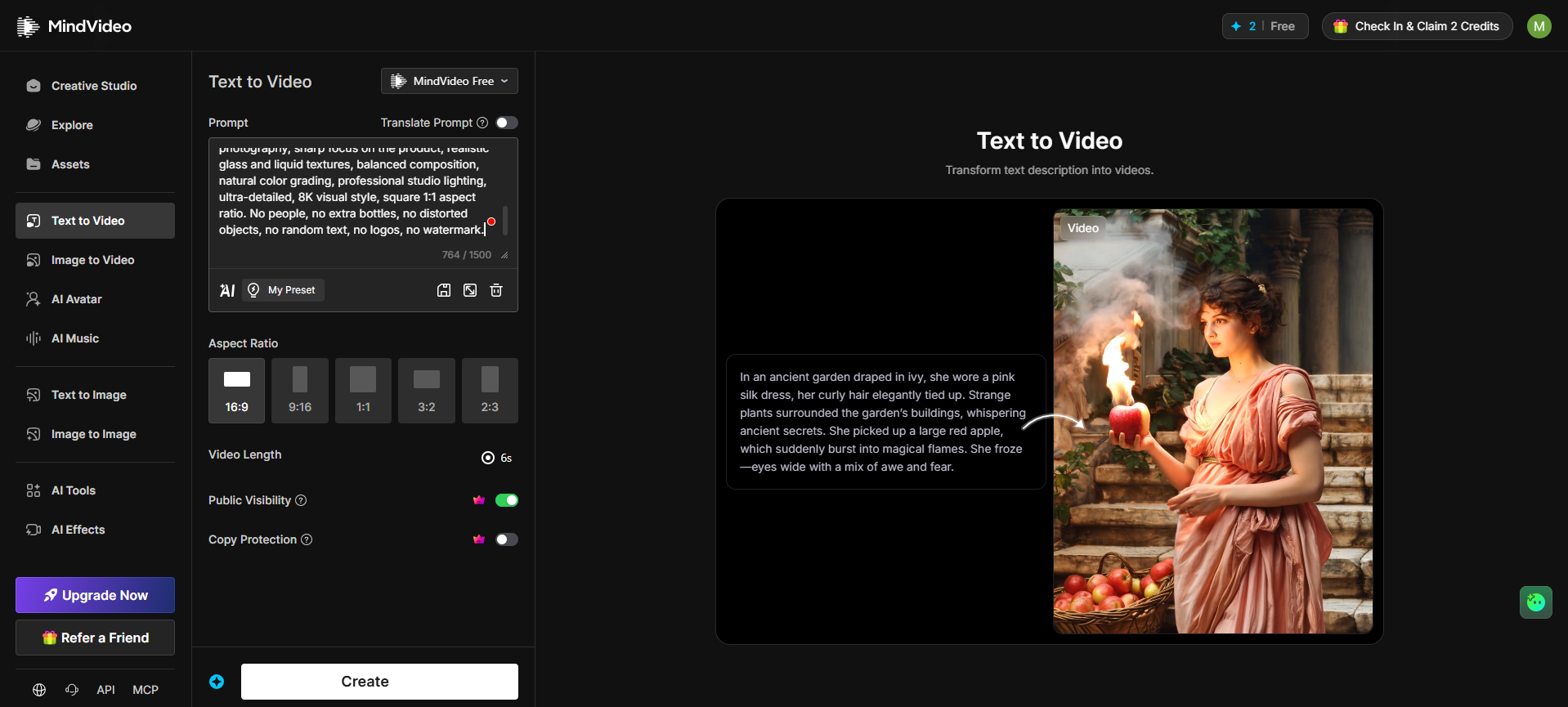
Text to Video: prompts up to 1,500 characters (about 250 words), five aspect ratios (16:9, 9:16, 1:1, 3:2, 2:3) and 6-second clips on the free “MindVideo Free” model
Image to Video: animates product shots, portraits, or concept art. Faces, hands and small logos can drift, so a clean, well-cropped photo matters. The same rule applies to turning photos into videos on any engine
AI Avatar: builds a talking presenter from a single photo
AI Tools: text-command video editor, upscaler (claimed up to 4K), clip extender, lip sync, face swap and a product video maker
AI Effects: novelty templates such as AI Hug, AI Dance, Ghibli-style motion, Earth Zoom Out and seasonal Halloween packs
Image and audio tools
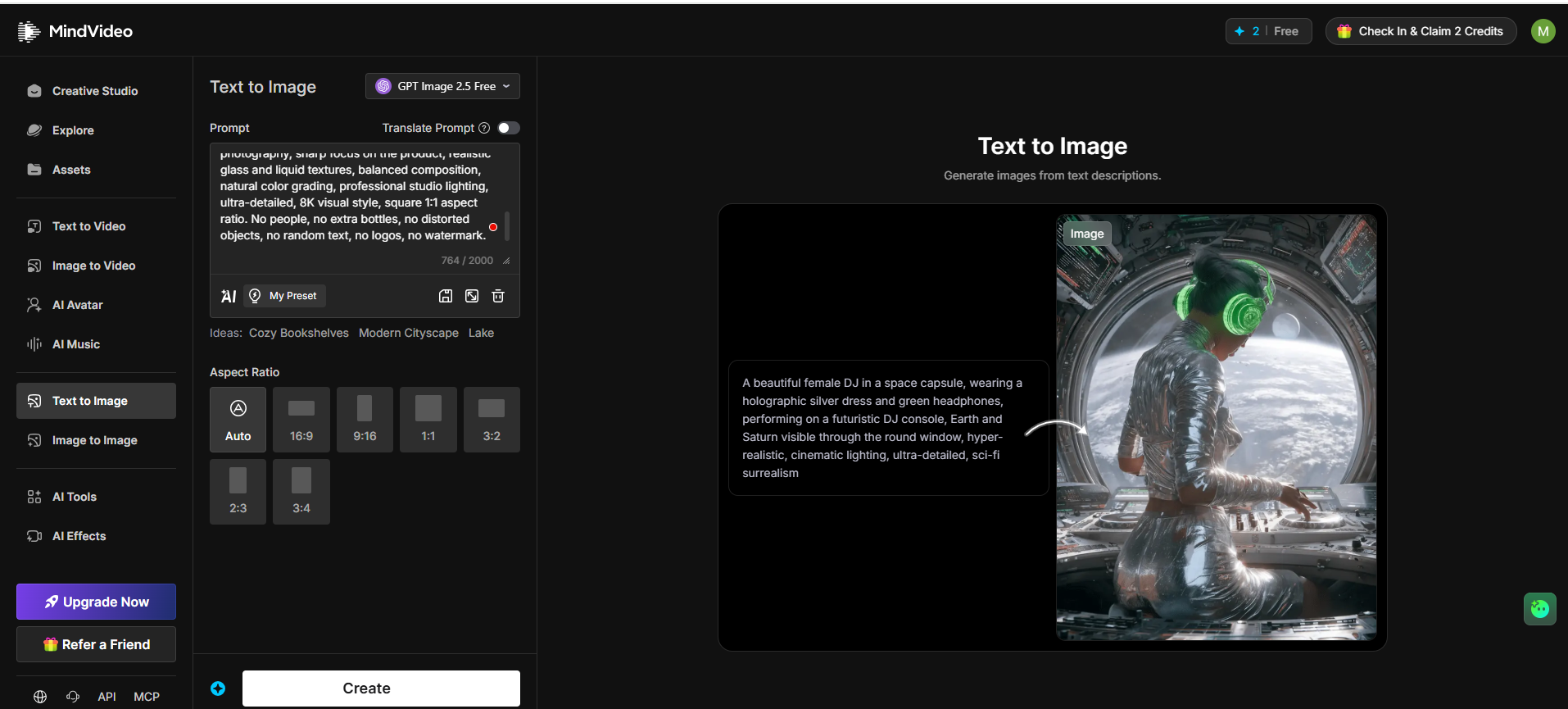
Text to Image: runs GPT Image 2.5 at no credit cost for now, takes 2,000-character prompts, and offers Auto plus seven ratios, including 3:4 for Pinterest
Image to Image: two reference slots. The built-in demo moves a child with a tomato basket from a stone wall to a beach and keeps pose and outfit intact, a handy step in any AI image editing workflow
AI Music and Voice: royalty-free tracks from Lo-Fi to EDM, optional lyrics, text-to-speech voiceovers, and sound effects
Workflow helpers worth knowing
Translate Prompt: write in Urdu, Arabic, or Spanish, and the tool converts it to English. Keep camera terms like “dolly zoom” or “bokeh” in English, since literal translation can garble them
My Preset and idea chips: save prompts you reuse, or start from suggestions like “Cozy Bookshelves”
Assets library: five tabs (Creatives, Characters, Recent Uploads, Voice, Preset Prompts); saved characters help keep one face consistent across clips
API and MCP links: sit at the bottom of the sidebar for developers wiring generation into automated workflows
Photoreal product shots, ad creatives, concept art
Version lag is the hidden catch. MindVideo’s model pages still name Kling 2.6 and Seedance 1.0 Pro, while the model makers have moved on to Kling 4.0 and Seedance 2.5. Confirm the exact version in the dropdown before you spend premium credits.
MindVideo AI and Sora 2: what changed
Free Sora 2 clips drew many early users here. That access no longer has solid footing. OpenAI’s Help Center confirms the Sora app and website closed on April 26, 2026. OpenAI set September 24, 2026, as the shutdown date for the Sora API.
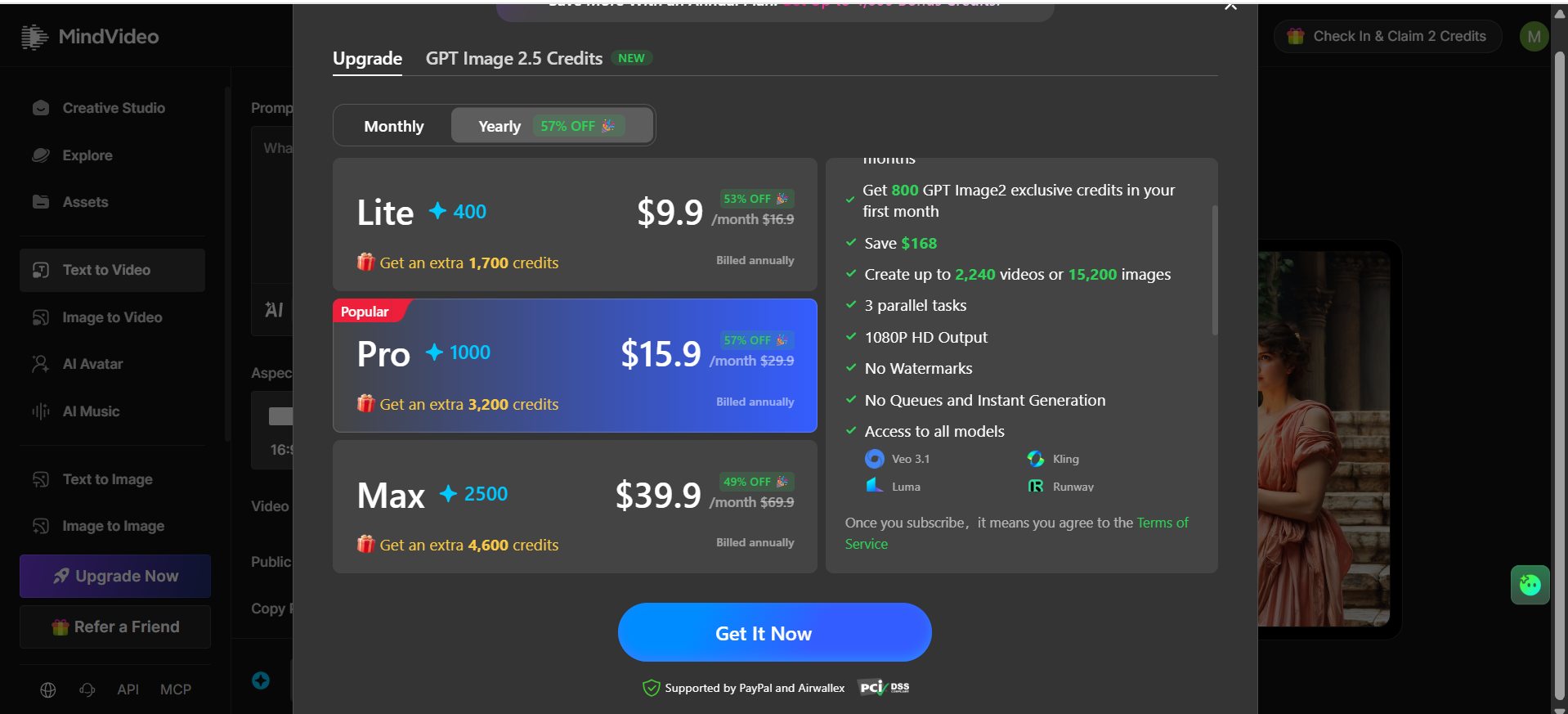
An API shutdown alone doesn’t prove every hub integration is gone. The MindVideo account tells the story, though. A Sora 2 landing page still exists, yet the upgrade panel lists Veo 3.1, Kling, Luma, and Runway, with no Sora in sight. Treat Sora 2 as unavailable unless it appears and renders in your own dropdown. For realistic, physics-heavy scenes, Veo 3.1 makes the natural stand-in.
MindVideo AI Pricing: Credits and Cost per Usable Clip
MindVideo runs on a freemium credit model: every generation spends credits, the free tier refills slowly, and paid plans add a monthly credit allowance plus a one-time bonus on yearly billing. Premium engines such as Veo 3.1 charge more per clip than the in-house model.
Free tier
Sign-up credits on registration
2 credits per daily check-in
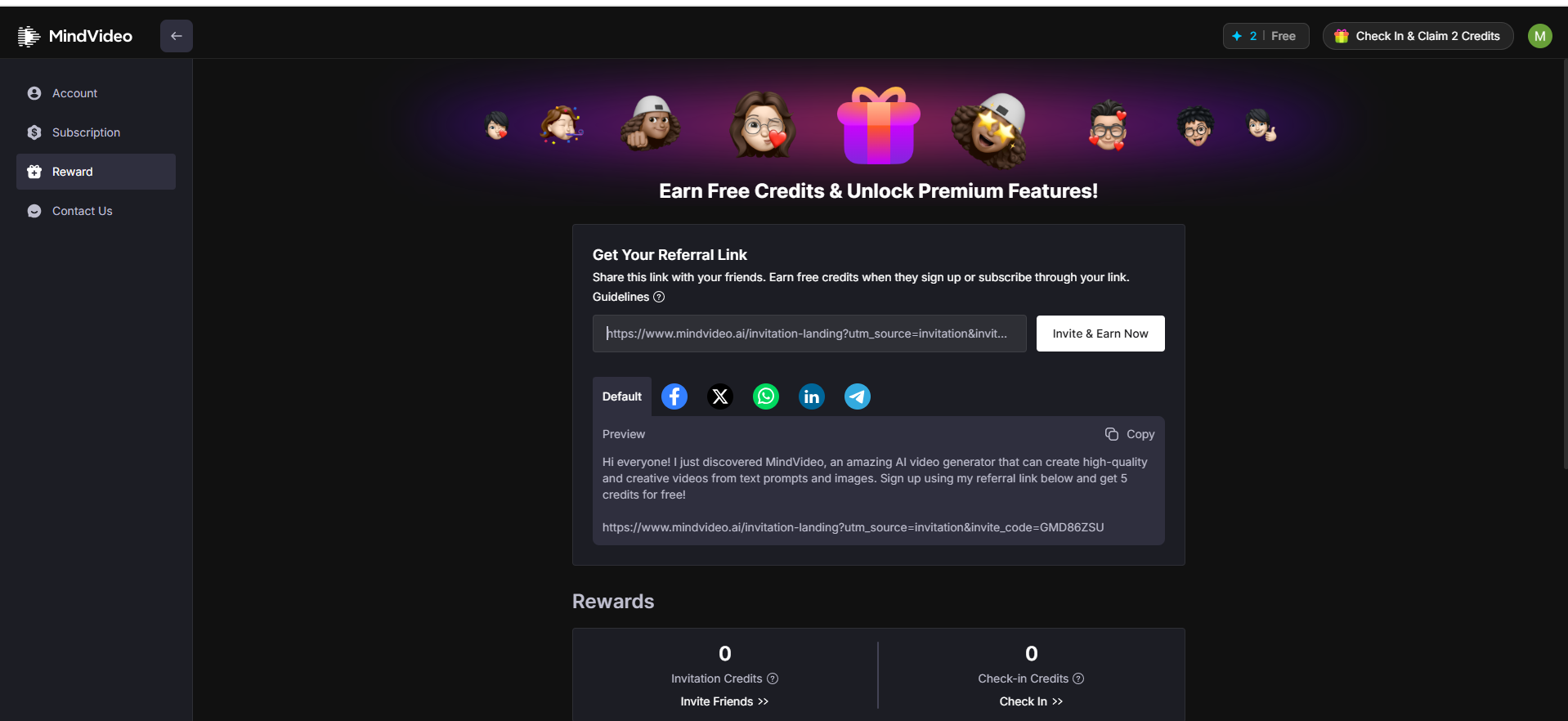
Referral rewards: invited friends get 5 credits, and you earn credits when they sign up or subscribe
GPT Image 2.5 is currently free in Text to Image and Image to Image
Enough to learn the interface. Not enough to feed a content calendar.
Paid plans (USD, yearly billing, as shown on the upgrade screen)
Plan
Price per month, billed yearly
Price on monthly billing
Monthly credit allowance
One-time yearly bonus
Lite
$9.90
$16.90
400
1,700
Pro
$15.90
$29.90
1,000
3,200
Max
$39.90
$69.90
2,500
4,600
Pro also lists 3 parallel tasks, 1080p output, no watermark, no queue, and all models, plus 800 GPT Image 2 credits in month one. MindVideo estimates a yearly Pro plan covers up to 2,240 videos or 15,200 images; treat that as a vendor ceiling, not a promise.
Cost per credit, plan by plan
Totals below = 12 monthly allowances + the one-time bonus, not credits available in any single month.
Plan
Yearly cost
Credits over 12 months
Cost per credit
Lite
$118.80
6,500
$0.0183
Pro
$190.80
15,200
$0.0126
Max
$478.80
34,600
$0.0138
Pro wins on unit price, even against Max. Two details the plan screen doesn’t spell out: whether unused monthly credits roll over, and whether the bonus lands upfront or in stages. Ask support before buying if either affects your plan.
One more reason to start monthly: an annual plan locks in a full year of payments, while the engine menu can change at any time.
From cost per credit to cost per usable clip
Cheap credits don’t guarantee cheap videos. Failed renders, retries, and premium engines all eat into the allowance. The number that matters:
\text{Cost per usable clip} = \frac{\text{Credits spent, including failures}}{\text{Clips you'd actually publish}} \times \text{Cost per credit}
An illustrative run (assumed figures, not measured): five attempts at 20 credits each, three keepers. That’s 100 credits for 3 clips, or about 33 credits per usable clip, roughly $0.42 on Pro. Swap in your own numbers from the test in the reliability section.
Then add the extras. Upscaling, extending a clip, lip sync, and face swap each draw their own credits. A polished final asset can cost several times its first render, so log those steps too.
Cancellation and refund rules
Subscriptions renew automatically. Recent Trustpilot reviewers describe being billed for renewals they didn’t expect and then refused refunds. Protect yourself before paying:
Note the renewal date the moment you subscribe.
Cancel under Account → Subscription at least a day ahead of that date.
Read the refund section of the Terms of Service first; eligibility can depend on your region and on whether you’ve already used credits.
Output Quality and Reliability
On MindVideo, output quality depends mostly on the engine you choose, while reliability depends on shared server load. A strong model can still stall when thousands of users hit it at once.
What each source says
Source
What it shows
How much weight to give it
Studio samples
Polished demos: a pink silk dress and a flaming apple in Text to Video; a DJ in a space capsule with clean reflections in Text to Image
Low; showcase picks, not typical runs
MindVideo’s own FAQ
Admits generations sometimes fail from temporary model instability and advises switching engines
Moderate; the vendor confirms the issue exists
Trustpilot, as of Oct 26, 2026
7 reviews averaging 2.4/5; complaints cover “high demand” errors, failed renders, a free daily cap cut from about four clips to two, and renewals
Moderate; small, unclaimed profile, but the themes repeat
G2
One incentivized five-star review
Low; single data point
The pattern is consistent enough to plan around: expect some failed or slow generations on popular engines, especially at peak hours.
Quick fix when a render fails
Switch engines. If a premium model reports high demand, rerun the same prompt on another engine instead of waiting.
Retry off-peak and check your balance. Run it again later, then compare your credit counter to confirm whether the failed job was charged.
Run your own 10-credit test
Before paying, log a few free-tier runs. The idea mirrors a repeatable AI video test: same brief, same settings, every reject counted. It turns guesswork into your own success rate and cost per usable clip.
Field
Example entry
Date and time
Weekday, evening local time
Engine and version
MindVideo Free
Prompt and ratio
Product spin, 9:16
Credits charged
From the counter
Render time
Minutes until done
Result
Success / failed / unusable
Defects
Warped hands, flicker, logo drift
Pros
One credit pool for video, image, music, and voice
Free GPT Image 2.5 access
Prompt translation for non-English creators
Lowest unit price on yearly Pro
Asset library with saved characters
Cons
Failed or delayed generations on busy engines
Model versions trail the direct sources
Renewal and refund complaints
Privacy, Public Visibility and Commercial Rights
These rules decide whether MindVideo output is safe to publish, sell, or keep private, and most of them turn on whether you pay.
Public by default on the free tier
In Text to Video, the Public Visibility switch is on, and turning it off carries a premium crown, as does Copy Protection. Free creations can therefore surface in the public Explore feed. Keep real people’s faces, unreleased products and client logos off a free account.
Data handling
MindVideo’s FAQ says you can delete anything you upload or generate and that data is encrypted. That’s the vendor’s description; it doesn’t specify where or how, so read the privacy policy if you handle sensitive material.
Commercial use
The FAQ states that commercial rights are available to paid users only, while free users may use creations for personal purposes, with the Terms of Service as the governing document. A paid plan covers the platform’s side. It doesn’t clear rights to inputs you supply, such as someone else’s photo, a brand logo, or a celebrity likeness.
App, APK and login
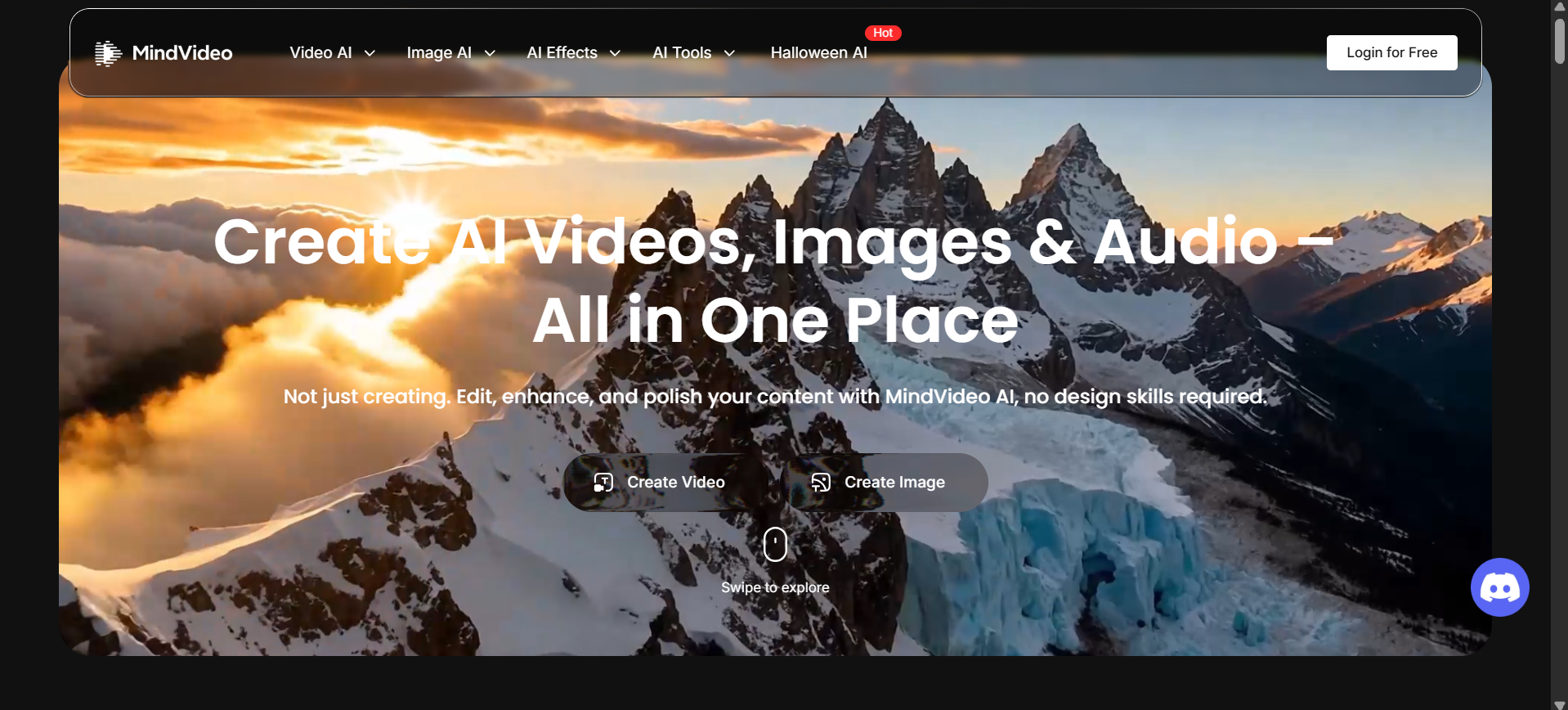
MindVideo runs in the browser on desktop and phone; the site links no official iOS or Android app as of October 2026. A “MindVideo AI APK” on a third-party download site isn’t an official release and can carry malware. To get started, use Login for Free on mindvideo.ai; account settings are under Account, Subscription, Reward, and Contact Us.
Who Should Use MindVideo? The 3C Fit Check
The 3C Fit Check matches you to a plan using three questions: Content type, Cadence, and Commercial need.
Your answers
Recommendation
Short social clips or product teasers · a few pieces a week · personal or hobby use
Stay on the free tier and lean on GPT Image 2.5
Short clips · weekly cadence · posting for a brand or shop
One monthly Pro cycle, then yearly Pro if your test log looks healthy
Agency pitches, mood boards or pre-visualization · bursty demand
Monthly Pro; a failed render costs a click, not a deadline
High volume across many engines · flexible deadlines · commercial
Yearly Pro; move to Max only if you exhaust 1,000 credits a month
Final client masters on fixed deadlines · long-form or multi-scene stories
Go direct to the model you need instead of a shared hub
Mistakes that waste credits
Drafting on premium engines. Rough ideas belong on the free model; save Veo 3.1 or Kling for the final take.
Vague prompts. Spell out subject, action, setting, lighting, and camera move. Six seconds leaves no room for the model to guess.
Skipping the test log. Without it, a “cheap” plan can quietly cost more per keeper than a direct subscription.
Ignoring version numbers. An older Kling build may cost the same credits as a newer one elsewhere.
Store your only prompt copies in the hub. Presets and saved characters don’t travel. Keep winning prompts and reference images in your own notes so you can switch tools anytime.
MindVideo vs Alternatives
An alternative is any route to the same engines: straight from the model maker, or through another multi-model hub. Direct access usually means newer versions and dedicated capacity; hubs trade that for one bill and one workspace.
The table below reflects each provider’s documented access and positioning as of October 2026, not a side-by-side render test. Use it to pick candidates, then run the same 10-credit log on each.
Task
MindVideo AI
Direct option
When the direct route wins
Realistic scenes with native audio
Veo 3.1 inside the hub
Google Veo 3.1 via Gemini, Flow or Vertex AI
You already pay for Google AI plans or need the newest Veo build
Character-driven or longer clips
Kling 2.6 / 2.1 Master
Kling web app and API (kling.ai)
You need the latest Kling version and its character tools
Product and ad images
GPT Image 2.5 (free for now)
Leonardo.Ai, which also offers Veo 3.1 for motion
You want an image-first workspace with a smaller video menu
Many engines on one bill
Core strength
None
Rarely; this is the hub’s home turf
Verdict
MindVideo makes sense when breadth matters more than predictability. One balance across video, image, and audio engines saves real admin time, and yearly Pro is the cheapest way in. The score stops short of four because shared capacity makes render success uneven and the renewal terms demand attention. A direct subscription still beats it for deadline-bound client work.
Is MindVideo AI Worth It in 2026?
MindVideo AI earns a place on the shortlist for creators who value range over rock-solid uptime. What to carry away:
The hub’s real value is consolidation: many engines, one balance, one library.
Yearly Pro offers the lowest unit price, but cost per usable clip is the figure that decides value.
Model versions and availability shift, so check the dropdown, not the marketing page.
Commercial use needs a paid plan, and renewals need a calendar reminder.
Next step: spend a week of free check-in credits on the engine you care about, fill in the test log, and upgrade only if the numbers hold.
FAQs
Q. Is MindVideo AI free?
Partly. Sign-up credits, daily check-ins, and referrals keep a free account running at a slow pace, and GPT Image 2.5 costs nothing for now. Free output is for personal use only.
Q. Is MindVideo AI legit?
Yes, it’s a working platform with paid plans processed through PayPal and Airwallex. Its small Trustpilot profile is negative, mostly over failed renders and renewals, so test before committing money.
Q. Can you still use Sora 2 on MindVideo AI?
Don’t count on it. OpenAI wound down Sora’s app in April 2026, and its API in September 2026, and MindVideo’s model list now highlights Veo 3.1, Kling, Luma, and Runway instead.
Q. Is there an official MindVideo AI app or APK?
The site doesn’t link to an official mobile app. Use the browser version on your phone and skip third-party APK files.
Q. How many credits does one MindVideo video cost?
It depends on the engine and clip length. MindVideo’s own Pro estimate works out to about 7 credits per clip on the cheapest engine; premium engines cost more.
Q. Can MindVideo AI content be used commercially?
Only on a paid plan, and only for material you have rights to in the first place.
Q. What resolution does MindVideo export?
Paid plans export 1080p without a watermark. A separate upscaler claims up to 4K.
Q. How do you cancel a MindVideo subscription?
Go to Account → Subscription and switch off renewal at least a day before the billing date. Submit refund requests through Contact Us in the same menu.
Disclaimer: This MindVideo AI review is based on hands-on testing and publicly available information as of October 2026. Pricing, credits, model access, and subscription terms may change. This article is for informational purposes only; verify current details on the official website before purchasing. We are not affiliated with MindVideo AI.
Tags:
Sebastian Vale
Sebastian Vale reviews the latest AI tools and tech innovations, breaking down complex concepts into clear, actionable insights. He also creates step-by-step guides, helping readers make smarter decisions and stay ahead in a fast-moving digital world.