Venice AI Review 2026: AI Models, Image Generation & Privacy
Venice AI suits anyone who wants many AI models, on-device chat history, and free image generation without a subscription. On the free plan, image generation worked well, but video hit a “Get Pro Access” wall. Pro fits daily confidential chat and images, while Pro Plus is the realistic entry point for video. Protection varies by model, so the badge in the model picker matters more than the marketing.
What Is Venice AI?
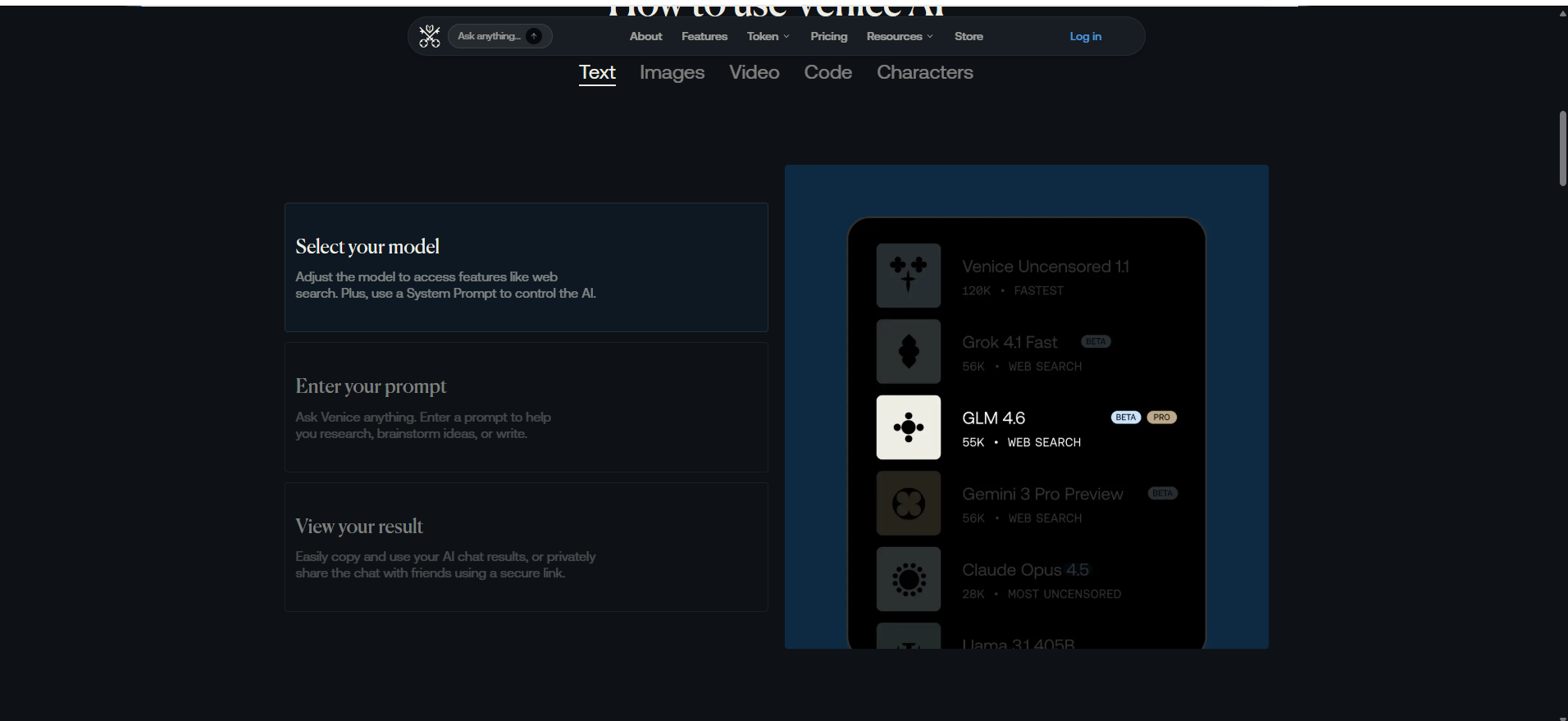
Venice AI is a multi-model AI platform for chat, images, video, code, voice, and AI characters, with conversation history kept on your own device.
Instead of building one flagship model, Venice routes each request to the model you pick. Options include its own “Venice Uncensored” model plus models from xAI, Google, OpenAI, Anthropic, and Zhipu (GLM). Erik Voorhees, a well-known crypto entrepreneur, leads the company.
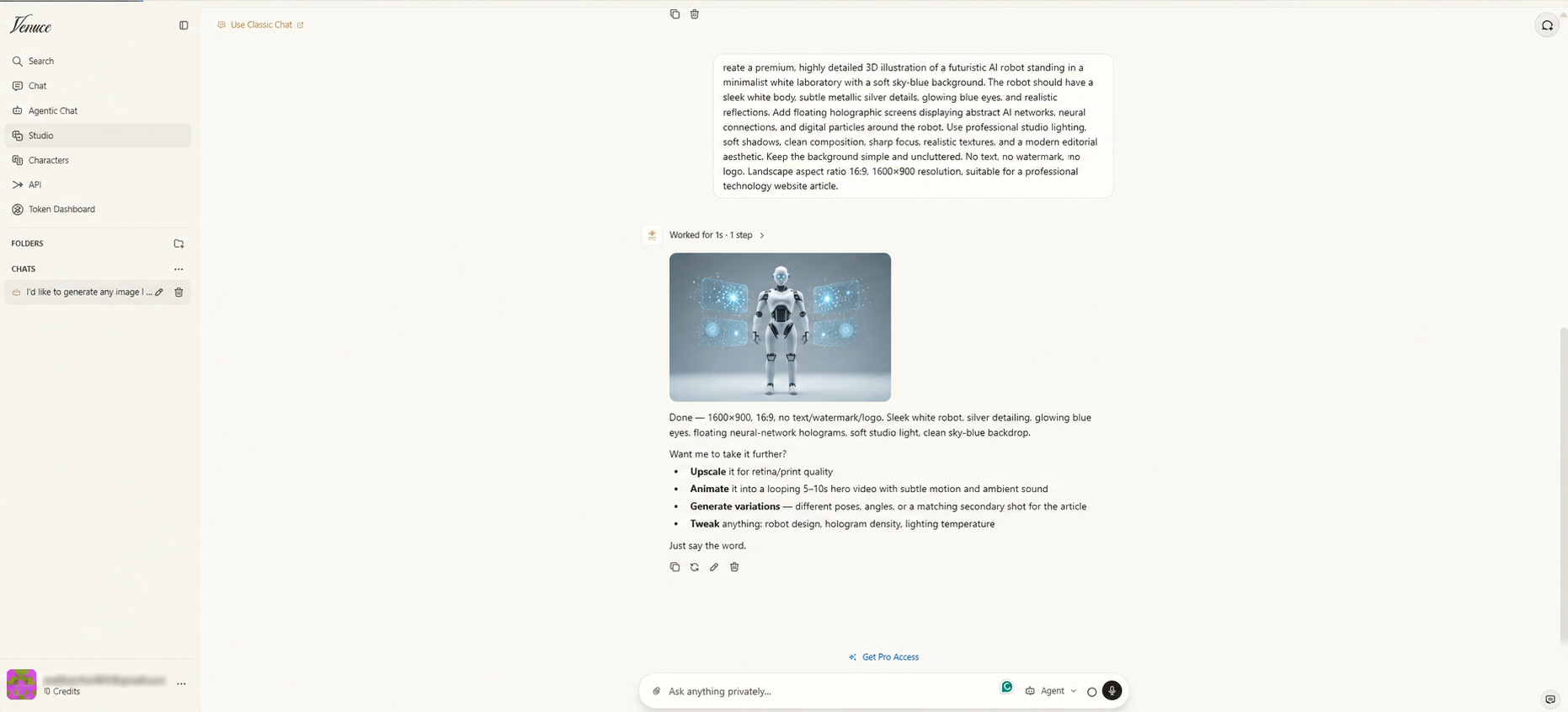
The sidebar holds seven areas: Chat, Agentic Chat, Studio, Characters, API, Token Dashboard, and Search.
Are all Venice models uncensored?
No. The uncensored promise fits Venice’s own models and open-weight models. Proprietary models like Claude or GPT run on their makers’ systems, so those companies’ safety rules generally still apply.
Free accounts face a second limit: a mature-content filter stays on, and only Pro can switch it off.
Do you need an account?
Not for basic chat, since the homepage lets you ask questions right away. A free account unlocks daily limits and lets you sign in with email or a crypto wallet. Developers can reach the API with a wallet and USDC and skip the account entirely.
Is there a mobile app?
Yes. Venice offers native iOS and Android apps, plus a version you can add to your home screen from the browser. As of March 2026, the iOS app held a 3.9-star rating across 272 reviews.
How Venice AI Privacy Works
According to Venice’s privacy documentation, every request travels through its proxy over an encrypted connection, and the proxy keeps no prompt or response content. Each model then adds one of four protection modes.
Mode
What it protects
Trade-off
Typical models
Anonymous
Hides your identity from the provider
Provider still sees the prompt
Proprietary models like Claude and GPT
Private
Zero-retention contract with the provider
Relies on a contract, not hardware
Venice, open-weight, and Grok models
TEE (Pro)
Runs the model in a sealed hardware enclave
Text only; fewer models
Selected text models
E2EE (Pro)
Encrypts the prompt on your device until it reaches the enclave
No web search, memory, or summaries
Selected text models
Anonymous hides who you are. Private covers what you say through a contract, and TEE and E2EE add hardware-level isolation on top.
The protection-versus-power trade-off
The most capable models often carry the weakest protection. Claude or GPT on Venice typically run in Anonymous mode, which masks your identity but still sends the raw prompt to Anthropic or OpenAI. All Grok models moved up to Private mode in 2026. TEE and E2EE work only on supported text models.
Venice’s own uncensored model sits on a 24B open-weight base. It handles writing and casual chat well but isn’t built to match frontier models on complex coding or math. Each task forces a choice between maximum confidentiality and maximum capability.
Other limits worth knowing
E2EE drops features. Web search, memory, summaries, and some tools stop working.
Hardware isolation needs Pro. NEAR AI Cloud and Phala Network run the enclaves.
Metadata still exists. Venice can process IP address, device details, timestamps, model choice, and token counts.
Where your history lives
Chat history stays in your browser. That shields it from server breaches, but not from anyone who opens your unlocked laptop. Clearing browser data or using private browsing can wipe it for good, and Venice holds no copy to restore.
Pro adds two safeguards. Encrypted backups lock your data with your own password before upload. Memoria remembers details across chats from inside your browser, with optional cloud sync.
Has anyone audited Venice?
Not publicly. As of April 2026, Venice hadn’t published a completed independent security audit, and a community request for one sat “In Review.” The claims above come from Venice’s own documentation.
Agentic Chat picks the model and writes the prompt for you. A “Use Classic Chat” link switches back to manual model choice.
Venice Studio
Studio covers image creation, image editing, music, video, and a media library, with aspect-ratio controls and reference uploads.
Characters
Pro users can build and share custom AI personas.
Voice
Venice added real-time voice conversations in spring 2026, with push-to-talk input and memory sync. Android got the feature in May. Voice sessions bill credits by audio duration. Some Pro users say the voice selection still trails ChatGPT’s.
API
The API follows the OpenAI format, so many existing apps connect with a URL change. API calls share the same credit pool as Studio’s premium tools.
How I Used Venice AI
I used the free plan in October 2026 and compared the paid features against Venice’s official documentation and pricing page.
The free-plan work covered three things: an image in Agentic Chat, an AI video request, and a premium model in Studio. Paid video quality, TEE and E2EE, Memoria, voice, and the API weren’t part of the hands-on work.
Hands-On Results
The homepage
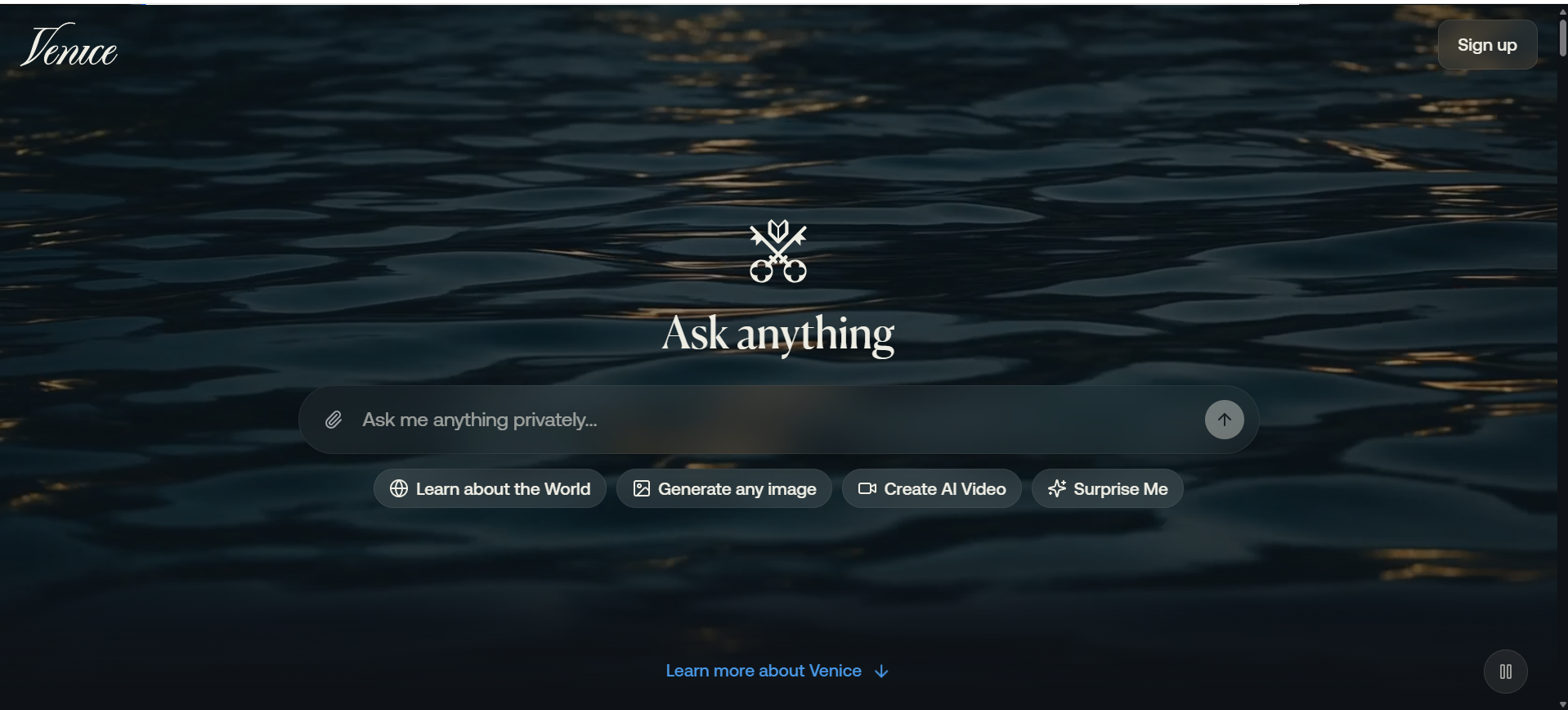
One search bar reads “Ask me anything privately.” Four shortcuts sit below it: Learn about the World, Generate any image, Create AI Video, and Surprise Me.
Image generation (worked)
My prompt asked for a white 3D robot in a minimalist lab, with holographic screens, soft studio light, 16:9 at 1600×900, and no text or watermark.
The agent delivered in about a second. The robot came out clean and sharp, with glowing blue eyes and neural-network panels floating on both sides. The sky-blue backdrop matched the brief, and no stray text appeared. The credit counter stayed at zero because the agent used a free base model. It works as a blog header with no edits.
Video generation (blocked)
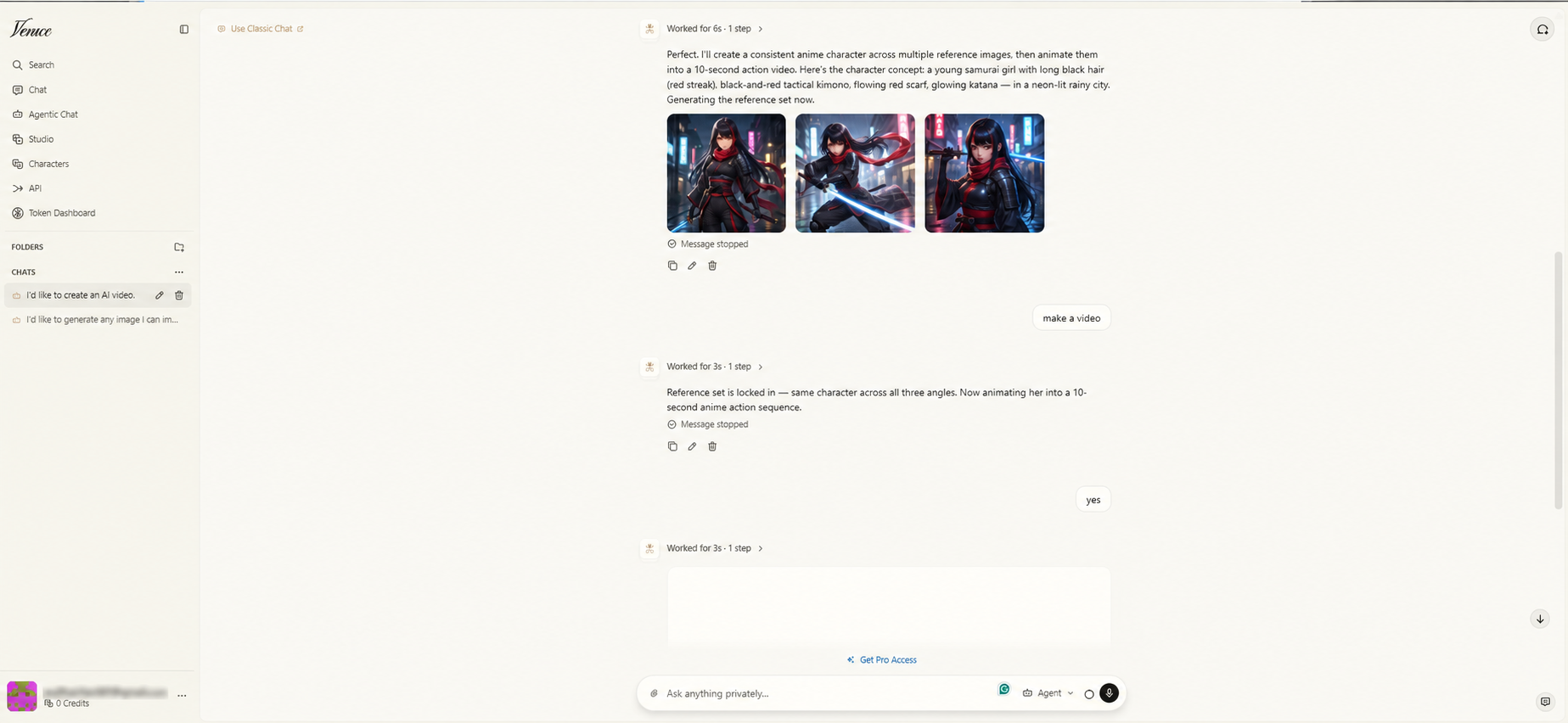
A request for a short anime action video produced three reference images within six seconds. A samurai girl with black hair, a red scarf, and a glowing katana stayed consistent across all three frames.
Rendering actual motion is where the free plan stops. Each attempt ended with “Message stopped,” followed by a “Get Pro Access” banner.
Venice Studio (blocked)
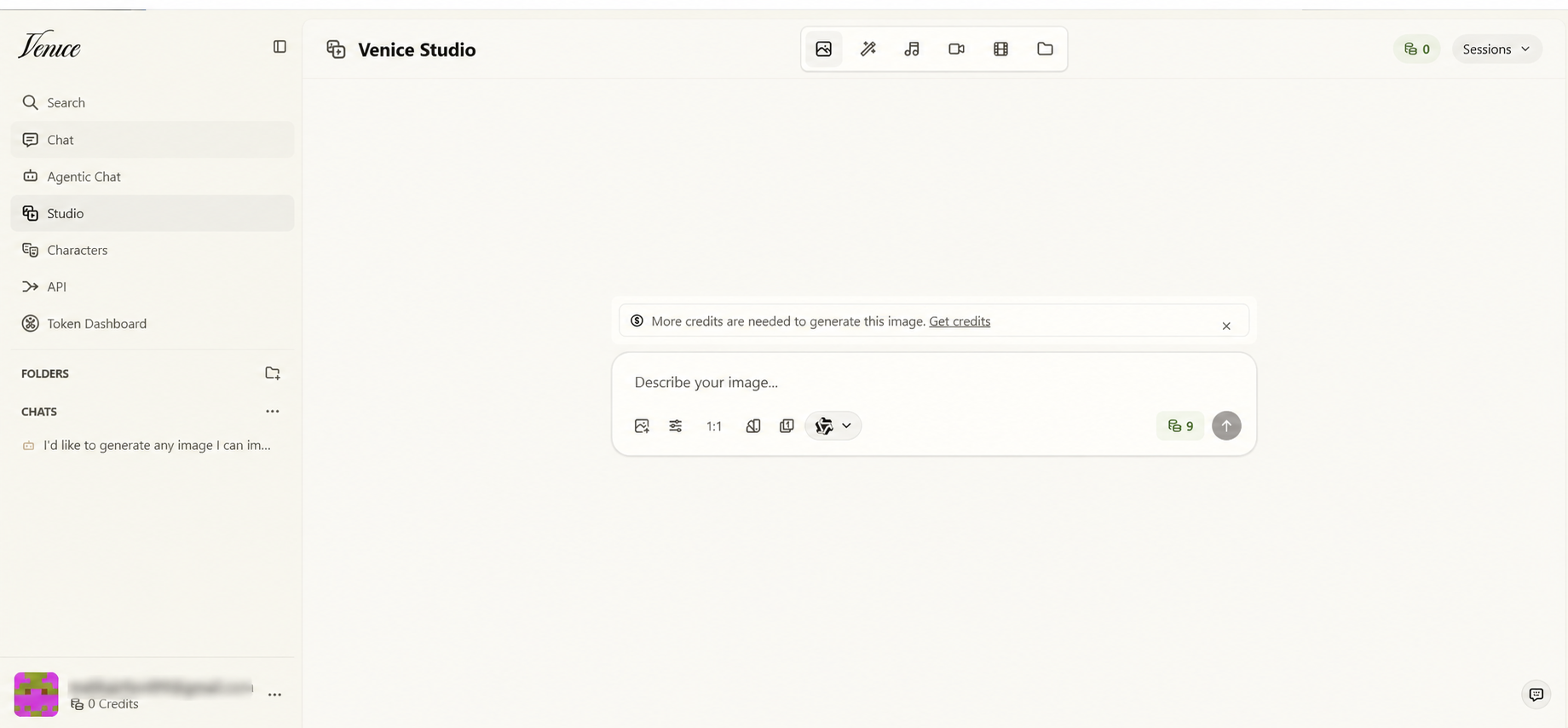
With zero credits, a premium image model showed a 9-credit cost and a notice asking for more. Premium Studio models bill credits directly and skip the free daily quota.
Speed
Replies felt quick. The app’s timers showed about 1 second for the robot image, and 3 to 6 seconds per agent step, with no lag I noticed from the proxy. That reflects one session, not a benchmark.
Venice AI Pricing in 2026
Plan
Monthly
Yearly
Monthly credits
Rollover
Free
$0
$0
0
—
Pro
$18
$180
100
—
Pro Plus
$68
$735
7,500
2 months
Max
$200
$2,160
22,500
3 months
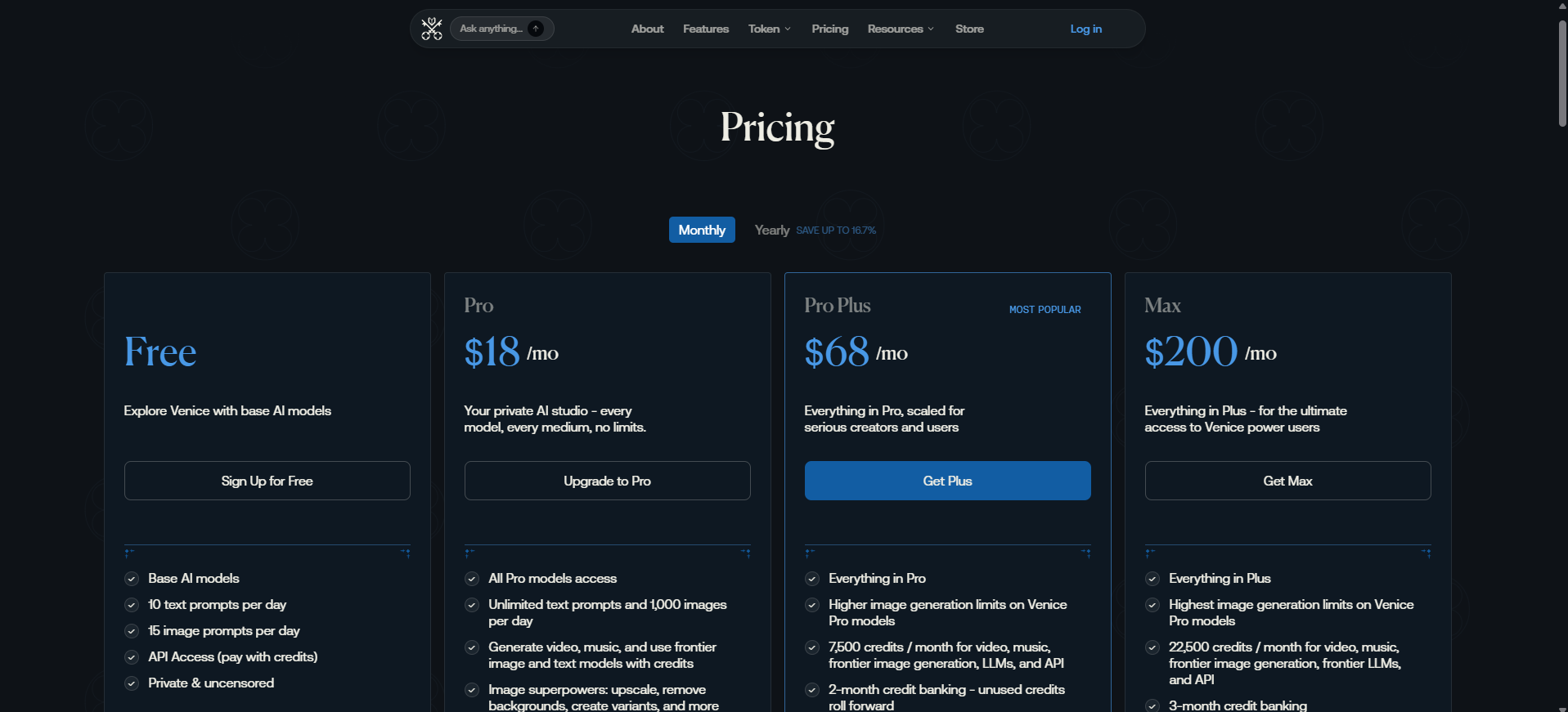
Free accounts get 10 text prompts and 15 image prompts per day on base models. Pro removes the text cap, allows 1,000 images a day, and adds a one-time 500-credit welcome bonus. Plan details can shift, so the official Venice pricing page has the current numbers.
How the free daily limit works
Image actions cost different amounts. One image uses 1 request, an edit uses 2, and an upscale can use up to 20. A single big upscale can eat a whole free day. Limits reset at 12:01 AM UTC.
What credits buy
100 credits equal $1, and a roughly five-second clip on leading video models costs under 80 credits. Costs vary by model and settings:
Pro (100 credits): about one short clip a month. Pro is not a video plan.
Pro Plus (7,500 credits): around 90 or more short clips.
Checkout accepts cards or crypto, and the platform’s economy runs on two tokens. Staking VVV, Venice’s main token, lets you mint DIEM, and each staked DIEM provides $1 a day of API credit.
Venice also burns VVV with every new subscription: $2 for Pro, $5 for Pro Plus, and $10 for Max. More than a third of the original supply has already been burned. The tokens fund API use rather than Pro chat features, and their prices swing sharply.
Venice AI vs ChatGPT and Local AI
These three options are the paths privacy-minded readers usually weigh: the mainstream default, confidential cloud AI, and fully local tools.
Factor
Venice AI
ChatGPT
Local AI (Ollama, LM Studio)
History location
Your browser
OpenAI servers
Your computer
Model choice
200+ models
OpenAI only
Open-weight models
Strongest protection
E2EE to a verified enclave (Pro)
Training opt-out
Fully offline
Content filters
Minimal on own/open models (Pro)
Strict
None by default
Realtime voice
Yes (credit-billed)
Yes
Depends on setup
Entry paid price
$18/month
$8 (Go) / $20 (Plus)
Free software; your hardware
ChatGPT’s cheapest paid tier, Go, costs $8 a month. For OpenAI’s own training and retention defaults, whether ChatGPT is safewalks through each setting.
Is Venice AI Safe?
Venice’s design keeps prompts off its servers, but real protection depends on the model and mode. With no independent audit yet, the claims rest on Venice’s word and its hardware partners’ attestation tools.
Accuracy is a separate question. Fewer filters don’t mean fewer errors, and AI hallucinations affect every model, uncensored ones included. Verify facts, figures, and medical or legal claims.
For confidential business files, follow your company’s AI policy first. Personal AI accounts are a common source of shadow AI leaks at work, whatever the tool. Paid plans also allow adult content, which makes Venice a poor fit for teens.
Pros and Cons
Pros
200+ models in one app
Hardware-backed enclaves on Pro
Basic chat with no account
Fast agent that writes solid prompts
Native iOS and Android apps with real-time voice
Card and crypto payments
Cons
Video needs credits, even on Pro
No published independent security audit
Top frontier models carry the weakest protection
The free plan keeps a mature filter on
Voice sessions eat credits
Common Mistakes New Users Make
Skipping the backup. One browser cleanup can erase months of chats.
Buying Pro for video. 100 credits cover about one clip.
Spending the free day on one upscale. Upscales can use up to 20 requests.
Picking Claude or GPT for sensitive text. Those prompts still reach the provider.
Using E2EE for research. Web search turns off.
Final Verdict
Venice AI earns much of its reputation, with two conditions. You have to match the model and mode to the task, and you have to accept that no outside audit has confirmed the claims yet.
Free users get a fast agent and usable images. Video, voice, and premium Studio tools run on credits, and that math matters more than the sticker price. Pro fits daily confidential chat and images, while Pro Plus is where video starts making sense. Start free, run your usual prompts for a week, and upgrade only when a limit gets in your way.
New features land often, and Venice’s public changelog tracks each release.
Frequently Asked Questions
Q. How much is Venice AI per month?
Venice AI costs $0 on the free plan, $18 for Pro, $68 for Pro Plus, and $200 for Max. Annual billing lowers each paid tier.
Q. Can I use Venice AI without an account?
Yes, for basic chat. A free account adds daily limits, and you can sign in with email or a crypto wallet.
Q. Is Venice AI end-to-end encrypted by default?
No. E2EE works only on supported text models, requires Pro, and turns off web search and memory.
Q. Can the model provider see my prompts?
On Anonymous-mode models, the provider sees your prompt but not your identity. Private mode adds a zero-retention contract. TEE and E2EE keep prompts inside sealed hardware.
Q. Has Venice AI been independently audited?
No completed independent security audit has been published as of April 2026. The privacy claims rely on Venice’s documentation.
Q. When do Venice AI free limits reset?
Daily limits reset at 12:01 AM UTC. Edits and upscales use more than one image request each.
Q. Does the free plan include video?
No. The free plan has no credits, and a short video costs under 80 credits, which is less than $0.80.
Q. Can I use Venice AI for confidential business documents?
That depends on the privacy mode, the model, and your company’s rules. Use TEE or E2EE models for sensitive text, and follow your organization’s AI policy.
Disclaimer: This Venice AI review is based on hands-on testing and publicly available information. We are not affiliated with Venice AI. Features, pricing, and privacy claims may change, so verify details on the official website before subscribing.
Tags:
Sebastian Vale
Sebastian Vale reviews the latest AI tools and tech innovations, breaking down complex concepts into clear, actionable insights. He also creates step-by-step guides, helping readers make smarter decisions and stay ahead in a fast-moving digital world.