Lightshade AI Review: Features, BYOK, Pricing & Real Experience
Lightshade AI (lightshade. cloud) is an independent AI character chat platform where you create, customize, and talk to AI-driven characters. Unlike mainstream apps that focus on a massive pre-built character library, Lightshade puts most of its effort into interface customization, a BYOK (Bring Your Own Key) model system, and creator analytics. It’s built and run by a small, self-funded team rather than a large company, and it positions itself less as a Character.AI competitor and more as a control-focused alternative for people who want to fine-tune how their chats look, behave, and remember context.
Lightshade AI Setup Process
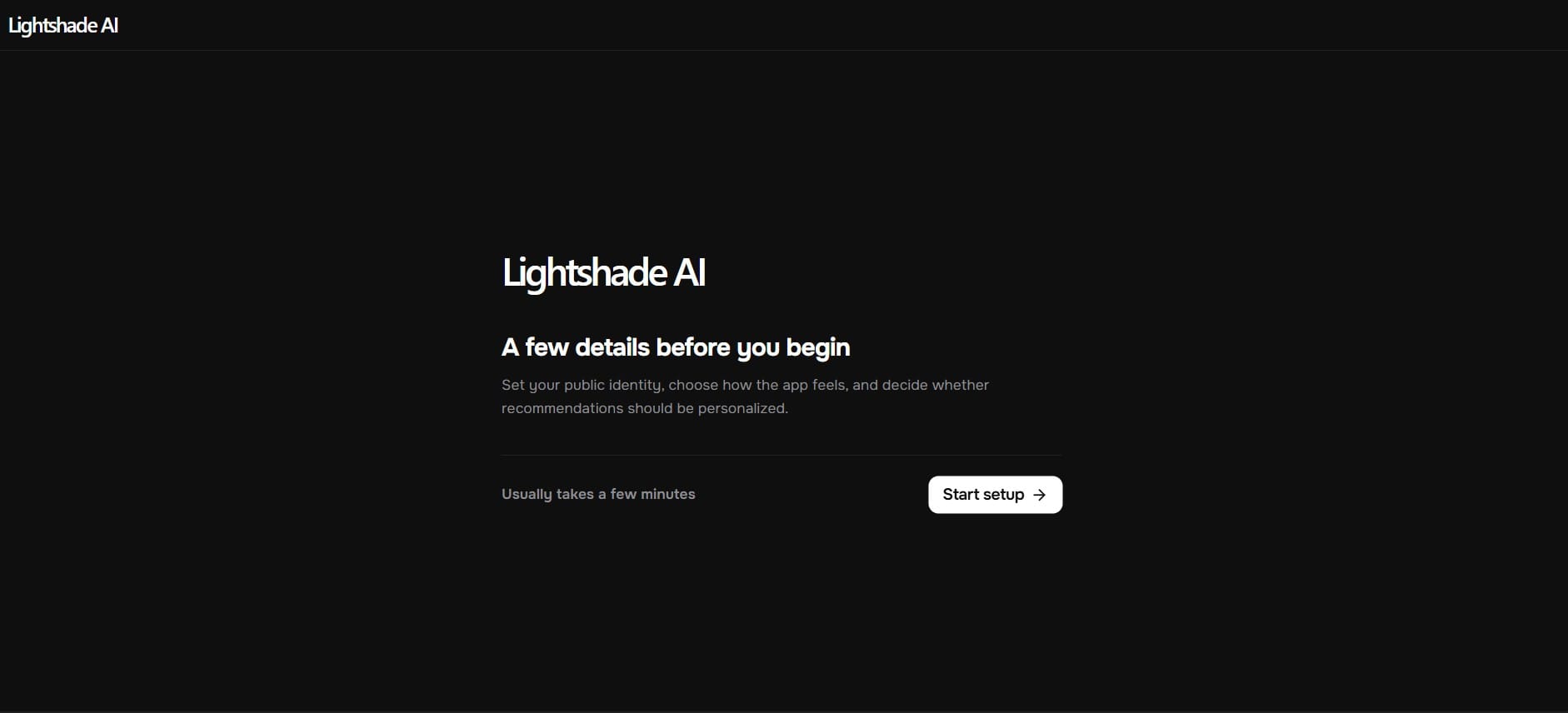
Landing on lightshade. cloud, you don’t get dropped straight into a character list. The homepage simply says “A few details before you begin,” with a note that setup usually takes a few minutes. That’s already different from most AI chat apps, where you’re chatting within ten seconds of landing.
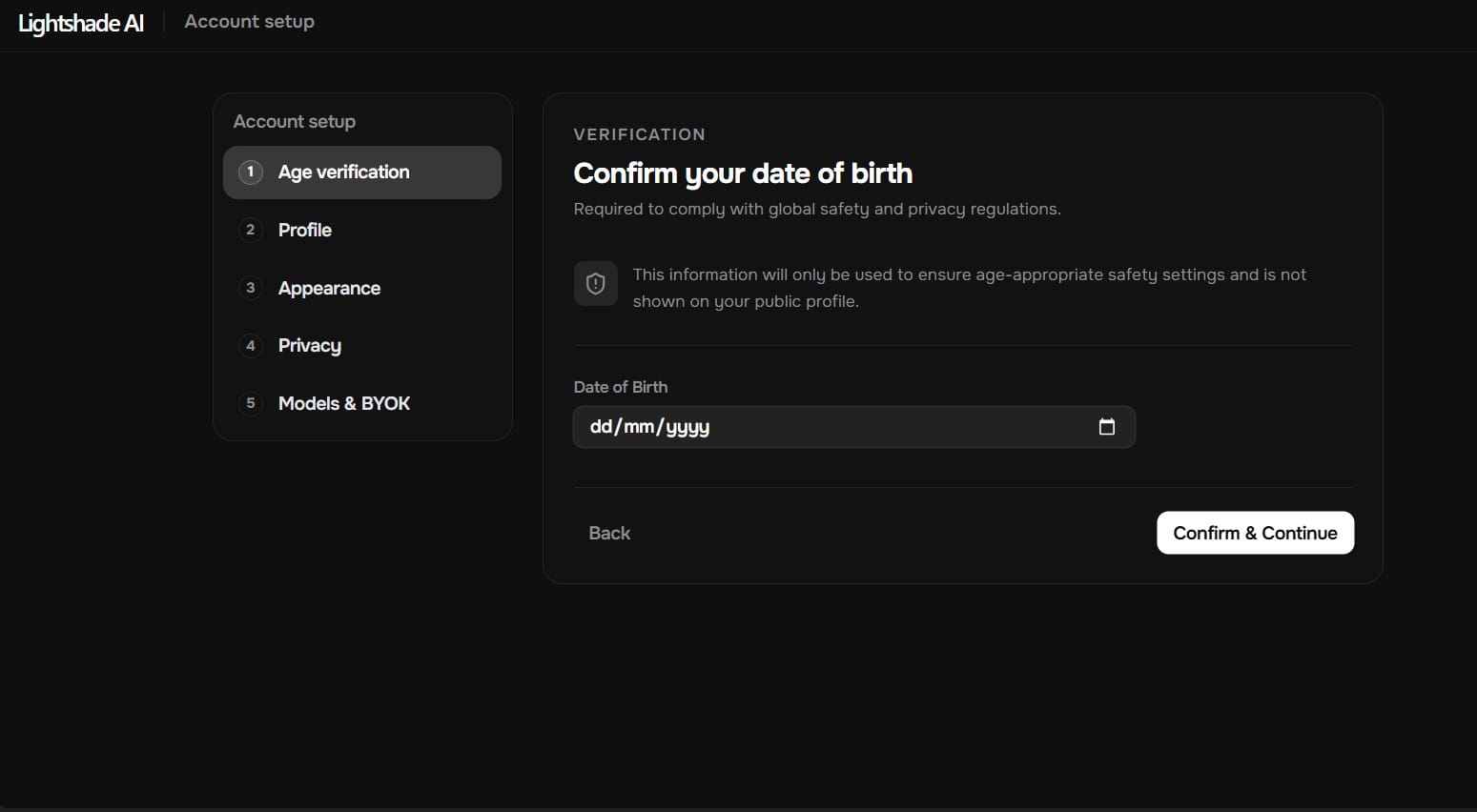
The setup itself is a multi-step wizard: profile, appearance, privacy, and finally models/BYOK, with a quick verification screen before it begins. Depending on whether you choose to fully customize appearance or skip it, the flow is either 4 steps or 9.
Lightshade AI Profile Setup
Next comes the identity setup — upload an avatar, optionally a banner, then set a display name, handle/username, and a bio (capped at 500 characters). Nothing unusual here; it’s standard account setup.
Lightshade AI Appearance Customization Options
This is the part that actually sets Lightshade apart. Before touching any settings, you’re asked to choose between “Customize appearance” (a guided walkthrough with a live chat preview) or “Use current defaults” to skip it entirely. I went with the full walkthrough.
Theme & scale:
Five built-in themes — Light, Dark, Onyx, Midnight, and AMOLED — each shown as a small preview tile. Text size is controlled separately for two things: application text (navigation, forms, page text) and chat text (message body only), each with five size options from Small (13px) to X-Large.
Chat layout:
Timeline width has four options (Narrow, Default, Wide, Full/edge-to-edge). Avatar shape gives you Circle, Squircle 8, or Squircle 16. Composer shape has four styles — Pill, Squircle, Boxy, Sharp. There are also dropdowns for avatar placement and message alignment.
Motion & behavior:Generation speed has four presets (Slow, Normal, Fast, Instant), and separately there’s a “writing effect” — eight text-reveal styles including Classic, Dreamy, Chunky, Springy, Matrix, and Instant, each rendered live in the preview chat so you can actually see the difference before picking one. I tried Matrix, and the glyph-resolve effect is exactly what it sounds like — visually distinct from a plain typing animation.
Advanced fonts:This is the one that genuinely surprised me. There’s a searchable Bunny Fonts catalog with previews, plus the option to upload your own licensed font file (with a checkbox confirming you hold the license). The panel notes the file stays in your browser and is stored only after setup succeeds. I haven’t seen this level of typography control on any other AI chat platform.
Lightshade AI Privacy Settings
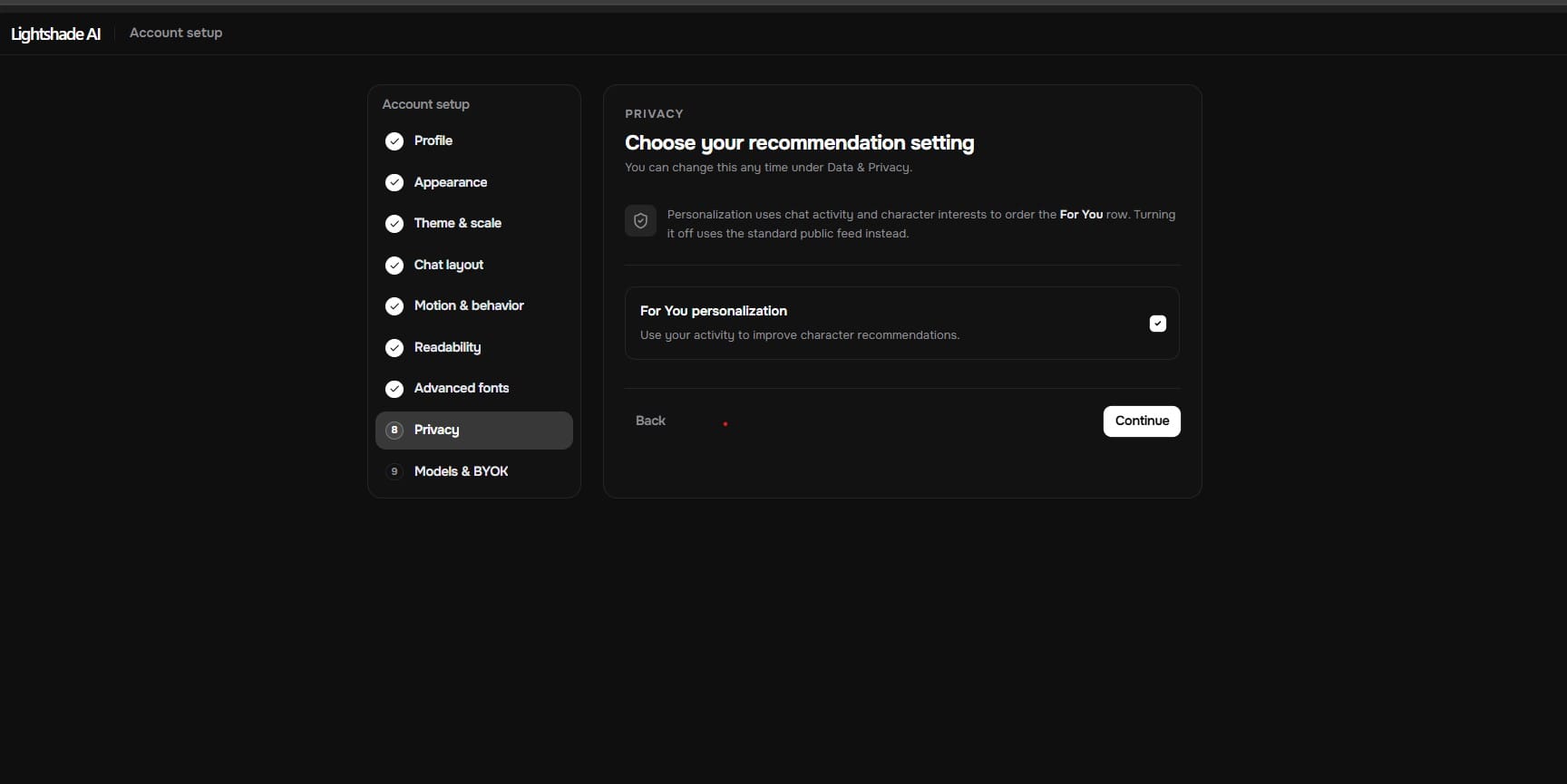
One toggle here: “For You personalization.” The description explains it uses your chat activity and character interests to order the Discover feed’s “For You” row, and turning it off switches you to the standard public feed instead. It’s a single clear setting, not buried in a submenu.
Lightshade AI Models and BYOK (Bring Your Own Key)
Before finishing setup, there’s a message directly from the team: they offer a few shared models so you can use Lightshade for free, but they’re upfront that they can’t guarantee any particular model stays available long-term, since they’re an independent, self-funded operation. They then point you toward BYOK (Bring Your Own Key) for more control and consistency, with an option to either set that up now or continue with shared models. I appreciated that this is stated plainly instead of buried in a terms-of-service page.
Lightshade AI Persona vs. Lore book: Building a Character
Lightshade splits identity into two separate things, and it’s worth understanding before you dive in:
Persona is how characters see you — your own avatar, banner, display name, and a description field (up to 4,096 characters), plus a visibility setting (Public, Unlisted, or Private).
I created a persona first through the “Create a Persona” screen, then built a lore book entry for a test character named Zayn Malik. The lore book page makes the mechanism explicit: “A lore book is a world you write once and attach to as many characters as you like. Entries only enter a chat when they are relevant, so a big world costs nothing until it matters.”
When I opened the entry I’d created, it showed a single keyword-triggered block: a list of terms (name, profession, physical description, location) that the AI pulls in when those words come up naturally in conversation. This confirms what the platform describes — it’s triggered context injection, not automatic persistent memory. If you’re expecting a system that remembers everything across every session without any setup, that’s not what a lorebook does. It’s closer to a reference sheet the AI checks when relevant keywords appear.
Lightshade AI Discover Page
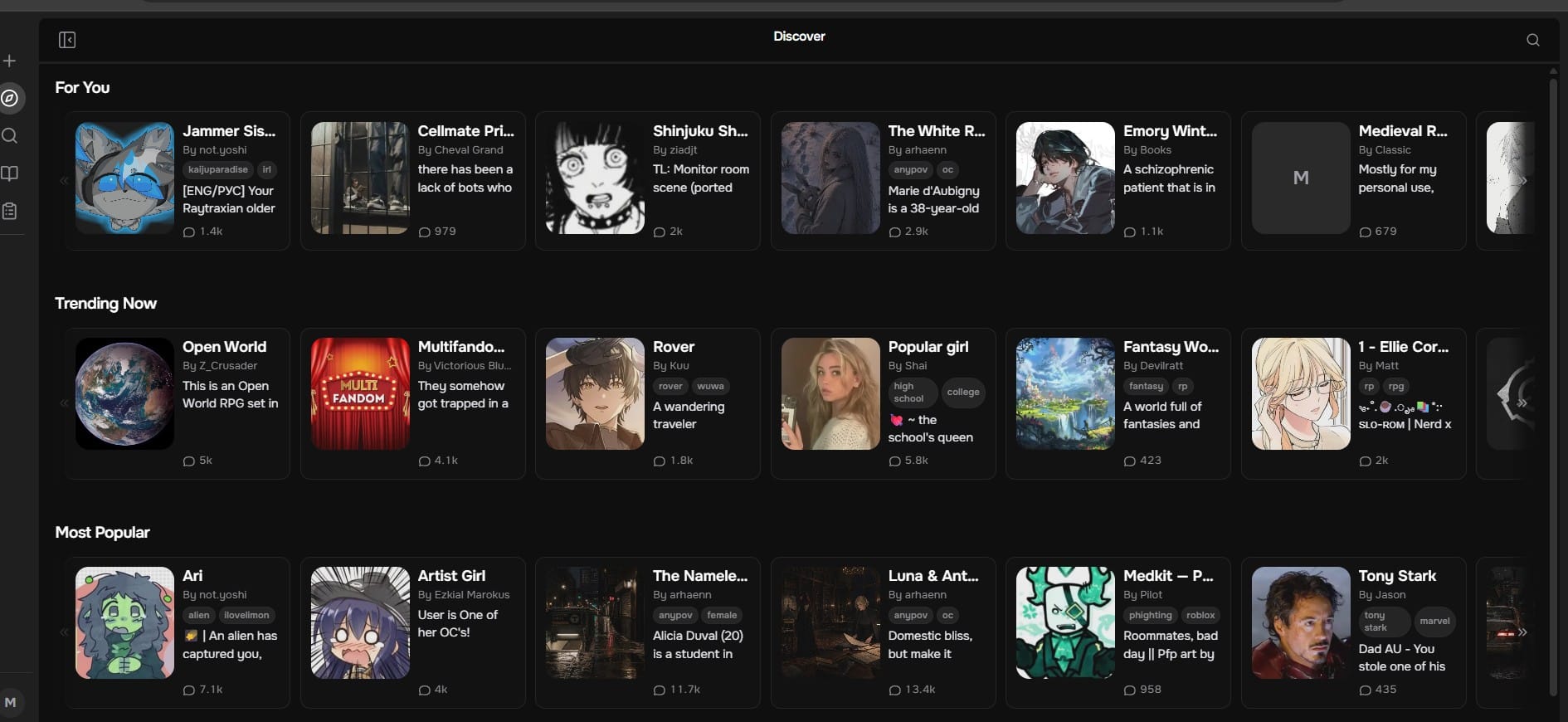
The Discover feed is organized into rows: “For You,” “Trending Now,” and “Most Popular,” each showing character cards with a thumbnail, creator name, tags, a short description, and a message-count badge. It’s a fairly standard browsing layout, comparable to what you’d expect from any character-chat platform, just without the years of accumulated library size that a platform like Character.AI has.
Lightshade AI Chat Experience: Testing Real Conversations
I tested three different setups:
Aster — the default preview character used throughout onboarding, mostly to test how the appearance settings actually look in a live chat.
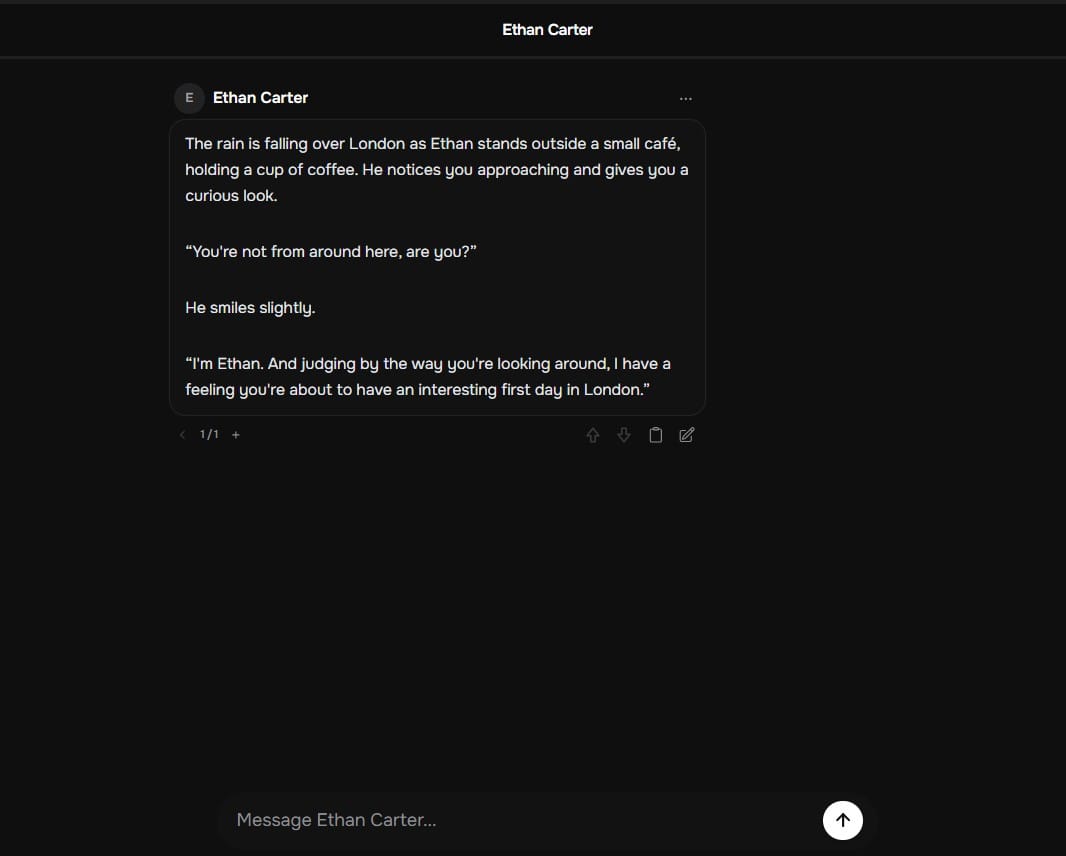
Ethan Carter — a pre-written scene character with a specific setting (rainy café in London) and a defined personality intro.
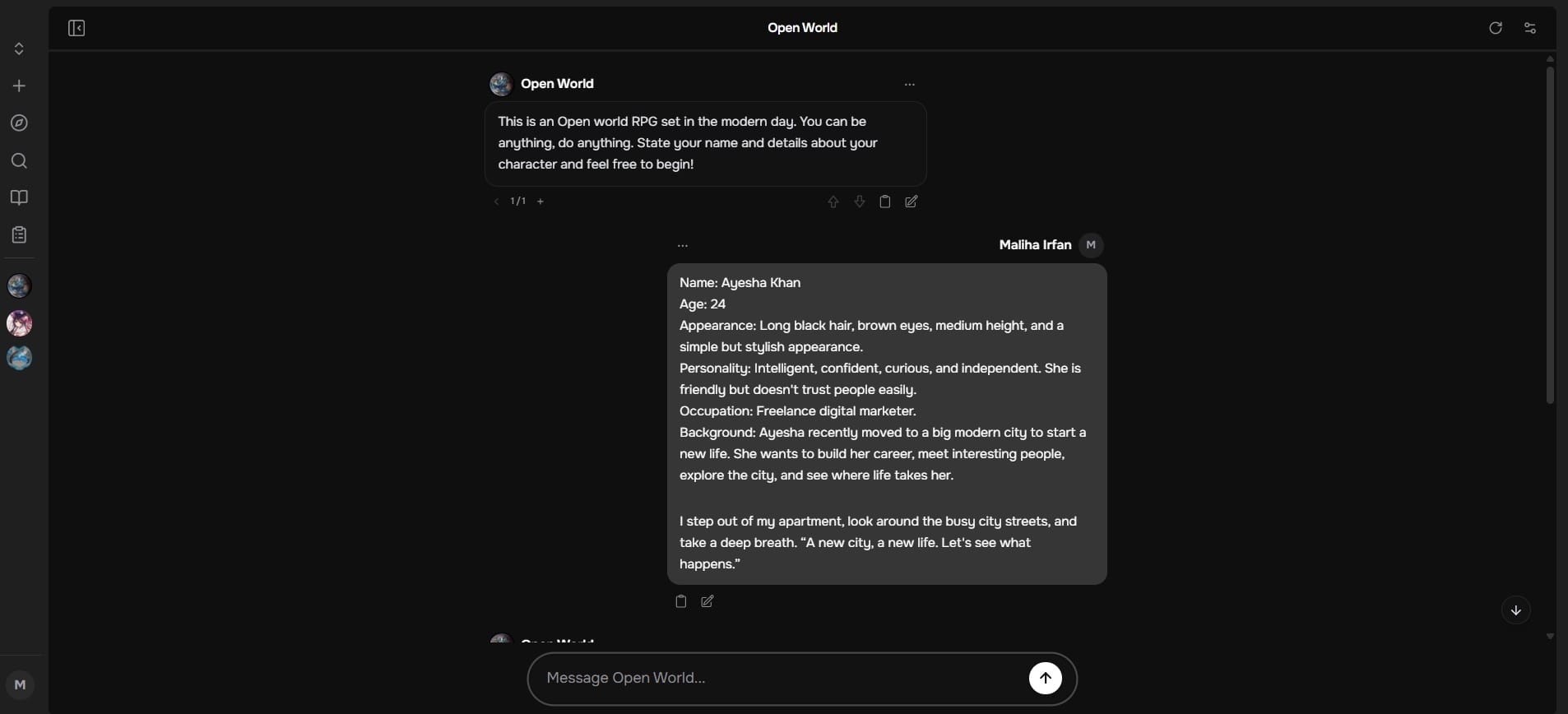
Open World — an open-ended RPG-style character where you define your own character on the fly. I typed out a full character description (name, age, appearance, personality, occupation, background) and the model picked it up and responded in-character from that single message.
Both chat formats worked as expected within the message exchanges I tested. The pre-written scene character (Ethan Carter) had a noticeably more grounded, specific opening than the open-world one, simply because the initial character definition had more detail to work with — which lines up with what the lore book page says about specificity mattering.
Lightshade AI Creator Dashboard and Analytics
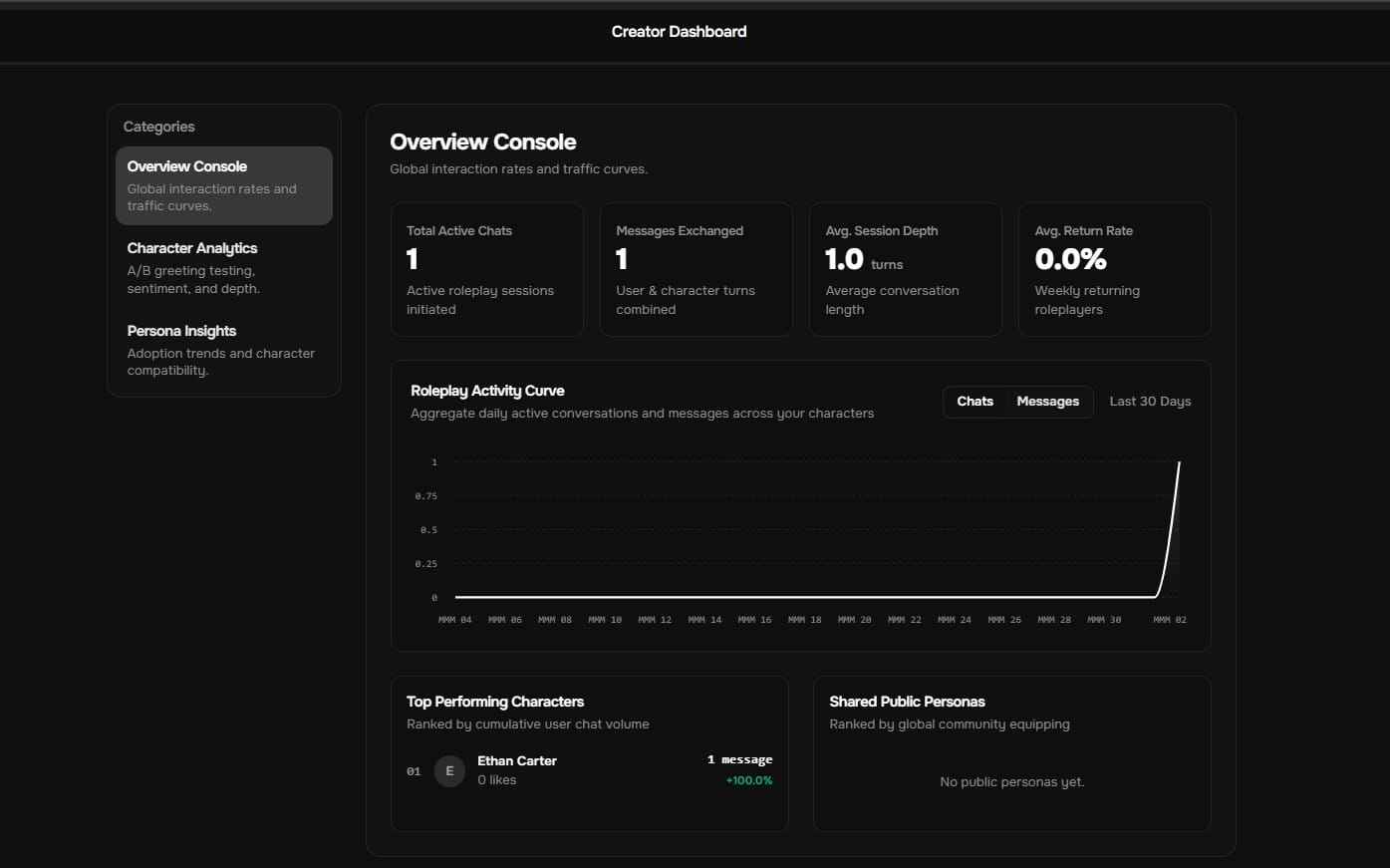
After publishing one test character, a Creator Dashboard became available. The Overview Console shows total active chats, messages exchanged, average session depth (in turns), and average return rate, along with a 30-day activity graph and a “Top Performing Characters” ranking. The sidebar also lists Character Analytics (A/B greeting testing, sentiment, depth) and Persona Insights (adoption trends, compatibility) as separate categories, though with only one test character and one chat, my own numbers were understandably minimal (1 active chat, 1 message, 0% return rate). Still, the fact that this level of analytics exists at all — and is free — is unusual for a platform this size.
Lightshade AI vs. Character.AI and Other Platforms
Platform
Memory Type
Cost
Automation
Character.AI
Built-in memory + Lore book
Free (basic), $10–20 (premium)
Automatic logging
Any Conversation
Persistent automatic memory
Free (limited), $10/month (full)
Fully automatic
Lightshade AI
Lore books + keyword triggers
Free
Manual trigger setup
Character.AI wins on library size, polish, and brand trust — it’s simply been around longer and has a much bigger user base. Any Conversation wins if you want memory that “just works” without any setup on your part. Lightshade’s trade-off is that you get far more control over how the app looks and behaves, plus creator analytics most platforms charge for, but the memory system requires you to actually write good lore book entries — it won’t do the remembering for you automatically.
Lightshade AI Pros and Cons: Honest Notes
The onboarding is genuinely long if you go through every appearance step. If you just want to chat immediately, “Use current defaults” skips all of it.
The lore book system depends entirely on how well you write your entries and keywords. A vague description will get you vague responses — that part isn’t really different from any AI chat platform.
Lightshade is upfront in its own onboarding copy that it’s a small, independent, self-funded project, not a large company — which is worth knowing before you connect any payment method or API key. If you’re cautious about newer platforms, start with the free shared models and no BYOK until you’re comfortable.
Who Should Use Lightshade AI?
If you’ve used Character.AI or similar apps and wished you had more control over how the interface looks, how fast text appears, what fonts render, and how your data/recommendations work — Lightshade’s setup gives you that in a way I haven’t seen elsewhere. If you just want to open an app and start chatting with a huge pre-built library without configuring anything, the onboarding here will feel like more than you signed up for.
FAQs
Q: Is the platform actually safe to use?
I didn’t encounter malicious activity. Trust warnings exist and are real. Verify yourself before connecting payment information.
Q: How long does setup actually take?
9 steps total. ~5 minutes if you skip customization, ~15 minutes if you configure everything.
Q: Does BYOK actually improve consistency?
Yes. Using your own API key provides consistency that shared models cannot guarantee. Cost depends on usage.
Q: Can I really customize everything?
Interface customization is extensive (themes, fonts, animations, layouts). AI model customization requires BYOK. Partial answer: yes and no.
Q: How does it compare to Character.AI?
Character.AI: bigger library, more polish, charges for advanced features. Lightshade AI: more control, free analytics, independent operation. Different value propositions.
Q: Will the platform survive long-term?
Unknown. It’s independent and unfunded. Could thrive for years or pivot completely in 6 months. Lightshade is honest about this uncertainty.
Disclaimer: This is an independent review based on my own testing of Lightshade AI, and I’m not affiliated with the platform. Features, pricing, and policies may change. Any safety or trust concerns mentioned are for awareness and should be independently verified before using the platform or entering payment details.
Tags:
Zyra Lane
Zyra Lane is a technology analyst and AI storyteller exploring the forces shaping the future of business and innovation. She turns complex trends into clear, actionable insights, helping readers see what’s next in a rapidly evolving digital world.