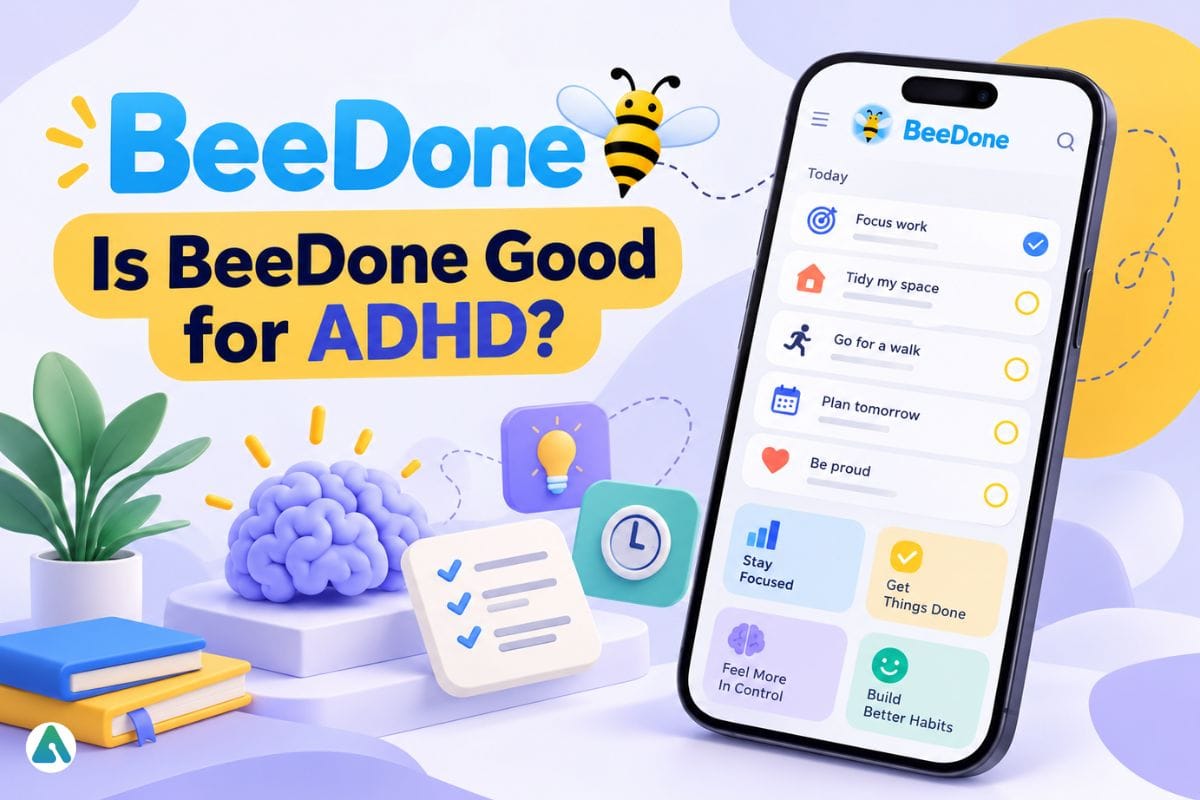
Most to-do apps fail by day three. The to-do list is rarely the problem. Lists feel like chores, and chores are easy to skip. BeeDone tries to fix this by turning your task list into a game, with XP, streaks, a bee mascot, and an AI coach.
This guide explains what BeeDone is, what it says it can do, how its pricing works, and who it suits. It’s based on public information, not a hands-on test, so I point out where things are unclear.
What Is BeeDone?
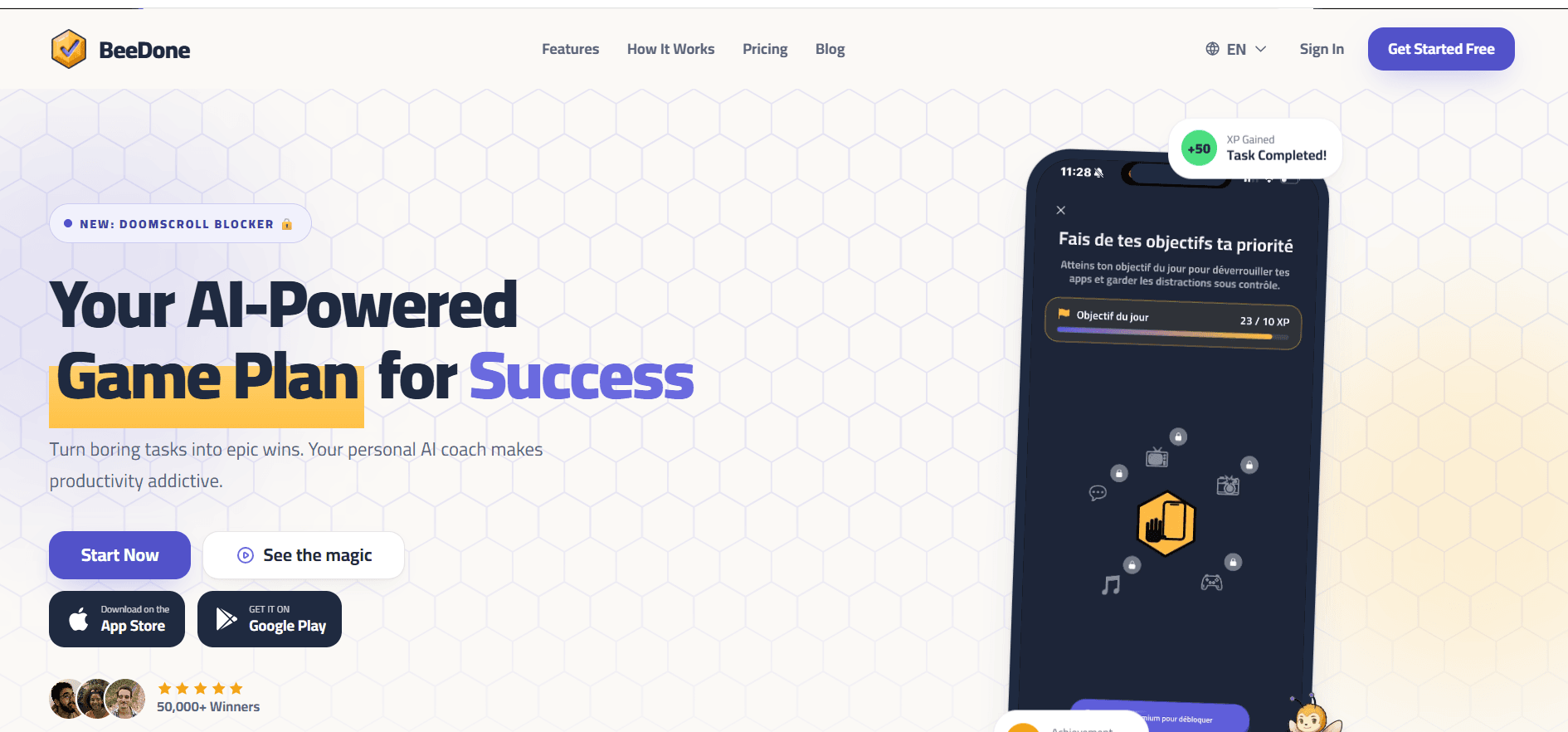
BeeDone is a gamified task and habit manager built for solo users. You earn XP for finishing tasks, build streaks for consistency, and get nudges from an AI coach. TheApp Store listing markets it as a gamified ADHD planner. The official site calls it an AI-powered game plan for success.
Detail
What BeeDone says
Platforms
Web, plus iPhone, iPad, Mac, and Apple Watch on the App Store. The site links to Google Play.
Free plan
Yes. Three active habits and basic gamification.
AI coaches
The App Store lists 8 coach styles.
App Store rating
4.5 from 38 US ratings (a small sample)
Social proof
The homepage cites 50,000+ “winners” but doesn’t define the number.
How BeeDone Works
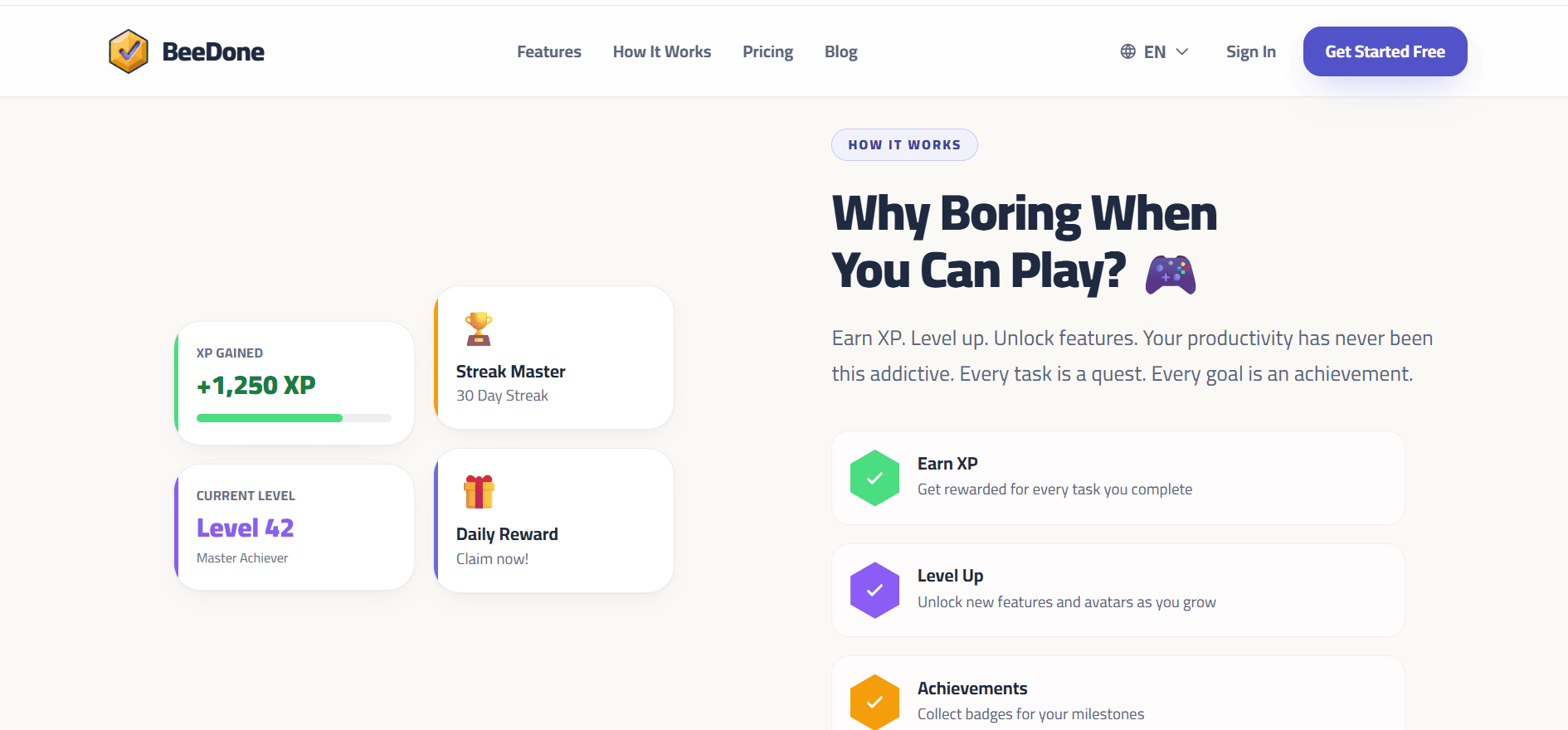
The idea is a simple loop: do a task, get a reward, keep the streak alive.
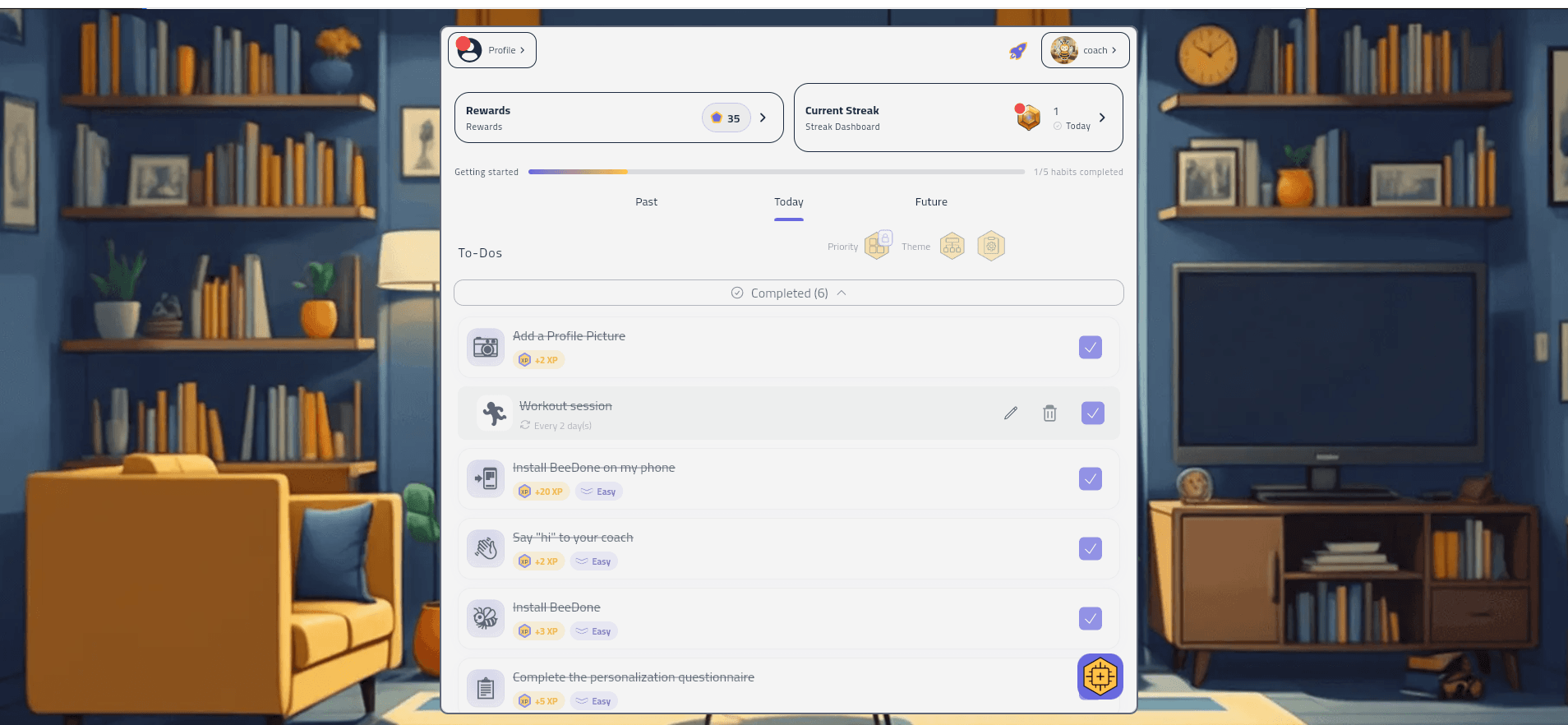
You add tasks and habits and organize them in Past, Today, and Future views. You can filter by priority and theme. Finishing tasks earns XP, and the app tracks a streak of consecutive active days. A bee mascot and coach add encouragement along the way.
One thing to watch: gamified apps often hand out points for easy setup chores like adding a profile photo or installing the app. That can feel motivating on day one, but it says little about whether the app helps with work you actually dread. Judge it by how you use it once the novelty fades. Tone shapes whether you keep using an app.Aethris AI takes the sarcastic route with its character, and the contrast shows how much personality matters.
Key Features
AI Coach
The App Store lists eight coaches with different tones, and the app says you can switch styles. Tone matters more than you’d think, because a coach that irritates you won’t survive the first week. (Aethris AI, for example, takes a sarcastic approach to its character.)
The practical question to ask is whether the coach proposes or dictates. A coach that suggests next steps you can accept or dismiss is easier to live with than one that rewrites your list. Also check how many suggestions it gives at once. Too many can turn a light day into an overwhelming one.
Doomscroll Blocker
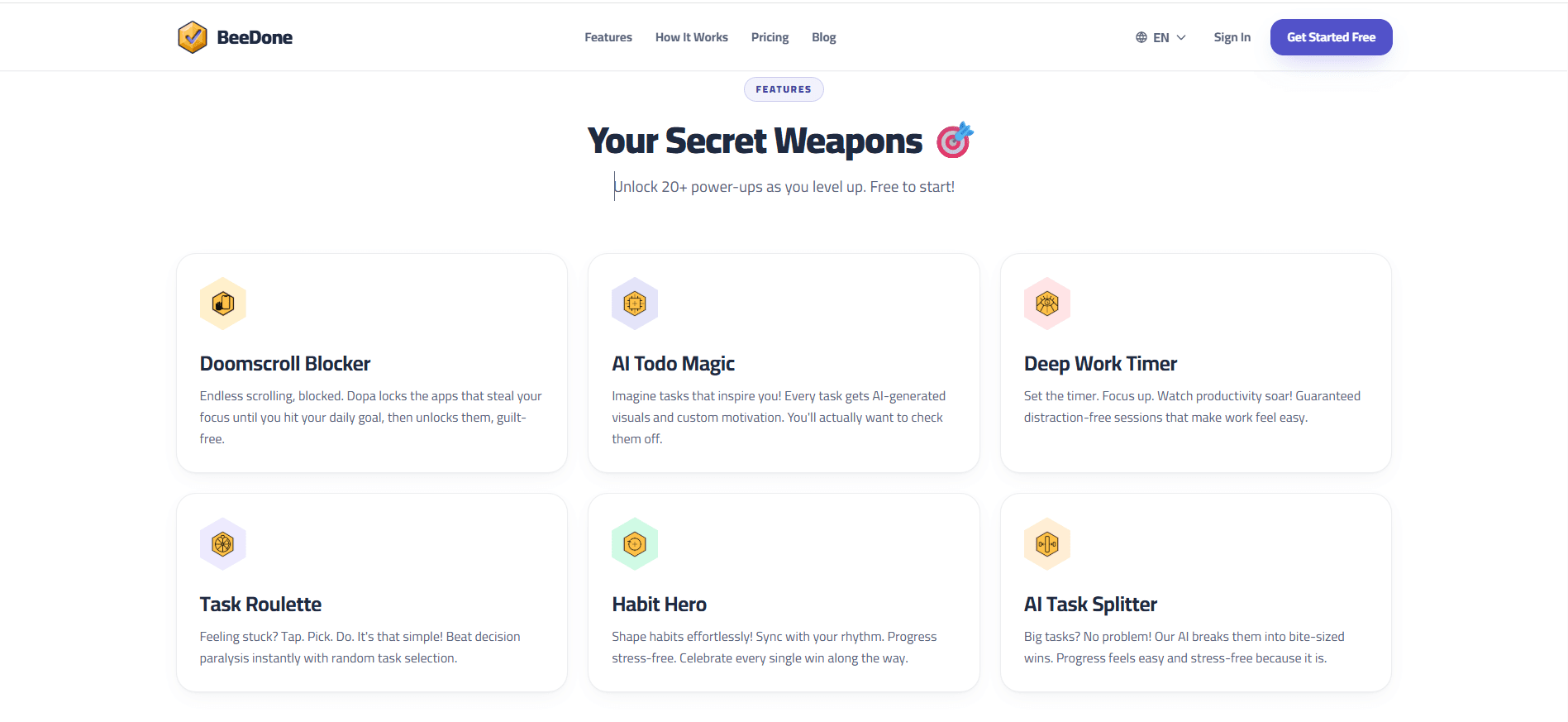
The homepage flags this as a new feature. According to the App Store’s latest release notes, a block screen appears when you open a distracting app, with a coach character named Dopa. That suggests it exists on iOS. Before relying on it, check whether you get emergency access, whether it can be bypassed, and how it behaves on Android.
Task Roulette
Task Roulette targets decision fatigue. You tap “Let’s Roll!” and the app picks your next task. This suits people who lose time deciding what to do first.
Deep Work Timer
The listing describes focus sessions of 25, 45, or 90 minutes, which fits the common work-in-blocks approach to focus.
Group Mode, Mini-Games and Apple Watch
The listing mentions co-op quests, two mini-games, and a Watch app. These are vendor claims, so check that they work the way you expect on your device.
BeeDone Pricing and Free Plan
Pricing is the confusing part. BeeDone shows different numbers in different places.
Source
What it shows
Web pricing page
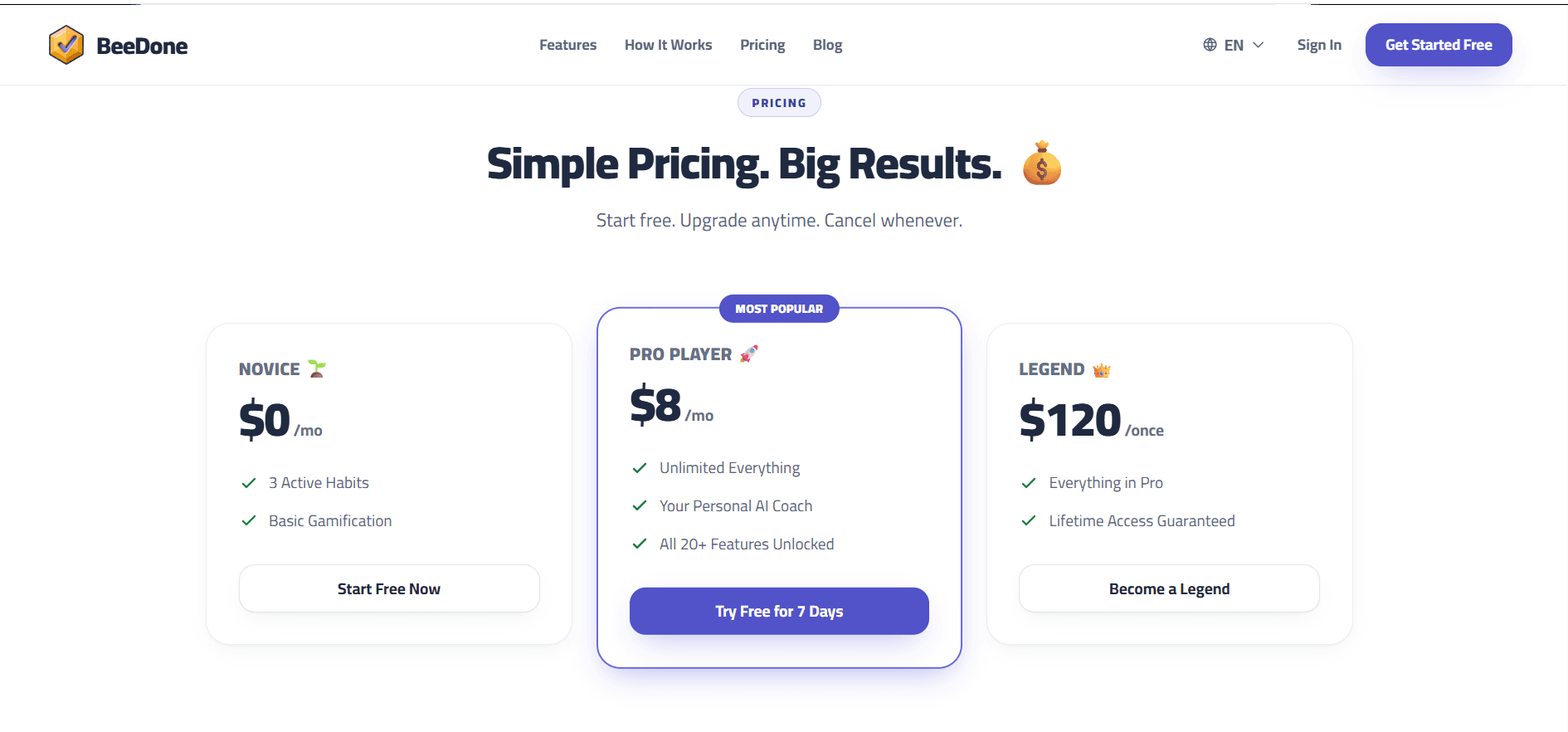
Novice $0/mo. Pro Player $8/mo with a 7-day trial. Legend $120 one-time.
The App Store listing contradicts itself, and neither version matches the website. The web price isn’t automatically the cheaper one either: the web lifetime is $120, while the App Store lists lifetime at $17.99 and $27.99. I found nothing explaining the gap. Always confirm the price on the checkout screen before you pay.
The “Legend pays off after 15 months” math ($120 ÷ $8) only works with the web prices.
What the BeeDone Free Plan Includes
The web page lists the free plan as three active habits with basic gamification. The App Store says Pro unlocks unlimited habits, advanced AI coaching, and premium features. That wording suggests some coaching may be available on the free plan, but the exact limits aren’t spelled out. Don’t assume what you see on free will stay free.
Trial and Cancellation
The web page advertises a 7-day Pro trial. On iOS, subscriptions renew automatically unless you cancel at least 24 hours before the period ends. Set a reminder the day you start any trial.
Things to Check Before You Pay
Calendar sync. A May 2025 App Store reviewer said Google Calendar and reminder integration were missing, and the developer replied that a later version would add it. Current status is unconfirmed.
Where your task data goes. The App Store privacy label lists email, name, and user ID as linked to you. It doesn’t say whether your task text trains AI models. Read the privacy policy for any language on AI providers, training, and retention before you enter sensitive tasks.
Tracking. The developer says the app may use identifiers and usage data to track you across other companies’ apps and sites. Apple notes this isn’t verified.
Offline use. It isn’t documented what happens to your streak when your connection drops.
Web versus mobile. Notifications, widgets, the Watch app, and the blocker live on mobile, so the web version won’t show you the full experience.
Streak accuracy. Release notes mention a fix for streaks resetting to zero when users returned. Watch your streak closely in week one.
Small rating sample. 38 ratings is too few to treat 4.5 as proof of quality.
BeeDone vs Habitica, Finch and TickTick
These apps solve different problems. The useful question is how each one decides what you do next.
BeeDone
Habitica
Finch
TickTick
Core idea
Gamified tasks plus AI coach
Role-playing game for habits
Self-care app built around a virtual pet
Task list with calendar views
Picks your next task
Coach suggestions and Roulette
You choose
You choose
You choose
Missed tasks
Not documented
Missed Dailies can cost HP
Not verified
Overdue items stay flagged
Group play
Co-op Group Mode (vendor claim)
Parties and quests
Not verified
Shared lists
Best fit
Solo users who like rewards
People who want a full game
People who want a gentler habit app
People who want a flexible planner
The other columns are based on widely known features and product descriptions, so confirm current plans before relying on them. If you want a calendar that schedules for you, Motion is a paid AI scheduler built for that job. For teamwork, AI project management tools fit better than any of these.
Who Should Use BeeDone?
It’s a good fit if:
Points and streaks genuinely motivate you
You work alone and want a nudge
Your phone eats your afternoons, and you want a blocker
Skip it if:
You need shared boards and deadlines
You need calendar sync today
Cute mascots irritate you
You want deep workout tracking. Sets and rest timers need a dedicated planner like GymBuddy AI.
Is BeeDone Good for ADHD?
The listing says BeeDone was designed with ADHD in mind. That’s the developer’s positioning, not proof. The CDC lists trouble staying focused and organized among common ADHD symptoms, and a planner can help support daily routines, although it doesn’t replace professional care.
Features that may help include quick onboarding, instant reward feedback, and a routine builder with morning, afternoon, and evening blocks, according to the App Store. However, gamified points for small chores may not suit everyone, while undocumented notification behavior and unconfirmed calendar sync leave some practical questions unanswered.
If you’re comparing productivity apps designed around ADHD-friendly routines, Tiimo’s approach to visual planning and daily structure offers another perspective. For people who find it difficult to stay focused while working alone, AI body doubling for ADHD explores a different way to approach task initiation and accountability. These tools serve different needs, so the right fit depends on your routines and preferences. For diagnosis or treatment decisions, consult a qualified clinician.
A Simple Daily Routine for Gamified Planners
Any app like this works better with a small, repeatable system. Here’s one called 3-1-25:
Pick 3 tasks tonight for tomorrow.
Choose 1 big task to do first.
Run one 25-minute focus block on that task.
Check your progress once around midday.
Three mistakes to avoid:
Accepting every suggestion. A coach can bury a light day if you say yes to everything.
Farming easy XP. Points for tiny chores don’t move real work.
Treating it as a calendar. BeeDone is task-first.
Is BeeDone Worth It?
It’s worth trying for free, especially if rewards and a friendly coach keep you moving. Whether it’s worth paying for depends on things you can only judge yourself: does the streak survive past day three, and does the coach feel helpful rather than generic? Because prices differ so much across the web and the App Store, confirm the checkout price before upgrading.
Next step: sign up free, add three real tasks (not just setup chores), and run 3-1-25 for three days. If you’re still opening the app on day four, a paid plan becomes a more reasonable question.
FAQs
Q. Is BeeDone free, and how much does Pro cost?
Yes, the web plan costs $0 with three active habits and basic gamification. The web page lists $8 per month or $120 lifetime. The App Store shows many offers, including $3.99 monthly in its description and $17.99 lifetime in its purchase list. Confirm at checkout.
Q. Does BeeDone have an AI coach on the free plan?
The pricing page lists the coach under Pro, and the App Store says Pro adds “advanced AI coaching.” Free access may be limited.
Q. Does BeeDone work on desktop?
There’s a web version, and the App Store lists iPad, Mac, and Apple Watch support. Android support isn’t confirmed here.
Q. Can BeeDone block distracting apps?
The App Store release notes describe a block screen for distracting apps on iOS. Android behavior isn’t confirmed.
Q. Does BeeDone sync with Google Calendar?
Not confirmed. A 2025 reviewer reported it missing, and the developer promised it for a later version. Check the current app first.
Q. Is BeeDone good for ADHD?
The developer designed it with ADHD users in mind. That’s a positioning claim, not proof of effectiveness. Use it as a planning aid and talk to a clinician about treatment.
Q. Is there an app that tells you what to do?
BeeDone’s coach suggests next steps, and Task Roulette picks a task for you.
Q. What are the best gamified to-do apps with an AI coach?
BeeDone is the one covered here. Habitica and Finch gamify habits in different ways, but neither is confirmed to include an AI coach. Compare current features before you choose.
Disclaimer: This review is not sponsored by or affiliated with BeeDone. It is based on publicly available information, not hands-on testing. Features and pricing may change, so verify the latest details before subscribing.
Tags:
Zyra Lane
Zyra Lane is a technology analyst and AI storyteller exploring the forces shaping the future of business and innovation. She turns complex trends into clear, actionable insights, helping readers see what’s next in a rapidly evolving digital world.