
Every campaign needs pictures. A product page needs a hero shot. A Reel needs a background. A pitch deck needs something better than stock photos everyone has already seen. Small teams feel this pressure most, because one person often handles design, copy, and posting.
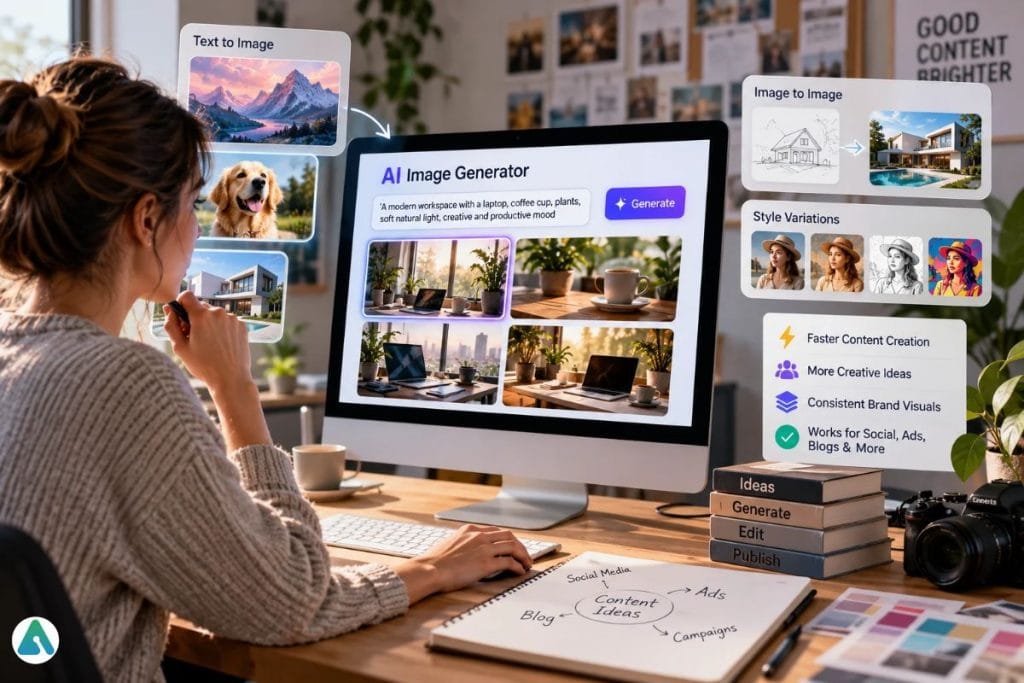
AI image generators take some of that weight off. You type a scene or upload a reference, and a few minutes later you have concepts to react to. The Nano Banana 2.5 AI image generator works this way. It reads your instructions and returns visual drafts, so you never start from a blank canvas.
Still, the tool doesn’t finish the job. Someone has to choose, fix, and approve. The teams getting real value from AI images are the ones who treat the output as a first draft.
What Do AI Image Generators Actually Do for Content Teams?
They turn words and reference pictures into visuals. You describe what you want. The tool offers several takes. You pick the one that fits and push it further.
The biggest gain shows up in planning. A designer used to sketch one direction, wait for feedback, and start over. Now a team can look at six directions in one meeting. Bad ideas die fast. Good ones get budget.
Small businesses feel the difference too. A local bakery or a solo consultant can produce campaign-quality visuals without hiring an agency for every post.
How Do You Turn a Rough Idea Into a Visual Concept?
Start with a plain description. Say who or what appears in the image, where it happens, and how it should feel. “A ceramic coffee mug on a wooden desk, morning light, calm mood” beats “nice coffee photo.”
The generator returns options. Each one reads your brief a little differently, and that’s useful. You often spot the right direction only after you’ve seen the wrong ones.
Here’s how teams use this stage:
- A marketing lead tests three campaign looks before briefing the designer.
- A social creator drafts four versions of one post and posts the winner.
- A video editor builds storyboard frames in an afternoon instead of a week.
Speed matters here, but comparison matters more. Side-by-side options make the strongest message obvious.
Why Do Reference Images Give You Better Control?
Text prompts leave room for surprise. Sometimes that’s great. Other times you need the result to match something specific.
That’s where reference images help. You upload a photo, sketch, or old design, and the tool works from it. Image-to-image workflows let you turn a photograph into an illustration, polish a rough concept, or adapt an old visual for a new campaign. The core composition stays put while the style changes.
Brand teams like this approach for another reason. When every asset grows from the same reference, the campaign looks like one campaign. Colors, mood, and framing stay in the same family.
You still need to review each result. A reference reduces drift, but it doesn’t erase it.
How Does Prompt Quality Change the Final Image?
A vague prompt gets a vague image. It might look attractive and still miss the point of the project.
Good prompts name the parts that matter: the subject, the setting, the camera angle, the lighting, the mood, and the style. They stay short. Ten clear words often beat fifty padded ones.
Teams that produce images every week benefit from a shared prompt formula. Everyone writes instructions the same way, so results stay consistent across designers and campaigns.
Then iterate. Your first image may nail the mood and blow the details. Change one phrase and run it again. Three or four rounds usually beat one perfect attempt.
How Do You Fit AI Images Into a Real Content Workflow?
Almost no generated image ships untouched. Someone crops it. Another adds a headline. Someone else drops it into a video timeline or a slide.
So the smoothest setups keep generation and editing close together. When you don’t bounce between five apps, you keep your momentum.
One concept can also work in several places. The same scene might become a short-form video background on Monday, a social graphic on Tuesday, and an ad concept on Wednesday. You build the idea once and reuse it. That saves hours over a full campaign.
What Should You Review Before Publishing an AI Image?
Read every image like an editor. Look for warped hands, odd shadows, and objects that make no sense. Ask whether the composition fits the channel. Confirm the colors match your brand.
Words inside images deserve extra suspicion. Letters that look fine in a small preview can fall apart at full size. Reviewers should zoom in on any text inside generated images before approving it.
Commercial work raises the stakes. A wrong detail on a product image can cost you trust, so a human should always give the final yes.
Frequently Asked Questions
Q. Can AI image generators replace graphic designers?
No. They handle drafts and concept exploration. Designers still set direction, fix flaws, and protect the brand.
Q. What makes a good AI image prompt?
It names the subject, setting, lighting, mood, and style in short, clear phrases. Extra detail helps only when it serves the goal.
Q. Are AI images ready to publish right away?
Rarely. Most need cropping, editing, or a closer review first.
Q. Who benefits most from AI image generation?
Marketers, content creators, small business owners, and video editors. They need lots of visuals and rarely have spare time.
Conclusion
AI image generation makes testing ideas cheap and fast. More people can now reach a polished visual without a big design budget.
The real wins come when generation connects to everything around it: editing, storytelling, branding, and publishing. One good concept then feeds a whole content plan.
Volume won’t set teams apart. Anyone can make a thousand images. The advantage belongs to people who direct the tool well, judge the results honestly, and turn the best ones into content that serves a purpose.
Related: How AI Creates and Optimizes Paid Ad Campaigns in 2026
